3dmr
3D Multi-Robot Exploration, Patrolling and Navigation.
Install / Use
/learn @luigifreda/3dmrREADME
3DMR
3D Multi-Robot Exploration, Patrolling and Navigation.
Maintainer: Luigi Freda
The 3DMR framework provides tools for 3D multi-robot exploration, patrolling and navigation tasks with different robots under different simulators. It provides the core C++ implementation behind our papers:
-
3D Multi-Robot Exploration with a Two-Level Coordination Strategy and Prioritization
L. Freda, T. Novo, D. Portugal, R.P. Rocha
CoRR 2023 -
3D Multi-Robot Patrolling with a Two-Level Coordination Strategy
L. Freda, M. Gianni, F. Pirri, A. Gawel, R. Dubé, R. Siegwart, C. Cadena
Autonomous Robots, Springer, 2019.
This repository allows testing our proposed multi-robot strategies within V-REP and gazebo. It extends and improves our previous framework 3dpatrolling. Here, you can find a list of new features we added.
<p align="center"> <img src="images/3D-exploration-ugvs2.gif" alt="V-REP simulation 3d exploration" height="230" border="0"/> <img src="images/patrolling-two-floor-ring.gif" alt="V-REP simulation 3D exploration" height="230" border="0"/> </p>Main features
Tasks: 3D exploration, 3D patrolling, and 3D navigation.
<p align="center"> <img src="images/teaser-repo.png" alt="3DMR system" width="500" border="0" /> </p>Robots: tracked UGV, jackal UGV, pioneer 3-DX, and AscTec Firefly.
<p align="center"> <img src="images/nifti.png" alt="TRADR system" height="180" border="0" /> <img src="images/pioneer_team.png" alt="TRADR system" height="180" border="0" /> </p> <p align="center"> <img src="images/jackal-ugvs.png" alt="TRADR system" height="180" border="0" /> <img src="images/pioneers-rviz-vrep.png" alt="TRADR system" height="180" border="0" /> </p> <p align="center"> <img src="images/tracked-ugvs.png" alt="TRADR system" height="180" border="0" /> <img src="images/exploring-uavs.png" alt="TRADR system" height="180" border="0" /> </p>GUIs: our PyQt GUIs offer a convenient entry point for quickly launching exploration, patrolling and navigation systems.
Prerequisites
3DMR requires ROS noetic under Ubuntu 20.04. Python3 is required in order to start our PyQt GUIs. If you do not have this Ubuntu version, you can use rosdocker.
Quick install and build
Here, you can find a quick install procedure (tested under Ubuntu 20.04). Open a new terminal and get into the root folder of this repo. Run the following commands:
- automagically install V-REP, gazebo, ROS dependencies and everything else is required:
./install.sh - build all the workspaces in this repo:
./build_all.sh - source all the 3DMR workspaces:
source source_all.bash
Now, you're ready to test our exploration, patrolling and navigation systems. See the next sections for further details.
If you do not have Ubuntu 20.04, you can use rosdocker.
Refer to INSTALL.md if you need a manual installation.
Repo organization
Workspaces
3DMR is a stack of ROS packages organized in different workspace folders (with suffix _ws):
mapping_wscollects volumetric mapping tools integrated in our system (octomap, voxblox, robot-centric elavation mapping).nav_wscollects the packages that allow path planning, trajectory control, navigation, and V-REP simulation with the tracked robots.patrolling_wscollects our main patrolling packages imported from 3dpatrolling.exploration_wscollects packages used for multi-robot exploration and a porting of the nbvplanner packages (exploration for drones) to ROS noetic.jackal_wscollects gazebo packages and launch files for multi-robot navigation and exploration with a team of jackal robots equipped with LIDAR.pioneer_wscollects packages used for multi-robot navigation and exploration with a team of pioneer robots equipped with RGBD cameras.teb_wscollects the TEB tools that we integrated into our system.
In each workspace, you can use the scriptcompile_with_catkin_build.sh to separately build the workspace with catkin build.
Main scripts
Open a new terminal and from the root folder of this repo you can:
- build all the workspaces
./build_all.sh - source the workspaces by using the command
source source_all.bash
Once you have sourced the workspaces, you're ready to test the patrolling and exploration systems, or the path planner (see the next sections). - if needed, clean the workspaces by running
./clean_all.sh
See the GUIs section below on how to use our main_*.py GUI scripts.
3D Multi-robot exploration
Refer to this README.exploration.md for testing the exploration system.
<p align="center"> <img src="images/3d_exploration_ring.png" alt="V-REP simulation 3d exploration" height="250" border="0" /> <img src="images/exploration-3robots.png" alt="V-REP simulation 3D exploration" height="250" border="0" /> </p>3D Multi-robot patrolling
Refer to this README.patrolling.md for testing the patrolling system.
<p align="center"> <img src="images/patrolling-elike-animated.gif" alt="V-REP simulation 3dpatrolling" height="250" border="0" /> <img src="images/patrolling-crossroad.gif" alt="V-REP simulation 3dpatrolling" height="250" border="0" /> <img src="images/3d_patrolling_corridor.png" alt="TRADR system" height="250" border="0" /> </p>3D Multi-robot path planner
- Refer to this README.navigation.md for testing the navigation.
GUIs
We have different PyQt GUIs for launching exploration, patrolling and path planner systems on the different robot systems. You can run:
$ ./main.pyfor TRADR UGVs equipped with rotating laser-scanners$ ./main_pioneer.pyfor pioneer robots equipped with RGBD cameras$ ./main_jackal.pyfor jackal UGVs equipped with LIDARs, IMUs and cameras$ ./main_uav.pyfor a team of UAVs equipped with stereo/depth cameras and IMUs (nbvplanner)
The buttons and tooltips should be self-explanatory. Start playing with them and refer to the following README files for further details:
SLAM integration
On the TRADR tracked robots, we initially used the LIDAR SLAM frameworks laser-slam and segmap. On the pioneer 3-DX robots with RGBD cameras, we used RTAB-Map.
If you have robots with 3D LIDARs, you may want to take a look at this cool paper for alternative SLAM tools: Present and Future of SLAM in Extreme Underground Environments
Project webpages
TRADR EU project
This work started during the TRADR EU project. You can find a presentation of the TRADR project on its website.
3D Patrolling project
Videos and further information about our previous 3dpatrolling framework can be found on our 3D patrolling project webpage.
<p align="center"> <img src="images/patrolling-rv-yr4.png" alt="TRADR system" height="150" border="0" /> <img src="images/monte-libretti-robots.jpg" alt="TRADR system" height="150" border="0" /> <img src="images/montelibretti-patrolling.png" alt="TRADR system" height="150" border="0" /> </p>License
The 3DMR stack contains different ROS packages. Each package comes with its license. Where nothing is specified, a GPLv3 license applies to the software.
Please cite our works (referred above) if you use our system in your projects.
Contributing to 3DMR
You can contribute to the code base by using pull requests, reporting bugs, leaving comments, and proposing new features through issues. Feel free to get in touch: luigifreda(at)gmail(dot)com. Thank you!
Credits
-
Some of the packages in the folders
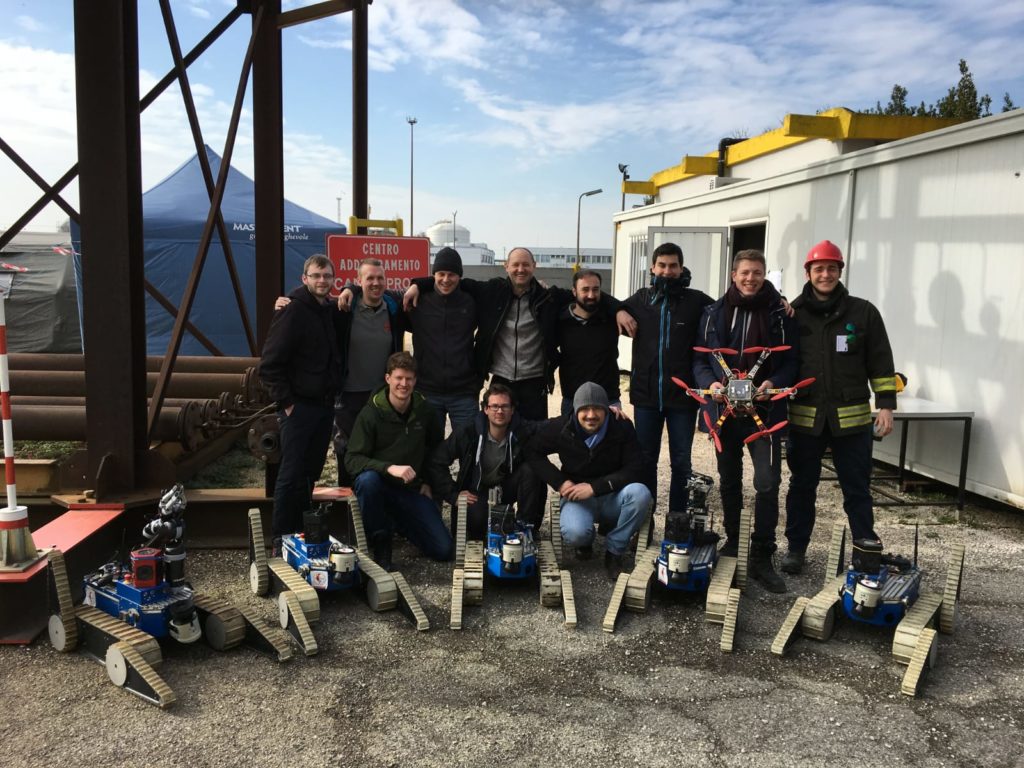
nav_ws/src/robotandnav_ws/src/msgshave been developed by the TRADR team. Thanks to all the guys who shared with us cold tents, hot coffee and wonderful life moments during TRADR demos, integrations, exercises and reviews! -
We implemented our patrolling agent in the ROS package `patrolling
Related Skills
node-connect
344.4kDiagnose OpenClaw node connection and pairing failures for Android, iOS, and macOS companion apps
frontend-design
99.2kCreate distinctive, production-grade frontend interfaces with high design quality. Use this skill when the user asks to build web components, pages, or applications. Generates creative, polished code that avoids generic AI aesthetics.
openai-whisper-api
344.4kTranscribe audio via OpenAI Audio Transcriptions API (Whisper).
qqbot-media
344.4kQQBot 富媒体收发能力。使用 <qqmedia> 标签,系统根据文件扩展名自动识别类型(图片/语音/视频/文件)。