
Diffbot
DiffBot is an autonomous 2wd differential drive robot using ROS Noetic on a Raspberry Pi 4 B. With its SLAMTEC Lidar and the ROS Control hardware interface it's capable of navigating in an environment using the ROS Navigation stack and making use of SLAM algorithms to create maps of unknown environments.
Install / Use
/learn @ros-mobile-robots/DiffbotREADME
DiffBot


DiffBot is an autonomous differential drive robot with two wheels. Its main processing unit is a Raspberry Pi 4 B running Ubuntu Mate 20.04 and the ROS 1 (ROS Noetic) middleware. This respository contains ROS driver packages, ROS Control Hardware Interface for the real robot and configurations for simulating DiffBot. The formatted documentation can be found at: https://ros-mobile-robots.com.
| DiffBot | Lidar SLAMTEC RPLidar A2 | |:-------:|:-----------------:| | <img src="https://raw.githubusercontent.com/ros-mobile-robots/ros-mobile-robots.github.io/main/docs/resources/diffbot/diffbot-front.png" width="700"> | <img src="https://raw.githubusercontent.com/ros-mobile-robots/ros-mobile-robots.github.io/main/docs/resources/diffbot/rplidara2.png" width="700"> |
If you are looking for a 3D printable modular base, see the remo_description repository. You can use it directly with the software of this diffbot repository.
| Remo | Gazebo Simulation | RViz | |:-------:|:-----------------:|:----:| | <img src="https://raw.githubusercontent.com/ros-mobile-robots/ros-mobile-robots.github.io/main/docs/resources/remo/remo_front_side.jpg" width="700"> | <img src="https://raw.githubusercontent.com/ros-mobile-robots/ros-mobile-robots.github.io/main/docs/resources/remo/remo-gazebo.png" width="700"> | <img src="https://raw.githubusercontent.com/ros-mobile-robots/ros-mobile-robots.github.io/main/docs/resources/remo/camera_types/oak-d.png?raw=true" width="700"> |
It provides mounts for different camera modules, such as Raspi Cam v2, OAK-1, OAK-D and you can even design your own if you like. There is also support for different single board computers (Raspberry Pi and Nvidia Jetson Nano) through two changable decks. You are agin free to create your own.
Demonstration
SLAM and Navigation
| Real robot | Gazebo Simulation | |:-------:|:-----------------:| | <img src="https://img.youtube.com/vi/IcYkQyzUqik/hqdefault.jpg" width="250"> | <img src="https://img.youtube.com/vi/gLlo5V-BZu0/hqdefault.jpg" width="250"> <img src="https://img.youtube.com/vi/2SwFTrJ1Ofg/hqdefault.jpg" width="250"> |
:package: Package Overview
diffbot_base: ROS Control hardware interface includingcontroller_managercontrol loop for the real robot. Thescriptsfolder of this package contains the low-levelbase_controllerthat is running on the Teensy microcontroller.diffbot_bringup: Launch files to bring up the hardware drivers (camera, lidar, imu, ultrasonic, ...) for the real DiffBot robot.diffbot_control: Configurations for thediff_drive_controllerof ROS Control used in Gazebo simulation and the real robot.diffbot_description: URDF description of DiffBot including its sensors.diffbot_gazebo: Simulation specific launch and configuration files for DiffBot.diffbot_msgs: Message definitions specific to DiffBot, for example the message for encoder data.diffbot_navigation: Navigation based onmove_basepackage; launch and configuration files.diffbot_slam: Simultaneous localization and mapping using different implementations (e.g., gmapping) to create a map of the environment
Installation
The packages are written for and tested with ROS 1 Noetic on Ubuntu 20.04 Focal Fossa. For the real robot Ubuntu Mate 20.04 for arm64 is installed on the Raspberry Pi 4 B with 4GB. The communication between the mobile robot and the work pc is done by configuring the ROS Network, see also the documentation.
Dependencies
The required Ubuntu packages are listed in software package sections found in the documentation. Other ROS catkin packages such as rplidar_ros need to be cloned into the catkin workspace.
For an automated and simplified dependency installation process install the vcstool, which is used in the next steps.
sudo apt install python3-vcstool
:hammer: How to Build
To build the packages in this repository including the Remo robot follow these steps:
-
cdinto an existing ROS Noetic catkin workspace or create a new one:mkdir -p catkin_ws/src -
Clone this repository in the
srcfolder of your ROS Noetic catkin workspace:cd catkin_ws/srcgit clone https://github.com/fjp/diffbot.git -
Execute the
vcs importcommand from the root of the catkin workspace and pipe in thediffbot_dev.reposorremo_robot.reposYAML file, depending on where you execute the command, either the development PC or the SBC of Remo to clone the listed dependencies. Run the following command only on your development machine:vcs import < src/diffbot/diffbot_dev.reposRun the next command on Remo robot's SBC:
vcs import < src/diffbot/remo_robot.repos -
Install the requried binary dependencies of all packages in the catkin workspace using the following
rosdepcommand:rosdep install --from-paths src --ignore-src -r -y -
After installing the required dependencies build the catkin workspace, either with
catkin_make:catkin_ws$ catkin_makeor using catkin-tools:
catkin_ws$ catkin build -
Finally, source the newly built packages with the
devel/setup.*script, depending on your used shell:For bash use:
catkin_ws$ source devel/setup.bashFor zsh use:
catkin_ws$ source devel/setup.zsh
Usage
The following sections describe how to run the robot simulation and how to make use of the real hardware using the available package launch files.
Gazebo Simulation with ROS Control
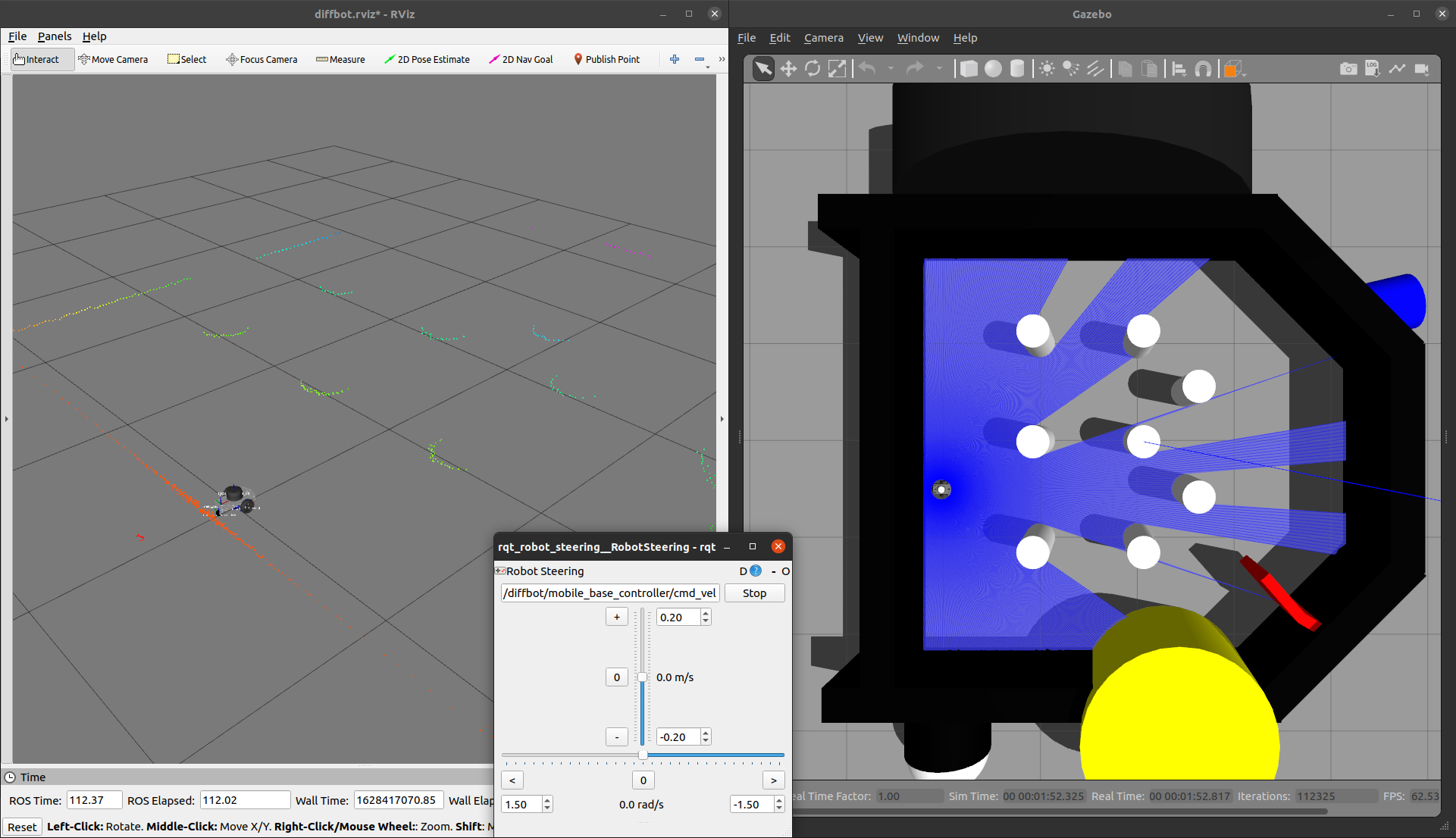
Control the robot inside Gazebo and view what it sees in RViz using the following launch file:
roslaunch diffbot_control diffbot.launch
This will launch the default diffbot world db_world.world.
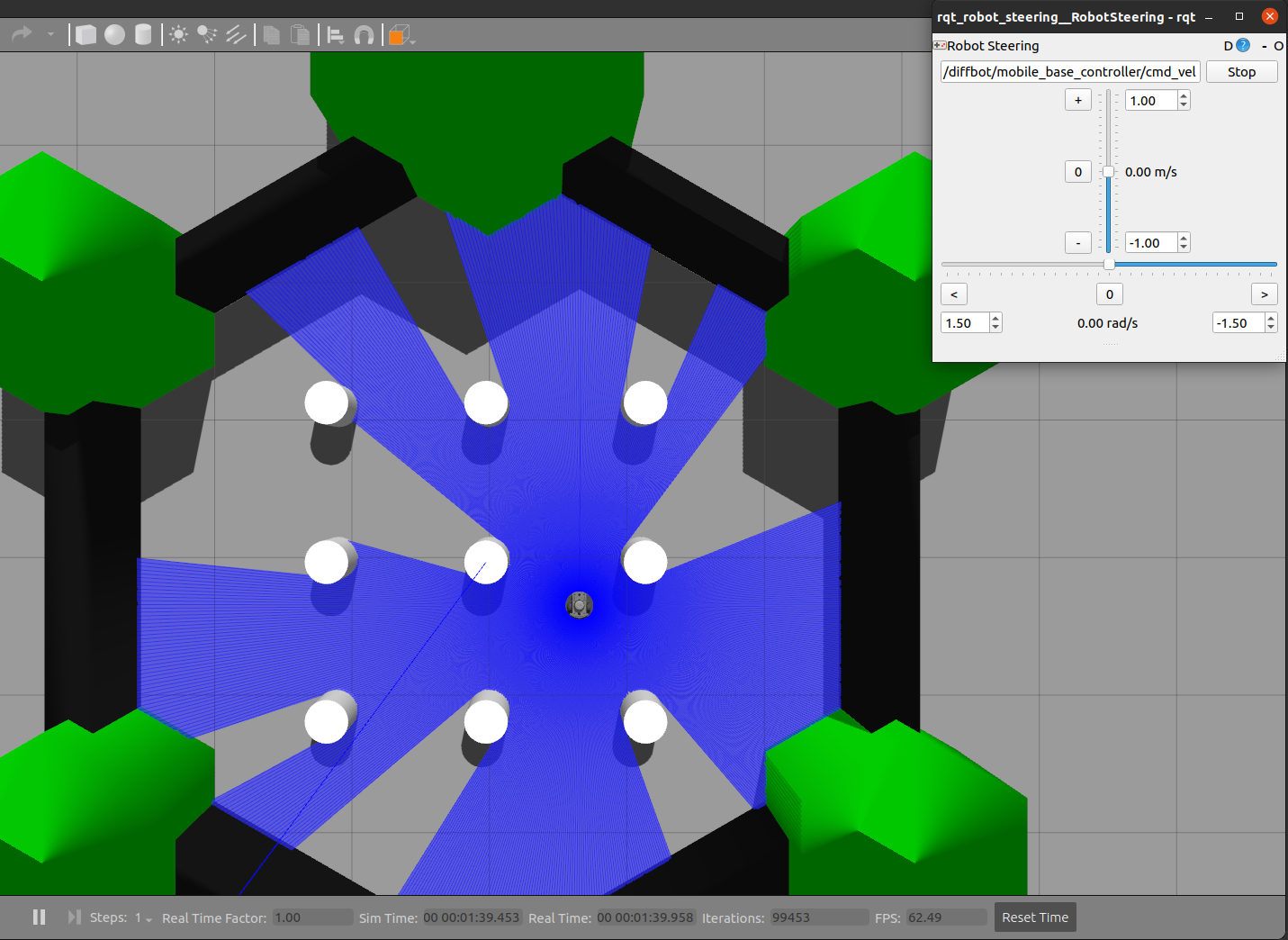
To run the turtlebot3_world
make sure to download it to your ~/.gazebo/models/ folder, because the turtlebot3_world.world file references the turtlebot3_world model.
After that you can run it with the following command:
roslaunch diffbot_control diffbot.launch world_name:='$(find diffbot_gazebo)/worlds/turtlebot3_world.world'
| db_world.world | turtlebot3_world.world |
|:-------------------------------------:|:--------------------------------:|
|  |
|  |
|
Navigation
To navigate the robot in the Gazebo simulator in db_world.world run the command:
roslaunch diffbot_navigation diffbot.launch
This uses a previously mapped map of db_world.world (found in diffbot_navigation/maps) that is served by
the map_server. With this you can use the 2D Nav Goal in RViz directly to let the robot drive autonomously in the db_world.world.

To run the turtlebot3_world.world (or your own stored world and map) use the same diffbot_navigation/launch/diffbot.launch file but change
the world_name and map_file arguments to your desired world and map yaml files:
roslaunch diffbot_navigation diffbot.launch world_name:='$(find diffbot_gazebo)/worlds/turtlebot3_world.world' map_file:='$(find diffbot_navigation)/maps/map.yaml'

SLAM
To map a new simulated environment using slam gmapping, first run
roslaunch diffbot_gazebo diffbot.launch world_name:='$(find diffbot_gazebo)/worlds/turtlebot3_w
Related Skills
node-connect
334.5kDiagnose OpenClaw node connection and pairing failures for Android, iOS, and macOS companion apps
claude-opus-4-5-migration
82.2kMigrate prompts and code from Claude Sonnet 4.0, Sonnet 4.5, or Opus 4.1 to Opus 4.5
frontend-design
82.2kCreate distinctive, production-grade frontend interfaces with high design quality. Use this skill when the user asks to build web components, pages, or applications. Generates creative, polished code that avoids generic AI aesthetics.
model-usage
334.5kUse CodexBar CLI local cost usage to summarize per-model usage for Codex or Claude, including the current (most recent) model or a full model breakdown. Trigger when asked for model-level usage/cost data from codexbar, or when you need a scriptable per-model summary from codexbar cost JSON.
