
Wonkey
Wonkey is an easy to learn, oriented object, modern and cross-platform programming language for creating cross-platform video games. Pull requests welcome! Join community https://discord.gg/awfuRtZay7
Install / Use
/learn @wonkey-coders/WonkeyREADME



Desktop targets
| Windows | MacOS | Linux | Raspbian |
| -------------------------------------- | ------------------------------------ | ------------------------------------ | ---------------------------------------- |
|  |
|  |
|  |
|  |
|
Mobile targets
| Android | iOS |
| -------------------------------------- | ------------------------------------ |
|  | |
| |
Web targets
| Emscripten |
| ------------------------------------------------------------ |
| 
 |
|
More information
 Website: https://wonkey-coders.github.io/
 Github page: https://github.com/wonkey-coders
 Discord channel : https://discord.gg/awfuRtZay7
Join the community and improve this programming language.
Enjoy!
Showcase
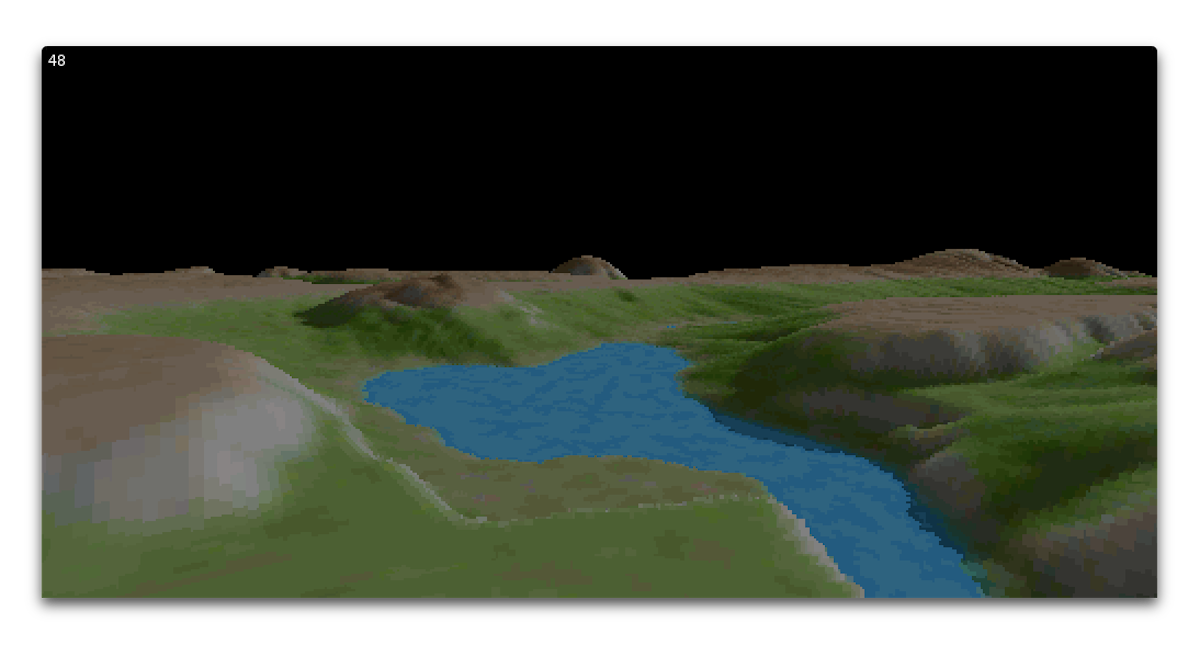
Wonkey on Raspbian (Raspberry PI 4)

Click screenshots to run the examples in browser:


How to setup Wonkey
Prerequisites
You need a working C/C++ developement environment for desktop targets, Emscripten for web target. Android NDK for mobile target.
Targets:
If you are reading this on Github, please note there are prebuilt versions of wonkey (with complete source code) available from https://github.com/wonkey-coders/wonkey/releases.
Windows
Using GCC
Unless you are using one of the prebuilt releases, you will need to install the mingw-64 compiler. There are self-extracting archive of mingw-64 that has been tested with wonkey here :
- x86 : i686-6.2.0-release-posix-dwarf-rt_v5-rev1.7z
- x64 : x86_64-8.1.0-release-posix-seh-rt_v6-rev0.7z
If you install this to the wonkey 'devtools' directory, the following steps should 'just work' (ha!) else you must added mingw64\bin path in your environment variables.
NOTE: Wonkey use x64 by default. See bin\windows\env_windows.txt file for more information.
Using MSVC
Wonkey auto-detected your MSVC installation and use it by default, no need to changes anymore.
If you want using GCC, you need to change WX_USE_MSVC variable in bin\windows\env_windows.txt.
Follow the next steps to build :
- Open a command prompt and change to the 'wonkey\scripts' directory.
- Enter
rebuildall.batand hit return. Wait... - If all went well, you should end up with a 'Wonkey (windows)' exe in the wonkey directory. Run this to launch the WIDE (Wonkey IDE).
- You should now be able to build and run wonkey apps. There are some sample apps in the 'wonkey/examples' directory.
MacOS/Linux/Raspberry Pi
-
On MacOS, install the XCode command line tools. You can do this by entering in a shell :
-
xcode-select --installAdditionally you need to install the ncurses package:
1.) Using Homebrew:
brew install ncursesSee https://formulae.brew.sh/formula/ncurses
2.) If you like a visual package manager for Homebrew, use Cakebrew
-
-
On Linux, install the GCC toolchain and libraries. You can do this by entering in a shell :
-
sudo apt-get install g++-multilib libopenal-dev libpulse-dev libsdl2-dev ncurses-dev -
You may want to use the following install script as an example:
#
# Install Wonkey on Linux Mint (https://linuxmint.com) into %USER%/wonkey
#
cd ~/
sudo apt-get update
sudo apt-get install git g++-multilib libopenal-dev libpulse-dev libsdl2-dev
git clone -b develop --single-branch --depth 1 https://github.com/wonkey-coders/wonkey
cd wonkey/scripts
./rebuildall.sh
cd ..
./bin/linux/wide/wide
-
-
On Raspberry Pi OS, install the GCC toolchain and libraries. You can do this by entering in a shell :
-
sudo apt-get install git libopenal-dev libpulse-dev libsdl2-dev libncurses5-dev libncursesw5-dev libasound2-dev libudev-dev libxi-dev libxxf86vm-dev mesa-common-dev -
You may want to use the following install script as an example:
#
# Install Wonkey on Raspberry Pi 4 into %USER%/wonkey
#
cd ~/
sudo apt-get update
sudo apt-get install git libopenal-dev libpulse-dev libsdl2-dev libncurses5-dev libncursesw5-dev libasound2-dev libudev-dev libxi-dev libxxf86vm-dev mesa-common-dev
git clone -b develop --single-branch --depth 1 https://github.com/wonkey-coders/wonkey
cd wonkey/scripts
./rebuildall.sh
-
Follow the next steps to build :
-
Open a shell and change to the 'wonkey/scripts' directory.
-
Enter
./rebuildall.shand hit return. Wait... -
If all went well, you should end up with a 'Wonkey (...)' app in the wonkey directory. Run this to launch the WIDE (Wonkey IDE).
-
You should now be able to build and run wonkey apps. There are some sample apps in the 'wonkey/examples' directory.
Emscripten
See installation instructions from Emscripten site.
# Get the emsdk repo
git clone https://github.com/emscripten-core/emsdk.git

# Enter that directory
cd emsdk

# Fetch the latest version of the emsdk (not needed the first time you clone)
git pull

# Download and install the latest SDK tools.
./emsdk install latest

# Make the "latest" SDK "active" for the current user. (writes .emscripten file)
./emsdk activate latest

# Activate PATH and other environment variables in the current terminal
source ./emsdk_env.sh

#In the description above we asked the emsdk to install and activate latest, which is the latest tagged release. That is often what you want.

# You can also install a specific version by specifying it, for example,
./emsdk install 1.38.45
NOTE: on macOS, you can use brew install emscripten.
NOTE: on Windows, run emsdk instead of ./emsdk, and emsdk_env.bat instead of source ./emsdk_env.sh.
Before setup, you need to build modules for web target from wake command:
wake mods -target=emscripten
iOS
You must setup MacOS environment first and you need build modules for iOS target from wake command:
wake mods -target=ios
Android
TODO
wake mods -target=android
Introduction to Wonkey
ℹ️ More complete help and samples are available online at https://wonkey-coders.github.io/.
"Hello, Wonkey!'
function main()
  print "Hello, Wonkey!"
end
While staying true to the 'basic' style of the original Blitz languages, Wonkey offers some very powerful new features including:
Generic classes and methods
Classes, interfaces, structs, methods and functions can have 'type' parameters.
struct Rect<T>
  field x0:T, y0:T
  field x1:T, y1:T
end

'Main entry
function main()
  local r:=new Rect<Float>
end
'First class' functions
Functions (and methods) can be stored in variables and passed to/from other functions.
function Test1()
  print "Test1"
end

function Test2()
  print "Test2"
end

function Tester( test:void() )
  test()
end

'Main entry
function main()
  Tester( Test1 )
  Tester( Test2 )
end
Lambda functions
Lambda functions allow you to create closures.
function Test( func:Void() )
  func()
end

'Main entry
function main()
  for local i:=0 u
