
CroftEngine
An open-source Tomb Raider 1 engine remake
Install / Use
/learn @stohrendorf/CroftEngineREADME
 CroftEngine
Installation Guide and Troubleshooting FAQ
To play online with others and see their ghosts live, visit https://haunted.earvillage.net/ and register. Please note that coop play is purely visual as of right now. If you have any idea for improvements about coop play, please don't be afraid to open an issue or a discussion here or join our Discord server. If you don't want to register an account, and if you're somewhat technically inclined, you can run a server on your own - see here for the server code.
If you don't find an answer for your issue, please open an issue or discussion on GitHub, or join the Discord. No matter where you post your issue, it will be handled.



An open-source Tomb Raider 1 engine remake.

Native Controller Support

Native Glidos Texture Pack Support

Easy Setup Wizard

Customisable Graphics

Extensive Statistics

New Immersive Water

Ghosts - Race Against Yourself!

Tomb Raider: Croft Engine (JayStation & KittyPi3.14)
Showcase Trailer (Raina Audron)
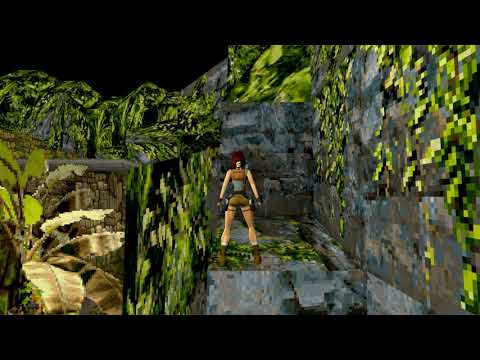
The Lost Valley Playthrough (Raina Audron)
EdisonEngine - Tomb Raider, Enhanced! w/ developer commentary [Beta 10] [PC] [Stream Archive] (Dfactor Longplays)
![EdisonEngine - Tomb Raider, Enhanced! w/ developer commentary [Beta 10] [PC] [Stream Archive]](https://img.youtube.com/vi/ayMPVAKTMWI/0.jpg)
CroftEngine is an open-source engine distributed under LGPLv3 license, which means that ANY part of the source code must be open-source as well.
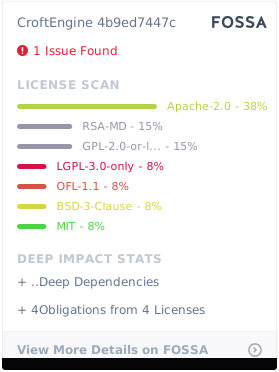
Avoid installing in the same folder as the original game. Otherwise, weird stuff may happen. CroftEngine pull in the data it needs from your original game data location. After you can confirm CroftEngine works, it is safe to delete the original Tomb Raider installation, as CroftEngine doesn't need that anymore to run.
A user manual has been kindly provided by Raina Audron here.
Please note that as of Beta 15 a setup assistant is included that should start if anything is missing.
- Get the most recent release from here. It is recommended to use the installer in Windows. For openSUSE users, the engine is available for most distribution versions in the "Games" repository.
- You will possibly encounter bugs or strange oddities. Please don't think too much, report them immediately in the issue tracker here. I can't fix things I'm not aware of. If possible, attach screenshots (which are by default bound to F12) and instructions how to toggle that bug. If you can't reproduce the bug, at least try to be as specific as you can when describing the bug. Any information I can gather is in fact helpful to nail that bug down.
- You need soundtrack files, grab them from here.
- On Windows, navigate to
%LOCALAPPDATA%and create a directorycroftenginethere; on Linux, navigate to~/.local/shareand create a directorycroftenginethere. - Ensure your the files in the newly created directory look something like this:
croftengine └ data └ tr1 ├ AUDIO │ ├ 002.ogg │ ├ 003.ogg │ └ ... ├ DATA │ ├ CUT1.PHD │ ├ CUT2.PHD │ └ ... └ FMV ├ CAFE.RPL ├ CANYON.RPL └ ... - You should now be able to run CroftEngine. If something bad happens as mentioned above, or something doesn't work as expected, use the "Bug Report" action, usually bound to F1. This will create a time-stamped folder in your user data dir, including a screenshot, a save of your game when you used that action, and a series of log files. Have these files ready when you want help, as they greatly improve chances of diagnosing the problem.
- The default keybindings are WASD for movement Q and E for stepping left and right, Space for jump, Shift for walking, X for rolling, Ctrl for Action, 1 for drawing pistols, 2 for shotguns, 3 for uzis and 4 for magnums. You can consume small medi packs by pressing 5, and large ones by pressing 6. Quicksaves and loading them can be done using F5 and F6. You can take screenshots by pressing F12. The menu can be opened using Esc, and videos can be skipped using Esc.
Additionally to the standard cheats (step forward, step backwards, rotate slightly more than 1.5 rotations, and jump forward/backward), there are two additional cheats.
- If the final move is a left jump, you will get 5 small and 5 large medi packs. The successful application of this cheat will be confirmed with Lara sighing.
- If the final move is a right jump, every enemy's health in the level will be halved. The successful application of this cheat will be confirmed with a shotgun shooting sound.
Reference

Anisotropy disabled - look at the snow on the wall to the right

Bilinear filtering - blurs the textures

Bloom - bright areas will slightly spread their light to neighboring areas

Brightness

Contrast

CRT Version 1

CRT Version 2

Dust Particles disabled - the reference has Dust Particles enabled, this is how it looks when it's turned off

Partial Dynamic Lighting

Mostly Dynamic Lighting

Full Dynamic Lighting

Edge Outlining

Film Grain - barely visible in-game

FXAA disabled - anti-aliasing, this is how it looks when disabled

HBAO disabled - darkens corners, look at the snow where the floor hits a wall, this is how it looks when disabled

Lens Distortion

Muzzle Flash Lighting

Render Scale half and UI Scale - half render scale, UI Scale is the same, but only affects the UI

Shadow Quality disabled - improves performance when disabled, but reduces the visual quality

Velvia - increases color saturation

Depth of Field - slightly blurs everything outside the focus point, which is at the center of the screen

The following people deserve some noteworthy credit.
- Raina Audron for creating the first YouTube videos and writing the user manual.
- Martin Hauke for being the package maintainer of the openSUSE packages.
- Liinx86 for being the
Related Skills
node-connect
344.4kDiagnose OpenClaw node connection and pairing failures for Android, iOS, and macOS companion apps
frontend-design
99.2kCreate distinctive, production-grade frontend interfaces with high design quality. Use this skill when the user asks to build web components, pages, or applications. Generates creative, polished code that avoids generic AI aesthetics.
openai-whisper-api
344.4kTranscribe audio via OpenAI Audio Transcriptions API (Whisper).
qqbot-media
344.4kQQBot 富媒体收发能力。使用 <qqmedia> 标签,系统根据文件扩展名自动识别类型(图片/语音/视频/文件)。
