Pxpi
Pixhawk + Raspberry Pi + 4G network drone development
Install / Use
/learn @rc-bellergy/PxpiREADME
LTE datalink drone project
Pixhawk + Raspberry Pi + LTE(4G) network drone development
It is the source code of the Raspberry Pi files.
Tested on Hardwares/Components
- Body: Custom Multirotor
- FC: PixRacer R15
- Onboard computer: Raspberry Pi Zero
- Network: HUAWEI E3372 / HUAWEI E3370 (3G/4G)
Support Firmware
- Firmware: PX4 1.11.0
Features
- Connect Pixhawk and Raspberry Pi using
mavlink-routerandpymavlink - Raspberry Pi send mavlink data to ground station through UDP;
- Raspberry Pi read mavlink GPS data and submit the drone position to
glympsethrough glympse API in real-time; - Raspberry Pi camera send video streaming to ground station;
- The pilot can use radio control to switch on/off the video streaming;
Source Files in /home/pi/
| files in | descriptions | | ---------------------------------------- | ----------------------------------------------------------------------------------------------- | | glympse/glympse.py | Send drone's GPS position to Glympse | | mavlink-router-service/mavlink-router.sh | Routing mavlink from FC to GCS | | jpeg-stream/sender2.py | Sending low bandwidth, low latency video stream | | jpeg-stream/receiver2.py | Receiving and playback the stream video (moved to https://github.com/rc-bellergy/groundstation) | | jpeg-stream/control2.py | Use remote control to start, stop, recording video | | offboard/rtl-altitude.py | Adjust RTL altitude based on the max elevation on the RTL path (under development) |
The enabled system services, in case you need to restart it
sudo systemctl restart mavlink-router
sudo systemctl restart jpeg-sender
sudo systemctl restart wvdial
Check mavlink-router service log
sudo journalctl -u mavlink-router
Convert h264 to mp4
The sender2.py will record video on .h264 format. You need MP4Box to convert it to mp4 format
/usr/bin/MP4Box -add test.h264 test.mp4 -flat
Notes
For more information of the project, please read here
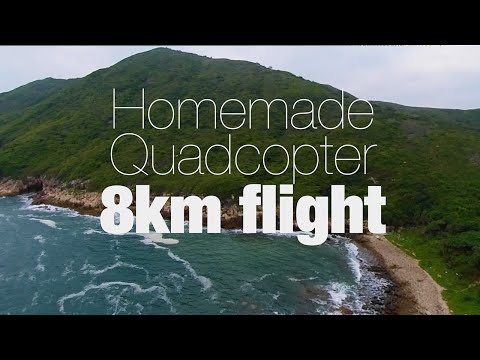
Demo flight