
Gaiman
Gaiman: Text based game engine and programming language
Install / Use
/learn @jcubic/GaimanREADME
Gaiman Engine and Programming Language




Gaiman: Storytelling Text Based Game Engine and Programming Language
Main part of Gaiman is a minimalist, Ruby inspired, programming language. The main purpose of it is to help creating Text Adventure Games. But it can also be used to create any interactive CLI applications (Web Based Terminal applications). It supports browser based CLI applications and in the future also native command line.
Installation
First, you need to install NodeJS. After you're done, you should open terminal and use npm command (that is included with Node).
npm install -g gaiman@beta
Usage
First, create input.gs file with your Gaiman program (you can use one of the examples), and then run:
gaiman -o directory input.gs
This will compile your source file and generate directory/index.html and directory/index.js files.
You can open the generated HTML file in the browser and run the game.
When output files are generated you can use this command to run live Web server. This is required to run the example. It's like running a website on the internet.
cd directory
npx live-server
This should open index.html inside your browser. When your app is ready you can publish it with:
Documentation
Examples
This is Hello world Gaiman DSL example:
echo get "https://gaiman.js.org/gaiman.txt"
echo* "Hi, What is your name?", 50 # Typing animation with 50ms delay
let name = ask "name? "
echo "Hello $name, nice to meet you."
More advanced example:
if cookie.visited then
    if cookie.user then
        let user = cookie.user
        echo "Hello $user, welcome back"
    else
        ask_details("Welcome back stranger")
    end
else
    cookie.visited = true
    ask_details("Welcome stranger")
end

def ask_details(msg)
    echo msg
    echo "Do you want me to contact you with updates?"
    let confirm = ask "yes/no: ", lambda(answer)
        return answer =~ /^(y|yes|n|no)$/i
    end
    if confirm =~ /y|yes/i then
        echo "what is your name?"
        let name = ask "name: ", lambda(name)
            let valid = name != ""
            if not valid then
                echo "You need to type something"
            end
            return valid
        end
        cookie.user = name
        let email = ask "email: ", lambda(email)
            let valid = email =~ /^.+@.+\..+$/
            if not valid then
                echo "wrong email"
            end
            return valid
        end
        cookie.email = email
        let response = post "/register", { "name" => name, "email" => email }
        if response then
            echo "Welcome $user. You're successfully registered"
        end
    else
        echo "Ok, as you wish. Bye"
    end
end
More examples in examples directory
See Reference Manual for details about the features
Live Demo
See Gaiman language Playground
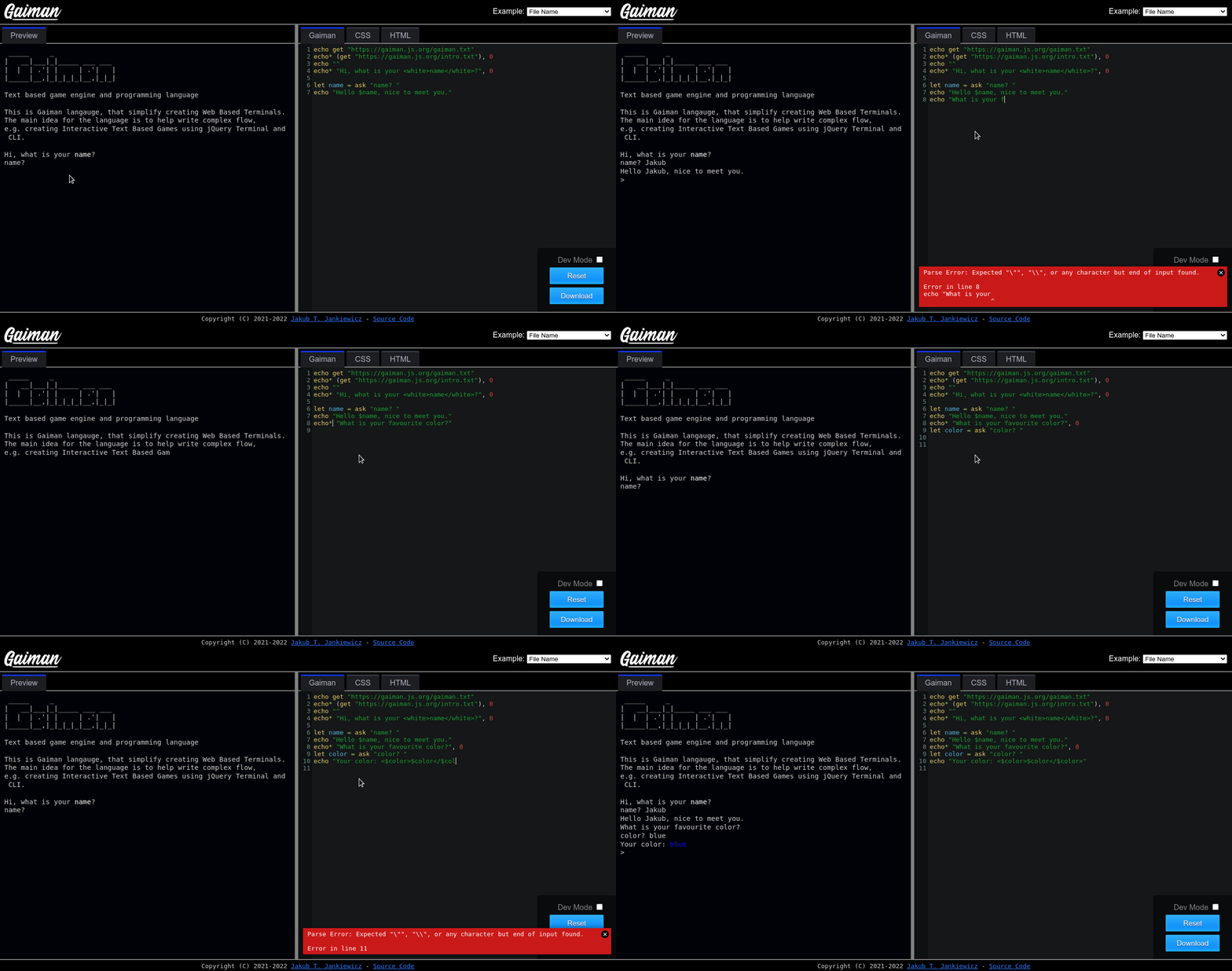
Live Edit of Gaiman Code:
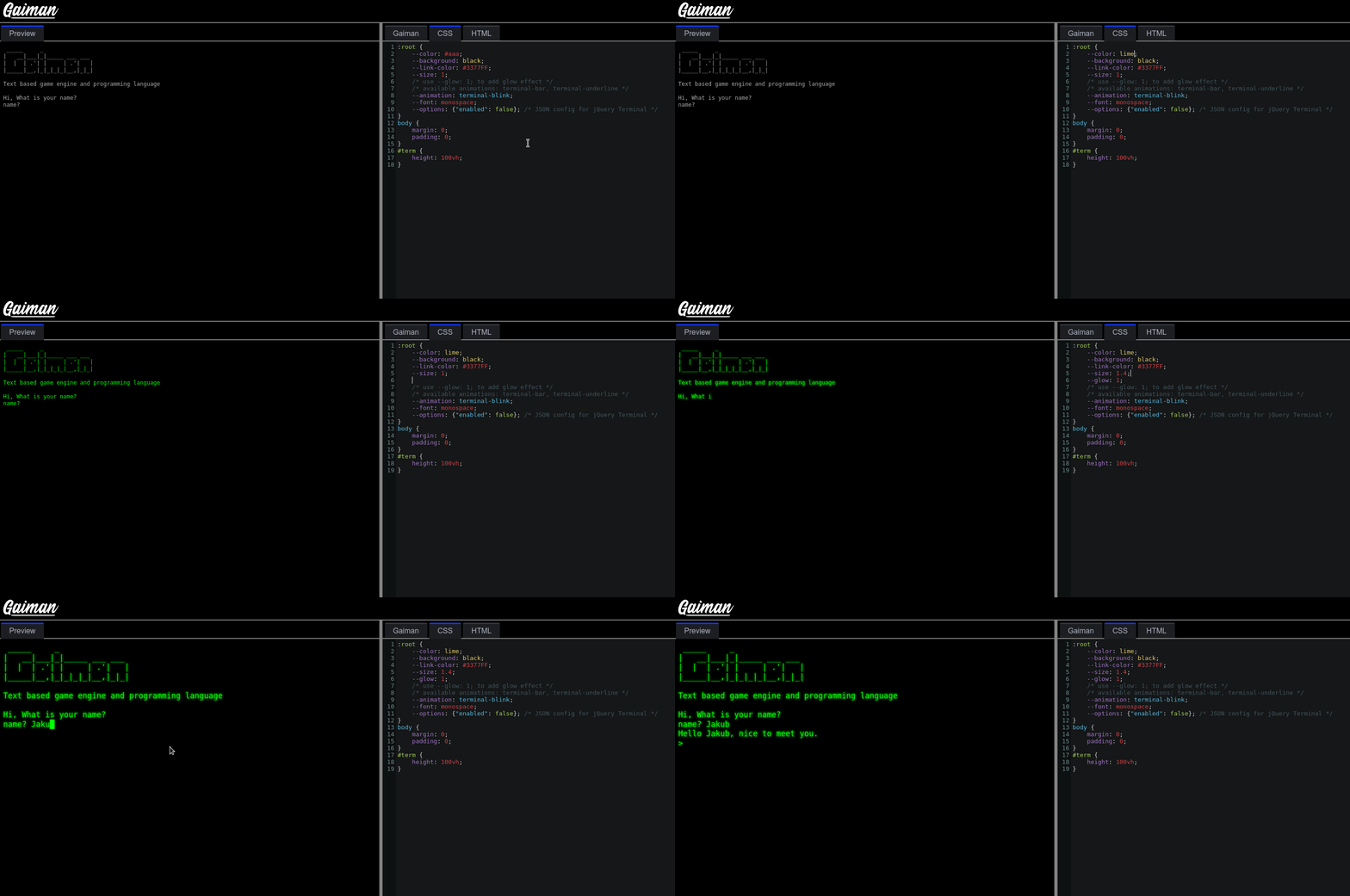
Live edit of style
Roadmap
See Wiki TODO & Roadmap.
Name and Origin
Name came from Neil Gaiman, Author of novels, comic books, graphic novels and films. Great storyteller.
You can read about the origin of the language in the beginning of the article:
Acknowledge
Logo use:
- Font Calling Heart by Lettersiro Studio
- Clipart Book with bookmarks by Kevin David Pointon
License
Released under GNU GPL v3 or later<br/> Copyright (c) 2021-2024 Jakub T. Jankiewicz
Related Skills
node-connect
346.8kDiagnose OpenClaw node connection and pairing failures for Android, iOS, and macOS companion apps
frontend-design
107.6kCreate distinctive, production-grade frontend interfaces with high design quality. Use this skill when the user asks to build web components, pages, or applications. Generates creative, polished code that avoids generic AI aesthetics.
openai-whisper-api
346.8kTranscribe audio via OpenAI Audio Transcriptions API (Whisper).
qqbot-media
346.8kQQBot 富媒体收发能力。使用 <qqmedia> 标签,系统根据文件扩展名自动识别类型(图片/语音/视频/文件)。
