
Alien
System monitoring skin for Rainmeter
Install / Use
/learn @SilverAzide/AlienREADME
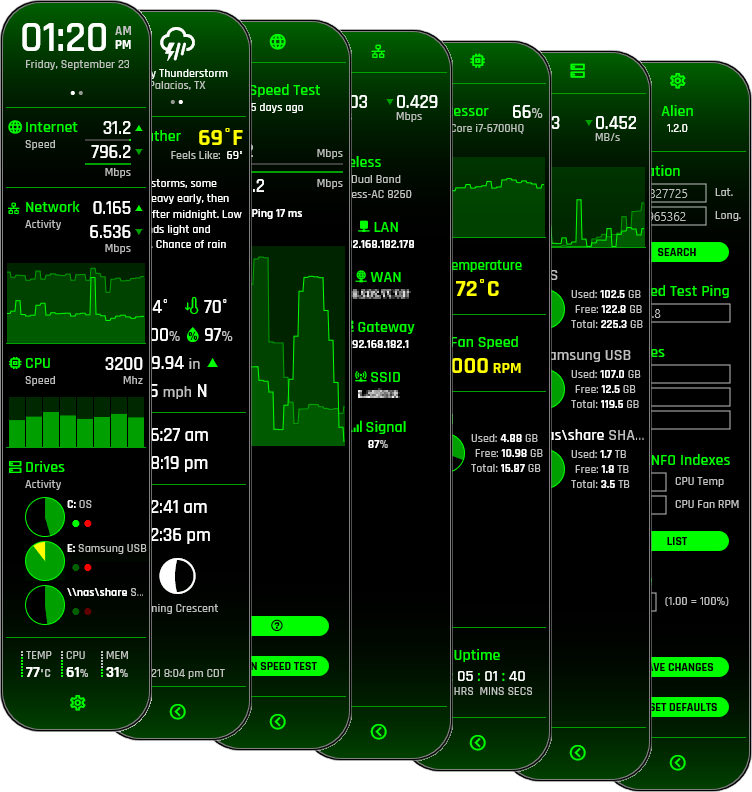
Alien
A system monitoring skin for Rainmeter
Inspired by the UI of the Ubiqity AmpliFi Alien WiFi 6 mesh router. :thumbsup:

Get help on the Rainmeter forums

Features
Main

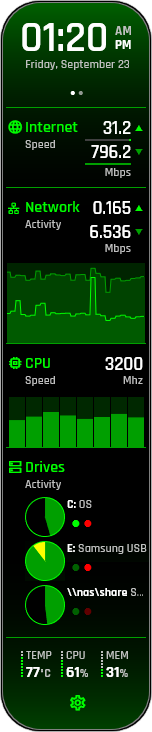
- Shows current time and date
- Shows network speed test statistics.
- Shows network upload/download statistics with graphical chart of inbound and outbound network activity.
- Shows CPU clock speed and CPU utilization graph for up to 64 logical cores (does not support NUMA/SMP architectures).
- Shows disk information and activity for up to 3 logical drives (any type).
- Shows CPU clock speed and per-core CPU utilization graph.
- Shows CPU temperature, overall utilization, and memory usage.
- Scales to any desired size.
Weather
Tap the clock area to toggle the Weather page. Click the weather icon area to return.<br>
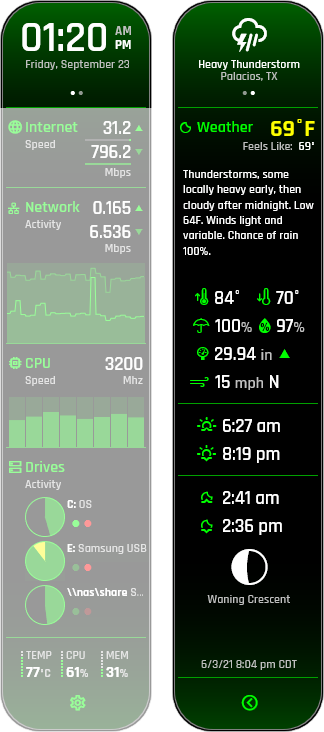
- Displays the current weather for any location from The Weather Channel.
- Displays data in metric or imperial units based on your locale.
- Conditions translated to your language by The Weather Channel.
- Shows current location, current temperature, "feels like" temperature, current forecast, forecast high and low temperatures, chance of precipitation, humidity, barometric pressure, wind speed, and wind direction.
- Shows current sunrise and sunset times.
- Shows current moonrise and moonset times, moon phase, and description.
Speed Test
Tap the internet speed area to view the Speed Test page.<br>
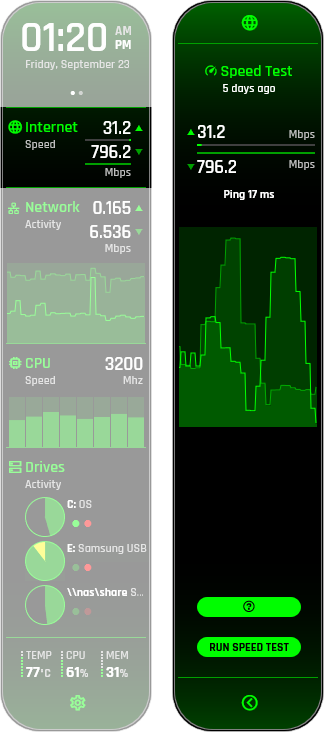
- Shows network speed test statistics and ping time.
- Shows speed test performance graph.
- Runs speed tests via speedtest.net (configurable, instructions here).
Network
Tap the network area to view the Network page.<br>
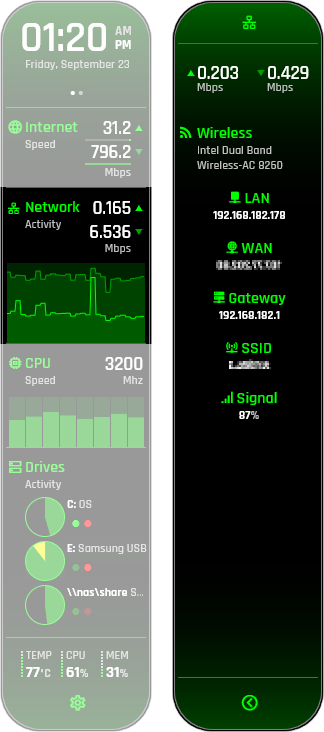
- Shows network upload/download statistics.
- Indicates network and internet connectivity.
- Displays network type and name.
- Displays internal and external IP addresses, network gateway address, MAC address, WiFi network SSID, and signal strength.
- Automatically detects and uses the Gadgets NetMonitor service if installed.
Processor
Tap the CPU area to view the Processor page.<br>
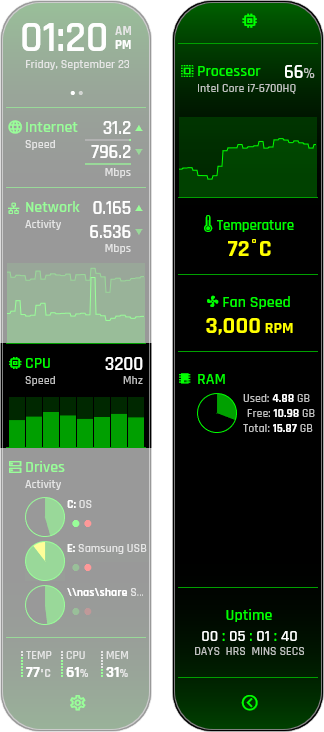
- Displays processor model and overall CPU utilization.
- Shows CPU utilization graph.
- Shows CPU core temperature and fan speed (optional, requires HWiNFO, instructions here).
- Shows used, free, and total RAM available.
- Shows top 5 processes by percentage CPU time.
- Shows computer uptime.
Drives
Tap the drives area to view the Drives page.<br>
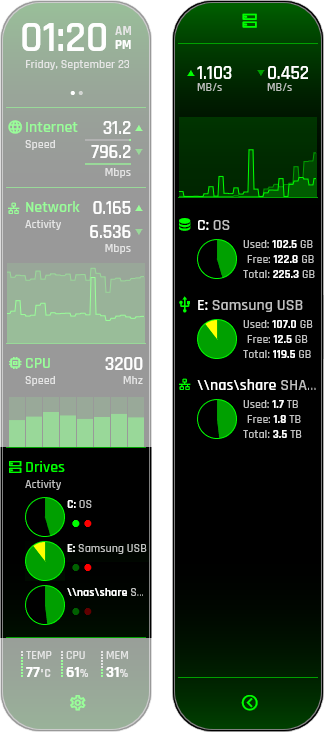
- Displays disk read and write statistics.
- Displays disk throughput graph.
- Displays disk information for up to 3 logical drives (any type, including network shares).
- Shows used, free, and total disk space available.
- Drive space changes color when disks are nearing capacity.
Settings
Tap the settings icon to view the Settings page.<br>
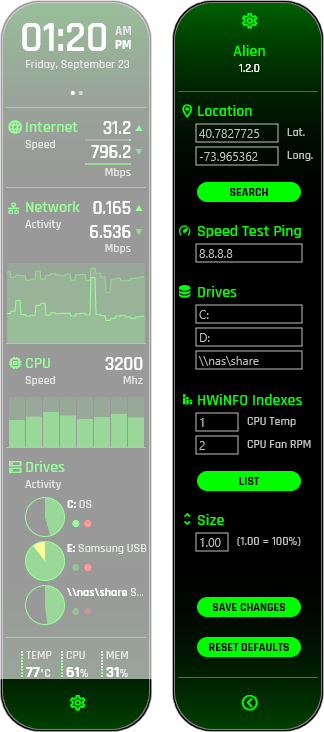
- Right-click the skin and select
Alien settingsfrom the menu to edit settings manually.
Requirements
Windows 8.0 or later<br> Rainmeter 4.5.16 or later.
Optional<br> HWiNFO 7.02 or later to report CPU temperature and fan speed.
Attribution
- Rajdhani font by Indian Type Foundry (indiantypefoundry.com).
- Material Icons font by Google (fonts.google.com).
- Roboto Mono Nerd Font by nerdfonts.com.
License
Creative Commons Attribution-NonCommercial-ShareAlike 4.0 International (CC BY-NC-SA 4.0)


Related Skills

Security Score
Audited on Mar 26, 2026