
Zlapi
Zalo API for Python (Unofficial)
Install / Use
/learn @Its-VrxxDev/ZlapiREADME

zlapi - Zalo API (Unofficial) for Python



Language
- Sẽ hỗ trợ tài liệu Tiếng Việt sớm nhất có thể. Sài tạm google dịch nhé :)
What is zlapi?
A powerful and efficient library to interact with Zalo Website. This is not an official API, Zalo has that over here for chat bots. This library differs by using a normal Zalo account instead (More flexible).
zlapi currently support:
- Custom style for message.
- Sending many types of messages, with files, stickers, mentions, etc.
- Fetching messages, threads and users info.
- Creating groups, setting the group, creating polls, etc.
- Listening for, an reacting to messages and other events in real-time.
- And there are many other things.
async/await(Updated).
Essentially, everything you need to make an amazing Zalo Bot!
Caveats
zlapi works by imitating what the browser does, and thereby tricking Zalo into thinking it's accessing the website normally.
However, there's a catch! Using this library may not comply with Zalo's Terms Of Service, so be! We are not responsible if your account gets banned or disabled!
What's New?
This is an updated version for zlapi to improve features and fix bugs (v1.0.2)
Improvements
- Various typo fixes and doc improvements.
- Add simple code style for module. Like
telebot,discord, ... - Add
async/awaitfor module. - Add
websockettype to listen function. - Add
run foreverfor listen function. - Add send
gif,video,voice,business card,multi image. - Add
Block/Unblockmembers when kicked out of group. - Add
Pin/Unpinmessage in group. - Add
On Eventfunction to handle group and user events. - Add
Parse Modefor Message.
Bugfixes
-
Fixed bug of the
replyMessagefunction, only replying to normal messages. -
Fixed payload in function
addUsersToGroup.
Installation
pip install zlapi
If you don't have pip, this guide can guide you through the process.
You can also install directly from source, provided you have pip>=19.0:
pip install git+https://github.com/Its-VrxxDev/zlapi.git
How to get IMEI and Cookies?
Download Extension
- Click Here to download the extension support getting IMEI & Cookies more conveniently.
Extension Usage Tutorial
- Enable the extension downloaded above.
- Go to https://chat.zalo.me, Sign in to your account.
- After successfully logging in, go back to extension and get IMEI, Cookies.
[!TIP] If you have opened the website
chat.zalo.mebut the extension does not have IMEI & Cookies, please clickRefresh Page.
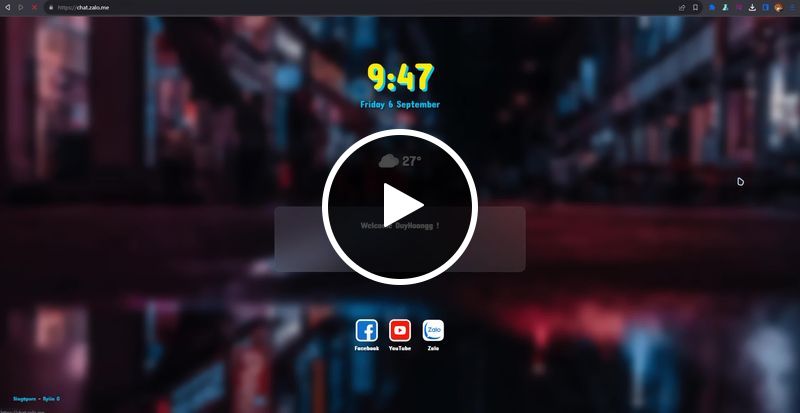
Windows
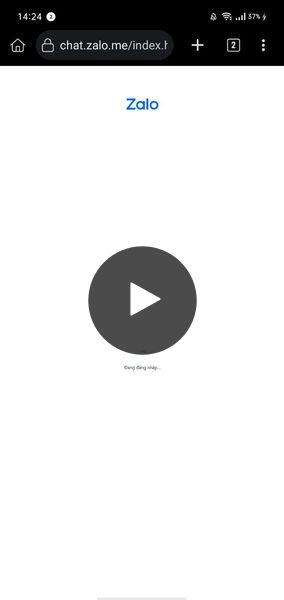
Android
- Use
kiwibrowserinstead ofchrometo be able to use the extension.- If you are redirect when accessing
https://chat.zalo.me. Watch this video
Basic Usage
Login Account Using Cookies
Normal/Asynccode style
# > Normal
# from zlapi import ZaloAPI

# > Async
# from zlapi.Async import ZaloAPI

from zlapi import ZaloAPI
from zlapi.models import *

imei = "<imei>"
cookies = {} # Cookies Dict
bot = ZaloAPI("<phone>", "<password>", imei=imei, session_cookies=cookies)
Simplecode style
from zlapi.simple import ZaloAPI
from zlapi.models import *

imei = "<imei>"
cookies = {} # Cookies Dict
bot = ZaloAPI("</>", "</>", imei, cookies, prefix="<your bot prefix>")
Listen Message, Event, ...
- You can enable thread mode for On Message function (work with
requeststype) withthread=True.
bot.listen(thread=True)
- You can change the listen mode with
type="<listen type>". Current module supportwebsocket,requeststype (default type is websocket)
bot.listen(type="<listen type>")
- If you don't want to have to rerun the bot script when something goes wrong in the listen function you can use
run_forever=True.
bot.listen(run_forever=True)
Normal/Asynccode style
# > Normal
# from zlapi import ZaloAPI

# > Async
# from zlapi.Async import ZaloAPI

from zlapi import ZaloAPI
from zlapi.models import *

imei = "<imei>"
cookies = {} # Cookies Dict

bot = ZaloAPI("<phone>", "<password>", imei=imei, session_cookies=cookies)
# bot.listen(type="...")
bot.listen()
Simplecode style
from zlapi.simple import ZaloAPI
from zlapi.models import *

imei = "<imei>"
cookies = {} # Cookies Dict

bot = ZaloAPI("</>", "</>", imei, cookies, prefix="<your bot prefix>")
bot.listen()
Custom On Message Function
onMessage function will be called when receiving a message from listen function. So we can handle that message here.
Normalcode style
from zlapi import ZaloAPI
from zlapi.models import *

imei = "<imei>"
cookies = {} # Cookies Dict

class CustomBot(ZaloAPI):
    def onMessage(self, mid, author_id, message, message_object, thread_id, thread_type):
        # Handle Message Here
        pass


bot = CustomBot("<phone>", "<password>", imei=imei, session_cookies=cookies)
bot.listen()
Asynccode style
from zlapi.Async import ZaloAPI
from zlapi.models import *

imei = "<imei>"
cookies = {} # Cookies Dict

class CustomBot(ZaloAPI):
    async def onMessage(self, mid, author_id, message, message_object, thread_id, thread_type):
        # Handle Message Here
        pass


bot = CustomBot("<phone>", "<password>", imei=imei, session_cookies=cookies)
bot.listen()
Simplecode style
from zlapi.simple import ZaloAPI
from zlapi.models import *

imei = "<imei>"
cookies = {} # Cookies Dict
bot = ZaloAPI("</>", "</>", imei, cookies, prefix="<bot prefix>")


@bot.event
async def on_message(ctx):
    # Handle Message Here
    pass


bot.listen()
Example Handle Message
<details> <summary><b><i>Normal</b> code style</i></summary>from zlapi import ZaloAPI
from zlapi.models import *
imei = "<imei>"
cookies = {} # Cookies Dict
class CustomBot(ZaloAPI):
def onMessage(self, mid, author_id, message, message_object, thread_id, thread_type):
if not isinstance(message, str):
return
if message == ".hi":
print(f"{author_id} sent message .hi")
bot = CustomBot("<phone>", "<password>", imei=imei, session_cookies=cookies)
bot.listen()
</br> </details> <details> <summary><b><i>Async</b> code style</i></summary>
- If the message is not
stringdo not process this message.- If the message is
.hiwill print author id of message to terminal.
from zlapi.Async import ZaloAPI
from zlapi.models import *

imei = "<imei>"
cookies = {} # Cookies Dict

class CustomBot(ZaloAPI):
    async def onMessage(self, mid, author_id, message, message_object, thread_id, thread_type):
        if not isinstance(message, str):
            return

        if message == ".hi":
            print(f"{author_id} sent message .hi")


bot = CustomBot("<phone>", "<password>", imei=imei, session_cookies=cookies)
bot.listen()
</br> </details> <details> <summary><b><i>Simple</b> code style</i></summary>
- If the message is not
stringdo not process this message.- If the message is
.hiwill print author id of message to terminal.
-
Method 1
from zlapi.simple import ZaloAPI
from zlapi.models import *

imei = "<imei>"
cookies = {} # Cookies Dict
bot = ZaloAPI("</>", "</>", imei, cookies, prefix="<bot prefix>")


@bot.event
async def on_message(ctx):
    if ctx.message == ".hi":
        print(f"{ctx.author_id} sent message .hi")


bot.listen()
-
Method 2
from zlapi.simple import ZaloAPI from zlapi.models import * imei = "<imei>" cookies = {} # Cookies Dict bot = ZaloAPI("</>", "</>", imei, cookies, prefix=".") @bot.register_handler(commands=["hi"]) async def handle_hi(ctx): print(f"{ctx.author_id} sent message .hi") bot.listen()@bot.register_handler(commands=["hi"])is a decoration class used to
Related Skills
gh-issues
348.5kFetch GitHub issues, spawn sub-agents to implement fixes and open PRs, then monitor and address PR review comments. Usage: /gh-issues [owner/repo] [--label bug] [--limit 5] [--milestone v1.0] [--assignee @me] [--fork user/repo] [--watch] [--interval 5] [--reviews-only] [--cron] [--dry-run] [--model glm-5] [--notify-channel -1002381931352]
node-connect
348.5kDiagnose OpenClaw node connection and pairing failures for Android, iOS, and macOS companion apps
oracle
348.5kBest practices for using the oracle CLI (prompt + file bundling, engines, sessions, and file attachment patterns).
taskflow-inbox-triage
348.5kname: taskflow-inbox-triage description: Example TaskFlow authoring pattern for inbox triage. Use when messages need different treatment based on intent, with some routes notifying immediately, some w
