
Backdash
C# Rollback network SDK
Install / Use
/learn @Delta3-Studio/BackdashREADME






Backdash 🕹️

Highly configurable and extensible implementation of Rollback Netcode with full asynchronous IO.
Heavily inspired by GGPO.
Overview
Traditional techniques account for network transmission time by adding delay to a players input, resulting in a sluggish, laggy game-feel. Rollback networking uses input prediction and speculative execution to send player inputs to the game immediately, providing the illusion of a zero-latency network. Using rollback, the same timings, reactions, visual and audio queues, and muscle memory your players build up playing offline will translate directly online. Backdash is designed to make incorporating rollback networking (aka. Rollback Netcode) into new and existing games as easy as possible.
Getting started
NuGet package available:
$ dotnet add package Backdash
[!TIP] 💡 Please check the DOCUMENTATION for usage details.
Demos:
| Title | Link |
|------------------|-------------------------------------------------------------------------------------------------------------|
| Terminal | 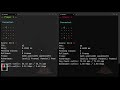 |
| Monogame Local |
|
| Monogame Local | 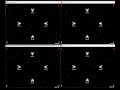 |
| Monogame Lobby |
|
| Monogame Lobby | 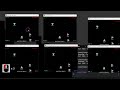 |
| Godot Lobby |
|
| Godot Lobby | 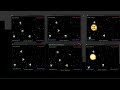 |
| Save/Load Replay |
|
| Save/Load Replay |  |
|
Samples
Check the samples on the /samples directory:
There are examples for up to 4 players:
- Simple console game
- Monogame SpaceWar [^2]
- Monogame SpaceWar with lobby over internet [^1][^2]
- Godot SpaceWar with lobby over internet
[^1]: The sample needs a web server to
exchange players addresses. check the sample README.md for more information.
[^2]: If you are using ARM MacOS you may need the x64 version of .NET SDK to build some samples.
Building from source
You need to have installed .NET 8 SDK
- Clone this repository.
- Restore tools
- On root directory run:
dotnet tool restore
- On root directory run:
- Building Library (root directory)
- SDK only:
dotnet nuke build --configuration Release- Alternatively open the solution file
Backdash.slnon your IDE.
- Alternatively open the solution file
- SDK and samples
dotnet nuke build-samples --configuration Release.- Alternatively open the solution file
Samples/Backdash.Samples.slnon your IDE.
- Alternatively open the solution file
- SDK only:
Licensing
Backdash is available under The MIT License. This means Backdash is free for commercial and non-commercial use.
Attribution is not required, but appreciated.
Related Skills
node-connect
347.2kDiagnose OpenClaw node connection and pairing failures for Android, iOS, and macOS companion apps
frontend-design
108.0kCreate distinctive, production-grade frontend interfaces with high design quality. Use this skill when the user asks to build web components, pages, or applications. Generates creative, polished code that avoids generic AI aesthetics.
openai-whisper-api
347.2kTranscribe audio via OpenAI Audio Transcriptions API (Whisper).
qqbot-media
347.2kQQBot 富媒体收发能力。使用 <qqmedia> 标签,系统根据文件扩展名自动识别类型(图片/语音/视频/文件)。
