
ServoEasing
Arduino library to enable smooth servo movement.
Install / Use
/learn @ArminJo/ServoEasingREADME
ServoEasing
A library for smooth servo movements.<br/> It uses the standard Arduino Servo library and therefore has its restrictions regarding pins and platform support.




<br/>
<br/>

Available as Arduino library "ServoEasing".<br/> Contains the RobotArmControl and the QuadrupedControl example.


If you find this library useful, please give it a star.
<br/>YouTube video of ServoEasing in action
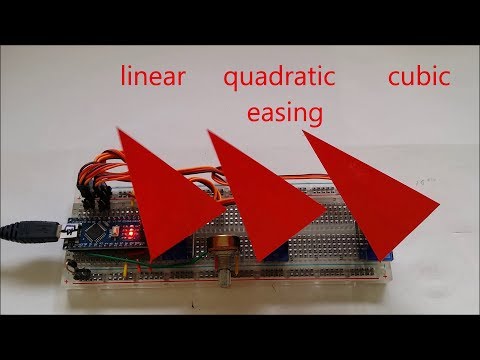
Table of contents
- Servo easing library for Arduino
- Features
- List of easing functions
- API
- Usage
- Multiple servo handling
- Comparison between Quadratic, Cubic and Sine easings.
- Useful resources
- Initial movement of Servo
- Resolution of servo positioning
- Mapping of servo positioning
- Speed of servo positioning
- Minimum number of pulses for reliable servo positioning
- Why *.hpp instead of *.cpp
- Using the new *.hpp files
- Compile options / macros for this library
- Using PCA9685 16-Channel Servo Expander
- Using the included Lightweight Servo library for ATmega328
- Handling multiple servos with the internal ServoEasingArray
- Examples for this library
- QuadrupedControl
- RobotArmControl
- Servo utilities
- WOKWI online examples
- Building breadboard servo adapter
- Internals
- Supported Arduino architectures
- Timer usage for interrupt based movement
- Adding a new platform / board
- Troubleshooting
- Revision History
- Commercial license
Servo easing library for Arduino
Its purpose is to interpolate the movement between two servo positions set by software.<br/> If your servo control data is e.g. generated by an joystick or other "slow" changing inputs and therefore does not change suddenly or does not jump, you most likely do not need this library!, you may consider to use a digital low pass or simple EMA filters to smooth your values used to control the servos.<br/> ServoEasing works with the Arduino Servo library as well as with PCA9685 servo expanders. The expander in turn requires the Arduino Wire library or a compatible one and is bound to their restrictions.<br/> For ESP32 you need to install the Arduino ESP32Servo library.<br/> <br/> If you require only one or two servos, you may want to use the included LightweightServo library which is like the Adafruit TiCoServo library, but more lightweight and currently only for Uno, Nano, instead of the Arduino Servo library. The LightweightServo library uses the internal Timer1 with no software overhead and therefore has no problems with servo twitching or interrupt blocking libraries like SoftwareSerial, Adafruit_NeoPixel and DmxSimple.<br/> For instructions how to enable these alternatives, see Compile options / macros.
<br/>Features
- Linear and 9 other ease movements are provided.
- All servos can move synchronized or independently.
- Non blocking movements are implemented by the startEaseTo* functions by using a timer. This functions are not available for all platforms.
- A degree value of 400 or more is taken as a microsecond value for the servo pulse, which allows for fine-grained control.
- Float angels are supported to allow fine-grained servo control comparable to using microseconds.
- User-specified callback function at "servo arrived" enables movement control independent of main loop.
- Stop and resume of servo movement.
- Detach and reattach. No servo signal is generated for a detached servo / the output is constant LOW. Therefore, it is not blocked and can be moved manually.
- A trim value can be set for any servo. Its value is internally added to each requested position.
- Reverse operation of servo is possible e.g. if it is mounted head down.
- Constraints for minimum and maximum servo degree can be specified. Trim and reverse are applied after constraint processing.
- Allow to specify an arbitrary mapping between degrees and microseconds by
attach(int aPin, int aInitialDegreeOrMicrosecond, int aMicrosecondsForServoLowDegree, int aMicrosecondsForServoHighDegree, int aServoLowDegree, int aServoHighDegree). - Servo speed can be specified in degree per second or milliseconds for the complete move.
- Multiple servo handling by *ForAllServos() functions like
setIntegerDegreeForAllServos(3, 135, 135, 135). - All ServoEasing objects are accessible by using the
ServoEasing::ServoEasingArray[]. - Easy implementation of a move list - see ConsecutiveEasingsWithCallback example.
