
TurtleBuilder
Turtle graphics library built on Swift function builders
Install / Use
/learn @zonble/TurtleBuilderREADME
TurtleBuilder




TurtleBuilder is a turtle graphics made on the top of Swift's function builder. It allows you to use a Logo-like syntax to create and draw lines in your Swift project.
Why?
Because it is fun!
Requirement
- Xcode 11 or above
- Swift 5.1 or above
Installation
You can install TurtleBuilder into your project via Swift Package Manager.
Usage
Build a Turtle
You can use a build block to build a turtle. For example:
let turtle = Turtle {
        penDown()
        loop(9) {
            left(140)
            forward(30)
            left(-100)
            forward(30)
        }
        penUp()
}
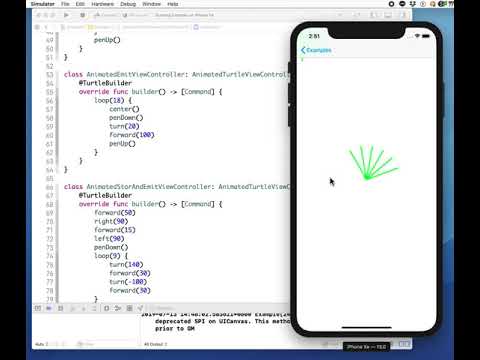
Then you can get lines from the turtle, by calling turtle.lines. If you render it, it would look like

Commands
TurtleBuilder provides following commands to let you control your turtle:
- pass: The command does nothing.
- center: Move the turtle to the center of the canvas.
- resetHeading: Reset the direction of the turtle. The turtle is facing to the top by default.
- setHeading: Set the direction of the turtle..
- penUp: After the command is called, the turtle moves without drawing a line.
- penDown: After the command is called, the turtle draw a line when it is moving.
- left | lt: Turn the turtle to left with a given degree.
- right | rt: Turn the turtle to right with a given degree.
- forward | fd: Ask the turtle to move forward.
- loop | repeat: Repeat running a set of commands.
- setMacro: Set a set of commands as a macro with a given name.
- playMacro: Play a macro. The macro needs to be set before.
Draw In Views
TurtleBuilder provides two views where you can let the turtle to draw graphics. One is TurtleView, it renders the still lines with Quartz 2D, while another is AnimatedTurtleView, which creates animating layers using Core Animation.
You can use AnimatedTurtleView as following:
let turtleView = AnimatedTurtleView(frame: self.view.bounds) {
    penDown()
    loop(10) {
        left(10)
        forward(10)
    }
    penUp()
}
Then call turtleView.animate() to start the animation.
Known Issues
If you use variables in the commands within the loop command, we only take the values once. For example, if you have code as following:
loop(5) {
   left(Int(arc4random() % 50))
   forward(Int(arc4random() % 50))
}
We do not generate new randrom numbers in each run of the loop, and the values sent to the commands remain identical.
Patches are welcome. Enjoy! 🐢
Related Skills
node-connect
343.3kDiagnose OpenClaw node connection and pairing failures for Android, iOS, and macOS companion apps
frontend-design
92.1kCreate distinctive, production-grade frontend interfaces with high design quality. Use this skill when the user asks to build web components, pages, or applications. Generates creative, polished code that avoids generic AI aesthetics.
openai-whisper-api
343.3kTranscribe audio via OpenAI Audio Transcriptions API (Whisper).
qqbot-media
343.3kQQBot 富媒体收发能力。使用 <qqmedia> 标签,系统根据文件扩展名自动识别类型(图片/语音/视频/文件)。
