
RxMarkdown
:fax:Markdown for Android, supports TextView && EditText (Live Preview), supports code high light.
Install / Use
/learn @yydcdut/RxMarkdownREADME
RxMarkdown



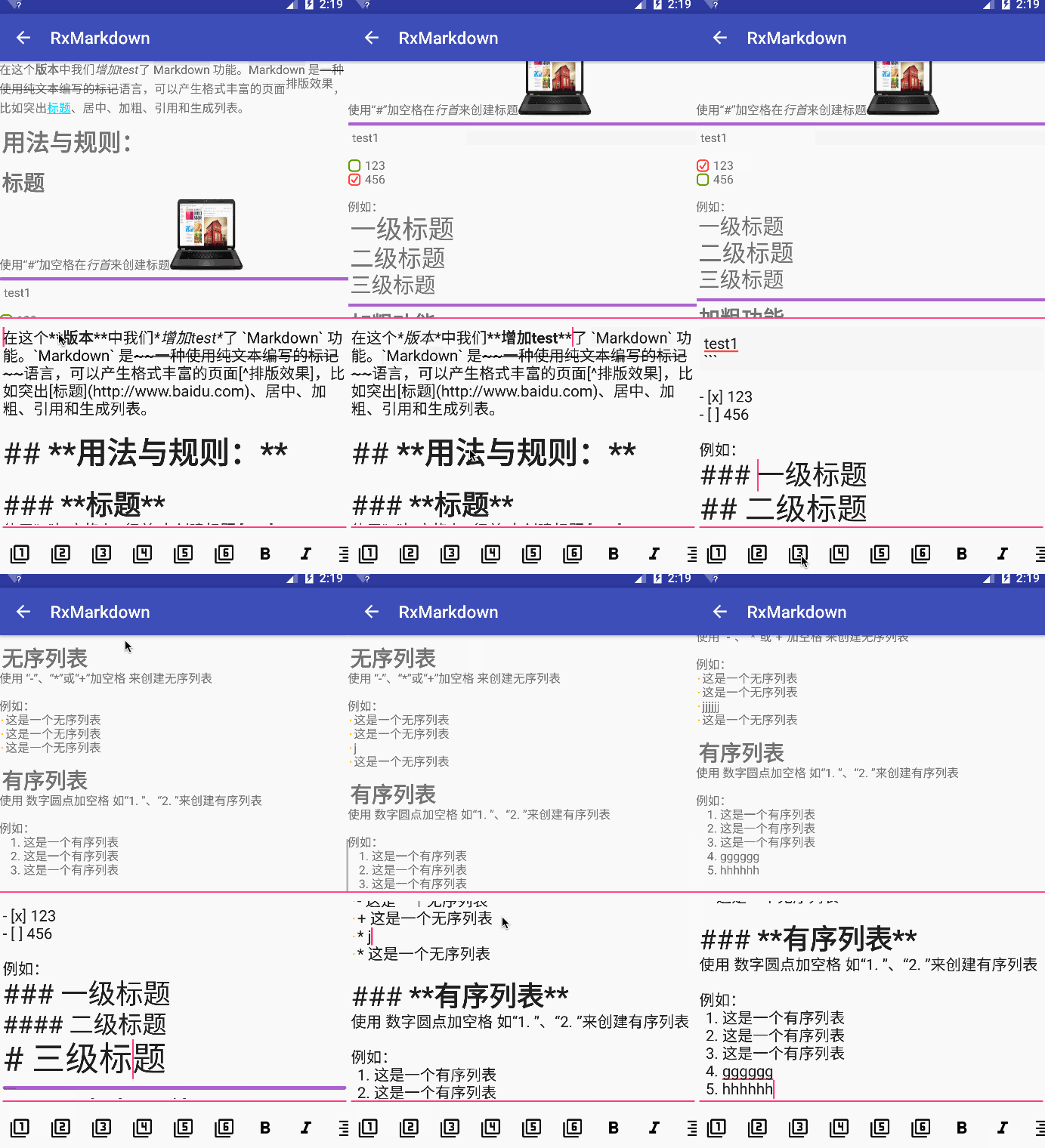
RxMarkdown is an Android library that helps to display simple markdown text in android.widget.EditText or android.widget.TextView, at same time, it supports code high light .
It is backed by RxJava, implementing complicated APIs as handy reactive observables.
Demo apk : DOWNLOAD
QR Code : CLICK
Change Log : SEE
Gradle
implementation 'com.yydcdut:markdown-processor:0.1.3'
implementation 'com.yydcdut:rxmarkdown-wrapper:0.1.3'
Or if you don't want to use RxJava, you can simply refer to markdown-processor :
implementation 'com.yydcdut:markdown-processor:0.1.3'
Support Syntax
RxMarkdown now provides 2 factories to parse markdown, TextFactory and EditFactory .
TextFactory : Supports most of the markdown syntax,but it will destroy the integrity of the content. So, it applies to render in TextView .
EditFactory : Supports some syntax,and it won't destroy the integrity of the content, the parsing speed is faster than TextFactory , So, it applies to real-time preview in EditText .
TextFactory
- [x] Header
#/##/###/####/#####/####### - [x] BlockQuote
> - [x] Nested BlockQuote
> > - [x] Emphasis Bold
**__ - [x] Emphasis Italic
*_ - [x] Nested Bold && Italic
- [x] Ordered List
1. - [x] Nested Ordered List
- [x] UnOrdered List
*/+/- - [x] Nested UnOrdered List
- [x] Image
![]() - [x] Hyper Link
[]() - [x] Inline Code
- [x] Code
- [x] Backslash
\ - [x] Horizontal Rules
***/*****/---/----------------- - [x] Strike Through
~~ - [x] Footnote
[^] - [x] Todo
- [ ]/- [x] - [ ] Table
| Table | Table | - [x] code high light
Other Syntax
- [x] Center Align
[]
EditFactory
- [x] Header
#/##/###/####/#####/####### - [x] BlockQuote
> - [x] Nested BlockQuote
> > - [x] Emphasis Bold
**__ - [x] Emphasis Italic
*_ - [x] Nested Bold && Italic
- [x] Ordered List
1. - [x] Nested Ordered List
- [x] UnOrdered List
*/+/- - [x] Nested UnOrdered List
- [ ] Image
![]() - [ ] Hyper Link
[]() - [x] Inline Code
- [x] Code
- [ ] Backslash
\ - [x] Horizontal Rules
***/*****/---/----------------- - [x] Strike Through
~~ - [ ] Footnote
[^] - [ ] Todo
- [ ]/- [x] - [ ] Table
| Table | Table | - [ ] code high light
Other Syntax
- [x] Center Align
[]
HtmlFactory
//TODO
Quick Start
Setup
implementation 'com.yydcdut:markdown-processor:0.1.3'
implementation 'com.yydcdut:rxmarkdown-wrapper:0.1.3'

implementation 'io.reactivex:rxandroid:1.2.0'
implementation 'io.reactivex:rxjava:1.1.5'
Configuration
All options in Configuration builder are optional. Use only those you really want to customize (RxMDConfiguration#Builder and MarkdownConfiguration#Builder are the same usage):
RxMDConfiguration rxMDConfiguration = new RxMDConfiguration.Builder(context)
        .setHeader1RelativeSize(1.6f)//default relative size of header1
        .setHeader2RelativeSize(1.5f)//default relative size of header2
        .setHeader3RelativeSize(1.4f)//default relative size of header3
        .setHeader4RelativeSize(1.3f)//default relative size of header4
        .setHeader5RelativeSize(1.2f)//default relative size of header5
        .setHeader6RelativeSize(1.1f)//default relative size of header6
        .setBlockQuotesLineColor(Color.LTGRAY)//default color of block quotes line
        .setBlockQuotesBgColor(Color.LTGRAY, Color.RED, Color.BLUE)//default color of block quotes background and nested background
        .setBlockQuotesRelativeSize(Color.LTGRAY, Color.RED, Color.BLUE)//default relative size of block quotes text size
        .setHorizontalRulesColor(Color.LTGRAY)//default color of horizontal rules's background
        .setHorizontalRulesHeight(Color.LTGRAY)//default height of horizontal rules
        .setCodeFontColor(Color.LTGRAY)//default color of inline code's font
        .setCodeBgColor(Color.LTGRAY)//default color of inline code's background
        .setTheme(new ThemeDefault())//default code block theme
        .setTodoColor(Color.DKGRAY)//default color of todo
        .setTodoDoneColor(Color.DKGRAY)//default color of done
        .setOnTodoClickCallback(new OnTodoClickCallback() {//todo or done click callback
        	@Override
        	public CharSequence onTodoClicked(View view, String line) {
                return textView.getText();
        	}
        })
        .setUnOrderListColor(Color.BLACK)//default color of unorder list
        .setLinkFontColor(Color.RED)//default color of link text
        .showLinkUnderline(true)//default value of whether displays link underline
        .setOnLinkClickCallback(new OnLinkClickCallback() {//link click callback
        	@Override
        	public void onLinkClicked(View view, String link) {
        	}
        })
        .setRxMDImageLoader(new DefaultLoader(context))//default image loader
        .setDefaultImageSize(100, 100)//default image width & height
        .build();
Rx Usage
-
EditText, live preview :RxMarkdown.live(rxMDEditText) .config(rxMDConfiguration) .factory(EditFactory.create()) .intoObservable() .subscribe(); -
cancel real-time preview :
rxMDEditText.clear(); -
TextViewrender :RxMarkdown.with(content, this) .config(rxMDConfiguration) .factory(TextFactory.create()) .intoObservable() .subscribeOn(Schedulers.computation()) .observeOn(AndroidSchedulers.mainThread()) .subscribe(new Subscriber<CharSequence>() { @Override public void onCompleted() {} @Override public void onError(Throwable e) {} @Override public void onNext(CharSequence charSequence) { rxMDTextView.setText(charSequence, TextView.BufferType.SPANNABLE); } });
non-Rx Usage
-
EditText, live preview :MarkdownProcessor markdownProcessor = new MarkdownProcessor(this); markdownProcessor.config(markdownConfiguration); markdownProcessor.factory(EditFactory.create()); markdownProcessor.live(markdownEditText); -
cancel real-time preview :
markdownEditText.clear(); -
TextViewrender :MarkdownProcessor markdownProcessor = new MarkdownProcessor(this); markdownProcessor.factory(TextFactory.create()); markdownProcessor.config(markdownConfiguration); textView.setText(markdownProcessor.parse(content));
Note
RxMDImageLoader
-
Acceptable URIs examples
"http://web.com/image.png" // from Web "file:///mnt/sdcard/image.png" // from SD card "assets://image.png" // from assets "drawable://" + R.drawable.img // from drawables (non-9patch images) -
Custom image loader
public class MDLoader implements RxMDImageLoader {
    @Nullable
    @Override
    public byte[] loadSync(@NonNull String url) throws IOException {
        return new byte[0];
    }
}
Image Size
The image of 320 pixels width and 320 pixels height will display on the screen :

Code HighLight Theme
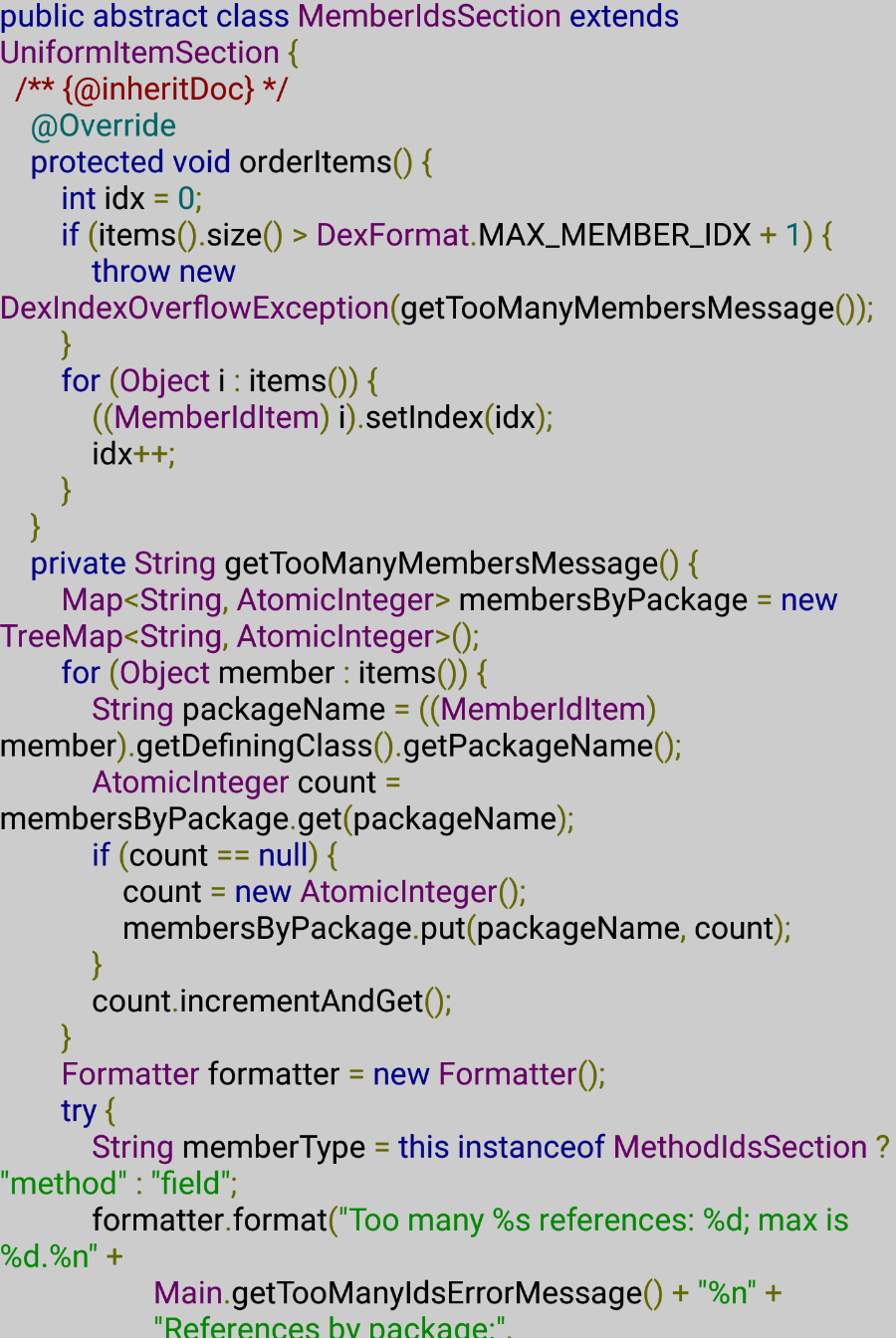
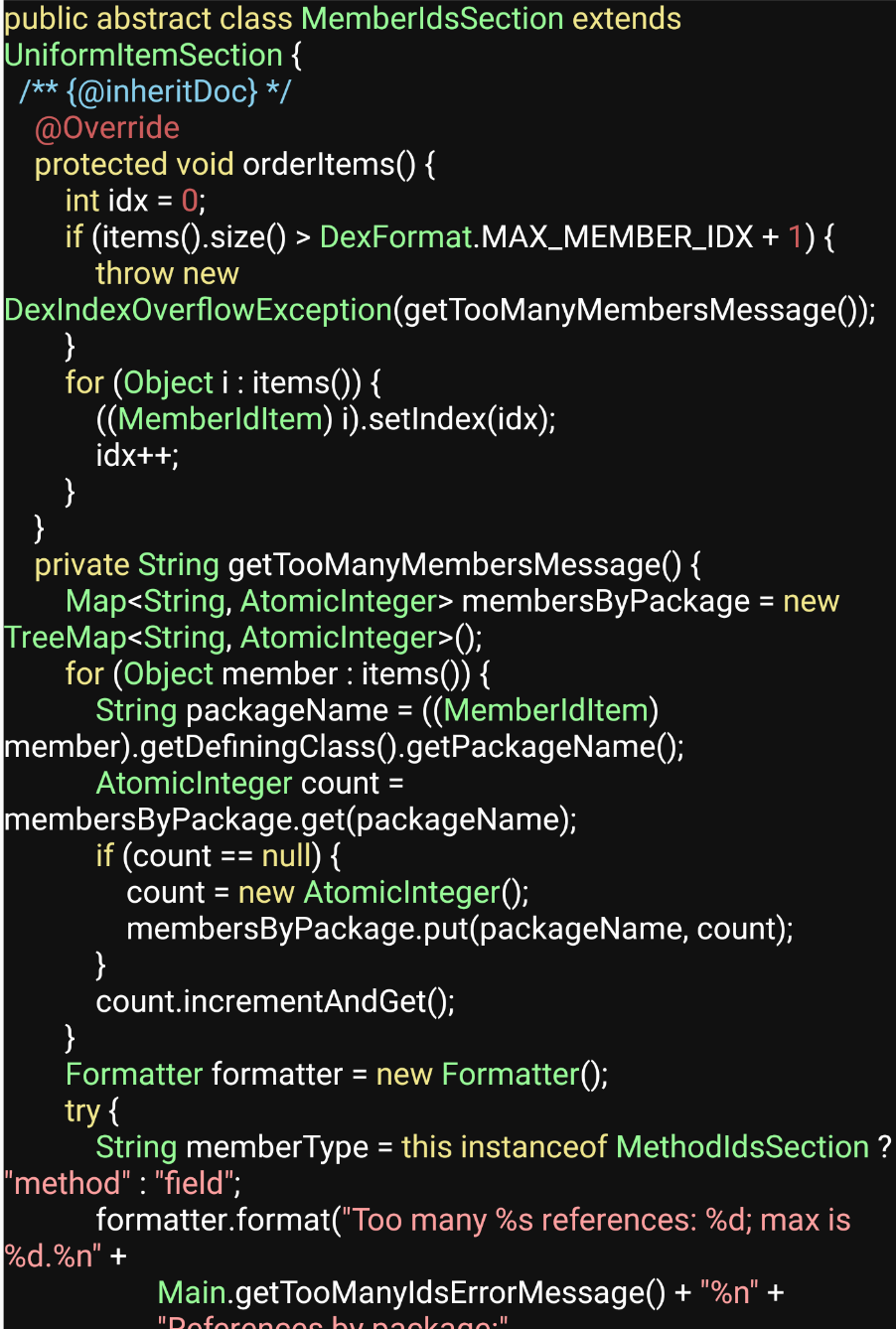
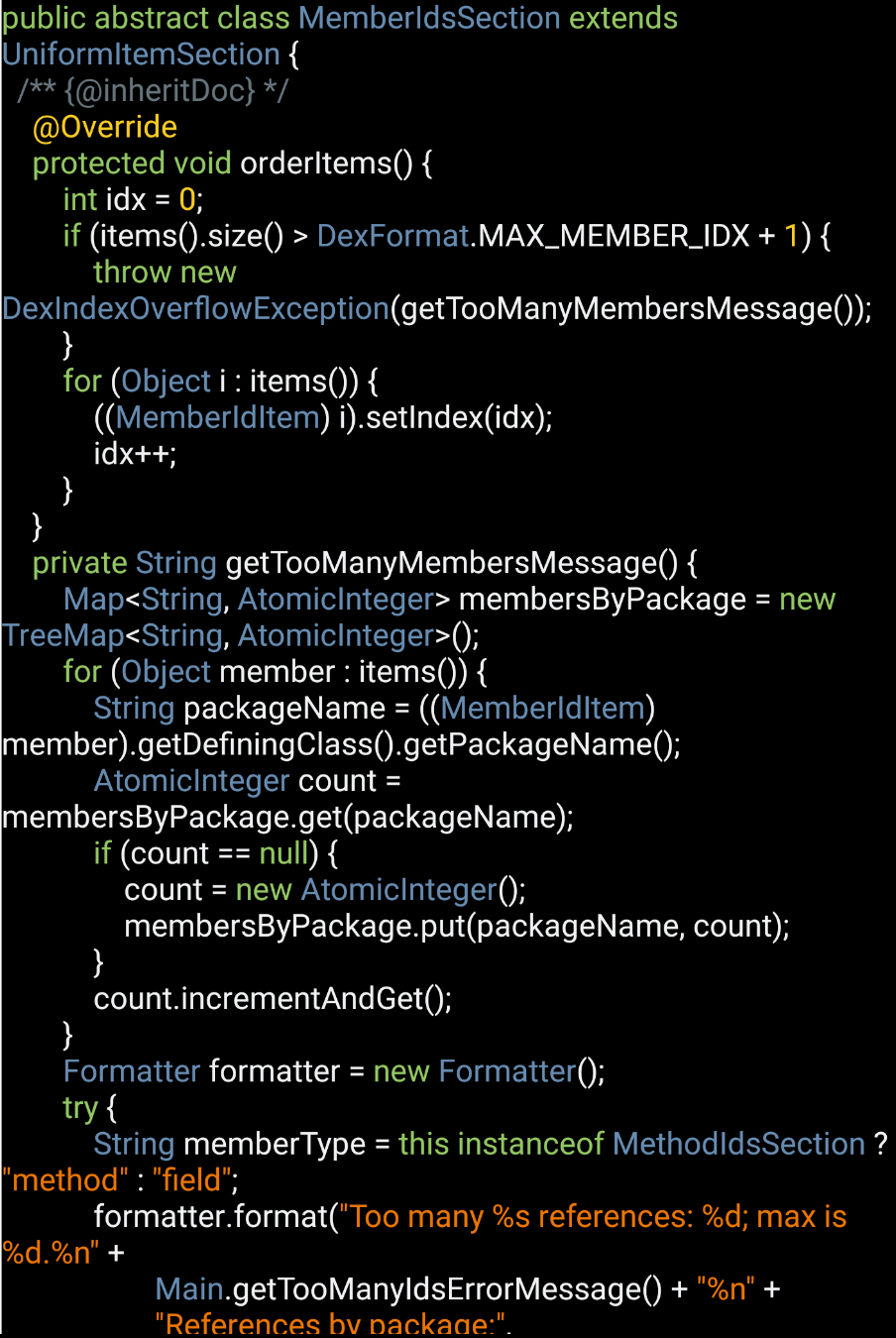
The lib supports some themes, ThemeDefault, ThemeDesert, ThemeSonsOfObsidian and ThemeSunburst.
| ThemeDefault | ThemeDesert | ThemeSonsOfObsidian | ThemeSunburst |
| :--------------------------------------: | :------------------------------------: | :--------------------------------------: | :--------------------------------------: |
|  |
|  |
|  |
| 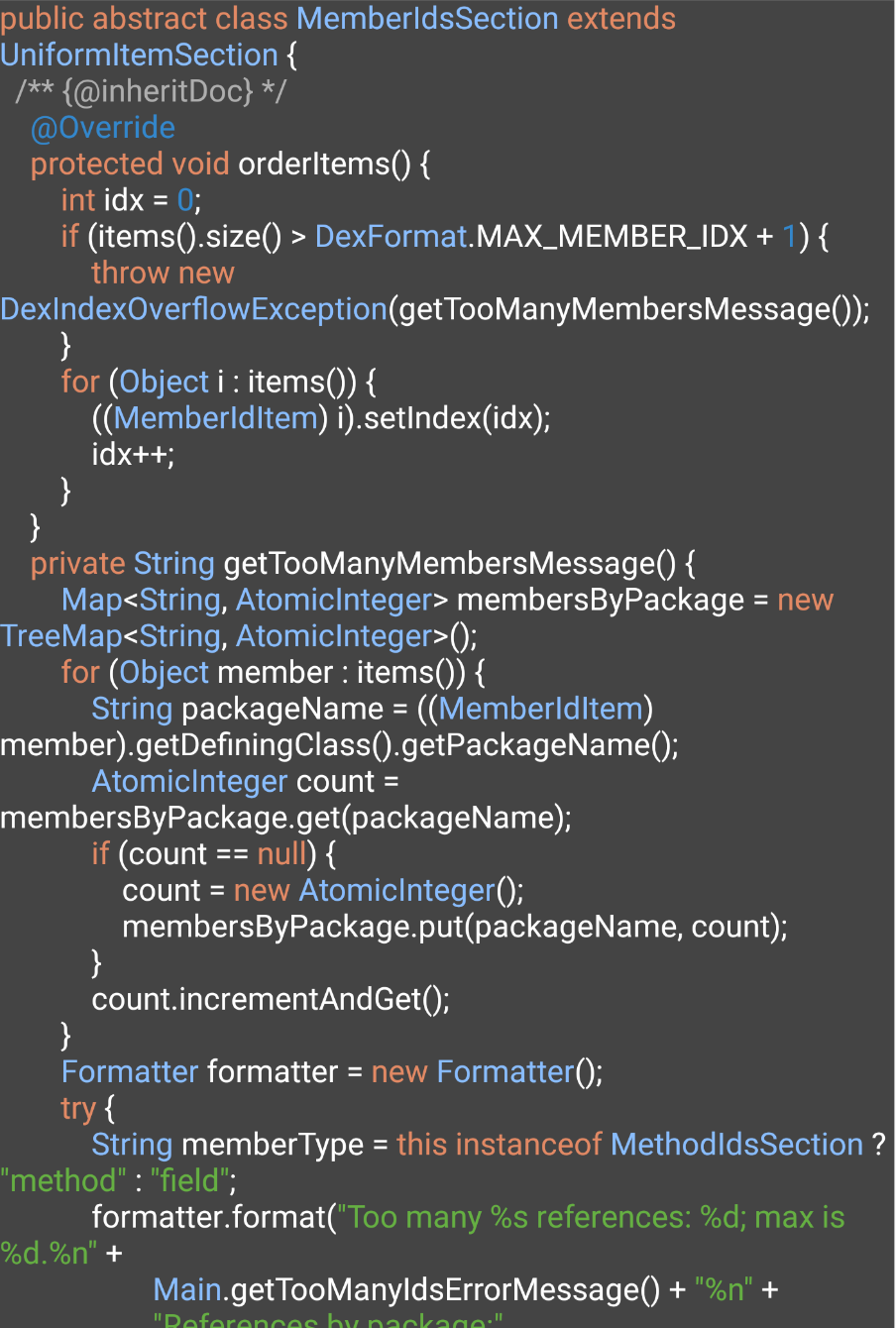 |
|
You can implement the interface Theme to realize your own theme.
public class CodeHighLightTheme implements Theme {

    @Override
    public int getBackgroundColor() {//background color
        return 0xffcccccc;
    }

    @Override
    public int getTypeColor() {//color for type
        return 0xff660066;
    }

    @Override
    public int getKeyWordColor() {//color for keyword
        return 0xff000088;
    }

    @Override
    public int getLiteralColor() {//color for literal
        return 0xff006666;
    }

    @Override
    public int getCommentColor() {//color for comment
        return 0xff880000;
    }

    @Override
    public int getStringColor() {//color for string
        return 0xff008800;
    }

    @Override
    public int getPunctuationColor() {//color for punctuation
        return 0xff666600;
    }

    @Override
    public int getTagColor() {//color for html/xml tag
        return 0xff000088;
    }

    @Override
    public int getPlainTextColor() {//color for a plain text
        return 0xff000000;
    }

    @Override
    public int getDecimalColor() {//color for a markup declaration
