
Webannoyances
Fix and remove annoying web elements such as sticky headers, floating boxes, floating videos, dickbars, social share bars and other distracting elements.
Install / Use
/learn @yourduskquibbles/WebannoyancesREADME
Web Annoyances Ultralist - unsuck the web!
Intro
Are you tired of not being able to use all of your screen real estate for the text that matters on a website because floating headers and other distracting elements are blocking your view? Reclaim your screen real estate with Web Annoyances Ultralist!
Block annoying web elements such as sticky headers, dickbars, floating headers, scrolling headers, fixed headers, scrolling videos, stickynavs, social icons, social share bars, smartphone app banners, app download prompts, cookie notices, GDPR warnings, scroll to top buttons, modal overlays, interstitial site overlays, removed or hidden overflow scroll bars, subscription nags, and generally distracting elements that have increasingly been turning the web into a user-hostile environment.
When possible, sticky headers, stickynavs, floating elements, scrolling videos and more will be pinned in place to prevent site breakage.
Demonstration
Typical Website in 2020 Before Installing Web Annoyances Ultralist
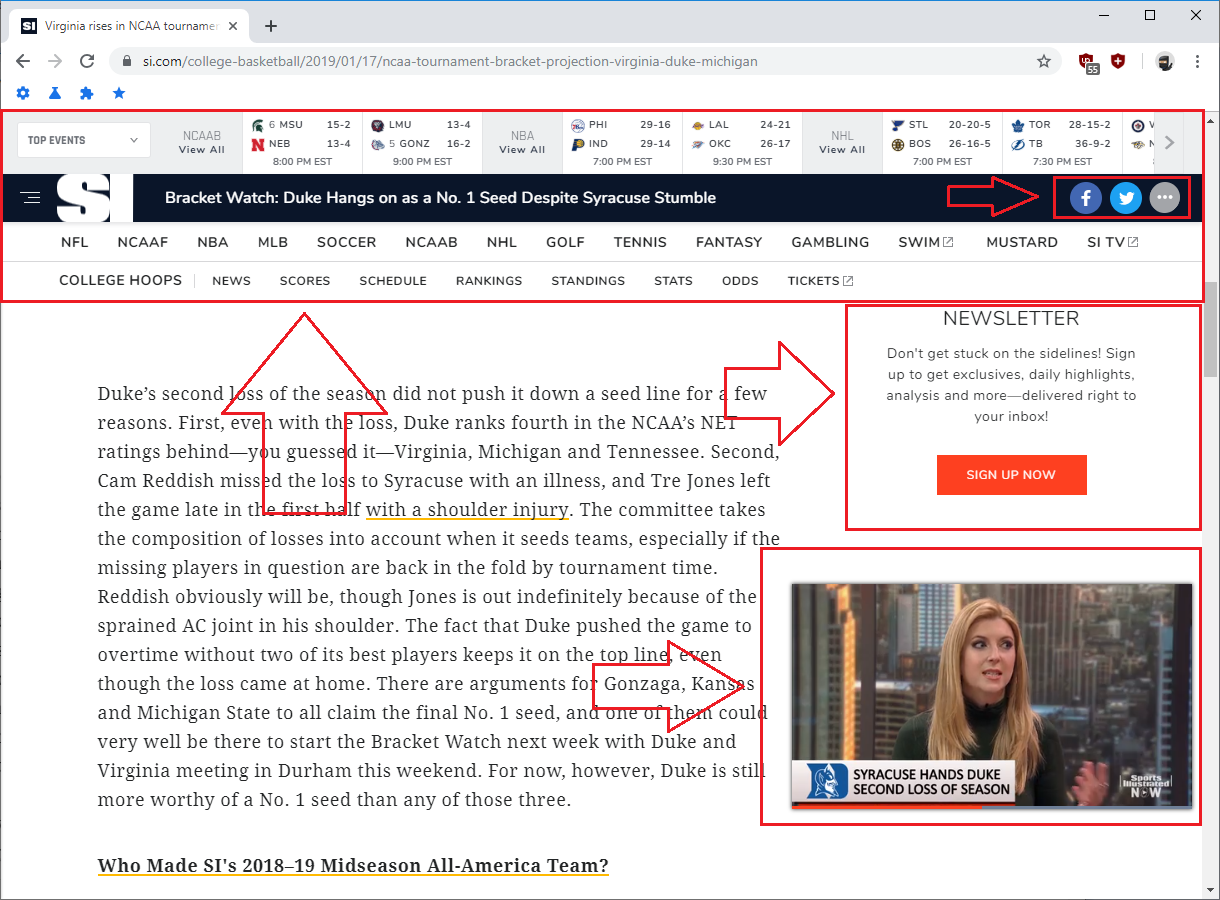
Above screenshot taken using uBlock Origin Default Filter Lists
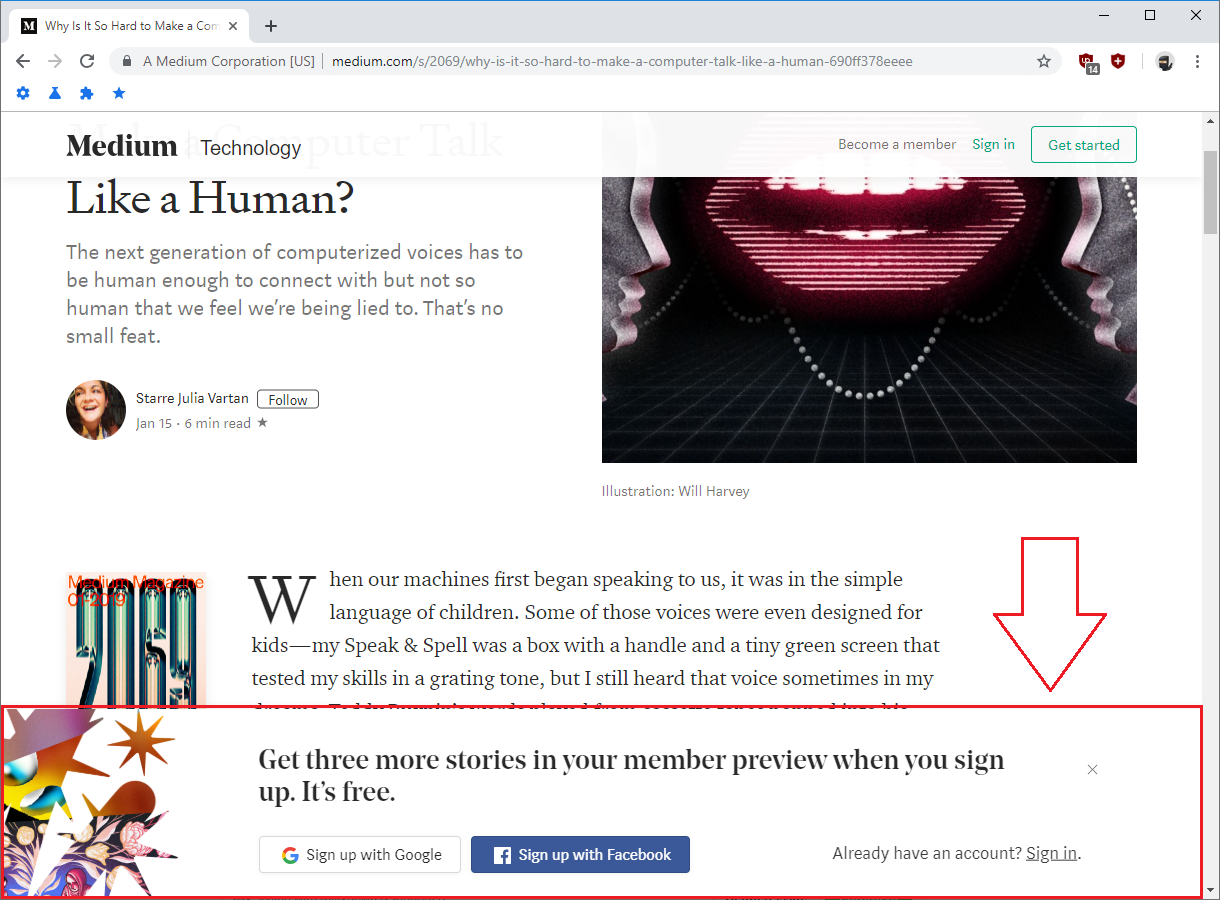
Typical Website in 2020 After Installing Web Annoyances Ultralist

Above screenshot taken using uBlock Origin Default Filter Lists + Web Annoyances Ultralist
Head over to the demonstration page for additional visual examples of Web Annoyances Ultralist in action.
Requirements
This filter list aims to remove annoying web elements that block your view of the screen and is created and optimized using the uBlock Origin Extended Syntax.
For the best user experience, please use this filter list with  uBlock Origin,
 AdGuard for
  , or AdGuard for
  .
.
Browser specific download locations are located below:
Desktop
- uBlock Origin for
 Google Chrome
 - uBlock Origin for
 Mozilla FireFox
 - uBlock Origin for
 Apple Safari
 - uBlock Origin for
 Opera
Opera - AdGuard for
- AdGuard for
Mobile
 Android
 Kiwi Browser for
One Click Installation
Click the following: Add Web Annoyances Ultralist to Custom uBlock Origin Filters.
Installation Notes
After clicking the Link above, a warning box will appear asking you to confirm the installation - Click 'OK' to add the list to your Custom Filter Lists.
The warning box will look like the following:

After clicking 'OK' the filter list should be installed.
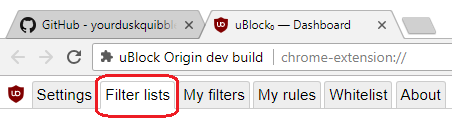
You can validate the list installed properly by navigating to your uBlock Origin Dashboard and clicking on the Filter lists tab. Scroll to the bottom of the screen and verify Web Annoyances Ultralist is showing up in your custom section.

Step-by-Step install instructions are available in the wiki.
Discord Server
Join the yourduskquibbles Discord Server @ https://discord.me/yourduskquibbles for faster reporting of issues and chat.
Mirror Hosts of Web Annoyances Ultralist
https://cdn.staticaly.com/gh/yourduskquibbles/webannoyances/master/ultralist.txt
https://cdn.jsdelivr.net/gh/yourduskquibbles/webannoyances/ultralist.txt
Related Skills
docs-writer
98.8k`docs-writer` skill instructions As an expert technical writer and editor for the Gemini CLI project, you produce accurate, clear, and consistent documentation. When asked to write, edit, or revie
model-usage
331.2kUse CodexBar CLI local cost usage to summarize per-model usage for Codex or Claude, including the current (most recent) model or a full model breakdown. Trigger when asked for model-level usage/cost data from codexbar, or when you need a scriptable per-model summary from codexbar cost JSON.
Design
Campus Second-Hand Trading Platform \- General Design Document (v5.0 \- React Architecture \- Complete Final Version)1\. System Overall Design 1.1. Project Overview This project aims t
arscontexta
2.8kClaude Code plugin that generates individualized knowledge systems from conversation. You describe how you think and work, have a conversation and get a complete second brain as markdown files you own.


Security Score
Audited on Mar 22, 2026