
Filterlists
Collection of blocklists to fill in the gaps
Install / Use
/learn @yokoffing/FilterlistsREADME




Guidelines
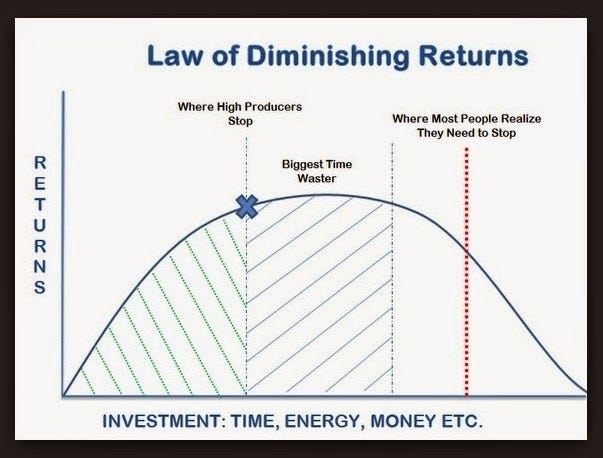
- Prevent overblocking by applying the law of diminishing returns (always blocking more ≠ better blocking experience).
- Aim for efficiency without sacrificing quality (use sane, quality resources).
- Implement the minimum number of useful lists (avoid redundancy and bloat when possible).
Recommended filters for uBlock Origin
Block Twitch ads
For Twitch adblock, I use Violentmonkey with the AdGuard Extra userscript. This helps uBlock Origin block server-side ads.
You can also use Tampermonkey as a Twitch adblock solution.
Block YouTube ads
Adblock not working on YouTube?
- uBlock Origin on Firefox should be okay. If adblock is no longer working on YouTube, check the subreddit.
- If using uBlock Origin Lite, open the popup panel and set the filtering mode to Complete on
youtube.comand any other ad-invasive site.- For more info, see our new section on uBlock Origin Lite.
Content
- How to add custom filters
- Examples
- Mobile adblocking: block content with fewer rules
- Advanced settings
- uBlock Origin Lite
- FAQ
- Additional reading
- Mentions
How to add custom filters
[!NOTE] This repo is tailored to uBlock Origin specifically. I cannot guarantee filters will work in other ad blockers.
uBlock Origin
Get uBlock Origin (uBO), if you don't have it already.
To import custom filters into uBlock Origin:
- Click the subscribe link by one of the entries below.
- In the new tab that opens, click on Subscribe in the top right corner.
- Close tab, then repeat for other lists you want to add to uBO.
AdGuard
To import custom filters into AdGuard:
- Click the subscribe link by one of the entries below.
- In the new tab that opens, click on Next.
- Toggle the box that says Trusted, then click Subscribe.
Brave Browser
Brave uses the default uBlock Origin lists out-of-the-box.
Do not use the subscribe link. Add your own custom filter lists from different sources just copying/pasting the RAW URL and pressing save changes.
- Click on the title of the list from the selections in this repo.
- On GitHub, select
Rawon the right-hand side of the page. - Copy the URL.
- In a separate tab, go to
brave://adblockin the URL bar. - Under Add custom filter lists, paste the URL and select Add.
AdBlock Plus
There is a branch specifically for Adblock Plus (ABP) syntax. Check it out here.
To import custom filters into ABP:
- Click the subscribe link by one of the entries below.
- In the new tab that opens, select Yes, Add This Filter List.
AdBlock
To import custom filters into AdBlock:
- Click the subscribe link by one of the entries below.
- In the dialog box that pops up, press OK.
Other ad blockers
Do not use the subscribe link. Instead, do the following:
- Click on the title of the list from the selections below.
- In GitHub, click
Rawon the right-hand side of the page. - Copy+paste the URL to your preferred ad blocker.
- Follow your ad blocker's instructions for adding custom lists.
Privacy
- :star: Privacy Essentials (1k rules) | subscribe
<br> A curated list for advanced hardening. Includes click2load filters<sup>^what is this?</sup> and blocks requests like
connect.facebook.comand more that are not covered by uBO's default settings or in Annoyances lists.
[!WARNING] Privacy Essentials may prevent you from logging into sites using Facebook, Google, or other third-party accounts.
-
yokoffing's click2load filters (47 rules) | subscribe <br> (optional if using
Privacy Essentials) Turns many third-party audio and video players into click-to-load placeholders which only load once a user clicks on it. This list speeds up page load, uses less bandwidth and browser resources, and reduces privacy exposure (by contacting fewer domains during page load). The player will load by clicking on the placeholder. -
:star: Hagezi Pro mini (56k domains) | subscribe <br> A smaller version of the Hagezi Pro DNS blocklist optimized for web browsers (56k vs. 208k rules). The streamlined list excludes rules not pertinent to web browsing, like those blocking IoT tracking and device telemetry. This mini version blocks domains associated with ads, tracking, analytics, and badware.
URL Tracking Parameters
Add the functionality of ClearURLs to uBO. These filter lists automatically remove tracking elements from URLs to protect your privacy when browsing the Internet.
-
:star: Actually Legitimate URL Shortener Tool (2.8k rules) | subscribe <br> This list also includes all entries from
AdGuard's URL Tracking Protectionas of October 2022, but you can use both lists. -
ClearURLs for uBO (700 rules) | subscribe <br> This list is just the rules from the ClearURLs extension converted into a filterlist.
[!TIP] If you find websites with tracking parameters or experience site issues, you can submit those here.
Fonts
- Block third-party fonts (89 rules) | subscribe <br> This filter blocks fonts from third-par

Security Score
Audited on Mar 23, 2026