
QuestCameraKit
QuestVisionKit is a collection of template and reference projects demonstrating how to use Meta Quest’s new Passthrough Camera API for advanced AR/VR vision, tracking, and shader effects.
Install / Use
/learn @xrdevrob/QuestCameraKitREADME
QuestCameraKit is a collection of template and reference projects demonstrating how to use Meta Quest’s new Passthrough Camera API (PCA) for advanced AR/VR vision, tracking, and shader effects.


Table of Contents
- PCA Samples
- Update Notes
- Getting Started with PCA
- Troubleshooting & Known Issues
- Community Contributions
- News
- Acknowledgements & Credits
- License
- Contact
PCA Samples
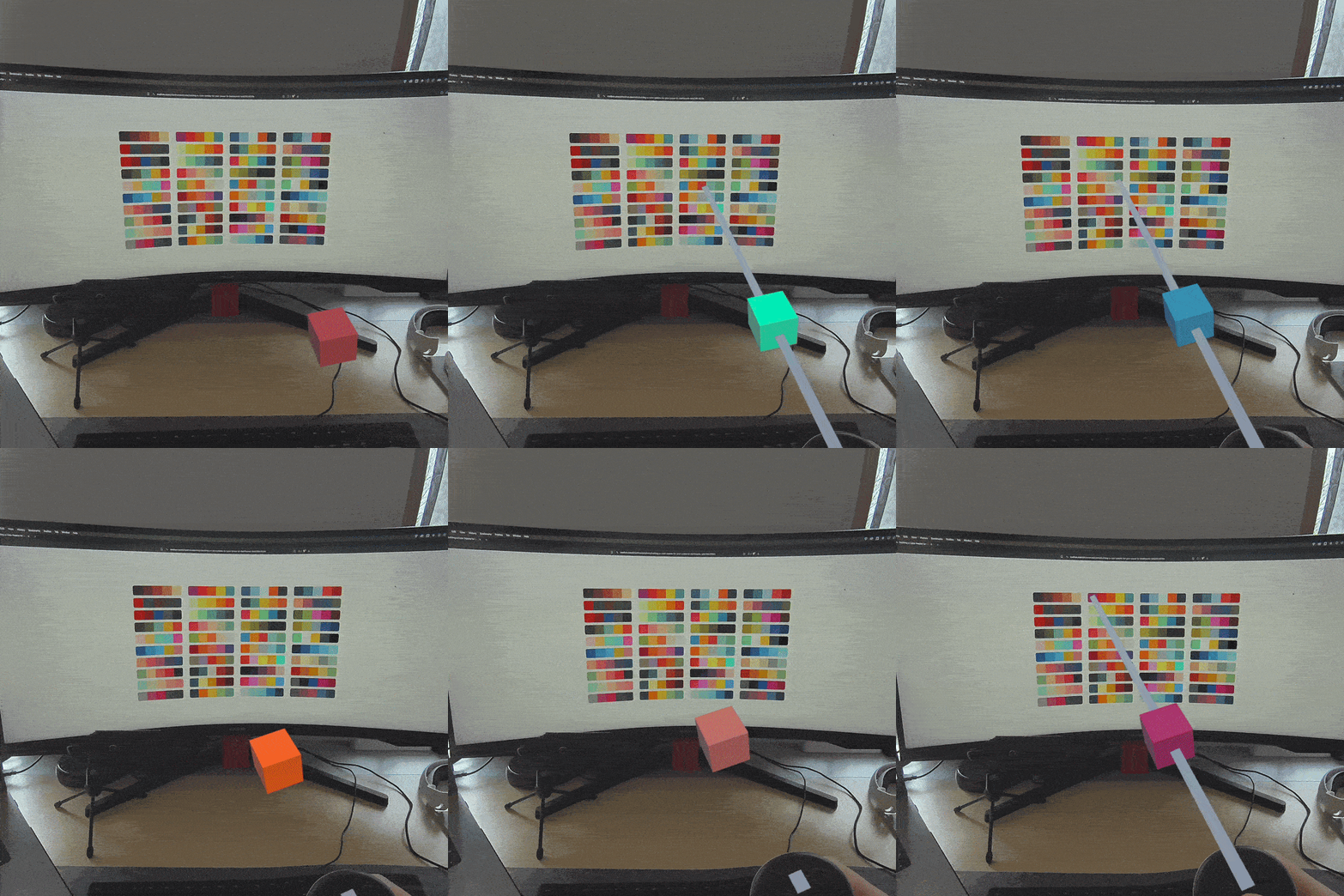
1. 🎨 Color Picker
- Purpose: Convert a 3D point in space to its corresponding 2D image pixel.
- Description: This sample shows the mapping between 3D space and 2D image coordinates using the Passthrough Camera API. We use MRUK's EnvironmentRaycastManager to determine a 3D point in our environment and map it to the location on our WebcamTexture. We then extract the pixel on that point, to determine the color of a real world object.
- Open the
ColorPickerscene. - Build the scene and run the APK on your headset.
- Aim the ray onto a surface in your real space and press the A button or pinch your fingers to observe the cube changing its color to the color in your real environment.
2. 🍎 Object Detection with Unity Inference Engine
- Purpose: Convert 2D screen coordinates into their corresponding 3D points in space.
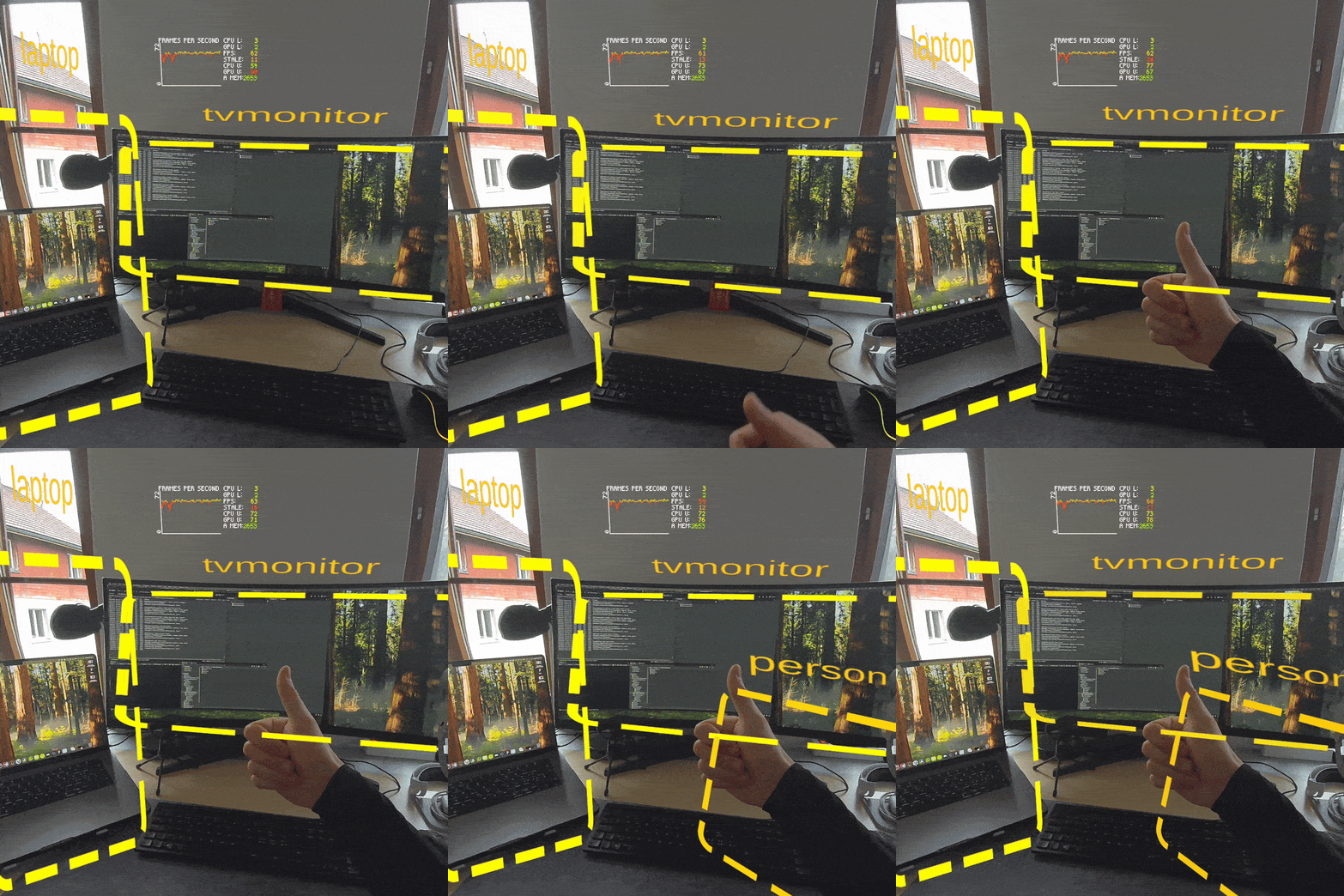
- Description: Use the Unity Inference Engine framework to infer different ML models to detect and track objects. Learn how to convert detected image coordinates (e.g. bounding boxes) back into 3D points for dynamic interaction within your scenes. In this sample you will also see how to filter labels. This means e.g. you can only detect humans and pets, to create a more safe play-area for your VR game. The sample video below is filtered to monitor, person and laptop. The sample is running at around
60 fps.
- Open the
ObjectDetectionscene. - Install Unity AI Inference (use
com.unity.ai.inference@2.3.0). - Select the labels you want to track. Leaving the list empty tracks all objects. <details> <summary>Show all available labels</summary> <table> <tr><td>person</td><td>bicycle</td><td>car</td><td>motorbike</td><td>aeroplane</td><td>bus</td><td>train</td><td>truck</td></tr> <tr><td>boat</td><td>traffic light</td><td>fire hydrant</td><td>stop sign</td><td>parking meter</td><td>bench</td><td>bird</td><td>cat</td></tr> <tr><td>dog</td><td>horse</td><td>sheep</td><td>cow</td><td>elephant</td><td>bear</td><td>zebra</td><td>giraffe</td></tr> <tr><td>backpack</td><td>umbrella</td><td>handbag</td><td>tie</td><td>suitcase</td><td>frisbee</td><td>skis</td><td>snowboard</td></tr> <tr><td>sports ball</td><td>kite</td><td>baseball bat</td><td>baseball glove</td><td>skateboard</td><td>surfboard</td><td>tennis racket</td><td>bottle</td></tr> <tr><td>wine glass</td><td>cup</td><td>fork</td><td>knife</td><td>spoon</td><td>bowl</td><td>banana</td><td>apple</td></tr> <tr><td>sandwich</td><td>orange</td><td>broccoli</td><td>carrot</td><td>hot dog</td><td>pizza</td><td>donut</td><td>cake</td></tr> <tr><td>chair</td><td>sofa</td><td>pottedplant</td><td>bed</td><td>diningtable</td><td>toilet</td><td>tvmonitor</td><td>laptop</td></tr> <tr><td>mouse</td><td>remote</td><td>keyboard</td><td>cell phone</td><td>microwave</td><td>oven</td><td>toaster</td><td>sink</td></tr> <tr><td>refrigerator</td><td>book</td><td>clock</td><td>vase</td><td>scissors</td><td>teddy bear</td><td>hair drier</td><td>toothbrush</td></tr> </table> </details>
- Build and deploy to Quest. Use the trigger to scan the environment; markers will appear for detections above the configured confidence threshold.
3. 📱 QR Code Tracking with ZXing
- Purpose: Detect and track QR codes in real time. Open webviews or log-in to 3rd party services with ease.
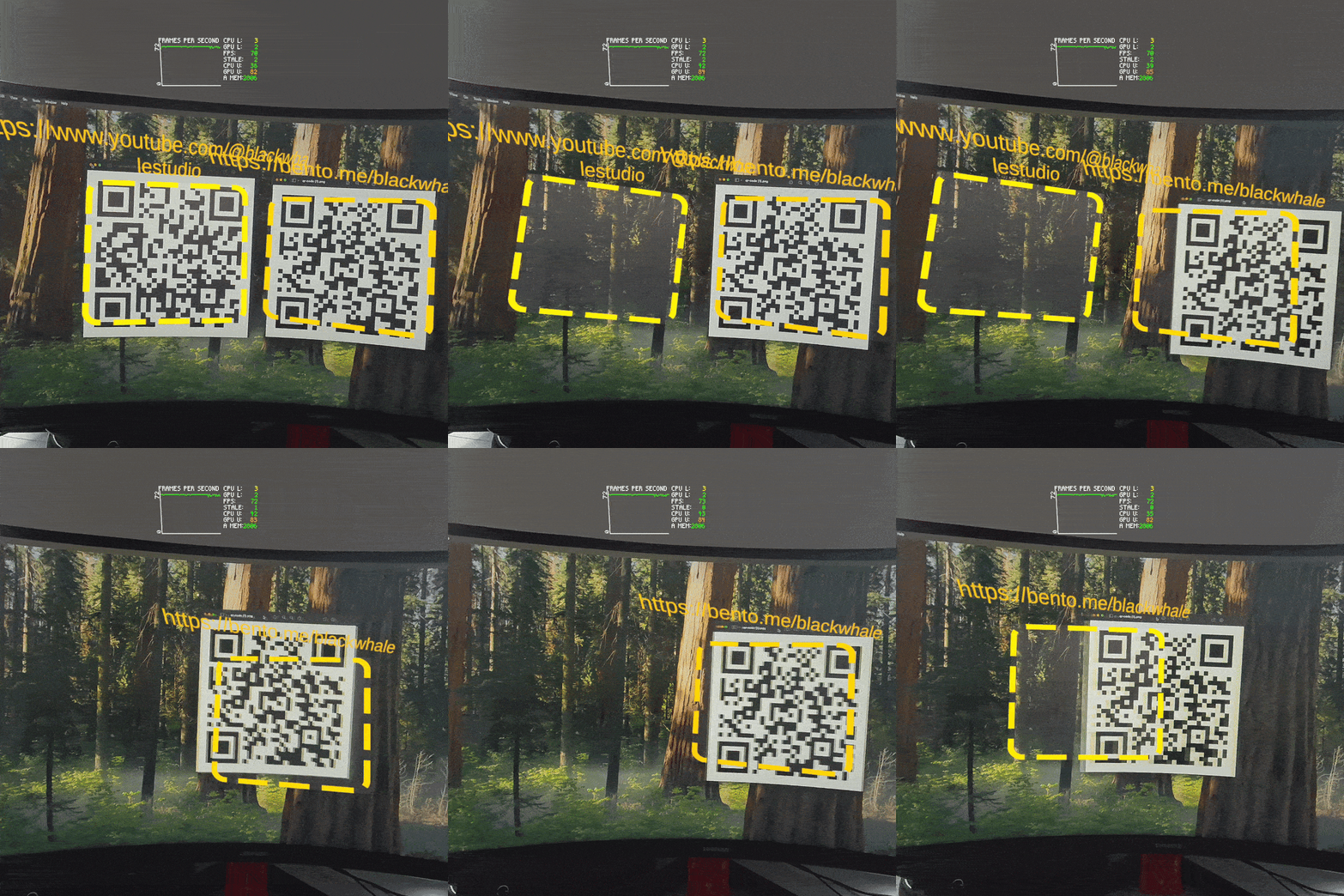
- Description: Similarly to the object detection sample, get QR code coordinated and projects them into 3D space. Detect QR codes and call their URLs. You can select between a multiple or single QR code mode. The sample is running at around
70 fpsfor multiple QR codes and a stable72 fpsfor a single code. Users are able to choose between CenterOnly and PerCorner raycasting modes via an enum in the inspector. This enables more accurate rotation tracking for use cases that require it (PerCorner), while preserving a faster fallback (CenterOnly).
- Open the
QRCodeTrackingscene. - Ensure ZXing DLLs are present (the editor script auto-adds the
ZXING_ENABLEDdefine). - Choose Single or Multiple detection mode and the raycast mode (CenterOnly vs PerCorner).
- Build to Quest, point the headset toward QR codes, and interact with the spawned markers.
4. 🪟 Shader Samples
- Purpose: Apply stereo passthrough camera-mapped shader effects to virtual surfaces.
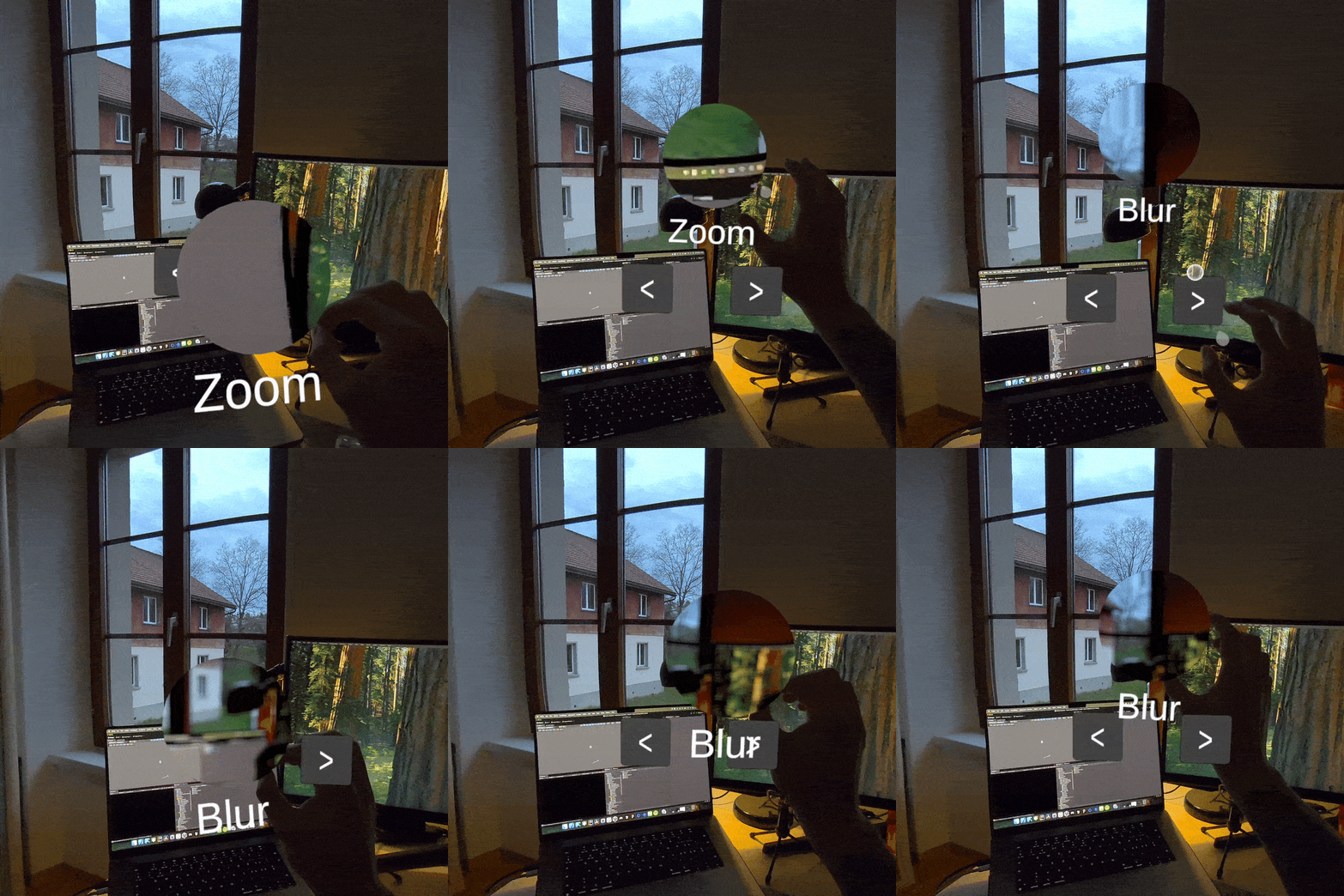
- Description: The shader sample is now consolidated into one scene that uses left/right passthrough feeds and per-eye calibration data. Current materials and shaders included in this flow are
StereoPassthroughCameraMapping,StereoPassthroughFrostedGlass, andStereoPassthroughWavyPortal.
- Open the
CameraMappingForShadersscene. - Make sure your passthrough setup is active and the scene has both left and right
PassthroughCameraAccesscomponents. - Build to Quest and run. Interact with the sample objects using the stereo shader materials to test camera mapping, frosted glass, and wavy portal effects.
5. 🧠 OpenAI vision model
- Purpose: Ask OpenAI's vision model (or any other multi-modal LLM) for context of your current scene.
- Description: We use a the OpenAI Speech to text API to create a command. We then send this command together with a screenshot to the Vision model. Lastly, we get the response back and use the Text to speech API to turn the response text into an audio file in Unity to speak the response. The user can select different speakers, models, and speed. For the command we can add additional instructions for the model, as well as select an image, image & text, or just a text mode. The whole loop takes anywhere from
2-6 seconds, depending on the internet connection.
- Open the ImageLLM scene.
- Create an OpenAI API key and enter it on the OpenAI Manager prefab.
- Select your desired model and optionally give the LLM additional instructions.
- Ensure your Quest headset is connected to a fast/stable network.
- Build the scene and run the APK on your headset.
- Use the voice input (controller or hand gesture) to issue commands; the headset captures a PCA frame and plays back the LLM response via TTS.
[!NOTE] File uploads are currently limited to 25 MB and the following input formats are supported:
mp3,mp4,mpeg,mpga,m4a,wav,webm.
You can send commands and receive results in any of these languages:
<details> <summary>Show all supported languages</summary> <table> <tr> <td>Afrikaans</td> <td>Arabic</td> <td>Armenian</td> <td>Azerbaijani</td> <td>Belarusian</td> <td>Bosnian</td> <td>Bulgarian</td> <td>Catalan</td> <td>Chinese</td> </tr> <tr> <td>Croatian</td> <td>Czech</td> <td>Danish</td> <td>Dutch</td> <td>English</td> <td>Estonian</td> <td>Finnish</td> <td>French</td> <td>Galician</td> </tr> <tr> <td>German</td> <td>Greek</td> <td>Hebrew</td> <td>Hindi</td> <td>Hungarian</td> <td>Icelandic</td> <td>Indonesian</td> <td>Italian</td> <td>Japanese</td> </tr> <tr> <td>Kannada</td> <td>Kazakh</td> <td>Korean</td> <td>Latvian</td> <td>Lithuanian</td> <td>Macedonian</td> <td>Malay</td> <td>Marathi</td> <td>Maori</td> </tr> <tr> <td>Nepali</td> <td>Norwegian</td> <td>Persian</td> <td>Polish</td> <td>Portuguese</td> <td>Romanian</td> <td>Russian</td> <td>Serbian</td> <td>Slovak</td> </tr> <tr> <td>Slovenian</td> <td>Spanish</td> <td>Swahili</td> <td>Swedish</td> <td>Tagalog</td> <td>Tamil</td> <td>Thai</td> <td>Turkish</td> <td>Ukrainian</td> </tr> <tr> <td>Urdu</td> <td>Vietnamese</td> <td>Welsh</td> <td></td> <td></td> <td></td> <td></td> <td></td> <td></td> </tr> </table> </details> </details>https://github.com/user-attachments/assets/a4cfbfc2-0306-40dc-a9a3-cdccffa7afea
6. 🎥 WebRTC video streaming
- Purpose: Stream the Passthrough Camera stream over WebRTC to another client using WebSockets.
- Description: This sampl
Related Skills
node-connect
334.5kDiagnose OpenClaw node connection and pairing failures for Android, iOS, and macOS companion apps
frontend-design
82.2kCreate distinctive, production-grade frontend interfaces with high design quality. Use this skill when the user asks to build web components, pages, or applications. Generates creative, polished code that avoids generic AI aesthetics.
openai-whisper-api
334.5kTranscribe audio via OpenAI Audio Transcriptions API (Whisper).
commit-push-pr
82.2kCommit, push, and open a PR
