
Text0wnz
𝙔𝙤𝙪𝙧 𝙗𝙧𝙤𝙬𝙨𝙚𝙧 𝙞𝙨 𝙩𝙝𝙚 𝙘𝙖𝙣𝙫𝙖𝙨. Draw, edit, and collaborate on ANSI, ASCII, NFO, and XBIN art in a retro text art editor rebooted for the modern web. Offline-first or connect for real-time sessions. Crafted for both keyboard-centric artists and creators using a mouse or touch - on any device.
Install / Use
/learn @xero/Text0wnzREADME
teXt0wnz
Your browser is the canvas
A retro text art editor rebooted for the modern web. Draw, edit, and collaborate on ANSI, ASCII, NFO, and XBIN files. Offline-first with auto-save/restore via local storage, plus an optional self-hosted server component enabling real-time, multi-user sessions. Crafted for keyboard-centric artists and creators using mouse or touch, on any device. Built with modern tools and automated testing for a seamless experience for text artists and developers.
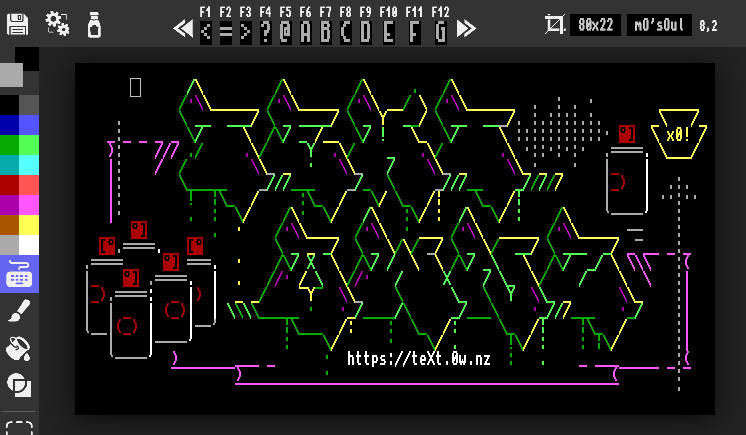
Draw in your browser now!
| Domain | Status | |:------------------------------------|:---------------------------------------------------| | https://text.0w.nz | The main domain. Collab server may be available | | https://xero.github.io/text0wnz | Github Pages version of the site. No collab server |
















,-'2_,-'2_,-'2_,-'2_,-'2_,-'2_,-'2_,-'2_,-'2_,-'2_,-'2_,-'2_
Table o' Contents
- Features
- File Types
- Browser Support
- Documentation
- Drawing & Editing Tools
- Key-bindings & Mouse/Touch Controls
- Tips & Workflow
- Build & Development
- Collaborative Server
- Docker Containerization
- Testing Suite
- Troubleshooting
- Project History
- License & Greetz
"7_/"7_/"7_/"7_/"7_/"7_/"7_/"7_/"7_/"7_/"7_/"7_/"7_/"7_/"
Features
- Web-based text art drawing, also works offline as a PWA
- No install required!
- But easily installed as a Progressive Web Application to your device
- Comprehensive keyboard shortcuts and mouse controls
- Draw using the keyboard, mouse, or touch screen
- Classic and modern fonts
- Over 100 fonts from IBM PCs, Amiga, C64, and many more vintage/custom
- Full suite of drawing tools:
- Keyboard, freehand brushes, fills, shapes, selection, and mirror mode
- Advanced color management
- 16-color ANSI, iCE colors, real-time preview, color conflict resolution
- Custom XBIN color palette support and selection
- Supported file types:
- Import: ANSI, BIN, XBIN, NFO, DIZ, UTF-8 TXT
- Export: all of the above and PNG
- Multi-platform file opening
- Desktop: OS "Open with" integration (Chrome/Edge)
- Android: Share sheet integration
- iPad+iOS: Enhanced file picker
- Drag-and-drop support for everyone!
- Canvas operations:
- Undo/redo, canvas resizing, font selection, and full SAUCE metadata support
- Editor options:
- Canvas zoom, light/dark mode, and grid overlay
- Auto Save/Restore
- Editor Setting saved to local storage for a consistent drawing sessions
- Artwork and undo history saved to IndexedDB as you draw, auto-reloads when the app is opened
- Optimized binary data storage packing for efficient canvas persistence
- Collaborative server mode
- For real-time multi-user editing
- Optional and opt-in by users. See: Privacy
- Build tools:
- Bun, Vite, PostCSS
- Automated tests:
- Playwright, Vitest, Testing Library
- Robust linting and formatting:
- Eslint and Prettier
Supported File Types
| Extension | Description | Import | Export | Sauce |
|:----------------|:---------------------------------------|:-----|:-----|:-----|
| .ans | ANSI art | ░▒▒░ | ░▒▒░ | ░▒▒░ |
| .utf8.ans | UTF-8 ANSI for modern terminals | ░▒▒░ | ░▒▒░ | |
| .bin | DOS-era binary format | ░▒▒░ | ░▒▒░ | ░▒▒░ |
| .xb | XBIN format | ░▒▒░ | ░▒▒░ | ░▒▒░ |
| .nfo | Scene release format | ░▒▒░ | ░▒▒░ | ░▒▒░ |
| .diz | FILE_ID.DIZ archive metadata files | ░▒▒░ | | ░▒▒░ |
| .txt | ASCII or other plain text | ░▒▒░ | ░▒▒░ | |
| .png | Artwork rendered as an image | | ░▒▒░ | |
Browser Support
| Browser | Chrome | Firefox | Safari | Edge | Opera | iOS | iPadOS | Android | |:------------------|:-------|:--------|:--------|:-------|:-------|:--------|:-------|:--------| | Last Updated <br> 2025-11-20 | <img src="https://raw.githubusercontent.com/wiki/xero/text0wnz/img/chrome.svg" width="50" height="50"> | <img src="https://raw.githubusercontent.com/wiki/xero/text0wnz/img/firefox.svg" width="50" height="50"> | <img src="https://raw.githubusercontent.com/wiki/xero/text0wnz/img/safari.svg" width="50" height="50"> | <img src="https://raw.githubusercontent.com/wiki/xero/text0wnz/img/edge.svg" width="50" height="50"> | <img src="https://raw.githubusercontent.com/wiki/xero/text0wnz/img/opera.svg" width="50" height="50"> | <img src="https://raw.githubusercontent.com/wiki/xero/text0wnz/img/ios.svg" width="50" height="50"> | <img src="https://raw.githubusercontent.com/wiki/xero/text0wnz/img/ipados.svg" width="50" height="50"> | <img src="https://raw.githubusercontent.com/wiki/xero/text0wnz/img/android.svg" width="50" height="50"> | | Supported | 95.0+ | 93.0+ | 15.0+ | 95.0+ | 81.0+ | 15.0+ | 15.0+ | 95.0+ | | Latest Dev | Canary | Nightly | Preview | Dev | - | - | - | - | | Unsupported | < 94.x | < 92.x | < 14.x | < 94.x | < 80.x | < 14.x | < 14.x | < 94.x |
Documentation
The docs folder contains raw markdown documentation files
The wiki renders these files into easier to read webpages
Application Guides
- Editor Manual - Visual guide to the Frontend application ↵
- Key bindings - Hot keys reference guide ↵
- Collaboration Server - Backend real-time collaboration server ↵
- Architecture - System architecture and design overview ↵
- PWA Install - Guide to app installing and OS integration for multiple platforms [↵](ht
