
Flygrep.nvim
Neovim plugin to search text in floating window asynchronously
Install / Use
/learn @wsdjeg/Flygrep.nvimREADME
flygrep.nvim
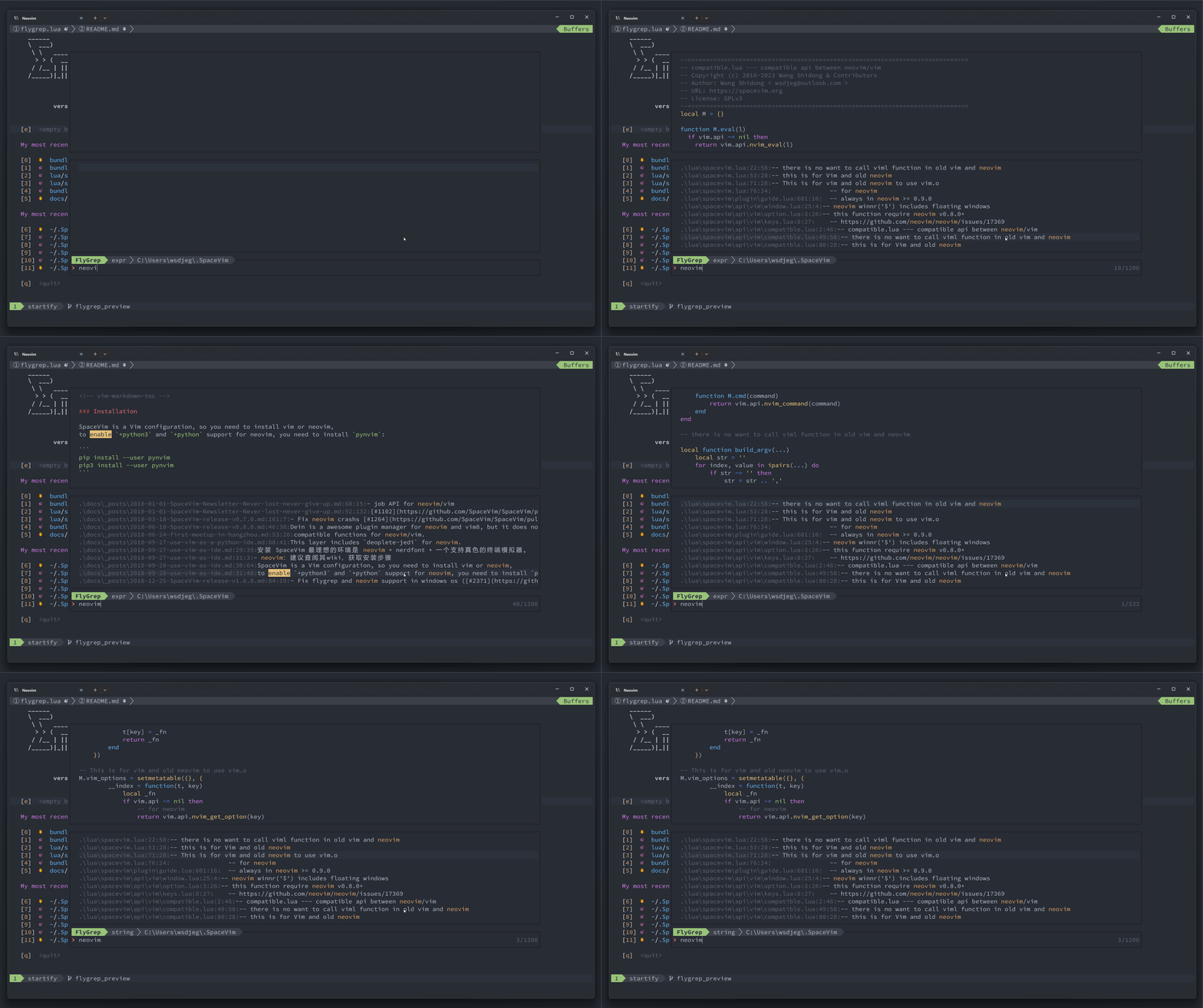
flygrep.nvim is a plugin to search text in neovim floating window asynchronously





Intro
flygrep.nvim is a neovim plugin that can be used to search code asynchronously in real time.
Requirements
- neovim: >= v0.10.0
- ripgrep: If you are using other searching tool, you need to set command option of flygrep.
Installation
-
Using nvim-plug
require('plug').add({ { 'wsdjeg/flygrep.nvim', config = function() require('flygrep').setup() end, depends = { { 'wsdjeg/job.nvim' } }, }, }) -
Using vim-plug
Plug 'wsdjeg/flygrep.nvim' -
Using luarocks
luarocks install flygrep.nvim
Usage
:FlyGrep: open flygrep in current directory:lua require('flygrep').open(opt): opt supports following keys,- cwd: root directory of searching job
- input: default input text in prompt window
search text in buffer directory:
require('flygrep').open({
  cwd = vim.fn.fnamemodify(vim.fn.bufname(), ':p:h'),
})
search text under the cursor:
require('flygrep').open({
  input = vim.fn.expand('<cword>')
})
Configuration
require('flygrep').setup({
    color_templete = {
        a = {
            fg = '#2c323c',
            bg = '#98c379',
            ctermfg = 16,
            ctermbg = 114,
            bold = true,
        },
        b = {
            fg = '#abb2bf',
            bg = '#3b4048',
            ctermfg = 145,
            ctermbg = 16,
            bold = false,
        },
    },
    timeout = 200,
    mappings = {
        next_item = '<Tab>',
        previous_item = '<S-Tab>',
        toggle_fix_string = '<C-e>',
        toggle_hidden_file = '<C-h>',
        toggle_preview_win = '<C-p>',
        open_item_edit = '<Enter>',
        open_item_split = '<C-s>',
        open_item_vsplit = '<C-v>',
        open_item_tabedit = '<C-t>',
        apply_quickfix = '<C-q>',
        -- prevent Ctrl-J from inserting a new line
        -- which can be overridden by mapping settings
        ignore_keys = { '<C-j>' },
    },
    command = {
        execute = 'rg',
        default_opts = {
            '--no-heading',
            '--color=never',
            '--with-filename',
            '--line-number',
            '--column',
            '-g',
            '!.git',
        },
        recursive_opt = {},
        expr_opt = { '-e' },
        fixed_string_opt = { '-F' },
        default_fopts = { '-N' },
        smart_case = { '-S' },
        ignore_case = { '-i' },
        hidden_opt = { '--hidden' },
    },
    matched_higroup = 'IncSearch',
    enable_preview = false,
    window = {
        width = 0.8, -- flygrep screen width, default is vim.o.columns * 0.8
        height = 0.8, -- flygrep screen height, default is vim.o.lines * 0.8
        col = 0.1, -- flygrep screen start col, default is vim.o.columns * 0.1
        row = 0.1, -- flygrep screen start row, default is vim.o.lines * 0.1
    },
})
Key Bindings
| Key bindings | descretion |
| ------------ | ---------------------------------- |
| <Enter> | open cursor item |
| <Tab> | next item |
| <S-Tab> | previous item |
| <C-s> | open item in split window |
| <C-v> | open item in vertical split window |
| <C-t> | open item in new tabpage |
| <C-p> | toggle preview window |
| <C-h> | toggle display hidden files |
| Ctrl-q | apply all items into quickfix |
Feedback
If you encounter any bugs or have suggestions, please file an issue in the issue tracker
