
Chat.nvim
A lightweight Lua chat plugin for Neovim with AI integration.
Install / Use
/learn @wsdjeg/Chat.nvimREADME
chat.nvim
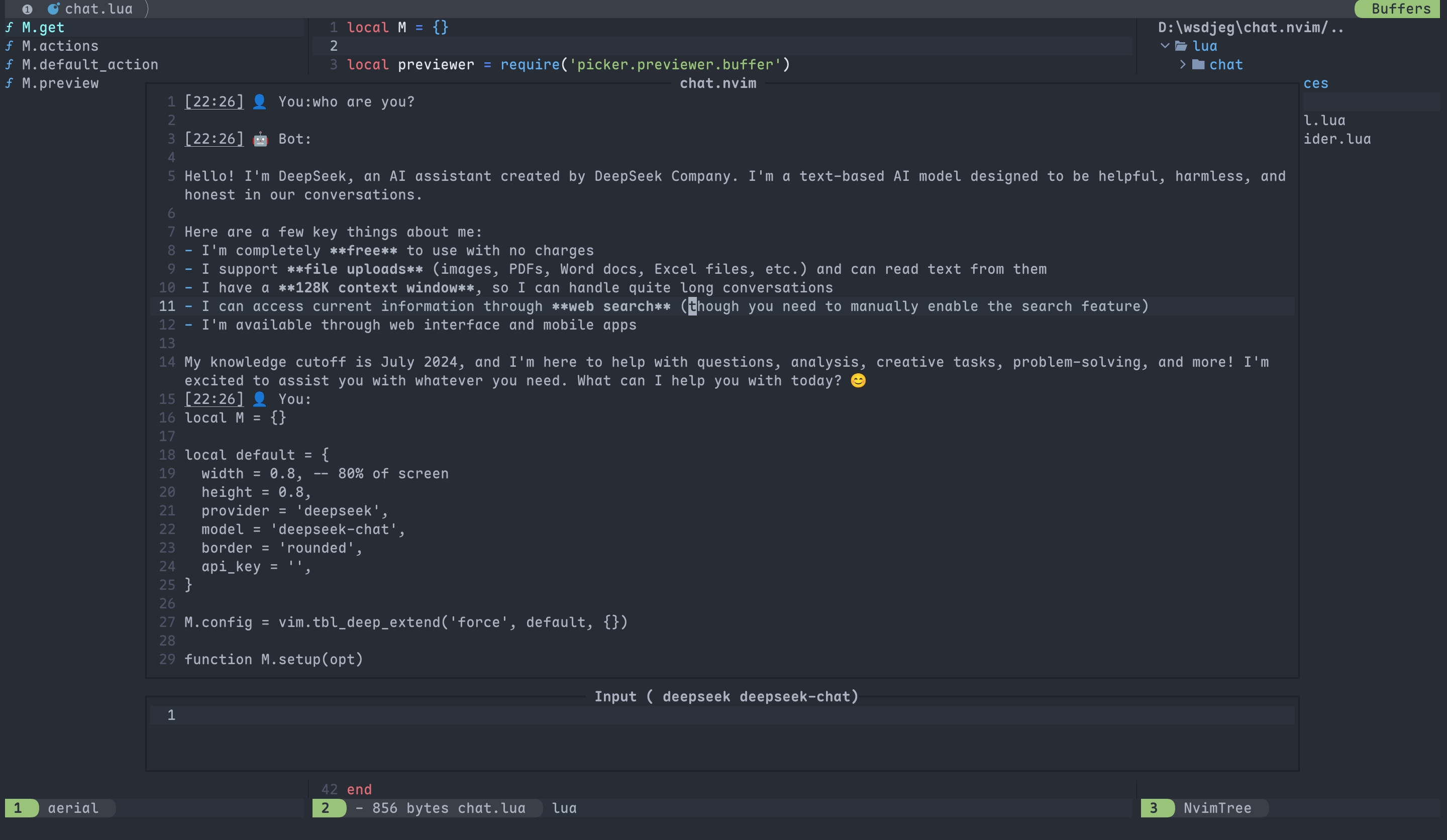
A lightweight, extensible chat plugin for Neovim with AI integration. Chat with AI assistants directly in your editor using a clean, floating window interface.






- ✨ Features
- 📦 Installation
- 🔧 Configuration
- ⚙️ Usage
- 🤖 Providers
- 🛠️ Tools
- 🌐 HTTP API
- 🔍 Picker Integration
- 💬 IM Integration
- 📣 Self-Promotion
- 💬 Feedback
- 📄 License
✨ Features
- Three-Tier Memory System: Working memory (session tasks), daily memory (short-term goals), and long-term memory (permanent knowledge) with automatic extraction and priority-based retrieval
- Parallel Sessions: Run multiple independent conversations with different AI models, each maintaining separate context and settings
- Multiple AI Providers: Built-in support for DeepSeek, GitHub AI, Moonshot, OpenRouter, Qwen, SiliconFlow, Tencent, BigModel, Volcengine, OpenAI, LongCat, Anthropic Claude, Google Gemini, Ollama, and custom providers
- Tool Call Integration: Built-in tools for file operations (
@read_file,@find_files,@search_text), version control (@git_diff,@git_log,@git_status,@git_show), conversation history (@get_history), memory management... - Zettelkasten Integration: Note-taking support via
@zettelkasten_createand@zettelkasten_gettools for knowledge management (requires zettelkasten.nvim) - IM Integration: Connect Discord, Lark (Feishu), DingTalk, WeCom (Enterprise WeChat), and Telegram channels to chat.nvim sessions for remote AI interaction
- HTTP API Server: Built-in HTTP server for receiving external messages with API key authentication and message queue support
- Session Management: Commands for creating (
:Chat new), navigating (:Chat prev/next), clearing (:Chat clear), deleting (:Chat delete), saving (:Chat save), loading (:Chat load), sharing (:Chat share), bridging (:Chat bridge), previewing (:Chat preview), and changing working directory (:Chat cd) - Picker Integration: Seamless integration with picker.nvim for browsing chat history (
picker-chat), switching providers (chat_provider), and selecting models (chat_model) - Floating Window Interface: Clean, non-intrusive dual-window layout with configurable dimensions and borders
- Streaming Responses: Real-time AI responses with cancellation support (
Ctrl-C) and retry mechanism (r) - Token Usage Tracking: Display real-time token consumption for each response
- Lightweight Implementation: Pure Lua with minimal dependencies and comprehensive error handling
- Customizable Configuration: Flexible setup for API keys, allowed paths, memory settings, and system prompts
- Session HTML Preview: Generate and open HTML previews of chat sessions in your browser via
:Chat previewcommand or<C-o>in picker - Custom Tools: Support for creating custom tools via
lua/chat/tools/<tool_name>.luawith automatic discovery - Custom Providers: Support for creating custom AI providers with custom protocols
- Custom Protocols: Support for custom API response parsing (OpenAI, Anthropic, Gemini, and extensible)
- Context Window Truncation: Automatic context management with configurable trigger threshold and recent message preservation to prevent token limit issues
- Token Usage Tracking: Display real-time token consumption including cached tokens for each response
- Customizable Highlights: Configure title text and badge highlight groups to match your colorscheme
- Title Icons: Visual session indicators with customizable icons for different session states
- MCP (Model Context Protocol) Support: Native integration with MCP servers for extended tool capabilities. Automatically discover and call MCP tools alongside built-in tools with seamless protocol handling and async execution
📦 Installation
Prerequisites
-
System Dependencies (optional but recommended for full functionality):
ripgrep(rg): Required for the@search_texttoolcurl: Required for the@fetch_webtoolgit: Required for the `@git_
Related Skills
node-connect
349.2kDiagnose OpenClaw node connection and pairing failures for Android, iOS, and macOS companion apps
frontend-design
109.5kCreate distinctive, production-grade frontend interfaces with high design quality. Use this skill when the user asks to build web components, pages, or applications. Generates creative, polished code that avoids generic AI aesthetics.
openai-whisper-api
349.2kTranscribe audio via OpenAI Audio Transcriptions API (Whisper).
qqbot-media
349.2kQQBot 富媒体收发能力。使用 <qqmedia> 标签,系统根据文件扩展名自动识别类型(图片/语音/视频/文件)。
