
MiniGamesBot
A Python Discord bot that has different kinds of minigames
Install / Use
/learn @whuybrec/MiniGamesBotREADME
MiniGamesBot
A Python Discord bot with different kinds of minigames and keeps statistics per minigame and player.
Discord Bot Commands
Miscellaneous
?help command
— Gives the help message.
?info
— Shows some information about this bot.
?rules minigame
— Shows the rules for the given minigame.
?stats @player
— Shows stats for all minigames for yourself or for the tagged player.
?set_prefix new prefix
— Set a new prefix for this bot.
?bug bug description
— Report a bug with a description as argument.
Minigames
?hangman
— Play hangman against the bot.
?scramble
— Unscramble the letters of a random word.
?connect4 @player2
— Play connect4 against another player.
?quiz
— Answer a random question to a category of your choice.
?blackjack
— Play a game of blackjack against the bot as dealer.
?chess @player2
— Play chess against another player.
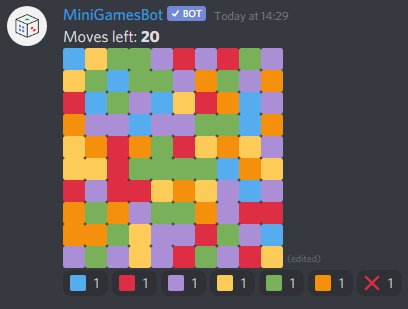
?flood
— Get the grid to turn in to one color by iteratively flooding it.
?mastermind
— Play mastermind against the bot.
?akinator
— Start the akinator to guess with yes/no questions what character you are thinking of.
Arguments in italic are optional.
There are 5 categories in the quiz minigame: General knowledge, Sports, Video Games, Music, Films.
This bot keeps statistics for players and minigames. It uploads the database file to a discord channel every once in a while as a backup. (same for prefixes.json file)
Requirements
Check requirements.txt for a list of all the libraries that you need.
To install them all:
pip install -r requirements.txt
Additionally, you need to install 'svgexport' from https://www.npmjs.com/package/svgexport. This is necessary to convert the svg (given by chess library) to a PNG, so it can be uploaded to Discord.
IMPORTANT in case you run this on a Raspberry Pi:
- Install node
- Install chromium-browser
- Install puppeteer
- Install svgexport
- In svgexport go to render.js, then edit lines 21 to 23 like this:
  var browser = await puppeteer.launch({
    product: 'chrome',
    executablePath: '/usr/bin/chromium-browser'
    headless: true,
    args: ['--no-sandbox', '--font-render-hinting=none']
  });
assuming chromium-browser is located in in '/usr/bin'
How to use?
You are allowed to use this code. A donation is appreciated but not necessary in that case. (link below)
- Create a Discord bot on the discord developers webpage.
- Clone this repository.
- Create file 'private.py' in folder 'discordbot.utils' and put these dictionaries in there and replace the values accordingly. (Topgg can remain emtpy)
 TOPGG = {
     "TOKEN": ""
 }

 DISCORD = {
      "TOKEN": "YOUR DISCORD BOT TOKEN HERE",
      "DEVS": [00000000000],  # your discord ID in here
      "BOT_ID": 00000000000,   # bot discord ID here
      # a channel ID of your choice for these
      "STATISTICS_CHANNEL": 00000000000,
      "STACK_CHANNEL": 00000000000,
      "BACKUP_CHANNEL": 00000000000,
      "BUG_REPORT_CHANNEL": 00000000000,
      "ERROR_CHANNEL": 00000000000
  }
- Run 'main.py'
If you have any trouble with this or you have suggestions/remarks, don't hesitate to contact me.
About me
My name is Wouter Huybrechts. I study computer science at the KU Leuven in Belgium. My hobbies are: coding, gaming, cycling, badminton, watching series & movies. If you wish to make a donation, you can buy me a coffee here: https://www.buymeacoffee.com/whuybrec
Related Skills
imsg
343.1kiMessage/SMS CLI for listing chats, history, and sending messages via Messages.app.
node-connect
343.1kDiagnose OpenClaw node connection and pairing failures for Android, iOS, and macOS companion apps
frontend-design
90.0kCreate distinctive, production-grade frontend interfaces with high design quality. Use this skill when the user asks to build web components, pages, or applications. Generates creative, polished code that avoids generic AI aesthetics.
discord
343.1kDiscord ops via the message tool (channel=discord).
