
Minimap.vim
📡 Blazing fast minimap / scrollbar for vim, powered by code-minimap written in Rust.
Install / Use
/learn @wfxr/Minimap.vimREADME
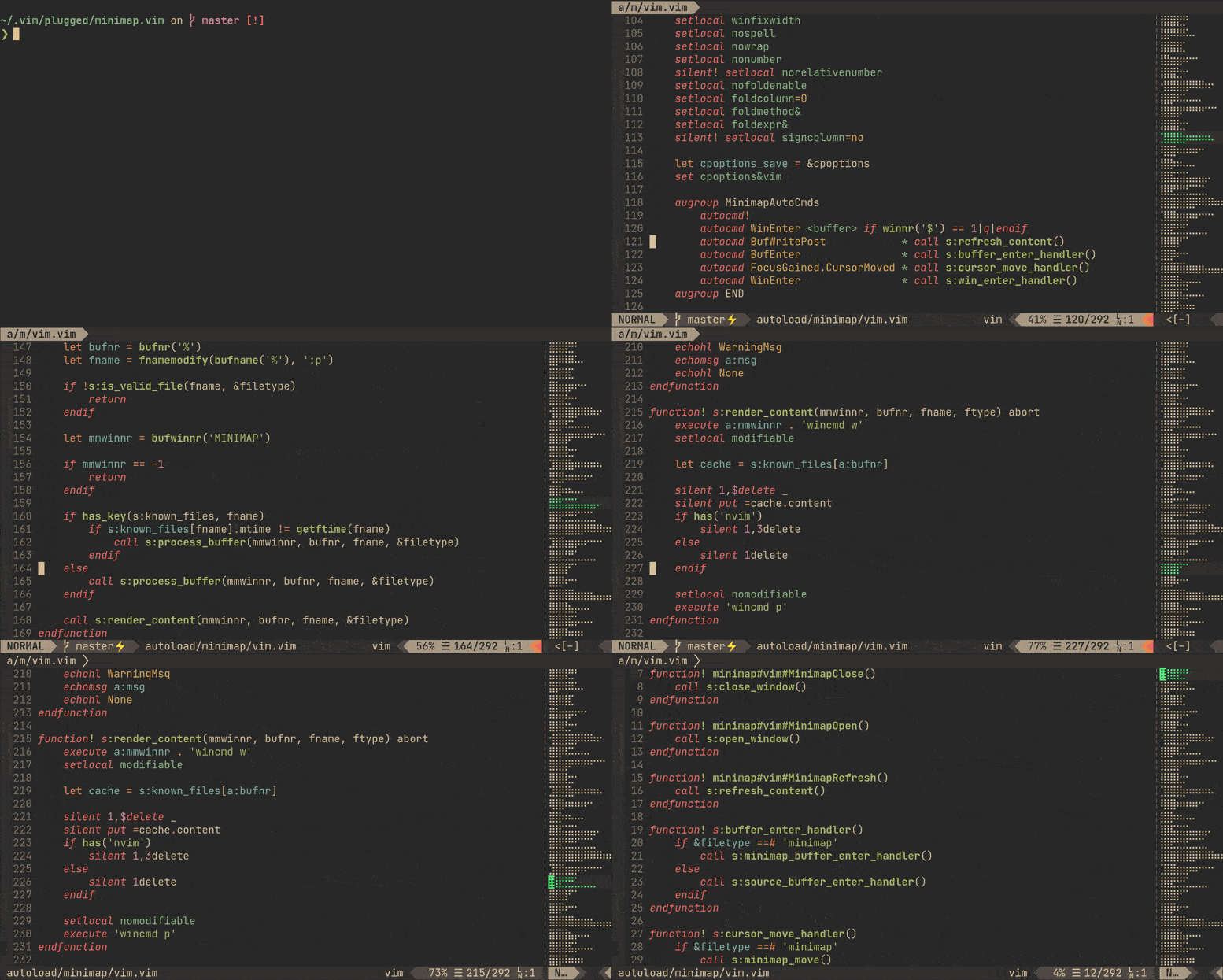
✨ Features
- Blazing-fast (see benchmark).
- Dynamic scaling.
- Real-time highlight.
- It can be used to scroll buffer (in vim's way!).
📥 Installation
Requirement
- 🛰
code-minimapis required. The plugin receives rendered minimap from it. - vim8.2+, or neovim 0.5.0+.
Use your favorite plugin manager, vim-plug for example:
Plug 'wfxr/minimap.vim'
If you need to install the plugin manually, you can refer to this issue: #2.
You can use cargo to install 'code-minimap' simultaneously (Only recommended for rust users):
Plug 'wfxr/minimap.vim', {'do': ':!cargo install --locked code-minimap'}
📑 Example configuration
let g:minimap_width = 10
let g:minimap_auto_start = 1
let g:minimap_auto_start_win_enter = 1
🛠 Commands
| Flag | Description | |------------------------|----------------------------------------------| | Minimap | Show minimap window | | MinimapClose | Close minimap window | | MinimapToggle | Toggle minimap window | | MinimapRefresh | Force refresh minimap window | | MinimapUpdateHighlight | Force update minimap highlight | | MinimapRescan | Force recalculation of minimap scaling ratio |
⚙ Options
| Flag | Default | Description |
|-----------------------------------------------|-----------------------------------------------------------|----------------------------------------------------------------------|
| g:minimap_auto_start | 0 | if set, minimap will show at startup |
| g:minimap_auto_start_win_enter | 0 | if set with g:minimap_auto_start, minimap shows on WinEnter |
| g:minimap_width | 10 | the width of the minimap window in characters |
| g:minimap_window_width_override_for_scaling | 2147483647 | the width cap for scaling the minimap (see minimap.txt help file) |
| g:minimap_base_highlight | Normal | the base color group for minimap |
| g:minimap_block_filetypes | ['fugitive', 'nerdtree', 'tagbar', 'fzf' ] | disable minimap for specific file types |
| g:minimap_block_buftypes | ['nofile', 'nowrite', 'quickfix', 'terminal', 'prompt'] | disable minimap for specific buffer types |
| g:minimap_close_filetypes | ['startify', 'netrw', 'vim-plug'] | close minimap for specific file types |
| g:minimap_close_buftypes | [] | close minimap for specific buffer types |
| g:minimap_exec_warning | 1 | if set, enables code-minimap not found warning message at startup |
| g:minimap_left | 0 | if set, minimap window will append left |
| g:minimap_highlight_range | 1 | if set, minimap will highlight range of visible lines |
| g:minimap_highlight_search | 0 | if set, minimap will highlight searched patterns |
| g:minimap_background_processing | 0 | if set, minimap will use a background job to get the longest line (requires gnu-wc on MacOS) |
| g:minimap_git_colors | 0 | if set, minimap will highlight range of changes as reported by git |
| g:minimap_enable_highlight_colorgroup | 1 | if set, minimap will create an autocommand to set highlights on color scheme changes. |
⚙ Color Options
Minimap.vim sets its own color groups to give a reasonable default.
| Flag | Default | Description |
|-------------------------------------|-----------------------------------------------------------|----------------------------------------------------------------------|
| g:minimap_search_color_priority | 120 | the priority for the search highlight colors |
| g:minimap_cursor_color_priority | 110 | the priority for the cursor highlight colors |
| g:minimap_cursor_color | minimapCursor | the color group for current position |
| g:minimap_range_color | minimapRange | the color group for window range (if highlight_range is enabled) |
| g:minimap_search_color | Search | the color group for highlighted search patterns in the minimap |
| g:minimap_diffadd_color | minimapDiffAdded | the color group for added lines (if git_colors is enabled) |
| g:minimap_diffremove_color | minimapDiffRemoved | the color group for removed lines (if git_colors is enabled) |
| g:minimap_diff_color | minimapDiffLine | the color group for modified lines (if git_colors is enabled) |
| g:minimap_cursor_diffadd_color | minimapCursorDiffAdded | the color group for the cursor over added lines |
| g:minimap_cursor_diffremove_color | minimapCursorDiffRemoved | the color group for the cursor over removed lines |
| g:minimap_cursor_diff_color | minimapCursorDiffLine | the color group for the cursor over modified lines |
| g:minimap_range_diffadd_color | minimapRangeDiffAdded | the color group for the window range encompassing added lines |
| g:minimap_range_diffremove_color | minimapRangeDiffRemoved | the color group for the window range encompassing removed lines |
| g:minimap_range_diff_color | minimapRangeDiffLine | the color group for the window range encompassing modified lines |
You can create your own colorgroup by specifying the foreground and background colors for the cterm or gui:
:highlight minimapCursor ctermbg=59 ctermfg=228 guibg=#5F5F5F guifg=#FFFF87
For more information, see :help highlight
Note: some colorschemes will clear all previous colors, so you may have to add an autocmd to ensure your custom colorgroups are added back:
autocmd ColorScheme *
        \ highlight minimapCursor            ctermbg=59  ctermfg=228 guibg=#5F5F5F guifg=#FFFF87 |
        \ highlight minimapRange             ctermbg=242 ctermfg=228 guibg=#4F4F4F guifg=#FFFF87
If you prefer to disable this behavior, set g:minimap_enable_highlight_colorgroup to 0 / false. This is useful if you have a color scheme that sets the minimap highlight groups explicitly.
💬 F.A.Q
Highlight and scroll are not working properly.
Check the vim version you are using. minimap.vim requires [vim 8.2+](https://gi
