
Hyperborder
adds a gradient border to the Hyper terminal
Install / Use
/learn @webmatze/HyperborderREADME
hyperborder - extension for Hyper
adds a gradient border to the Hyper terminal
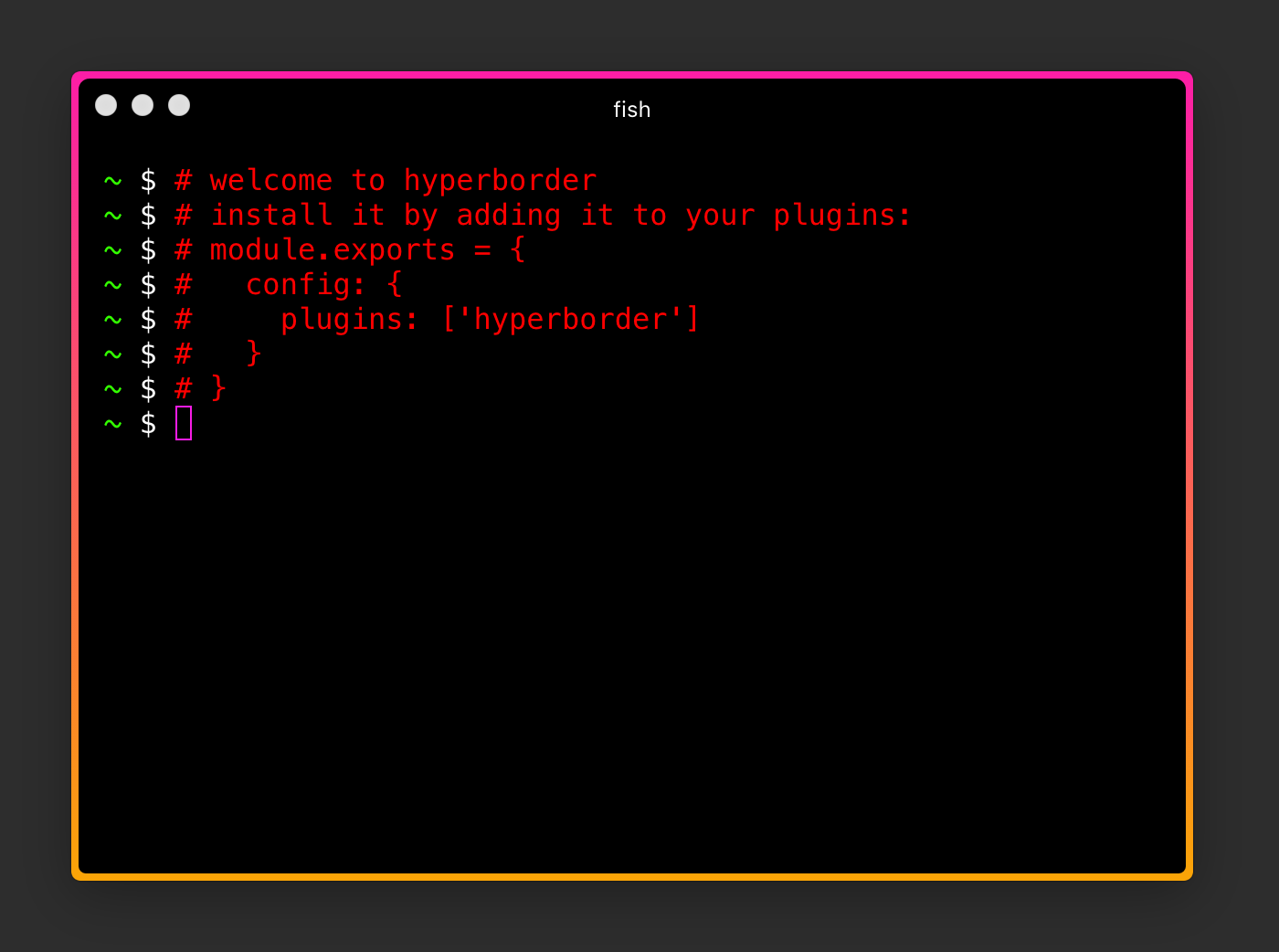
Installation
add it to plugins in your ~/.hyper.js configuration
module.exports = {
  ...
  plugins: ['hyperborder']
  ...
}
then just restart Hyper app or go to the menu 'Plugins / Update All Now'
Configuration
The following settings can be configured by adding a hyperBorder section in your .hyper.js config section:
| Setting | Type | Description |
|----------------------|----------------------|--------------------------------------------------------|
| borderWidth | string | CSS string for how thick the borders should be |
| borderRadiusInner | string | CSS string for round inner corners |
| borderRadiusOuter | string | CSS string for round outer corners |
| borderColors | string, string[] | The color(s) for the border |
| adminBorderColors | string, string[] | The color(s) for the border for an admin/elevated window. This follows the precedence of adminBorderColors > borderColors > defaultColors |
| blurredColors | string, string[] | The color(s) of the borders when the window isn't active |
| blurredAdminColors | string, string[] | The color(s) of the borders when the admin/elevated window isn't active. This follows the precedence of blurredAdminColors > blurredColors > adminBorderColors > borderColors > defaultColors |
A note on admin/root colors
The use of Hyper under the admin/root account is mainly intended for Windows' users (where it is common to run an application in
elevated mode), since on Linux/OSX you would typically utilize the sudo <command> command. Technically you can run Hyper as root
on non-Windows machines (there are issues running Hyper as root under a Wayland desktop), though
in this case, the root user will actually have their own copy of .hyper.js configuration.
EXAMPLE: Set Border Colors And Width
module.exports = {
  config: {
    ...
      hyperBorder: {
        borderColors: ['#fc1da7', '#fba506'],
        borderWidth: '8px'
      }
    ...
  }
}
EXAMPLE: Set Border Colors To Random Colors
In addition, you can set any color value to 'random' (string value):
module.exports = {
  config: {
    ...
      hyperBorder: {
        borderColors: ['random','random'],
        borderWidth: '8px'
      }
    ...
  }
}
Then every newly opened Hyper terminal window will have a different colored border.
EXAMPLE: Animate Border Colors
You like some animations? Then try this:
module.exports = {
  config: {
    ...
    hyperBorder: {
      animate: true,
      ...
    }
    ...
  }
}
To change the speed of animation, specify an object with a duration property in milliseconds:
module.exports = {
  config: {
    ...
    hyperBorder: {
      animate: {
        duration: '1000',  // default is 18000
      },
      ...
    }
    ...
  }
}
EXAMPLE: Angled Gradients
Because we use CSS3's linear-gradient, we're able to specify angles at which to create the radius. Set your own angle like this:
module.exports = {
  config: {
    ...
    hyperBorder: {
      borderAngle: '180deg',
      ...
    }
    ...
  }
}
Download Hyper here
https://hyper.is/
Related Skills
node-connect
336.9kDiagnose OpenClaw node connection and pairing failures for Android, iOS, and macOS companion apps
frontend-design
83.0kCreate distinctive, production-grade frontend interfaces with high design quality. Use this skill when the user asks to build web components, pages, or applications. Generates creative, polished code that avoids generic AI aesthetics.
openai-whisper-api
336.9kTranscribe audio via OpenAI Audio Transcriptions API (Whisper).
commit-push-pr
83.0kCommit, push, and open a PR
