
Rabbit
An fully autonomous agent that accesses the browser and performs tasks.
Install / Use
/learn @wchisasa/RabbitREADME
🐇 Rabbit
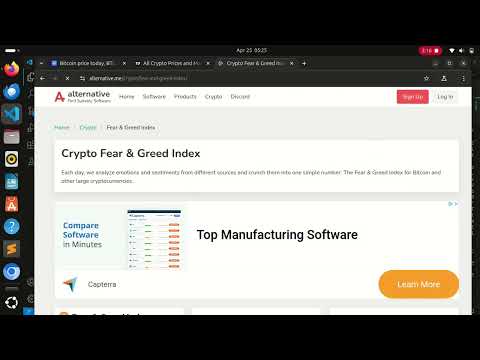
Rabbit is a modular, browser-controlling autonomous agent framework designed for intelligent web-based task execution. Leveraging LLMs and custom tools, Rabbit enables fully autonomous workflows such as research tasks, information extraction, and browser automation across complex multi-step processes.
🚀 Features
- 🔁 Agent loop execution (
agent_task_loop.py) - 🌐 Headless browser control with custom tools
- 🧠 LLM integration with memory + planning system
- 🔧 Extensible SDK (
rabbit_sdk/) with modular components - 🧪 Unit and workflow testing support
- 📊 Example workflows using real-world browser tasks
📼 Demo

📁 Project Structure
Rabbit/
├── agent_task_loop.py # Main agent loop runner
├── requirements.txt # Python dependencies
├── setup.py # Installation setup
├── test_agent.py # Agent test suite
├── rabbit_sdk/ # Core SDK for Rabbit agent
│   ├── __init__.py
│   ├── agent.py # RabbitAgent class definition
│   ├── browser_controller.py # Controls headless browser actions
│   ├── config.py # Environment + configuration loader
│   ├── llm_manager.py # LLM query & response handling
│   ├── memory_manager.py # Agent memory management
│   ├── planner.py # Task planning module
│   ├── tools/
│   │   ├── __init__.py
│   │   ├── browser_tools.py # Browser-specific tools
│   │   └── utility_tools.py # General utilities for agents
│   └── utils.py # Helper functions
└── examples/
    ├── __init__.py
    ├── simple_browser_task.py # Basic sentiment analysis example
    └── complex_workflow.py # Advanced multi-step automation example
🧪 Example: Sentiment Analysis of AI Safety
cd Rabbit/examples
python3 simple_browser_task.py
- Open multiple URLs about AI and safety
- Scrape relevant content
- Run sentiment analysis
- Summarize the key findings
🧪 Example: Comprehensive Crypto Analysis
cd Rabbit/examples
python3 complex_workflow.py
- Open multiple URLs about crypto assets
- Scrape relevant content
- Run sentiment analysis
- Summarize the key findings
- Generate trading insights
⚙️ Setup & Installation
1. Clone the repository
git clone https://github.com/wchisasa/rabbit.git
cd rabbit
2. Install dependencies
pip install -r requirements.txt
3. Set environment variables
Create a .env file in the root with your API keys:
GEMINI_API_KEY=your_gemini_api_key_here
🧠 Powered By
- Google Gemini (or other LLMs)
- Playwright / Puppeteer (for browser automation)
- Open-source planning, memory, and tooling layers
🛠 Development & Testing
python test_agent.py
📌 TODO
- [ ] Add support for OpenAI + Claude
- [ ] Extend toolset for data transformation tasks
- [ ] Integrate with vector DB for persistent memory
- [ ] Web UI for visualizing agent reasoning
📄 License
MIT License. See LICENSE for details.
