
H9y
HyperAgency (h9y.ai) is agentic AI operating system that replaces brittle/fragmented automations with long-lived, self-improving systems. Open-source, self-host & cloud, omni-channel, decentralized, web3 marketplace.
Install / Use
/learn @vuics/H9yREADME
🐙 HyperAgency (h9y.ai)







HyperAgency is an Agentic AI Operating System that replaces brittle, fragile automations with long-lived, self-improving systems. HyperAgency allows organizations to deploy autonomous agents that remember, adapt, and act on your behalf, under human governance and auditability.
It is open-source, model-agnostic, and cloud/self-hosted, providing the infrastructure to build fully autonomous AI-human organizations.
🧠 Think of HyperAgency as your operating system for autonomous workflows — distributed, flexible, and composable.
📘 Explore the HyperAgency Documentation for full capabilities, architecture, agent archetypes, integration examples, and step-by-step guides.
📄 Read the HyperAgency Research Paper for the system design, implementation and use cases.
🎬 Watch about HyperAgency on YouTube
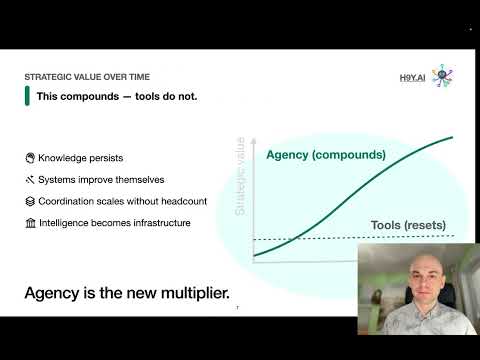
🚀 What is HyperAgency?
HyperAgency is more than an AI platform — it's a new operational layer:
- Persistent Agency — agents maintain memory and context across time, adapting to real-world changes.
- Coordinated Intelligence — multiple agents work together to solve complex problems.
- Human Governance — clear approval points, credential management, and auditable behavior.
- Omni-Channel Connectivity — integrate across messengers, web apps, email, and APIs.
- Decentralized Architecture — connect multiple HyperAgency instances for distributed collaboration.
- Web3 Marketplace — publish, buy, and monetize agentic workflows and HyperAgents.
- MetaAgent — self-developing AI that creates, evolves, and orchestrates agents autonomously.
HyperAgency turns AI from fragile scripts and prompts into living, compound intelligence systems.

🌟 Key Features
- ✅ Create & Deploy Agents — instant archetypes or custom blueprints.
- 💬 Multi-Agent Communication — human and AI interaction in one interface.
- 🗺️ Map View — visualize workflows and agent coordination.
- 🧩 Composable Systems — agents can orchestrate other agents, integrate APIs, run scripts, generate content, or process data.
- 🔀 Persistent Memory — knowledge, workflow state, and context are shared and versioned.
- 🔐 Governance & Security — Vault-secured credentials, audit logs, approvals.
- 🌍 Distributed Nodes — federated network for scalable collaboration.
- ⚡ Rapid Deployment — cloud or local containerized setup, production-ready.

🧩 Agent Archetypes
HyperAgency comes with 20+ production-ready agents you can deploy instantly:
| Archetype | Role / Function | |-----------------|----------------| | Chat | Natural language communication | | RAG | Research & document retrieval | | ImageGen | Image generation from prompts | | BrowserUse | Web navigation & task automation | | STT | Speech-to-text transcription | | TTS | Text-to-speech synthesis | | Avatar | Talking faces with lip-sync | | Maptrix | Nested workflow execution | | Code | Python, JavaScript, Bash computation | | Command | Linux command execution | | Quantum | Quantum computing tasks | | Storage | Key-value and file storage | | Transform | Text transformation & templating | | System | HyperAgency infrastructure management | | MCP | Tool execution via Model Context Protocol | | A2A | Agent-to-agent delegation | | Curl | API / HTTP requests | | Langflow | AI strategy & multi-agent orchestration | | Node-RED | External API & IoT workflow integration | | N8n | Flexible automation workflows | | Notebook | Parameterized Jupyter notebooks |
All agents are composable, versionable, portable (JSON), auditable, and reproducible.

⚙️ Model Providers
Each agent can run any compatible LLM or model based on role, cost, latency, or compliance:
- Ollama (local open-source LLMs)
- Speaches (local open-source TTS/STT models)
- OpenAI
- Anthropic
- Google (Vertex AI / GenAI)
- Azure
- Mistral
- Groq
- Cohere
- Fireworks
- Together
- Hugging Face
- NVIDIA
- Amazon / Bedrock
- Databricks
- IBM
- AI21
- Upstage
- xAI
- Perplexity
Agents are bound to intent, not to a single model — no vendor lock-in.

💬 Omni-Channel Integration
Deploy agents across any communication channel in seconds:
- Messengers: XMPP, Telegram, Slack, Discord, MS Teams, WhatsApp, VK, Mattermost, Matrix, IRC, Zulip, Rocket Chat, SSH Chat, NextCloud Talk, Muble, Keybase
- Email: IMAP/SMTP
- Phone: FreeSwitch
- Scheduler: Cron
- Webhooks Server
- A2A Server
- MCP Server
- Web App: Lowdefy
- XMPP Server
Bridges let agents communicate, automate, and act across your digital ecosystem.

🧭 Observability
Full visibility into agent actions, memory, and evolution:
- Logs & metrics in real-time
- Debug and trace workflows across agents
- Performance monitoring and system health
- Privacy-first design — isolated data per organization

🌐 Distributed & Decentralized
HyperAgency supports secure peer-to-peer networks:
- Scale horizontally with multiple nodes
- Share agents across trusted nodes and teams
- Retain full control over privacy and data ownership

🏪 Web3 Marketplace
- Publish, share, and monetize HyperAgent packages
- Join a global ecosystem of builders and innovators
- Enable agentic deals with verifiable capabilities

📦 Installation
You can self-host HyperAgency locally in just a few steps — or skip the setup entirely and use our cloud environment for a faster start.
🧰 Prerequisites
To run HyperAgency locally, install the following:
☁️ Prefer Not to Self-Host?
If you don’t want to manage infrastructure yourself, you can request access to our hosted HyperAgency Cloud, where everything is pre-configured and ready to use.
The cloud environment is perfect for early testing, team collaboration, or demoing agentic flows without running Docker or Vault locally.
Option A: Simple Install
mkdir hyperagency
cd hyperagency/

curl -fsSL https://raw.githubusercontent.com/vuics/h9y/refs/heads/main/install.sh | sh

# RECOMMENDED: Generate TLS certificates.
#   (Otherwise, use your own certificates.)
./gen-certs.sh

# OPTIONALLY: Setup DNS with /etc/hosts
./setup-hosts.sh
Run:
docker compose up
Open h9y.localhost in the browser. To unlock Vault for secure storage of keys, see the section "Initialize Vault" below.
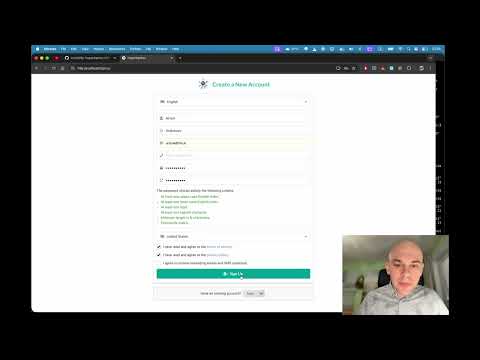
🎬 Watch Simple Install Video on YouTube
Option B: Install from Repo
📦 1. Clone the Repository with Submodules
git clone git@github.com:vuics/h9y.git
cd h9y
git submodule update --init --recursive
⚙️ 2. Configure .Env Files
Copy and customize .env files for the main platform and submodules:
cp env.example .env
🔐 3. Generate TLS Certificates
./gen-certs.sh
On macOS, double-click each .crt file in ./certs/ to trust them in Keychain Access.
🌐 4. Configure Local DNS (Optionally)
If your domain is h9y.localhost or anything on localhost, you may not need to configure the DNS, since the locahost often resolves to 127.0.0.1 automatically.
If your domain name does not resolve, set up /etc/hosts entries:
sudo ./setup-hosts.sh
🧱 5. Start the Stack
Use Docker Compose to start all services:
docker-compose up
After you started the stack, you can open in the browser:
| App Name | URL | | -------- | -------------------------------------------------------- | | App | h9y.localhost | | API | api.h9y.localhost | | Vault | vault.h9y.localhost | | Langflow | langflow.h9y.localhost | | Nodered | nodered.h9y.localhost |
NOTE: Replace h9y.localhost with your ${DOMAIN}.
🔑 Initialize Vault
- Open Vault (replace
h9y.localhostwith your `${DOMAI
Related Skills
node-connect
339.1kDiagnose OpenClaw node connection and pairing failures for Android, iOS, and macOS companion apps
frontend-design
83.8kCreate distinctive, production-grade frontend interfaces with high design quality. Use this skill when the user asks to build web components, pages, or applications. Generates creative, polished code that avoids generic AI aesthetics.
openai-whisper-api
339.1kTranscribe audio via OpenAI Audio Transcriptions API (Whisper).
commit-push-pr
83.8kCommit, push, and open a PR
