
RadQy
RadQy is a quality assurance and checking tool for quantitative assessment of magnetic resonance imaging (MRI) and computed tomography (CT) data.
Install / Use
/learn @viswanath-lab/RadQyREADME

Front-end View

Backend View
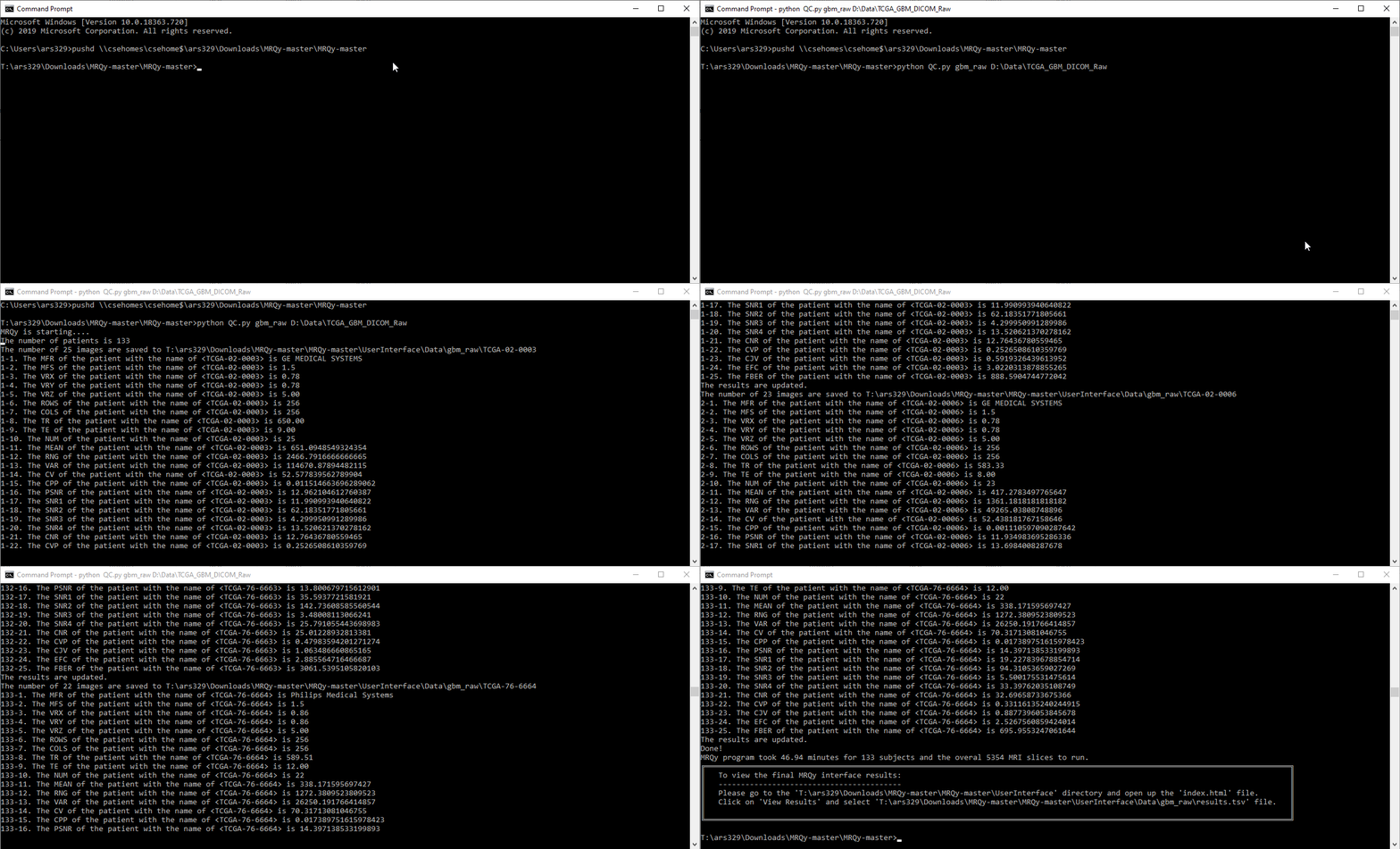
Table of Contents
Description
This tool takes MRI or CT datasets in the file formats as the input.
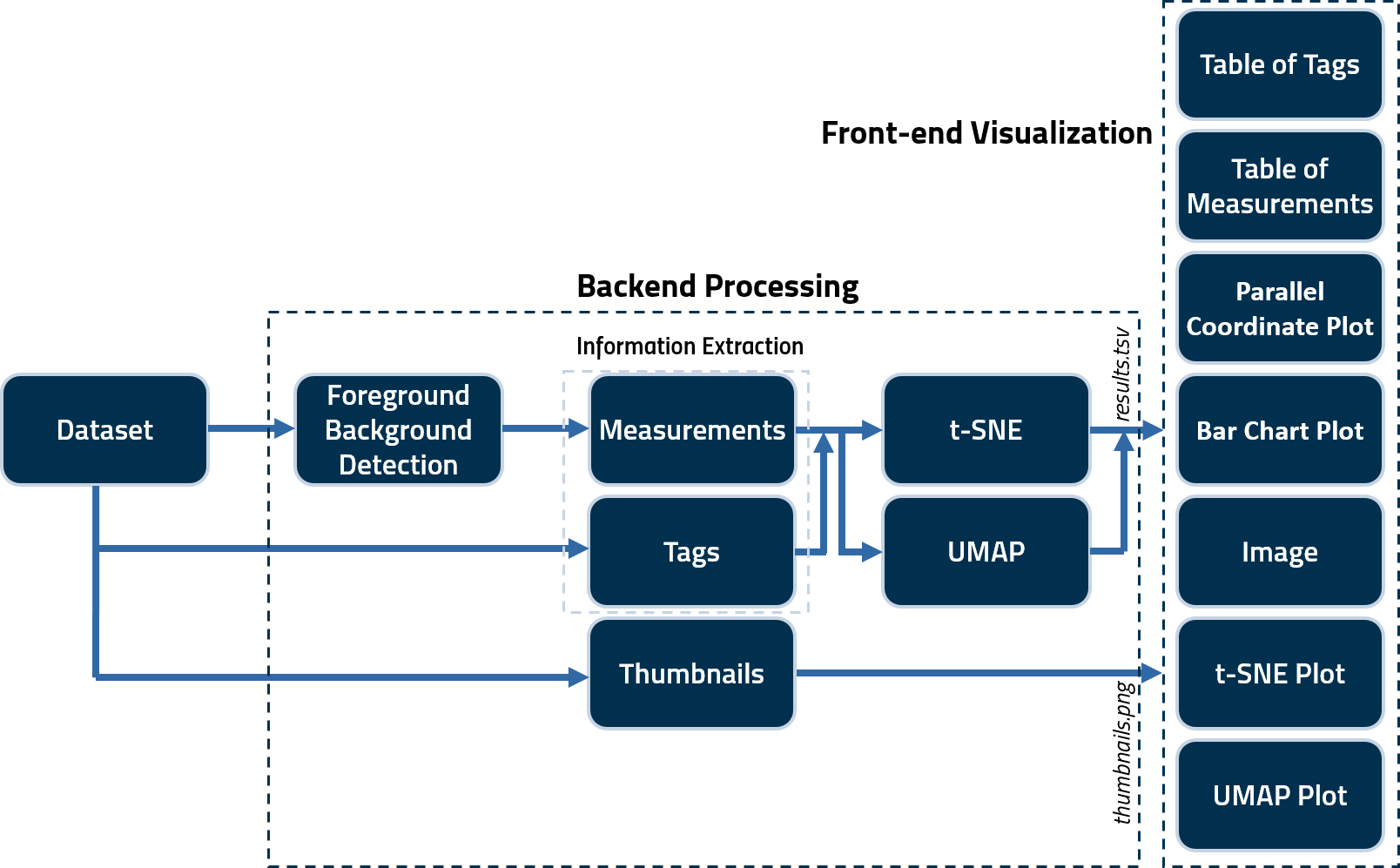
A CLI command is used to generate several tags and noise/information measurements for quality assessment. These scripts save the calculated measures in a .tsv file as well as generate .png thumbnails for all images in a subject volume. These are then fed to .js scripts to create the user interface (index.html) output. A schematic illustrating the framework of the tool is as follows.
Installation
RadQy can be installed via pip or conda.
Using pip
pip install radqy
Using conda
conda create -n radqy python=3.10
conda activate radqy
pip install radqy
Running
Display the help message:
radqy --help
Expected Output:
usage: radqy [-h] [--ui-download] [--ui-run] [-s S] [-b B] [-u U] [-t {MRI,CT}]
             output_folder_name inputdir [inputdir ...]

positional arguments:
  output_folder_name    The subfolder name in the '...\UserInterface\Data\output_folder_name' directory.
  inputdir              Input folder(s) containing *.dcm, *.mha, *.nii, or *.mat files.
                        Example: 'E:\Data\Rectal\input_data_folder'

optional arguments:
  -h, --help            Show this help message and exit
  --ui-download         Download the UserInterface.zip file
  --ui-run              Run the User Interface
  -s S                  Save foreground masks (default: False)
  -b B                  Number of samples (default: 1)
  -u U                  Percent of middle images to process (default: 100)
  -t {MRI,CT}           Type of scan (MRI or CT)
Running the Quality Control Script
Run the radqy command using the following syntax:
radqy output_folder_name "input_directory" [options]
Example:
radqy output_results "E:\Data\Rectal\input_data_folder" -s True -b 5 -u 50 -t CT
Arguments:
- output_folder_name (required): The subfolder name in the
...\UserInterface\Data\output_folder_namedirectory. - input_directory (required): Path to the input directory containing image files.
Options:
- -s: Save foreground masks (
TrueorFalse). Default isFalse. - -b: Number of samples. Default is
1. - -u: Percent of middle images to process. Default is
100. - -t (required): Type of scan (
MRIorCT).
Notes:
- There is no need to manually create a subfolder in the Data directory; specifying its name in the command is sufficient.
- All actions will be printed in the output console for transparency.
- Thumbnail images in .png format will be saved in
...\UserInterface\Data\output_folder_name, with each original filename as a subfolder name.
Running the User Interface
Download the User Interface
To download the User Interface, run the following command:
radqy --ui-download
This command will download and unzip the User Interface into the appropriate directory.
Run the User Interface
To run the User Interface, execute:
radqy --ui-run
If the User Interface is not already downloaded, this command will download it automatically before launching.
Accessing the Front-End Interface Manually
If you prefer to access the User Interface without using the --ui-run command:
-
Open the Interface: Navigate to the UserInterface directory (e.g.,
C:\Users\YourUserName\.radqy\UserInterface). Double-click onindex.htmlto open the front-end user interface. -
Load Results:
In the interface, select the appropriate results.tsv file from the ...\UserInterface\Data\output_folder_name directory.
Measurements
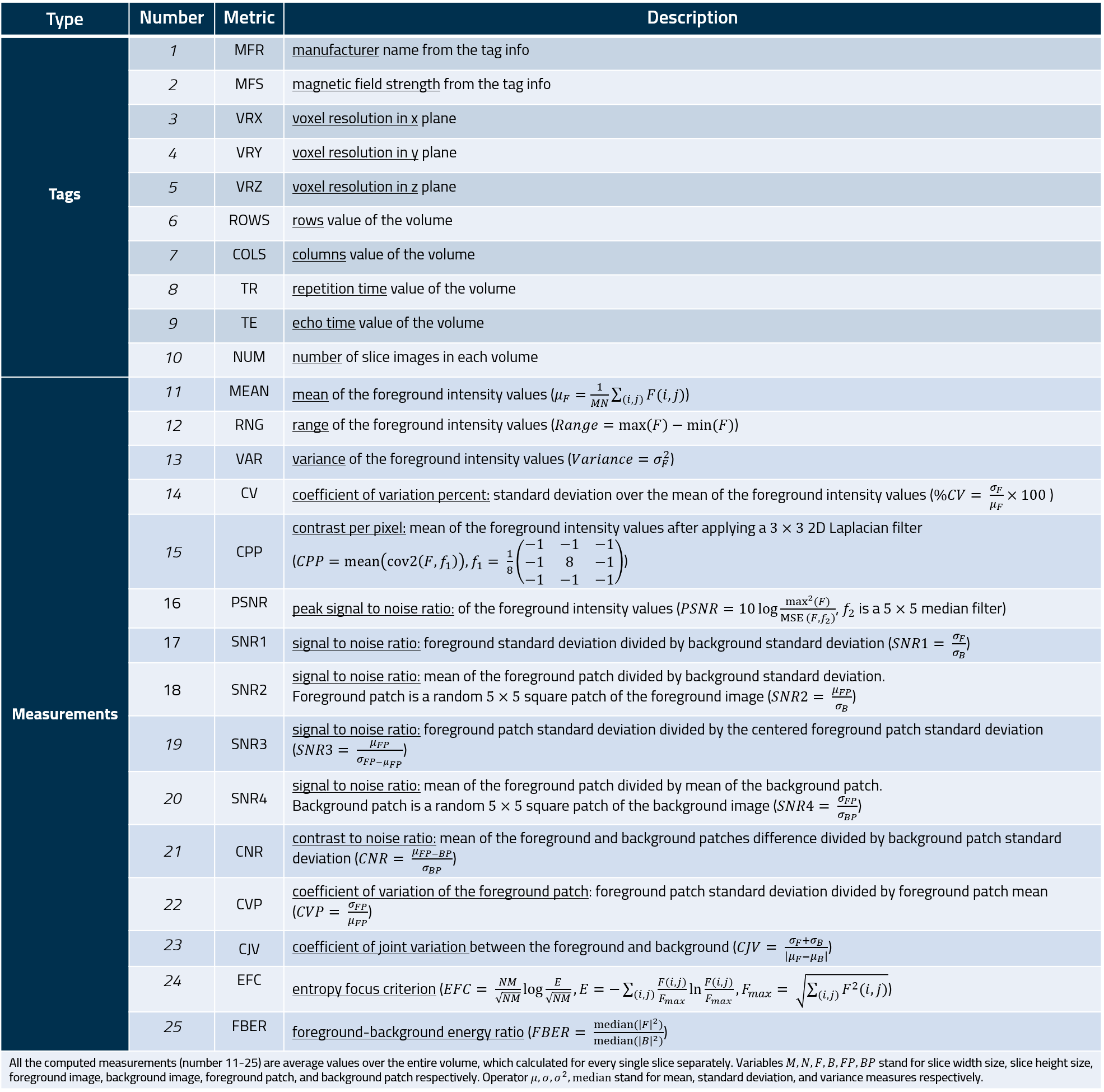
The measures of the MRQy tool are listed in the following table.
User Interface
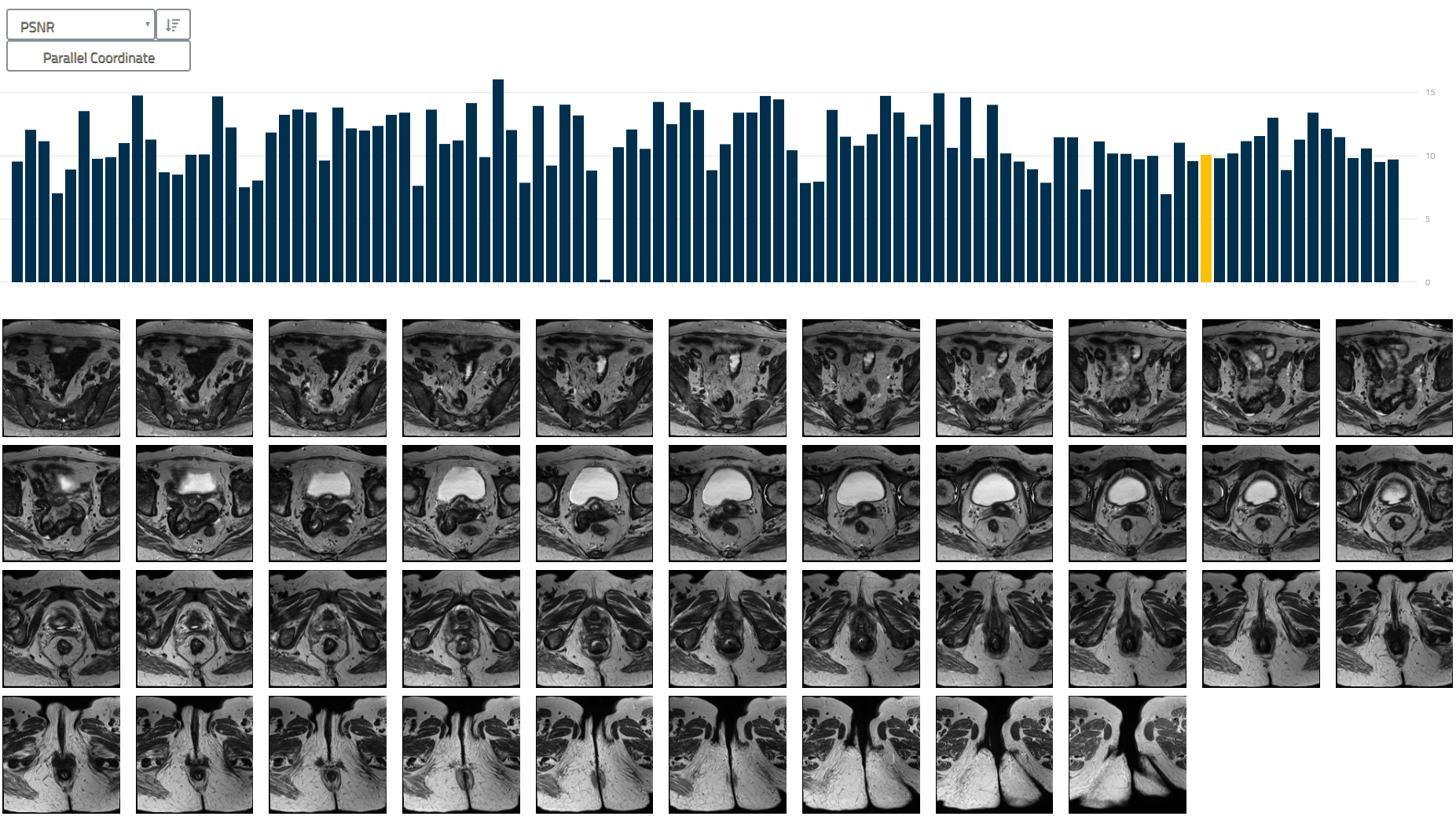
The following figures show the user interface of the tool (index.html).


Feedback and usage
Please report and issues, bugfixes, ideas for enhancements via the "Issues" tab.
Detailed usage instructions and an example of using MRQy to analyze TCIA datasets are in the Wiki.
You can cite this in any associated publication as:
Sadri, AR, Janowczyk, A, Zou, R, Verma, R, Beig, N, Antunes, J, Madabhushi, A, Tiwari, P, Viswanath, SE, "Technical Note: MRQy — An open-source tool for quality control of MR imaging data", Med. Phys., 2020, 47: 6029-6038. https://doi.org/10.1002/mp.14593
ArXiv: https://arxiv.org/abs/2004.04871
If you do use the tool in your own work, please drop us a line to let us know.
Related Skills
claude-opus-4-5-migration
109.1kMigrate prompts and code from Claude Sonnet 4.0, Sonnet 4.5, or Opus 4.1 to Opus 4.5
model-usage
348.5kUse CodexBar CLI local cost usage to summarize per-model usage for Codex or Claude, including the current (most recent) model or a full model breakdown. Trigger when asked for model-level usage/cost data from codexbar, or when you need a scriptable per-model summary from codexbar cost JSON.
TrendRadar
50.9k⭐AI-driven public opinion & trend monitor with multi-platform aggregation, RSS, and smart alerts.🎯 告别信息过载,你的 AI 舆情监控助手与热点筛选工具!聚合多平台热点 + RSS 订阅,支持关键词精准筛选。AI 智能筛选新闻 + AI 翻译 + AI 分析简报直推手机,也支持接入 MCP 架构,赋能 AI 自然语言对话分析、情感洞察与趋势预测等。支持 Docker ,数据本地/云端自持。集成微信/飞书/钉钉/Telegram/邮件/ntfy/bark/slack 等渠道智能推送。
mcp-for-beginners
15.8kThis open-source curriculum introduces the fundamentals of Model Context Protocol (MCP) through real-world, cross-language examples in .NET, Java, TypeScript, JavaScript, Rust and Python. Designed for developers, it focuses on practical techniques for building modular, scalable, and secure AI workflows from session setup to service orchestration.
