
Virelay
ViRelAy is a visualization tool for the analysis of data as generated by CoRelAy.
Install / Use
/learn @virelay/VirelayREADME
Visualizing Relevance Analyses



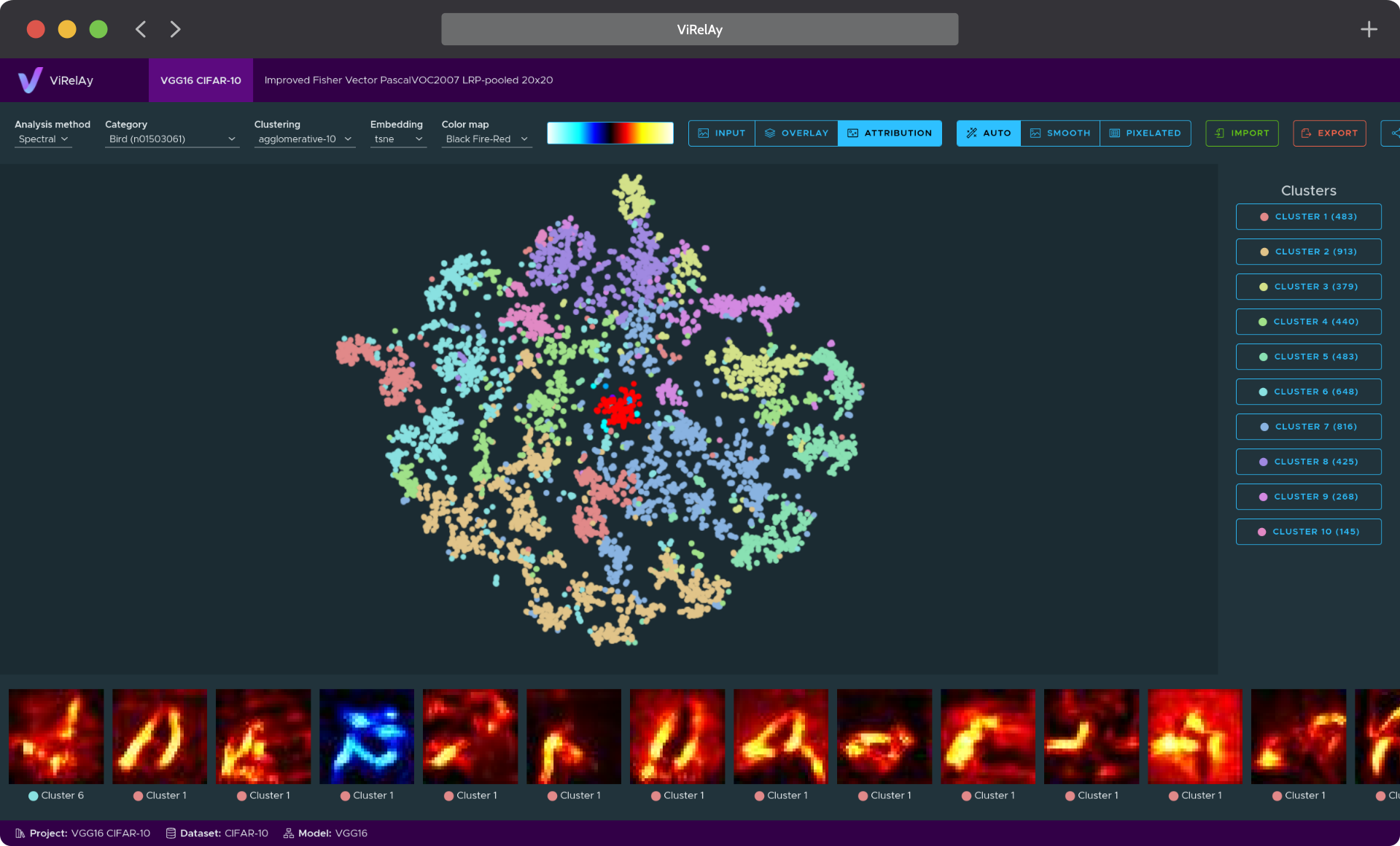
ViRelAy is an XAI visualization tool for the analysis of the results of spectral relevance analysis (SpRAy) pipelines, as generated by CoRelAy. It runs a small web application to view, explore, and interact with the source data, its attributions, clusterings, and embeddings. ViRelAy is designed to simplify the analysis of classifiers and their underlying datasets. Findings can be imported, exported, and shared with others for easy collaboration. Currently, only image data is supported and attributions are expected to have the same shape as the corresponding input data.
</td> </tr> </tbody> </table>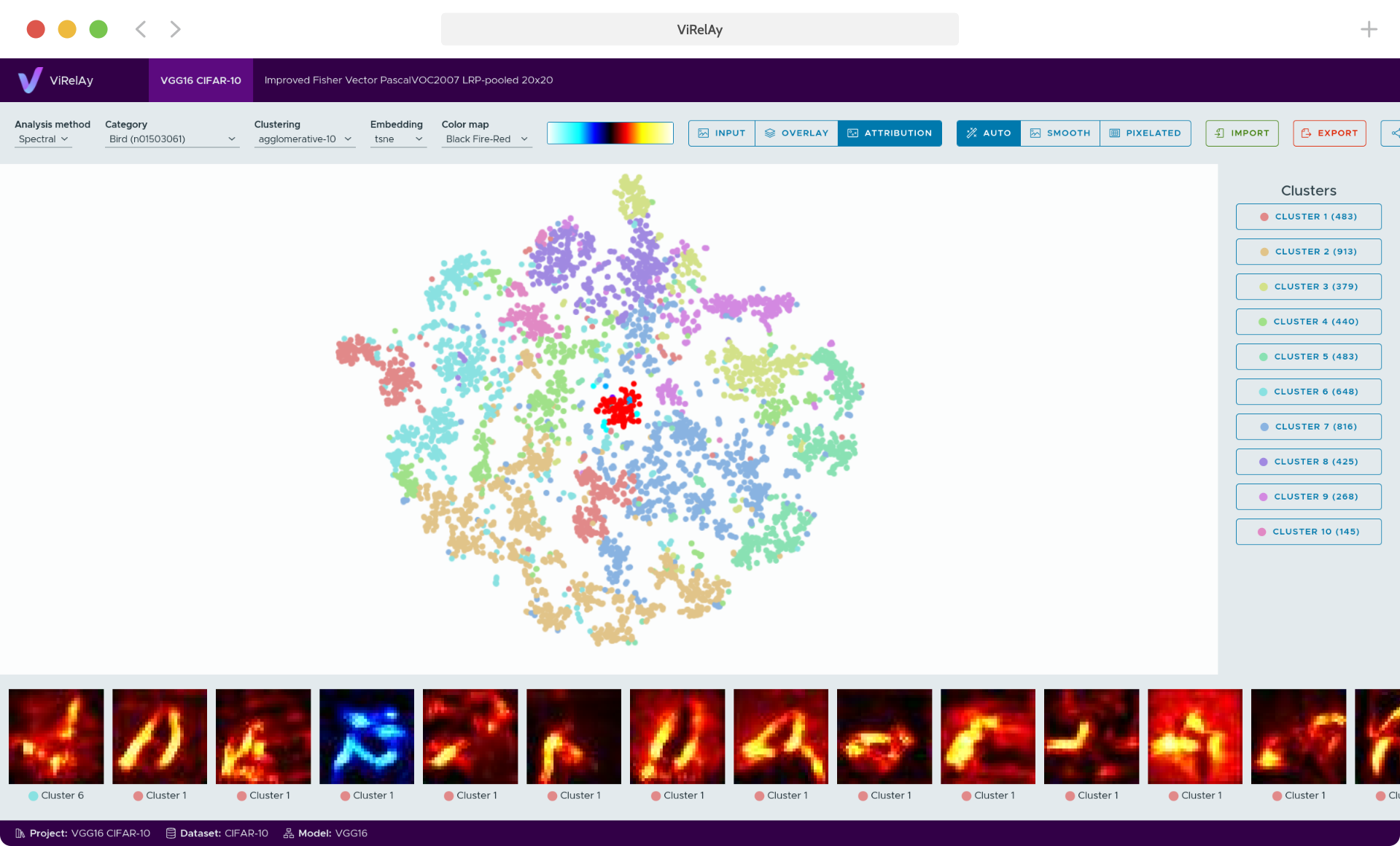
For more information about ViRelAy, getting started guides, in-depth tutorials, and API documentation, please refer to the documentation.
If you find ViRelAy useful for your research, why not cite our related paper:
@article{anders2021software,
  author  = {Anders, Christopher J. and
             Neumann, David and
             Samek, Wojciech and
             Müller, Klaus-Robert and
             Lapuschkin, Sebastian},
  title   = {Software for Dataset-wide XAI: From Local Explanations to Global Insights with {Zennit}, {CoRelAy}, and {ViRelAy}},
  year    = {2021},
  volume  = {abs/2106.13200},
  journal = {CoRR}
}
Features
- Visually inspect analyses generated using tools like CoRelAy
- Open multiple projects side-by-side
- Collaborate using export, import, and share functionality
- Easily find outlier classification strategies by visualizing classifications using different clustering methods
- Understand the classification strategies of your model by viewing attribution data as heatmaps
- Easily run ViRelAy locally or on a server
Getting Started
To get started, you first have to install ViRelAy on your system. The recommended and easiest way to install ViRelAy is to use pipx, which is a tool for installing Python applications from the Python package index (PyPI) in isolated environments:
$ pipx install virelay
Alternatively, you can also install ViRelAy using pip, although it is recommended to create a virtual environment to avoid conflicts with other Python packages:
$ python3 -m venv virelay-env
$ source virelay-env/bin/activate
$ pip install virelay
ViRelAy uses a custom file format, which usually comprises a project file in YAML format, a dataset either in HDF5 format or in a directory structure, one or more attribution databases in HDF5 format, and one or more analyses databases for various analyses methods in HDF5 format. For more information on the project file format, please refer to the project file format documentation and for more information on the formats for the dataset, attribution, and analyses databases, see the database specifications.
ViRelAy projects can be generated using CoRelAy, but if you want to get a fast first glimpse at ViRelAy, you can also create a randomly generated example project.
When you have a project ready, you can open it in ViRelAy using the following command:
$ virelay <project-file> [<project-file> ...]
This will start the server at http://localhost:8000 and automatically open your default browser. Optionally, you can specify an alternative host and port using the --host and --port command-line arguments. For more in-depth instructions, please refer to our getting started guide.
Please note that starting ViRelAy using the command-line interface, will start a simple built-in HTTP server. While this built-in server is suitable for small projects and testing purposes, it may not provide the performance and scalability required for larger-scale deployments, such as required when installing ViRelAy on a remote server for collaborative work.
To unlock faster performance and scalability, we recommend running ViRelAy with Gunicorn, a WSGI-compliant HTTP server that provides robust features and configuration options. To find out how to run ViRelAy using Gunicorn, please refer to our "Using ViRelAy with Gunicorn" guide.
Contributing
If you would like to contribute, there are multiple ways you can help out. If you find a bug or have a feature request, please feel free to open an issue on GitHub. If you want to contribute code, please fork the repository and use a feature branch. Pull requests are always welcome. Before forking, please open an issue where you describe what you want to do. This helps to align your ideas with ours and may prevent you from doing work, that we are already planning on doing. If you have contributed to the project, please add yourself to the contributors list.
To help speed up the merging of your pull request, please comment and document your code extensively, try to emulate the coding style of the project, and update the documentation if necessary.
For more information on how to contribute, please refer to our contributor's guide.
License
ViRelAy is licensed under the GNU Affero General Public License Version 3 (AGPL v3) later. For more information see the license. For licenses of bundled third party software packages please refer to the 3rd party license list, which is available in source/frontend/distribution/3rdpartylicenses.txt after building the frontend.
