
VBFPopFlatButton
Flat button with 9 different states using POP
Install / Use
/learn @victorBaro/VBFPopFlatButtonREADME
VBFPopFlatButton
Flat button with 21 different states and 2 types animated using pop.
These are some examples of both types in different states:
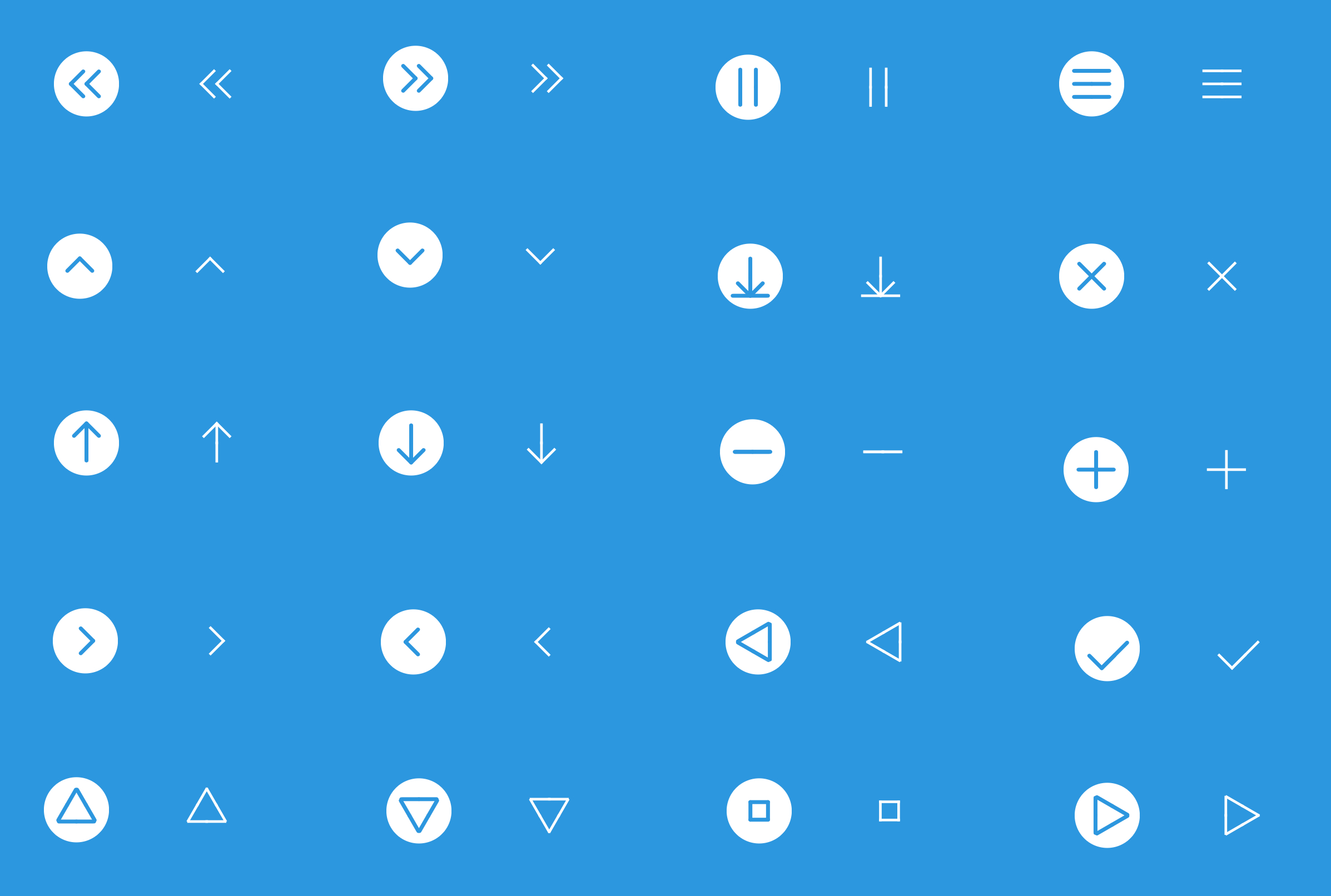
And here you can see them animated:

##How to use it Best way is using CocoaPods
pod 'VBFPopFlatButton'
You can also clone and open example project. The class you have to use is VBFPopFlatButton (subclass of UIButton). You will also find VBFDoubleSegment which is just a helping class.
Here there is some example code on how to use the button:
Flat Rounded Style
//Example
self.flatRoundedButton = [[VBFPopFlatButton alloc]initWithFrame:CGRectMake(100, 150, 30, 30)
                                              buttonType:buttonMenuType
                                             buttonStyle:buttonRoundedStyle
                                             animateToInitialState:YES];
self.flatRoundedButton.roundBackgroundColor = [UIColor whiteColor];
self.flatRoundedButton.lineThickness = 2;
self.flatRoundedButton.tintColor = [UIColor flatPeterRiverColor];
[self.flatRoundedButton addTarget:self
                           action:@selector(flatRoundedButtonPressed)
                 forControlEvents:UIControlEventTouchUpInside];
[self.view addSubview:self.flatRoundedButton];
Flat Plain Style
//Example
self.flatPlainButton = [[VBFPopFlatButton alloc]initWithFrame:CGRectMake(200, 150, 30, 30)
                                                   buttonType:buttonAddType
                                                  buttonStyle:buttonPlainStyle
                                                  animateToInitialState:NO];
self.flatPlainButton.lineThickness = 2;
self.flatPlainButton.tintColor = [UIColor whiteColor];
[self.flatPlainButton addTarget:self
                         action:@selector(flatPlainButtonPressed)
               forControlEvents:UIControlEventTouchUpInside];
[self.view addSubview:self.flatPlainButton];
Requested feature added on 0.0.5 The designated initializer has changed to:
    - (instancetype)initWithFrame:(CGRect)frame
                    buttonType:(FlatButtonType)initType
                   buttonStyle:(FlatButtonStyle)bStyle
        animateToInitialState:(BOOL)animateToInitialState;
Adding the last 'animateToInitialState' boolean. Sending YES, the button will perform as in older versions (will animate on viewWillAppear from original type, represented as vertical line, to your initial type). Sending NO, the button will be presented using initial type with no animation on presentation.
In both cases, you can use the following method to animate the button from one state to the next:
[flatRoundedButton animateToType:nextType];
This are the 20 types avaiable for the button:
typedef NS_ENUM(NSInteger, FlatButtonType) {
buttonDefaultType,             // Vertical line
buttonAddType,                 // +
buttonMinusType,               // -
buttonCloseType,               // x
buttonBackType,                // <
buttonForwardType,             // >
buttonMenuType,                 // 3horizontal lines
buttonDownloadType,
buttonShareType,
buttonDownBasicType,
buttonUpBasicType,
buttonDownArrowType,
buttonPausedType,
buttonRightTriangleType,
buttonLeftTriangleType,
buttonUpTriangleType,
buttonDownTriangleType,
buttonOKType,
buttonRewindType,
buttonFastForwardType,
buttonSquareType
};
More types are welcomed :D
For more info, visit my blog victorbaro.com
Third Party Bindings
React Native
You may now use this library with React Native via the module here
Apps using this control
I would love to know which apps in the App Store are using this control. Please, feel free to add your app :)
Related Skills
node-connect
346.8kDiagnose OpenClaw node connection and pairing failures for Android, iOS, and macOS companion apps
frontend-design
107.6kCreate distinctive, production-grade frontend interfaces with high design quality. Use this skill when the user asks to build web components, pages, or applications. Generates creative, polished code that avoids generic AI aesthetics.
openai-whisper-api
346.8kTranscribe audio via OpenAI Audio Transcriptions API (Whisper).
qqbot-media
346.8kQQBot 富媒体收发能力。使用 <qqmedia> 标签,系统根据文件扩展名自动识别类型(图片/语音/视频/文件)。
