
CoastSnap
🌊 CoastSnap is a global citizen science project aiming to monitor coastline change while engaging people on coastal issues and the impacts of climate change. Join the UCSC team on our mission to assist in the pilot development and implementation of CoastSnap in the city of Santa Cruz! The most recent development progress is seen at https://venuswku.github.io/CoastSnap/.
Install / Use
/learn @venuswku/CoastSnapREADME
Guide for Modifiying CoastSnap in Santa Cruz Website
Please document anything that you contributed here! It helps current and future contributors of this website.
Feel free to email vwku@ucsc.edu or venuswku@gmail.com if you have any questions! I'm always happy to talk with people who are interested/working on bringing CoastSnap to Santa Cruz. 😊
View what the UCSC team did so far for the pilot CoastSnap program in our progress report.
Table of Contents
Repository Structure
Create New Components
Add New Locations
Add New Section to About Page
Add New Team Member to Homepage
Add New Section/Link to Footer
Get a Local Copy of Repository to Modify Website
Save Your Website Changes to GitHub
Publish Your Website Changes on UCSC Server
Learn More
Repository Structure
The following files make up the main content of the website:
src/pagesfolder: pages of the website.Home.js: homepage of website, which is the first page that any user sees when visiting the website.- Many examples of placing components in the homepage are found here.
- No required properties.
- Example from
App.js:<Home />
About.js: page that tells user more about the implementation of CoastSnap in Santa Cruz.- No required properties.
LocationInfo.js: page with more information about each Santa Cruz photo location.- No required properties.
- Uses the URL parameter to figure out which location to display information about.
- Gets location information from
locations.json - Example from
App.js:<LocationInfo />
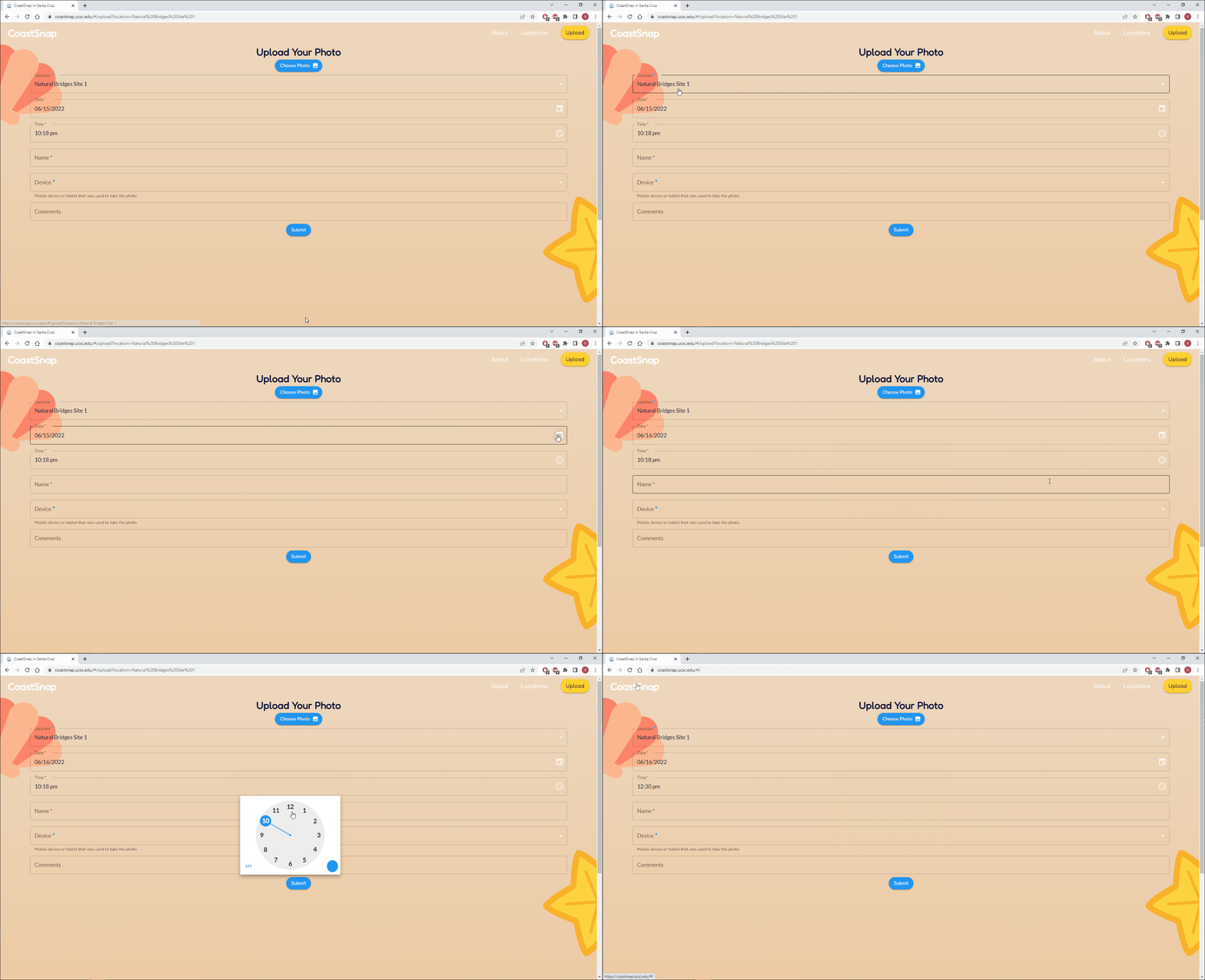
UploadPicForm.js: form that user fills out to upload their pictures through this website.- User must provide an image and fill out the Location, Name and Device fields.
- No required properties.
- Example from
App.js:<UploadPicForm />
src/componentsfolder: reusable components of the website.CoastSnapFeatures.js: list three main features of CoastSnap on the homepage.- No required properties.
- Example from
Home.js:<CoastSnapFeatures />
CoastSnapInSantaCruz.js: sections that explain why we are bringing CoastSnap to Santa Cruz.- If you want to modify or add a section, make sure to edit
coastsnapInSantaCruz.jsonin thesrc/datafolder.- View detailed instructions here.
- No required properties.
- Example from
About.js:<CoastSnapInSantaCruz />
- If you want to modify or add a section, make sure to edit
EnlargeImagePopup.js: enlarges a clicked image to fill up the full width of the user's device.- Required properties:
img: source of image to display.description: title of popup that displays the enlarged image.close: function used to close the popup of the enlarged image.
- Example from
LocationInfo.js:<EnlargeImagePopup img={enlargedImg} description={enlargedImgDescription} close={handleClose} />
- Required properties:
Footer.js: footer containing links to resources provided by the City of Santa Cruz and CoastSnap.- No required properties.
- Example from
App.js:<Footer className="footer" />- Make sure to add
footerclass to place the footer at bottom of website.
- Make sure to add
LocationCard.js: "card" in homepage for each location.- Navigates user to location's own page when clicked.
- Required property:
location: name of location that the card is for.
- Example from
Home.js:<LocationCard location={loc} />
LocationDirections.js: directions to reach the location's picture spot.- Required properties:
loc: name of the location to display directions for.enlarge: function used to set the image and description of the popup that enlarges a clicked image.
- Example from
LocationInfo.js:<LocationDirections loc={location} enlarge={handleEnlarge} />
- Required properties:
MethodsForUploadingPics.js: details the different ways to upload coastline pictures (through the CoastSnap app or this website).- No required properties.
- Example from
Home.js:<MethodsForUploadingPics />
NavBar.js: navigation bar at the top of all pages on this website.- "CoastSnap" leads back to the homepage.
- "Upload" leads to the Upload Form for uploading pictures through this website.
- "About" leads to the About section on the homepage.
- "Locations" leads to the Locations section on the homepage.
- No required properties.
- Example from
App.js:<Navbar scrollTo={setScrollElement} />
Slideshow.js: slideshow of images displayed on the homepage.- Images are from
src/images/slideshow.- Can change images in slideshow by simply changing the images in the
slideshowfolder.
- Can change images in slideshow by simply changing the images in the
- No required properties.
- Example from
Home.js:<Slideshow />
- Images are from
TeamMembers.js: list of UCSC team members involved with CoastSnap.- No required properties.
- Add or modify team member information by following these instructions.
- Example from
Home.js:<TeamMembers />
UploadConfirmationPopup.js: popup that appears after the user submits their picture and information in the Upload Form.- Either displays a progress bar or an error message (if the upload was unsuccessful).
- No required properties.
- Example from
App.js:<UploadConfirmationPopup />
src/datafolder: text used as content in the website (open the JSON files in this folder to see more examples).coastsnapInSantaCruz.json: information for each section in theCoastSnapInSantaCruzcomponent.title: topic of section.text: more information related to the topic.button: optional property that can be added if you have a link that leads to even more information about the topic.- link will appear as a button underneath the
text - first item in list is the link
- second item is the text that appears on the button
- link will appear as a button underneath the
image: alternate text for the section's image in case it can't be displayed.
devices.json: options provided for the Devices field in the Upload Form.devices: list of devices that the user might have used to take a picture of the coastline.deviceNotListed: last option with the message to input the name of the user's device if it was not listed.
teamMembers.json: list of CoastSnap team members from UCSC.name: first and last name of the team member.- One of the two following properties must be included:
image: property for the name of the team member's image, if provided.initials: initials of the team member, if the image is not provided.
role: role(s) that the team member has for the project.- Examples:
"Web Developer"for one role,"Web Developer & UX/UI Designer"for two roles
- Examples:
education: team member's type of degree, major, and graduation year. Examples:"B.S. in Marine Biology, 2022","B.S. in Computer Science, 2022"link: optional link to the team member's LinkedIn profile or personal website for people to learn more about them.- Omit this from the team member's info if they don't have or want to provide a link.
- If provided, clicking on the team member will open up the link in a new browser tab.
footer.json: links to resources from the City of Santa Cruz and CoastSnap.- Example:
{ "Learn More": { "About Us": "#/about", "Resilient Coast Santa Cruz": "https://www.cityofsantacruz.com/government/city-departments/city-manager/climate-action-program/resilient-coast-santa-cruz", "Climate Educational Resources": "https://www.cityofsantacruz.com/government/city-departments/city-manager/climate-action-program/climate-educational-resources" } }- Footer Section Name: Learn More
- Footer Link Names Under "Learn More" : About Us, Resilient Coast Santa Cruz, Climate Educational Resources
- Example:
locations.json: information about each Santa Cruz location, which is displayed in their respective pages.namedescription: what makes the location special (i.e. reasons for chosing this location as a photo station).imagetimelapseVids: list of Youtube links to completed timelapse reels.- Share > Embed > Copy the provided link in the snippet of code
- Example: copy the
srcvalue from the following code<iframe width="560" height="315" src="https://www.youtube.co
