
Zeal
Zeal for Sublime Text 2/3
Install / Use
/learn @vaanwd/ZealREADME
Zeal for Sublime Text
Zeal integration for Sublime Text. Zeal is an offline documentation browser which similar to Dash.
Tested on Windows & Linux.
Usage
-
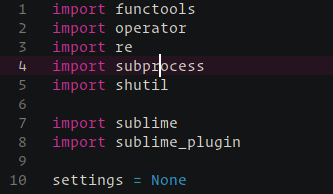
<kbd>F1</kbd> - Search for the currently selected word. Shows a selection list if multiple docsets match for the current file.

-
<kbd>Shift</kbd> <kbd>F1</kbd> - Custom search in Zeal docsets.

Installation
The easiest way to install the package is to use Package Control. Choose Package Control: Install Package in the Command Palette (<kbd>Ctrl</kbd> <kbd>Shift</kbd> <kbd>P</kbd>) and select "Zeal" from the list.
Using Git
Go to your Sublime Text Packages directory and clone the repository using the command below:
$ git clone https://github.com/vaanwd/Zeal "Zeal"
Download Manually
- Download the files using the GitHub .zip download option.
- Unzip the files and rename the folder to
Zeal. - Copy the folder to your Sublime Text
Packagesdirectory.
Configuration
Select Preferences: Zeal Settings form the command palette
to open the configuration files.
If your zeal executable cannot be found by default,
change the zeal_command setting.
To add more docsets to choose from,
add entries to the docsets_user list.
Related Skills
node-connect
338.7kDiagnose OpenClaw node connection and pairing failures for Android, iOS, and macOS companion apps
frontend-design
83.6kCreate distinctive, production-grade frontend interfaces with high design quality. Use this skill when the user asks to build web components, pages, or applications. Generates creative, polished code that avoids generic AI aesthetics.
openai-whisper-api
338.7kTranscribe audio via OpenAI Audio Transcriptions API (Whisper).
commit-push-pr
83.6kCommit, push, and open a PR
