
Galton
Lightweight Node.js isochrone map server
Install / Use
/learn @urbica/GaltonREADME
Galton




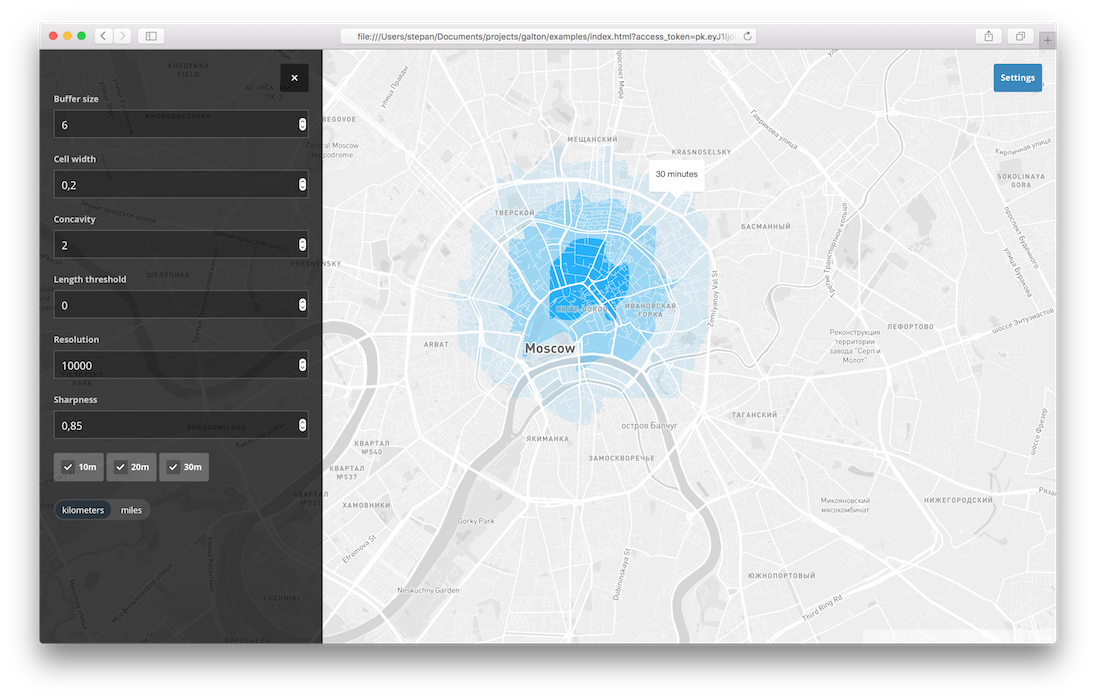
Lightweight Node.js isochrone server. Build isochrones using OSRM, Turf and concaveman.
Francis Galton is the author of the first known isochrone map.
Installation
Galton requires Node v8.
npm install -g galton
...or build from source
git clone https://github.com/urbica/galton.git
cd galton
npm install
Usage
Usage: galton [filename] [options]

where [filename] is path to OSRM data and [options] is any of:
  --radius - distance to draw the buffer (default: 6)
  --cellSize - the distance across each cell (default: 0.2)
  --concavity - concaveman relative measure of concavity (default: 2)
  --deintersect - whether or not to deintersect the final isochrones (default: true)
  --intervals - isochrones intervals in minutes (default: 10 20 30)
  --lengthThreshold - concaveman length threshold (default: 0)
  --pid - save PID to file
  --port - port to run on (default: 4000)
  --sharedMemory - use shared memory (default: false)
  --socket - use Unix socket instead of port
  --units - either `kilometers` or `miles` (default: kilometers)
  --version - returns running version then exits
galton berlin-latest.osrm
Open examples/index.html?access_token=<token>
Example
cd galton
wget http://download.geofabrik.de/europe/germany/berlin-latest.osm.pbf
./node_modules/osrm/lib/binding/osrm-extract -p ./node_modules/osrm/profiles/car.lua berlin-latest.osm.pbf
./node_modules/osrm/lib/binding/osrm-contract berlin-latest.osrm
npm start berlin-latest.osrm
Build isochrones from point
curl http://localhost:4000 --get --data 'lng=13.38792&lat=52.51704'
Build isochrones for 10, 20 and 30 minute intervals
curl http://localhost:4000 --get --data 'lng=13.38792&lat=52.51704&intervals=10&intervals=20&&intervals=30'
See the example, API and test/index.js for more info.
Examples
Using existing OSRM graph
This command will run isochrone server using moscow.osrm
galton moscow.osrm
Using existing OSM extract
This command will build OSRM graph with car profile using moscow.osm extract and start isochrone server.
galton moscow.osm car
Using geocode to extract from OSM
- It will look for
moscow.osrmin the current directory and start isochrone server if found. - If it is not found, it will look for
moscow.osmin the current directory, build OSRM graph withcarprofile, based on this extract, and start isochrone server if found. - If there is no
moscow.osm, galton will geocodemoscowand extract it from Overpass API, then it will build OSRM from that extract with car profile and start isochrone server.
galton moscow car
Using with Docker
docker run -p 4000:4000 urbica/galton <OSRM>
Where OSRM is a path to OSRM graph.
Examples:
This will download geofabrik extract, extract and build OSRM graph using official OSRM Docker image, and run galton on that graph.
wget http://download.geofabrik.de/europe/germany/berlin-latest.osm.pbf
docker run -t -v $(pwd):/data osrm/osrm-backend:v5.18.0 osrm-extract -p /opt/car.lua /data/berlin-latest.osm.pbf
docker run -t -v $(pwd):/data osrm/osrm-backend:v5.18.0 osrm-contract /data/berlin-latest.osrm
docker run -t -i -p 4000:4000 -v $(pwd):/data urbica/galton:v5.18.0 galton /data/berlin-latest.osrm
curl http://localhost:4000 --get --data 'lng=13.38792&lat=52.51704'
Running tests
make test
Related Skills
node-connect
344.4kDiagnose OpenClaw node connection and pairing failures for Android, iOS, and macOS companion apps
prose
344.4kOpenProse VM skill pack. Activate on any `prose` command, .prose files, or OpenProse mentions; orchestrates multi-agent workflows.
frontend-design
99.2kCreate distinctive, production-grade frontend interfaces with high design quality. Use this skill when the user asks to build web components, pages, or applications. Generates creative, polished code that avoids generic AI aesthetics.
openai-whisper-api
344.4kTranscribe audio via OpenAI Audio Transcriptions API (Whisper).
