
MapModCompanion
Map mod support. Plugin that fixes Multi-world detection. Xaero's Minimap, VoxelMap and JourneyMap will be able to identify worlds on BungeeCord/Velocity servers.
Install / Use
/learn @turikhay/MapModCompanionREADME
Companion for map mods
<p> <a href="https://github.com/turikhay/MapModCompanion/blob/main/LICENSE.txt"> <img src="https://img.shields.io/github/license/turikhay/MapModCompanion"> </a> <a href="https://github.com/turikhay/MapModCompanion/actions/workflows/e2e_notable.yml"> <img src="https://github.com/turikhay/MapModCompanion/actions/workflows/e2e_notable.yml/badge.svg" /> </a> <!-- platform.start --> <a href="https://www.spigotmc.org/resources/mapmodcompanion.105128/"> <img src="https://img.shields.io/spiget/downloads/105128?label=Spigot%20%28downloads%29"> </a> <a href="https://modrinth.com/plugin/modmapcompanion"> <img src="https://img.shields.io/modrinth/dt/UO7aDcrF?label=Modrinth%20%28downloads%29" /> </a> <a href="https://hangar.papermc.io/turikhay/MapModCompanion"> <img src="https://img.shields.io/hangar/dt/MapModCompanion?label=Hangar%20(downloads)" /> </a> <a href="https://www.curseforge.com/minecraft/bukkit-plugins/mapmodcompanion"> <img src="https://cf.way2muchnoise.eu/full_674380_downloads.svg"> </a> <!-- platform.end --> <a href="https://www.buymeacoffee.com/turikhay"> <img src="https://www.buymeacoffee.com/assets/img/custom_images/orange_img.png" height="20px"> </a> </p> <!-- platform.start --><img align="right" width="200" height="200" src="https://raw.githubusercontent.com/turikhay/MapModCompanion-design/main/allaylogo3_1000_10.png" alt="Allay from Minecraft holding a compass and waving with their other hand at the viewer" />
<!-- platform.end -->With this plugin your minimap will never be confused which world you're in. A more in-depth explanation can be found in the wiki.
<details><summary>How it should look like</summary>| Mod | Screenshot | | ----|------------| | Xaero's World Map | <img src="https://raw.githubusercontent.com/turikhay/MapModCompanion-design/main/2023-03-28_00.32.04_1.png" width="200" alt="Screenshot of Xaero's WorldMap menu" /> | | VoxelMap | <img src="https://raw.githubusercontent.com/turikhay/MapModCompanion-design/main/2023-03-28_00.34.50_1.png" width="200" alt="Screenshot of the game with a minimap on the top-right corner" /> <img src="https://raw.githubusercontent.com/turikhay/MapModCompanion-design/main/2023-03-28_00.35.04_1.png" width="200" alt="Screenshot of a map" /> | | Xaero's Minimap | See Xaero's WorldMap | | JourneyMap | It just works 😄 |
</details>Companion plugin for Xaero's Minimap (and their World Map), JourneyMap and VoxelMap (both old and updated). Provides a way for these mods to identify worlds on BungeeCord/Velocity servers.
It's recommended to install this plugin on a fresh server, otherwise existing map data (waypoints, map cache, etc.) may no longer be visible to some players. Fortunately, there are ways to restore it. It's worth mentioning that the plugin doesn't affect in-game progress.
This plugin was inspired by @kosma's worldnamepacket, which supported Velocity, Fabric and Spigot at the time of writing.
If you have any questions, please join my Discord.
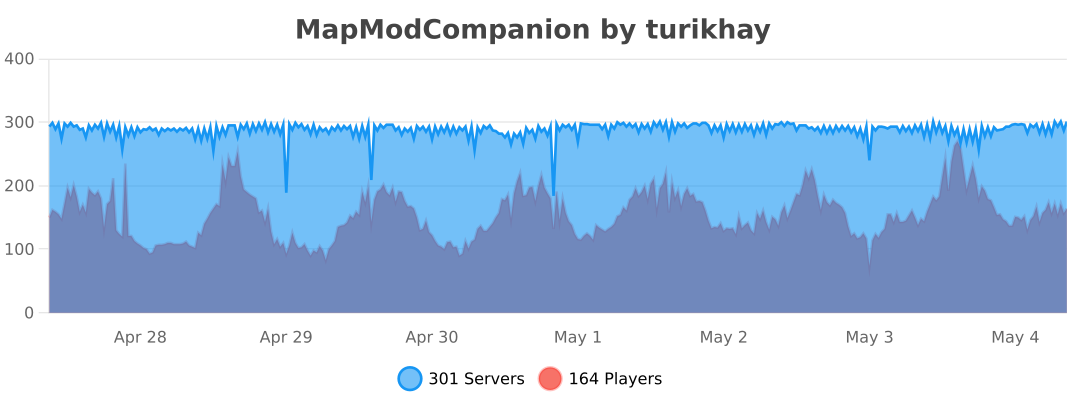
Support table
| Mod | Oldest version | Latest version | Status | |------------------------------------------------------------------------------------|----------------------------|--------------------------------------------------------------|-------------| | Xaero's Minimap | v20.20.0 / Minecraft 1.8.9 | v25.2.14 / Minecraft 1.21.9 | ✅ Supported | | Xaero's World Map | v1.10.0 / Minecraft 1.8.9 | v1.39.16 / Minecraft 1.21.9 | ✅ Supported<sup class="reference">[1]</sup> | | JourneyMap | v5.7.1 / Minecraft 1.16.5 | v6.0.0-beta.52 / Minecraft 1.21.9 | ✅ Supported | | VoxelMap | v1.7.10 / Minecraft 1.8 | v1.15.7 / Minecraft 1.21.8 | ✅ Supported<sup class="reference">[2]</sup> |
Folia is supported, but isn't tested thoroughly. Please report if the support is broken.
Installation
ℹ️ Plugin must be installed on every downstream (backend) server in your network. Simply installing it on the proxy side (BungeeCord/Velocity) isn't enough. To ensure compatibility, you need to install the plugin on both the proxy server (BungeeCord/Velocity) and each of the backend servers (Spigot/Paper).
- Download the latest release
- Put each file into the corresponding plugins folder
- That's it. No configuration is required. You can restart your servers now.
Configuration
The configuration file is stored at plugins/MapModCompanion/config.yml for both Spigot and BungeeCord.
Velocity uses plugins/mapmodcompanion/config.toml.
The configuration file reloads automatically if it's modified.
<!-- platform.start -->Alternatives
- If you're running Forge or Fabric server, just install the map mod on your server: this will unlock all its features.
- worldnamepacket (Velocity, Fabric, Spigot)
- journeymap-bukkit (Spigot)
- JourneyMap Server (Spigot)
Related Skills
openhue
344.1kControl Philips Hue lights and scenes via the OpenHue CLI.
sag
344.1kElevenLabs text-to-speech with mac-style say UX.
weather
344.1kGet current weather and forecasts via wttr.in or Open-Meteo
tweakcc
1.5kCustomize Claude Code's system prompts, create custom toolsets, input pattern highlighters, themes/thinking verbs/spinners, customize input box & user message styling, support AGENTS.md, unlock private/unreleased features, and much more. Supports both native/npm installs on all platforms.
