
Norfair
Lightweight Python library for adding real-time multi-object tracking to any detector.
Install / Use
/learn @tryolabs/NorfairREADME









Norfair is a customizable lightweight Python library for real-time multi-object tracking.
Using Norfair, you can add tracking capabilities to any detector with just a few lines of code.
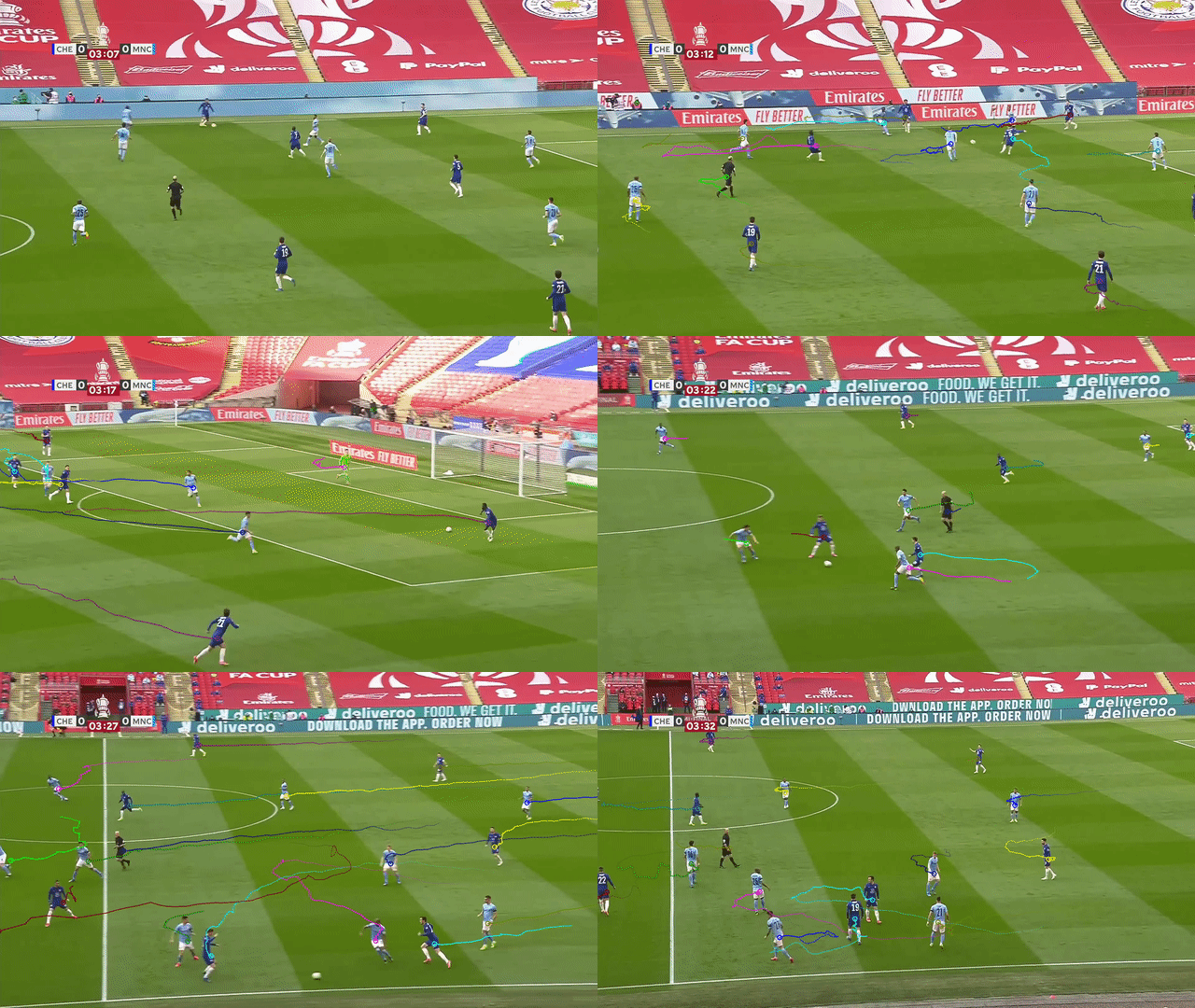
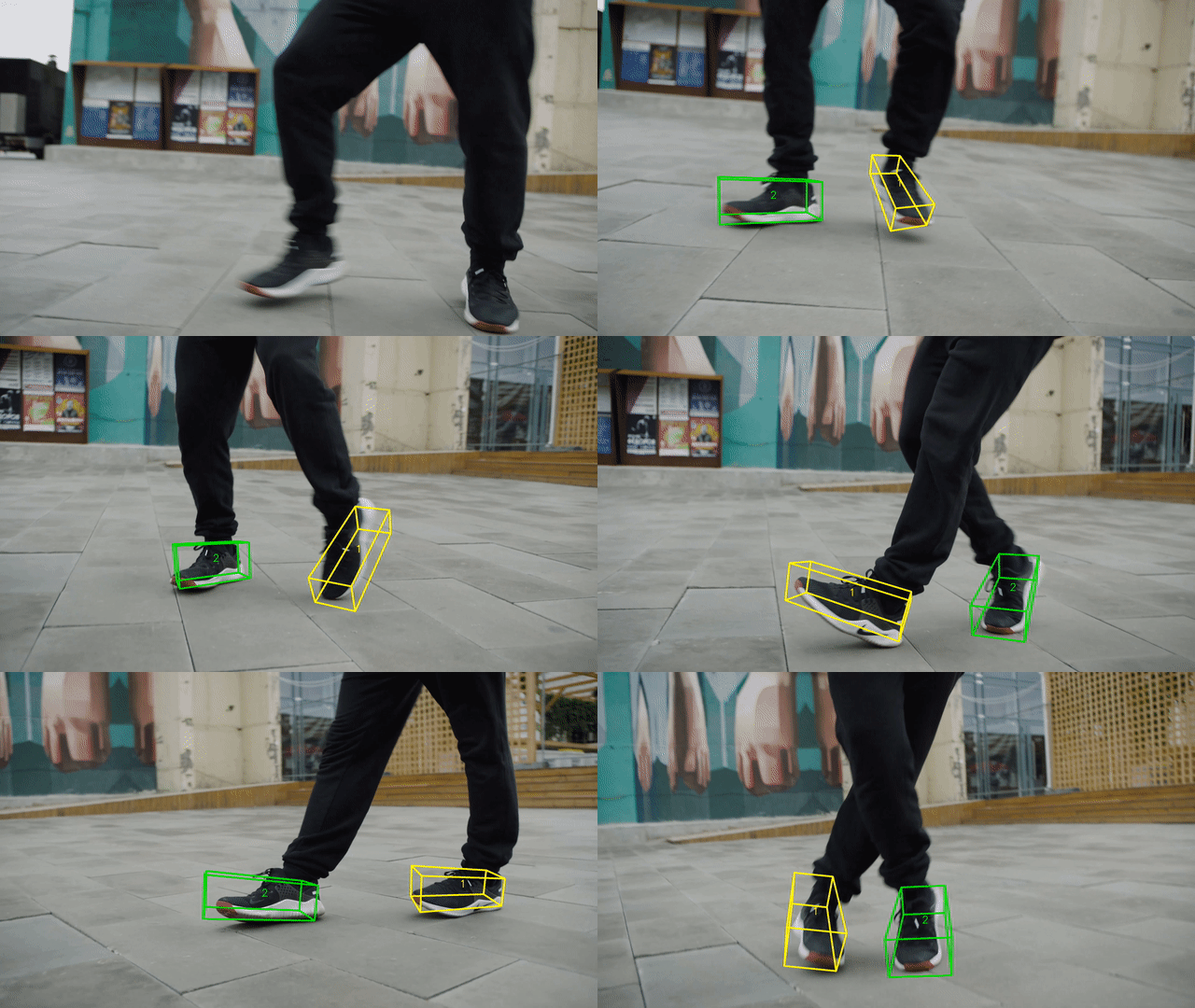
| Tracking players with moving camera | Tracking 3D objects |
| :---------------------------------------------------------------------------------------------------------------------: | :-----------------------------------------------------------------------------------------------------: |
|  |
|  |
|
Features
-
Any detector expressing its detections as a series of
(x, y)coordinates can be used with Norfair. This includes detectors performing tasks such as object or keypoint detection (see examples). -
Modular. It can easily be inserted into complex video processing pipelines to add tracking to existing projects. At the same time, it is possible to build a video inference loop from scratch using just Norfair and a detector.
-
Supports moving camera, re-identification with appearance embeddings, and n-dimensional object tracking (see Advanced features).
-
Norfair provides several predefined distance functions to compare tracked objects and detections. The distance functions can also be defined by the user, enabling the implementation of different tracking strategies.
-
Fast. The only thing bounding inference speed will be the detection network feeding detections to Norfair.
Norfair is built, used and maintained by Tryolabs.
Installation
Norfair currently supports Python 3.8+. The latest tested version to support Python 3.7 is Norfair 2.2.0. Later versions may work, but no specific support is planned.
For the minimal version, install as:
pip install norfair
To make Norfair install the dependencies to support more features, install as:
pip install norfair[video]  # Adds several video helper features running on OpenCV
pip install norfair[metrics]  # Supports running MOT metrics evaluation
pip install norfair[metrics,video]  # Everything included
If the needed dependencies are already present in the system, installing the minimal version of Norfair is enough for enabling the extra features. This is particularly useful for embedded devices, where installing compiled dependencies can be difficult, but they can sometimes come preinstalled with the system.
Documentation
Examples & demos
We provide several examples of how Norfair can be used to add tracking capabilities to different detectors, and also showcase more advanced features.
Note: for ease of reproducibility, we provide Dockerfiles for all the demos. Even though Norfair does not need a GPU, the default configuration of most demos requires a GPU to be able to run the detectors. For this, make sure you install NVIDIA Container Toolkit so that your GPU can be shared with Docker.
It is possible to run several demos with a CPU, but you will have to modify the scripts or tinker with the installation of their dependencies.
Adding tracking to different detectors
Most tracking demos are showcased with vehicles and pedestrians, but the detectors are generally trained with many more classes from the COCO dataset.
- YOLOv7: tracking object centroids or bounding boxes.
- YOLOv5: tracking object centroids or bounding boxes.
- YOLOv4: tracking object centroids.
- Detectron2: tracking object centroids.
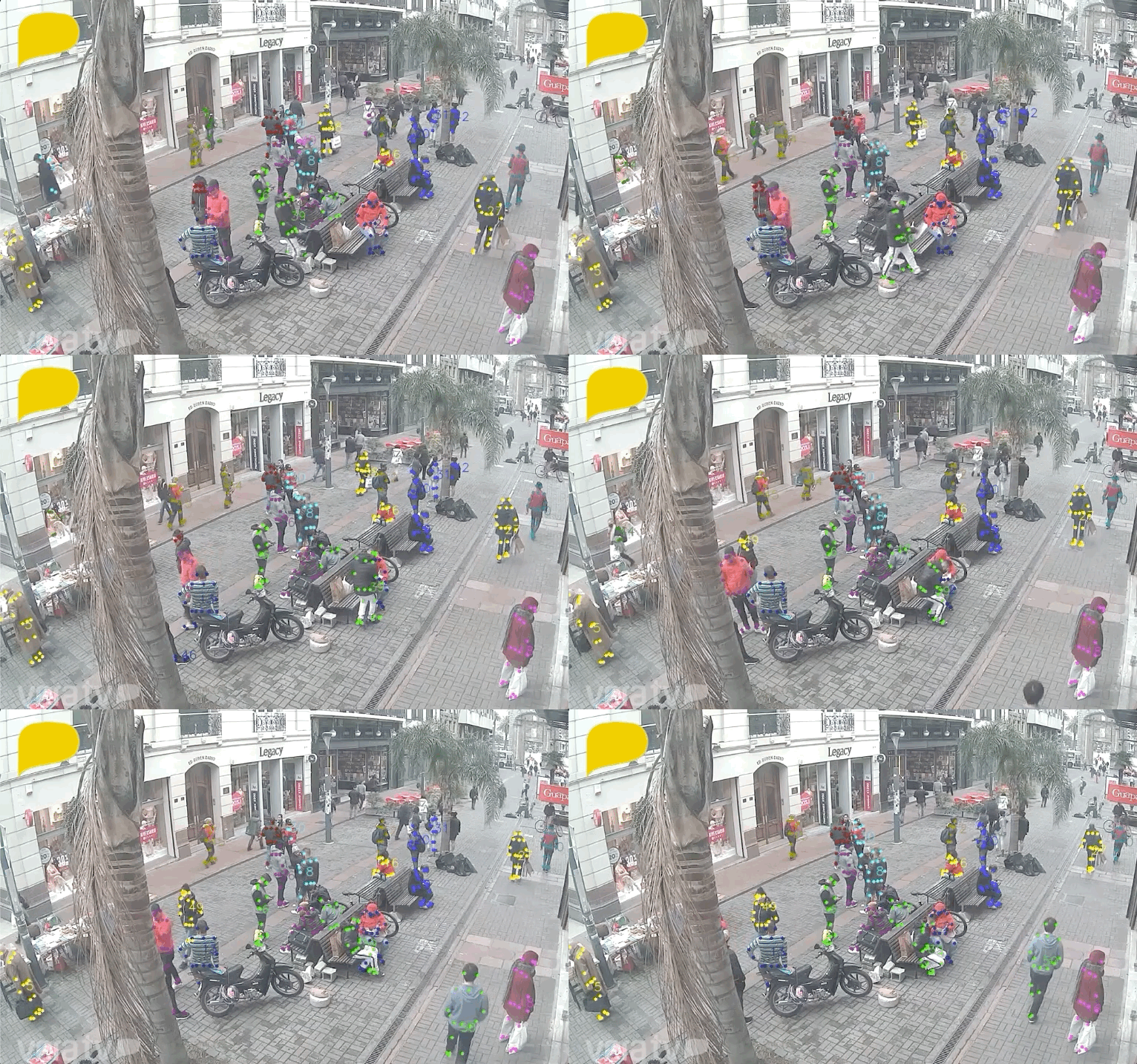
- AlphaPose: tracking human keypoints (pose estimation) and inserting Norfair into a complex existing pipeline.
- OpenPose: tracking human keypoints.
- YOLOPv2: tracking with a model for traffic object detection, drivable road area segmentation, and lane line detection.
- YOLO-NAS: tracking object centroids or bounding boxes.
Advanced features
- Speed up pose estimation by extrapolating detections using OpenPose.
- Track both bounding boxes and human keypoints (multi-class), unifying the detections from a YOLO model and OpenPose.
- Re-identification (ReID) of tracked objects using appearance embeddings. This is a good starting point for scenarios with a lot of occlusion, in which the Kalman filter alone would struggle.
- Accurately track objects even if the camera is moving, by estimating camera motion potentially accounting for pan, tilt, rotation, movement in any direction, and zoom.
- Track points in 3D, using MediaPipe Objectron.
- Tracking of small objects, using SAHI: Slicing Aided Hyper Inference.
ROS integration
To make it even easier to use Norfair in robotics projects, we now offer a version that integrates with the Robotic Operating System (ROS).
We present a ROS package and a fully functional environment running on Docker to do the first steps with this package and start your first application easier.
Benchmarking and profiling
- Kalman filter and distance function profiling using TRT pose estimator.
- Computation of MOT17 scores using motmetrics4norfair.
How it works
Norfair works by estimating the future position of each point based on its past positions. It then tries to match these estimated positions with newly detected points provided by the detector. For this matching to occur, Norfair can rely on any distance function. There are some predefined distances already integrated in Norfair, and the users can also define their own custom distances. Therefore, each object tracker can be made as simple or as complex as needed.
As an example we use Detectron2 to get the single point detections to use with this distance function. We just use the centroids of the bounding boxes it produces around cars as our detections, and get the following results.
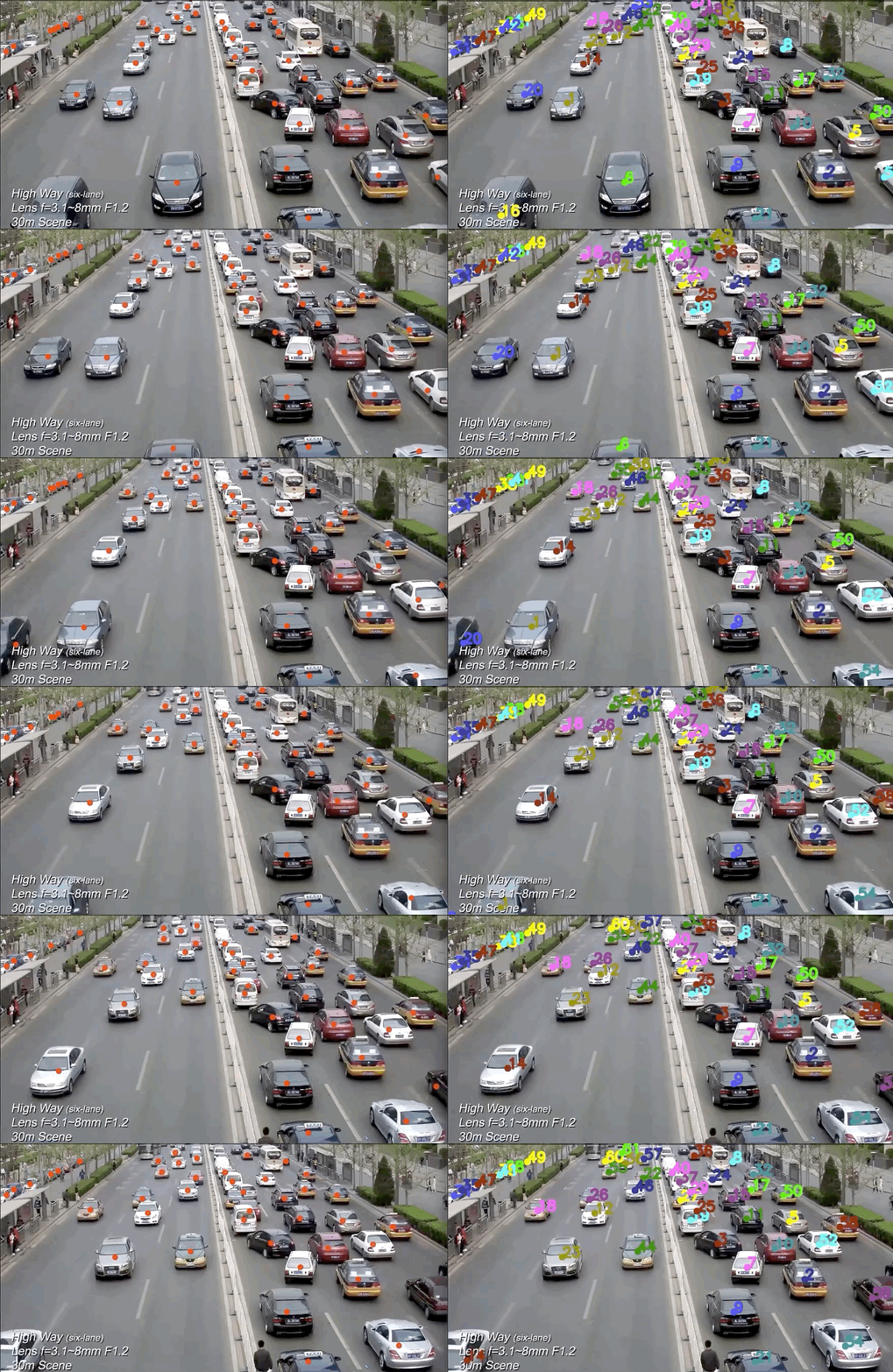
On the left you can see the points we get from Detectron2, and on the right how Norfair tracks them assigning a unique identifier through time. Even a straightforward distance function like this one can work when the tracking needed is simple.
Norfair also provides several useful tools for creating a video inference loop. Here is what the full code for creating the previous example looks like, including the code needed to set up Detectron2:
import
Related Skills
openai-image-gen
327.7kBatch-generate images via OpenAI Images API. Random prompt sampler + `index.html` gallery.
claude-opus-4-5-migration
80.7kMigrate prompts and code from Claude Sonnet 4.0, Sonnet 4.5, or Opus 4.1 to Opus 4.5
docs-writer
98.5k`docs-writer` skill instructions As an expert technical writer and editor for the Gemini CLI project, you produce accurate, clear, and consistent documentation. When asked to write, edit, or revie
model-usage
327.7kUse CodexBar CLI local cost usage to summarize per-model usage for Codex or Claude, including the current (most recent) model or a full model breakdown. Trigger when asked for model-level usage/cost data from codexbar, or when you need a scriptable per-model summary from codexbar cost JSON.
