
Rhea
A Mac status bar app for quickly sharing files and links.
Install / Use
/learn @timonus/RheaREADME
Rhea

Rhea is a status bar utility for the Mac that allows you to quickly and easily upload files and shorten links, similar to CloudApp (RIP) and Dropshare. It uses Dropbox (powered by TJDropbox) for file storage and a custom URL shortening service for shortening links.
File Upload
You can drag files into the status bar to upload them to Rhea.
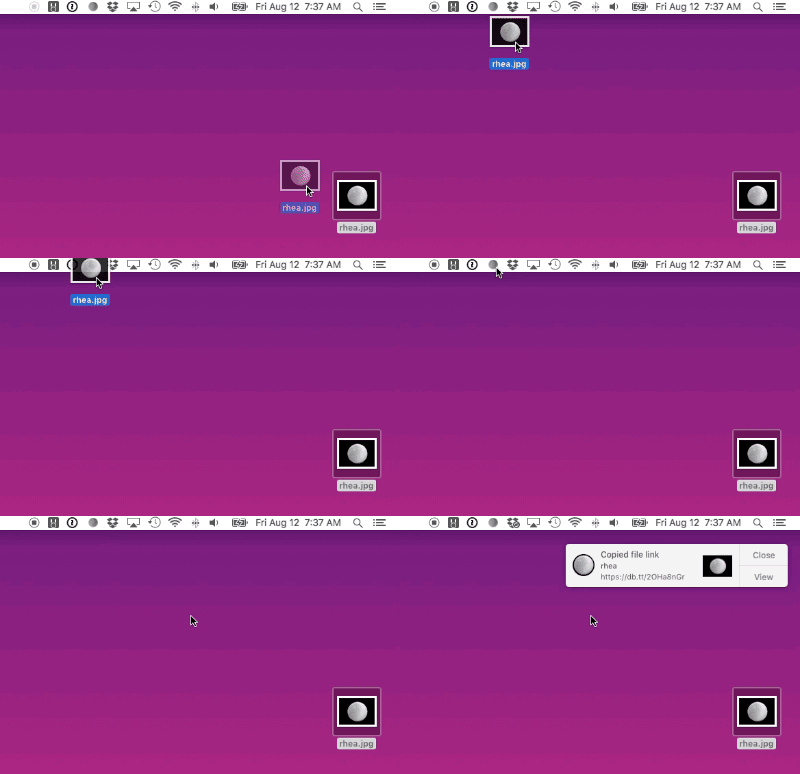
Or, if you have a file path or file URL copied to your clipboard you can upload it via Rhea’s dropdown menu.
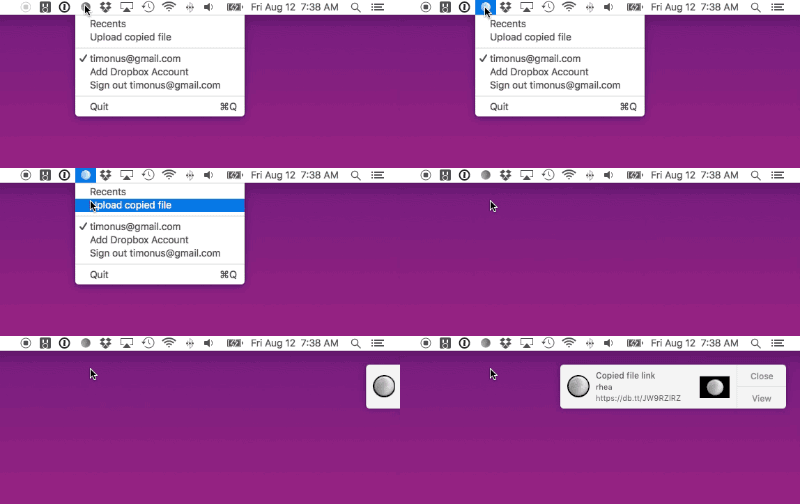
Dropbox links are copied to the clipboard while files are being uploaded in the background, so it’s very quick.
Technical Notes
- A 4-character base 62 suffix is appended to all uploaded files to avoid filename conflicts. This suffix is consistent for a given file's contents, so repeat uploads of the same file with the same filename act as no-ops.
- It is recommended that you use Dropbox’s selective sync feature to disable the Rhea directory from being synched to your Mac.
Link Shortening
You can drag links into the status bar to shorten them.
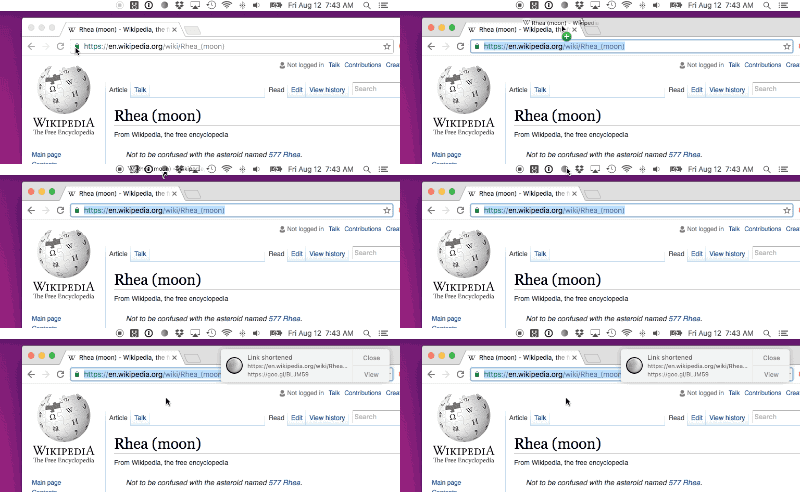
Or, if you have a URL copied to your clipboard you can shorten it via Rhea’s dropdown menu.

Development
- Rhea is open source, however the Dropbox key and URL shortening service needed for it to run aren’t present in the open source repo. In order to develop Rhea you’ll need to provide these by doing the following:
- Fill in
_dropboxAppKeyand add a URL scheme with the formatdb-yourDropboxAppKeyto your info.plist's entry forCFBundleURLTypesfor Dropbox auth. - Stub out use of
TJURLShortener, a private repo.
- Fill in
- Rhea uses git submodules, so run
git submodule update --initwhen cloning.
Related Skills
node-connect
342.5kDiagnose OpenClaw node connection and pairing failures for Android, iOS, and macOS companion apps
frontend-design
85.3kCreate distinctive, production-grade frontend interfaces with high design quality. Use this skill when the user asks to build web components, pages, or applications. Generates creative, polished code that avoids generic AI aesthetics.
openai-whisper-api
342.5kTranscribe audio via OpenAI Audio Transcriptions API (Whisper).
qqbot-media
342.5kQQBot 富媒体收发能力。使用 <qqmedia> 标签,系统根据文件扩展名自动识别类型(图片/语音/视频/文件)。
