
BeatstarsDownloader
Tool for downloading all BeatStars tracks from an artist to mp3
Install / Use
/learn @tim-morriss/BeatstarsDownloaderREADME
BeatStarsDownloader
Python script for downloading all tracks from a beatstars artist track page. It functions as a BeatStars downloader to mp3.
Fork from pyscrapetrain.
Setup
There are two ways to run this tool, either using the pip package or manually installing the tool.
Pip package method is preferred, only resort to using the manual install if you're having issues.
Pip Package
Install the pip package, using this command:
pip install beatstarsdownloader
Manual install
First clone this repo, then install dependencies using Poetry:
poetry install
Then run the tool using this command:
poetry run python main.py
For the rest of the readme, make sure to swap out the beatstarsdownloader command for poetry run python main.py.
How to use:
Terminal interface
Feel free to use the built in terminal interface to download tracks from a single URL / artist name:
beatstarsdownloader
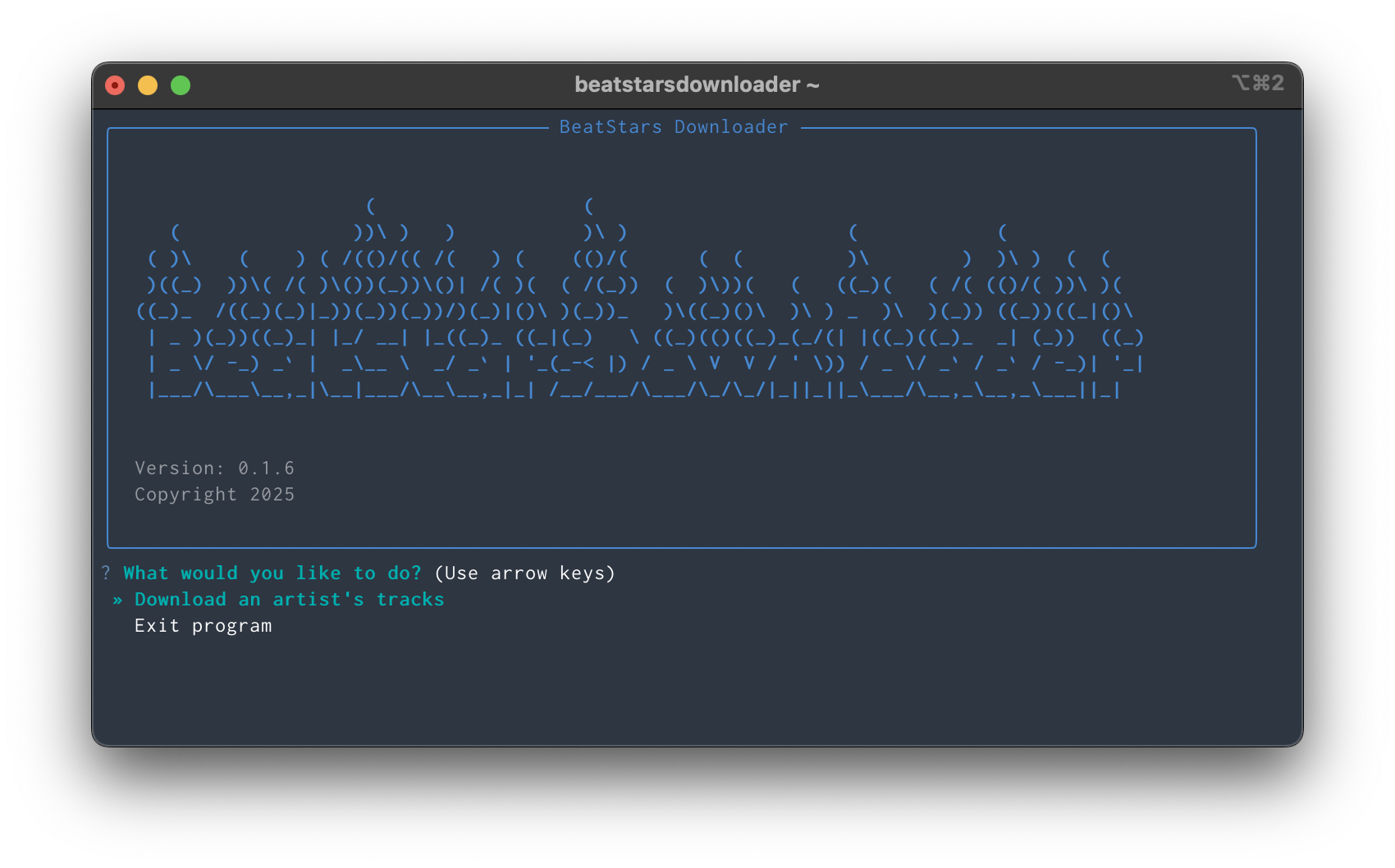
CLI interface
When inputting a url make sure to use the artist's /tracks page.
For example: https://www.beatstars.com/lovbug/tracks
To download all the tracks from a profile run the following command:
beatstarsdownloader <beatstars tracks url or artist name>
For example:
beatstarsdownloader https://www.beatstars.com/lovbug/tracks
OR
beatstarsdownloader lovbug
Tracks are downloaded to a beatstarsDownloader/artist folder in your home directory.
Changing folder
To change download folder use the -d flag:
beatstarsdownloader <beatstars-url> -d /path/to/folder
Which will create a beatstarsDownloader/artist folder under the path specified.
For example:
beatstarsdownloader https://www.beatstars.com/lovbug/tracks -d /Users/user/Documents
Will create the following folder /Users/user/Documents/beatstarsDownloader/lovbug.
Adding custom album
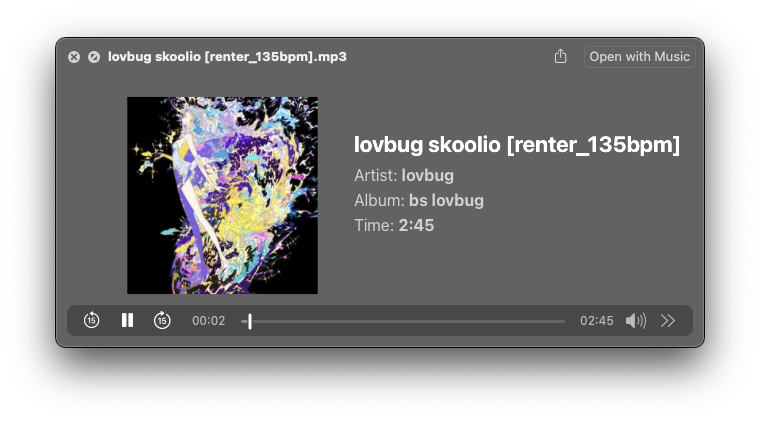
You might want to listen to the playlist of tracks you just downloaded so the script supports a custom album ID3 tag to allow you to sort in your media library.
Use the -a tag to assign a custom album name.
For example:
beatstarsdownloader https://www.beatstars.com/lovbug/tracks -a "bs lovbug"
Which gives:
Supplying a list of URLs
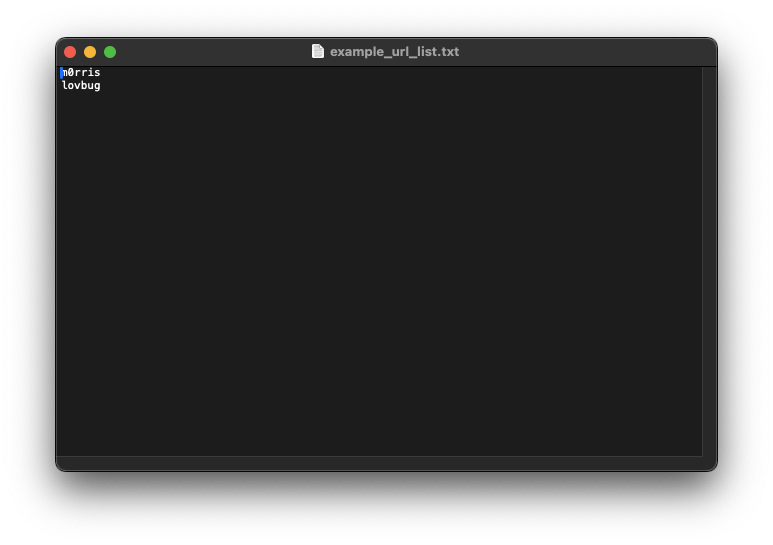
If you want to scrape multiple beatstars pages then you can point a .txt file with each url you want to scrape on a new line.
For this use-case simply specify the filepath instead of a url.
For example:
beatstarsdownloader example_url_list.txt
Example list of urls:
Debug Mode
To enable debug logging for troubleshooting download issues, set the BEATSTARS_DEBUG environment variable:
export BEATSTARS_DEBUG=1
beatstarsdownloader <beatstars-url>
Or run it inline:
BEATSTARS_DEBUG=1 beatstarsdownloader <beatstars-url>
Debug mode will show detailed error information when tracks fail to download, including:
- Track names and numbers that failed
- Specific error messages and types
- URLs that caused issues
Accepted values for BEATSTARS_DEBUG: 1, true, yes, on (case insensitive)
Disclaimer
THIS TOOL IS STRICTLY FOR EDUCATIONAL PURPOSES ONLY.
THE AUTHOR TAKES NO RESPONSIBILITY FOR THE USAGE OF THIS TOOL.
Disclaimer: Use of BeatstarsDownloader (this tool)
This tool, BeatstarsDownloader, is provided to you as a convenience of downloading web assets. Before using this tool, it is important to understand and acknowledge the following:
Copyrighted Material: The Author (referring to the author of this code) does not endorse or encourage the unauthorized downloading or distribution of copyrighted music. This tool is intended for use with music that you have the legal right to download and distribute.
User Responsibility: The user acknowledges and agrees that they are solely responsible for ensuring that their use of BeatstarsDownloader complies with applicable copyright laws and regulations. Users must obtain the necessary permissions or licenses before downloading and using copyrighted material.
Legal Compliance: The Author is not responsible for any legal consequences that may arise from the use of this tool for downloading copyrighted music without the proper authorization. Users should be aware of and comply with the copyright laws in their jurisdiction.
No Warranty: The Author provides this tool "as is" without any warranty of any kind, expressed or implied. The Author makes no representations or warranties regarding the accuracy, reliability, or completeness of the tool.
Updates and Changes: The Author reserves the right to make changes or updates to this tool at any time without notice. It is the user's responsibility to ensure they are using the latest version of the tool.
By using BeatstarsDownloader, you agree to the terms and conditions outlined in this disclaimer. If you do not agree with these terms, you should not use the tool.
Related Skills
node-connect
351.2kDiagnose OpenClaw node connection and pairing failures for Android, iOS, and macOS companion apps
frontend-design
110.6kCreate distinctive, production-grade frontend interfaces with high design quality. Use this skill when the user asks to build web components, pages, or applications. Generates creative, polished code that avoids generic AI aesthetics.
openai-whisper-api
351.2kTranscribe audio via OpenAI Audio Transcriptions API (Whisper).
qqbot-media
351.2kQQBot 富媒体收发能力。使用 <qqmedia> 标签,系统根据文件扩展名自动识别类型(图片/语音/视频/文件)。
