
TABAnimated
A skeleton screen loading framework based on native for iOS. (一个由iOS原生组件映射出骨架屏的框架,包含快速植入,低耦合,兼容复杂视图等特点,提供国内主流骨架屏动画的加载方案,同时支持上拉加载更多、自定制动画。)
Install / Use
/learn @tigerAndBull/TABAnimatedREADME
骨架屏
骨架屏(Skeleton Screen)是一种优化用户弱网体验的方案。在弱网情况下,客户端获取到服务器数据的时间会比较长,通过骨架屏来减缓用户等待的焦躁情绪。 TABAnimated是提供给iOS开发者自动生成骨架屏的一种解决方案。开发者可以将已经开发好的视图,通过配置一些全局/局部的参数,自动生成与其结构一致的骨架屏。开发者用较少的开发成本,就可以获得和需求一致的骨架屏。
优势
- 自动化、低耦合
- 列表视图、嵌套视图
- 支持上拉加载
- 支持暗黑模式
- 自定制动画及其序列化
- 实时预览
效果展示
| 闪光动画 | 经典动画 | 下坠动画 |
| ------ | ------ | ------ |
|  |
|  |
|  |
|
| 呼吸动画 | 上拉加载 | 复杂场景 |
| ------ | ------ | ------ |
|  |
|  |
|  |
|
暗黑模式:
| 工具箱切换 | setting页面切换 |
| ------ | ------ |
|  |
|  |
|
实时预览:

Usages
流程图

一、导入
- CocoaPods
pod 'TABAnimated', '2.6.3'
- Carthage
github "tigerAndBull/TABAnimated"
- 手动将TABAnimated文件夹拖入工程
二、设置全局参数(可选)
在 didFinishLaunchingWithOptions 中设置全局参数
[TABAnimated sharedAnimated].openLog = YES;
[TABAnimated sharedAnimated].openAnimationTag = YES;
...
三、初始化
NewsCollectionViewCell就是业务方自己的cell,也可以绑定其他任意类型cell!
_collectionView.tabAnimated =
[TABCollectionAnimated animatedWithCellClass:[NewsCollectionViewCell class]
cellSize:[NewsCollectionViewCell cellSize]];
- 有其他初始化方法,针对不同结构的列表视图,在框架中都有注释
- 有针对这个控制视图的局部属性,在框架中都有注释
四、控制骨架屏开关
- 开启动画
[self.collectionView tab_startAnimation];
- 关闭动画
[self.collectionView tab_endAnimation];
五、预处理回调+链式语法用于修改骨架元素的属性
使用变量名修改
_tableView.tabAnimated.adjustBlock = ^(TABComponentManager * _Nonnull manager) {
    manager.animationN(@"titleImageView").down(3).radius(12);
    manager.animationN(@"nameLabel").height(12).width(110);
    manager.animationN(@"timeButton").down(-5).height(12);
};
使用index修改
_tableView.tabAnimated.adjustBlock = ^(TABComponentManager * _Nonnull manager) {
    manager.animation(1).down(3).radius(12);
    manager.animation(2).height(12).width(110);
    manager.animation(3).down(-5).height(12);
};
Swift
tableView.tabAnimated?.adjustBlock = { manager in
   manager.animation()?(1)?.down()(3)?.radius()(12)
   manager.animation()?(2)?.height()(12)?.width()(110)
   manager.animation()?(3)?.down()(-5)?.height()(12)
}
FAQ
1. manager.animation(x)和 manager.animationN(@"x"),x是几?
manager.animation(x)其实是视图addSubView尾递归排序。
在appDelegate设置TABAnimated的openAnimationTag属性为YES,框架就会自动为你指示,究竟x是几。
[TABAnimated sharedAnimated].openAnimationTag = YES;
animationN(@"x")的x是变量名,不支持局部变量。
2. 通过几个示例,了解预处理回调和链式语法
- 假如第0个元素的高度和宽度不合适
manager.animation(0).height(12).width(110);
- 假如第1个元素需要使用占位图
manager.animation(1).placeholder(@"占位图名称.png");
- 假如第1,2,3个元素宽度都为50
manager.animations(1,3).width(50);
- 假如第1,5,7个元素需要下移5px
manager.animationWithIndexs(1,5,7).down(5);

3. 列表集成问题
在你集成列表视图之前,一定要理清列表视图结构。分为以下三种:
- 以section为单元,section和cell样式一一对应
- 视图只有1个section, 但是对应多个cell
- 动态section:section数量是网络获取的
明确自身需求
- 设置多个section/row,一起开启动画
- 设置多个section/row,部分开启动画
最后到框架内找到对应的初始化方法、启动动画方法即可!
4. 详细说明文档列表
Tips
- 有问题优先查看issues和documents
- demo提供的只是不同结构视图的集成方案,开发者可以自己定制出更精美的效果
- 如有使用问题、优化建议等,可以关注公众号:tigerAndBull技术分享,加群解决
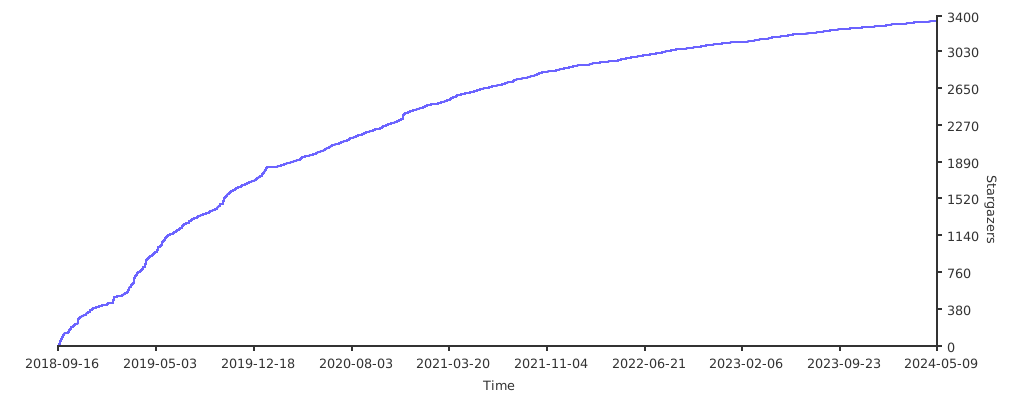
Stargazers over time
License
All source code is licensed under the License
