
Terradev
An imperative language for AI workload orchestration
Install / Use
/learn @theoddden/TerradevQuality Score
Category
Development & EngineeringSupported Platforms
README
Terradev CLI v4.0.11
Cross-Cloud Compute Optimization Platform with Migration & Evaluation
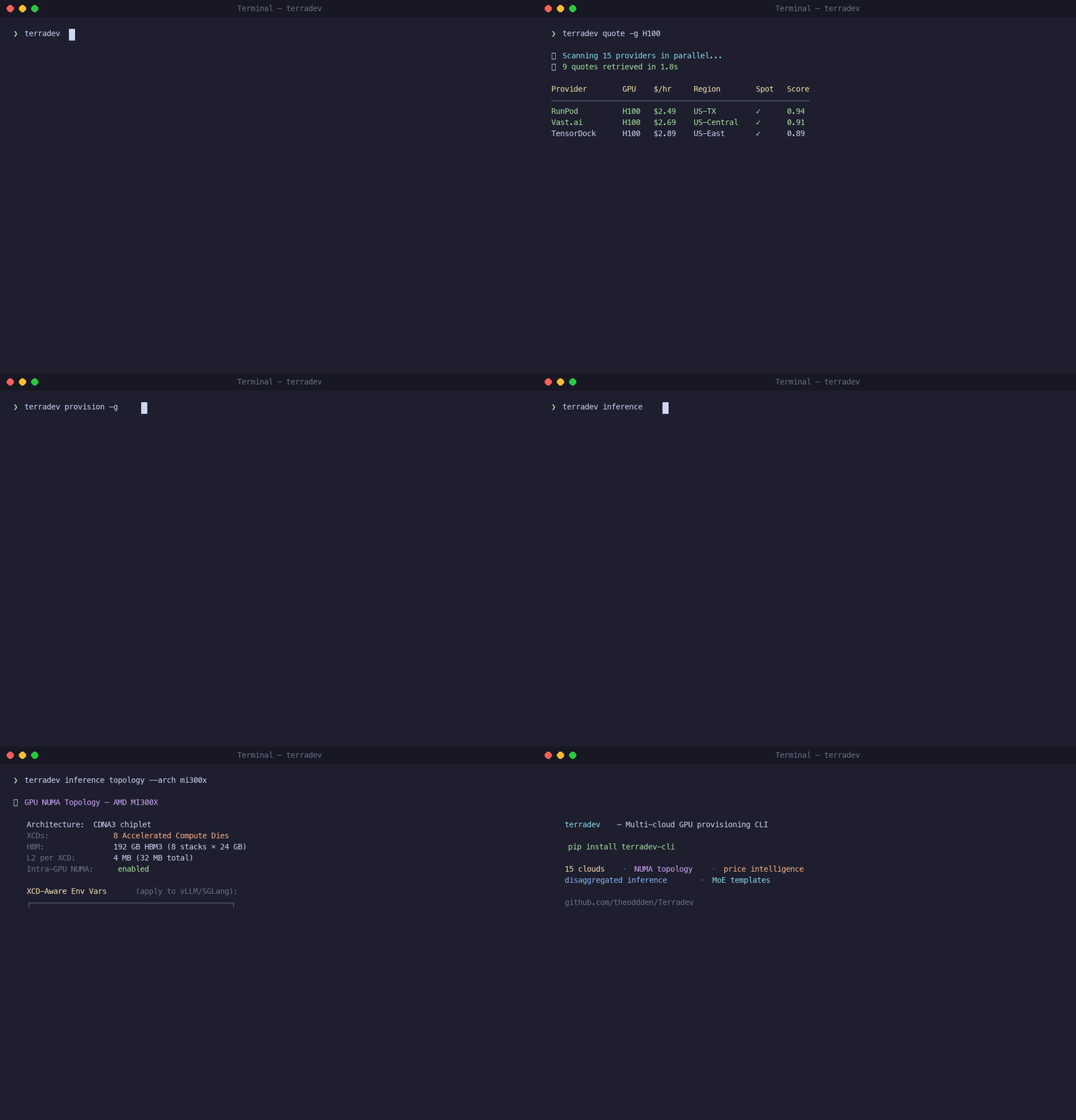
Terradev is a cross-cloud compute-provisioning CLI that compresses + stages datasets, provisions optimal instances + nodes, and deploys 3-5x faster than sequential provisioning.
What's New in v4.0.11
🎯 Production-Grade Automation: Triggers, Environments & Lineage
The three critical missing pillars that transform Terradev from a CLI tool into an enterprise-grade ML platform:
🔄 Event-Driven Triggers (terradev triggers)
- Zero-touch automation: Dataset lands → auto-train, Model drifts → auto-retrain
- Schedule-based: Cron jobs for weekly evaluations and maintenance
- Condition-based: Drift scores, performance thresholds, cost limits
- 19-Provider Support: Works across all cloud providers
- Manual override: Full control when needed
🏗️ Environment Promotion (terradev environments)
- Dev → Staging → Prod: Proper lifecycle management
- Approval workflow: Request → Approve → Execute with audit trail
- Environment isolation: Separate artifacts and configurations
- Promotion history: Complete audit trail for compliance
- Automatic lineage: Links artifacts across environments
🔍 Auto Lineage System (terradev lineage)
- Zero manual tagging: Automatic artifact tracking on every execution
- Complete provenance: Data → Model → Deployment chain
- Execution diffing: Compare any two pipeline runs
- Compliance export: JSON/CSV for auditors and regulators
- Checkpoint tracing: Work backwards from any artifact
💰 Intelligent Spot/On-Demand Selection
- Smart auto-selection: Training → on-demand, Inference → spot
- Cost transparency: Real-time savings calculations (60-80%)
- Manual override:
--spotand--on-demandflags - Safety features: Automatic state checkpointing and recovery
🔍 Model & Endpoint Evaluation (terradev eval)
- Model Evaluation:
terradev eval --model model.pth --dataset test.json - Endpoint Testing:
terradev eval --endpoint http://localhost:8000 --metrics latency - Baseline Comparison: Automatic improvement/regression detection
- A/B Model Testing: Side-by-side comparison with winner determination
- Multiple Metrics: Accuracy, perplexity, latency, throughput, cost
🎯 Complete ML Lifecycle
- Train → Eval → Deploy: Full workflow now supported
- Risk Assessment: Confidence scoring and migration warnings
- Cost Optimization: Multi-hop data transfer routing
- Production Planning: Detailed downtime and cost estimates
Previous Features (v4.0.9)
Critical Provider Bug Fixes
Fixed 6 critical bugs across 20 cloud providers:
- 🔴 Alibaba - Fixed missing
returninget_instance_quotes(prevented quotes) - 🔴 RunPod - Fixed dead code +
volume_idNameError in provisioning - 🔴 TensorDock - Fixed
info["model"]KeyError (should beinfo["v0Name"]) - 🔴 Hetzner - Fixed
quote["server_id"]KeyError (should bequote["instance_type"]) - 🔴 GCP - Fixed lambda closure bug in zone availability checking
- 🔴 CoreWeave - Fixed
$0.00pricing when no API key configured
Complete SGLang Optimization Stack (v4.0.8)
Revolutionary workload-specific auto-optimization for SGLang serving with 7 workload types:
🚀 SGLang Workload Optimizations
- Agentic/Multi-turn Chat: LPM + RadixAttention + cache-aware routing (75-90% cache hit rate)
- High-Throughput Batch: FCFS + CUDA graphs + FP8 quantization (maximum tokens/sec)
- Low-Latency/Real-Time: EAGLE3 + Spec V2 + capped concurrency (30-50% TTFT improvement)
- MoE Models: DeepEP auto + TBO/SBO + EPLB + redundant experts (up to 2x throughput)
- PD Disaggregated: Separate prefill/decode configurations with production optimizations
- Structured Output/RAG: xGrammar + FSM optimization (10x faster structured output)
- Hardware-Specific: H100/H200, H20, GB200, AMD MI300X optimizations
🎯 Auto-Apply Decision Tree
# Auto-optimize any model for workload type
terradev sglang optimize deepseek-ai/DeepSeek-V3

# Detect workload from description
terradev sglang detect meta-llama/Llama-2-7b-hf --user-description "Real-time API"

# Multi-replica cache-aware routing
terradev sglang router meta-llama/Llama-2-7b-hf --dp-size 8
📊 Performance Gains
- Agentic Chat: 1.9x throughput with multi-replica, 95-98% GPU utilization
- Batch Inference: Maximum tokens/second with pre-compiled CUDA graphs
- Low Latency: 30-50% TTFT improvement, 20-40% TPOT improvement
- MoE Models: Up to 2x throughput with Two-Batch Overlap
- Cache-Aware Routing: 3.8x higher cache hit rate
🔧 Hardware Optimization
- H100/H200: FlashInfer + FP8 KV cache optimization
- H20: FA3 + MoE→QKV→FP8 stacking + swapAB runner
- GB200 NVL72: Rack-scale TP + NUMA-aware placement
- AMD MI300X: Triton backend + ROCm EPLB tuning
What's New in v3.7.3
Performance and scalability improvements for enterprise deployments.
CUDA Graph Optimization with NUMA Awareness
Revolutionary passive CUDA Graph optimization that automatically analyzes and optimizes GPU topology for maximum graph performance:
# Automatic CUDA Graph optimization - no configuration needed
terradev provision -g H100 -n 4

# NUMA-aware endpoint selection happens automatically
# CUDA Graph compatibility is detected passively
# Warm pool prioritizes graph-compatible models
Performance Gains:
- 2-5x speedup for CUDA Graph workloads with optimal NUMA topology
- 30-50% bandwidth penalty eliminated through automatic GPU/NIC alignment
- Zero configuration - everything runs passively in the background
- Model-aware optimization - different strategies for transformers vs MoE models
NUMA Topology Intelligence
- PIX (Same PCIe Switch): Optimal for CUDA Graphs (1.0 score)
- PXB (Same Root Complex): Very good (0.8 score)
- PHB (Same NUMA Node): Good (0.6 score)
- SYS (Cross-Socket): Poor for graphs (0.3 score)
Model-Specific Optimization
- Transformers: Highest priority (0.9 base score) - benefit most from graphs
- CNNs: Moderate priority (0.7 base score) - benefit moderately
- MoE Models: Lower priority (0.4 base score) - dynamic routing challenges
- Auto-detection: Model types identified automatically from model IDs
Background Optimization
- Passive Analysis: Runs automatically every 5 minutes
- Warm Pool Enhancement: CUDA Graph models get higher priority
- Endpoint Selection: Routes to NUMA-optimal endpoints automatically
- Performance Tracking: Monitors graph capture time and replay speedup
Complete Tutorial
Step 1: Install Terradev
pip install terradev-cli
For all cloud provider SDKs and ML integrations:
pip install terradev-cli[all]
Verify and list commands:
terradev --help
Step 2: Configure Your First Cloud Provider
Terradev supports 19 GPU cloud providers. Start with one, RunPod is the fastest to set up:
terradev setup runpod --quick
This shows you where to get your API key. Then configure it:
terradev configure --provider runpod
Paste your API key when prompted. It's stored locally at ~/.terradev/credentials.json, never sent to a Terradev server. Add more providers later:
terradev configure --provider vastai
terradev configure --provider lambda_labs
terradev configure --provider aws
The more providers you configure, the better your price coverage.
Step 3: Get Real-Time GPU Prices
Check pricing across every provider you've configured:
terradev quote -g A100
Output is a table sorted cheapest-first: price/hour, provider, region, spot vs. on-demand. Try different GPUs:
terradev quote -g H100
terradev quote -g L40S
terradev quote -g RTX4090
Step 4: Provision
Most clouds hand you GPUs with suboptimal topology by default. Your GPU and NIC end up on different NUMA nodes, RDMA is disabled, and the kubelet Topology Manager is set to none. That's a 30-50% bandwidth penalty on every distributed operation and you'll never see it in nvidia-smi.
When you provision through Terradev, topology optimization is automatic:
terradev provision -g H100 -n 4 --parallel 6
What happens behind the scenes:
- NUMA alignment — GPU and NIC forced to the same NUMA node
- GPUDirect RDMA — nvidia_peermem loaded, zero-copy GPU-to-GPU transfers
- CPU pinning — static CPU manager policy, no core migration
- SR-IOV — virtual functions created per GPU for isolated RDMA paths
- NCCL tuning — InfiniBand enabled, GDR_LEVEL=PIX, GDR_READ=1
You don't configure any of this. It's applied automatically.
To preview the plan without launching:
terradev provision -g A100 -n 2 --dry-run
To set a price ceiling:
terradev provision -g A100 --max-price 2.50
Step 5: Run a Workload
Option A — Run a command on your provisioned instance:
terradev execute -i <instance-id> -c "nvidia-smi"
terradev execute -i <instance-id> -c "python train.py"
Option B — One command that provisions, deploys a container, and runs:
terradev run --gpu A100 --image pytorch/pytorch:latest -c "python train.py"
Option C — Keep an inference server alive:
terradev run --gpu H100 --image vllm/vllm-openai:latest --keep-alive --port 8000
Step 6: Manage Your Instances
# See all running instances and current cost
terradev status --live

# Stop (keeps allocation)
terradev manage -i <instance-id> -a stop

# Restart
terradev manage -i <instance-id> -a start

# Terminate and release
terradev manage -i <instance-id> -a terminate
Step 7: Track Costs and Find Savings
# View spend over the last 30 days
terradev analytics --day
Related Skills
node-connect
337.3kDiagnose OpenClaw node connection and pairing failures for Android, iOS, and macOS companion apps
frontend-design
83.2kCreate distinctive, production-grade frontend interfaces with high design quality. Use this skill when the user asks to build web components, pages, or applications. Generates creative, polished code that avoids generic AI aesthetics.
openai-whisper-api
337.3kTranscribe audio via OpenAI Audio Transcriptions API (Whisper).
commit-push-pr
83.2kCommit, push, and open a PR
