
Testsigma
Testsigma is an agentic test automation platform powered by AI-coworkers that work alongside QA teams to simplify testing, accelerate releases and improve quality across web, mobile, desktop, API, and applications like Salesforce and SAP.
Install / Use
/learn @testsigmahq/TestsigmaREADME


<a href="https://testsigma.com/signup?utm_source=github&utm_medium=social"> </a>
</a>
Overview
Testsigma is a GenAI-powered, codeless test automation platform that makes it fast and easy for quality engineering teams to automate tests at speed and scale without dependence on developers to build and maintain traditional test frameworks. With Testsigma Copilot and Atto built into its codeless automation platform, Testsigma lets QA teams generate test cases and scenarios based on various input sources like user stories, designs, user journeys and even live applications across web, mobile, desktop and enterprise applications like Salesforce and SAP using prompt engineering. Requiring near-zero initial setup cost and training time, Testsigma enables anyone in the QA team to instantly write automated tests 10X faster using Testsigma Copilot and run them on thousands of devices available on the public cloud or your own private cloud. Put your test maintenance on autopilot mode using Testsigma’s AI-driven self-healing, thus reducing maintenance time and effort by 90%. Testsigma integrates natively with more than 30 popular tools and technologies used by QA teams, including CI/CD, bug reporting, real device labs, project management and collaboration tools. Hundreds of leading enterprises across the world use Testsigma to release quality software. Some notable customers of Testsigma include Cisco, Samsung, KFC, Nestle, and Zeiss. Testsigma is headquartered in San Francisco with engineering teams in Bangalore and Chennai. Testsigma is backed by marquee investors like MassMutual, Accel, Strive, and Bold Cap.
Features
-
Generator Agent - Automatically generates test scenarios based on requirements, UI, or APIs
-
Runner Agent - Executes tests across hundreds or thousands of parallel sessions to speed up validation
-
Analyzer Agent - Diagnoses test failures, highlights root causes, and recommends fixes
-
Healer / Maintenance Agent - Detects and auto-adapts to UI changes, minimizing manual repair effort
-
Optimizer Agent - Suggests test suite pruning, prioritization, and coverage improvements
-
Cross-Platform Support - Web, mobile (iOS/Android), API, desktop, and ERP systems
-
Reporting & Analytics - Dashboards, traceability, metrics, and failure insights
-
CI/CD & Tooling Integrations - Works with Jenkins, GitHub Actions, GitLab CI, Azure DevOps, etc.
-
Role-Based Access & Collaboration - Teams can share test assets, version control, audit logs
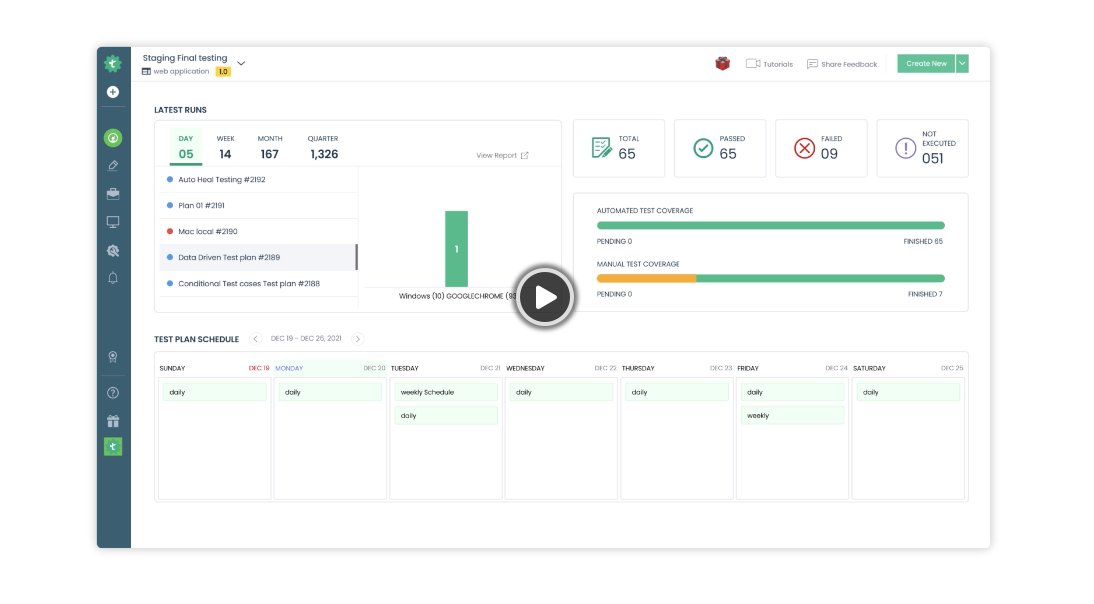
Quick start: One click deployment on Testsigma Cloud
The easiest way to start your automation journey is with Testsigma Cloud.
<a href="https://testsigma.com/signup?utm_source=github&utm_medium=social" target="_blank"> <img src="https://docs.testsigma.com/images/github/deploy-2-testsigma-cloud.svg?1234" width="30%" alt="How to automate testing with Testsigma" /></a> <br/> <br/> Once you deploy, you can follow the below tutorials to get started- Automating Web Applications
- Automating Mobile Web Applications
- Automating iOS Apps
- Automating Android Apps
- Automating REST API Testing
Other deployment options
We have 2 more deployment options to choose from
Features
Unified Platform
- Automate Web, Mobile Web, Android, iOS apps, and API testing using one platform
Generator Agent - Automatically generates test scenarios based on requirements, UI, or APIs Runner Agent - Executes tests across hundreds or thousands of parallel sessions to speed up validation Analyzer Agent - Diagnoses test failures, highlights root causes, and recommends fixes Healer / Maintenance Agent - Detects and auto-adapts to UI changes, minimizing manual repair effort Optimizer Agent - Suggests test suite pruning, prioritization, and coverage improvements Cross-Platform Support - Web, mobile (iOS/Android), API, desktop, and ERP systems Reporting & Analytics - Dashboards, traceability, metrics, and failure insights CI/CD & Tooling Integrations - Works with Jenkins, GitHub Actions, GitLab CI, Azure DevOps, etc. Role-Based Access & Collaboration - Teams can share test assets, version control, audit logs
Build & extend the platform with Add-ons
Add-ons are custom extensions built and shared by the Testsigma Community at the Add-ons Marketplace. Add-ons are built to automate unique user actions and test automation scenarios that are not possible with Testsigma’s default actions.
You can build your own add-on using Testsigma SDK.
Types of add-ons supported in Testsigma
-
Custom Actions: Testsigma provides a set of comprehensive, built-in addons that lets you automate most user actions in simple English. But sometimes you may need to automate actions unique to your AUT. For this, you can build custom add-ons to automate unique actions. See: How to build a custom action in add-ons.
-
Custom Data Generators: Testsigma contains default Data Generators to generate instant test data for your automation scenarios. You can also build custom data generators. See: How to build a custom data generator.
-
Conditional If: You can create an action to execute a sequence of steps if the condition is matched. You can write your own logic for the conditional if. See: How to add conditional if actions.
-
While Loops: You can create an action to execute a sequence of steps until the condition is matched. You can write your own logic for the conditional if. See: How to add while actions.
Tutorials
Here are the latest tutorials and videos for you to learn more about Testsigma:
- Get Started with Automating Web Applications
- Get Started with Automating Mobile Web Applications
- Get Started with Automating Android Apps
- Get Started with Automating iOS Apps
- Get Started with REST API Testing
- How to create web application tests using Test Recorder
- How to create Android & iOS app tests using Test Recorder
- How to automate Android app tests using local devices
- How to automate iOS app tests using local devices
- How to automate data driven testing
- How to create Addons for automated actions
- How to create a test data generator in Addons
- How to automate Two-factor authentication testing (Email & SMS)
Visit our tutorials to explore more.
Roadmap
Check out our roadmap to
