
MiniAgents
An async-first framework for building multi-agent AI systems with an innovative approach to parallelism, so you can focus on creating intelligent agents, not on managing the concurrency of your flows.
Install / Use
/learn @teremterem/MiniAgentsREADME
MiniAgents is an open-source Python framework that takes the complexity out of building multi-agent AI systems. With its innovative approach to parallelism and async-first design, you can focus on creating intelligent agents in an easy to follow procedural fashion while the framework handles the concurrency challenges for you.
Built on top of asyncio, MiniAgents provides a robust foundation for LLM-based applications with immutable, Pydantic-based messages and seamless asynchronous token and message streaming between agents.
💾 Installation
pip install -U miniagents
⚠️ IMPORTANT: START HERE FIRST! ⚠️
We STRONGLY RECOMMEND checking the following TUTORIAL before you proceed with the README.
📚 Build a Real-World Web Research System with MiniAgents
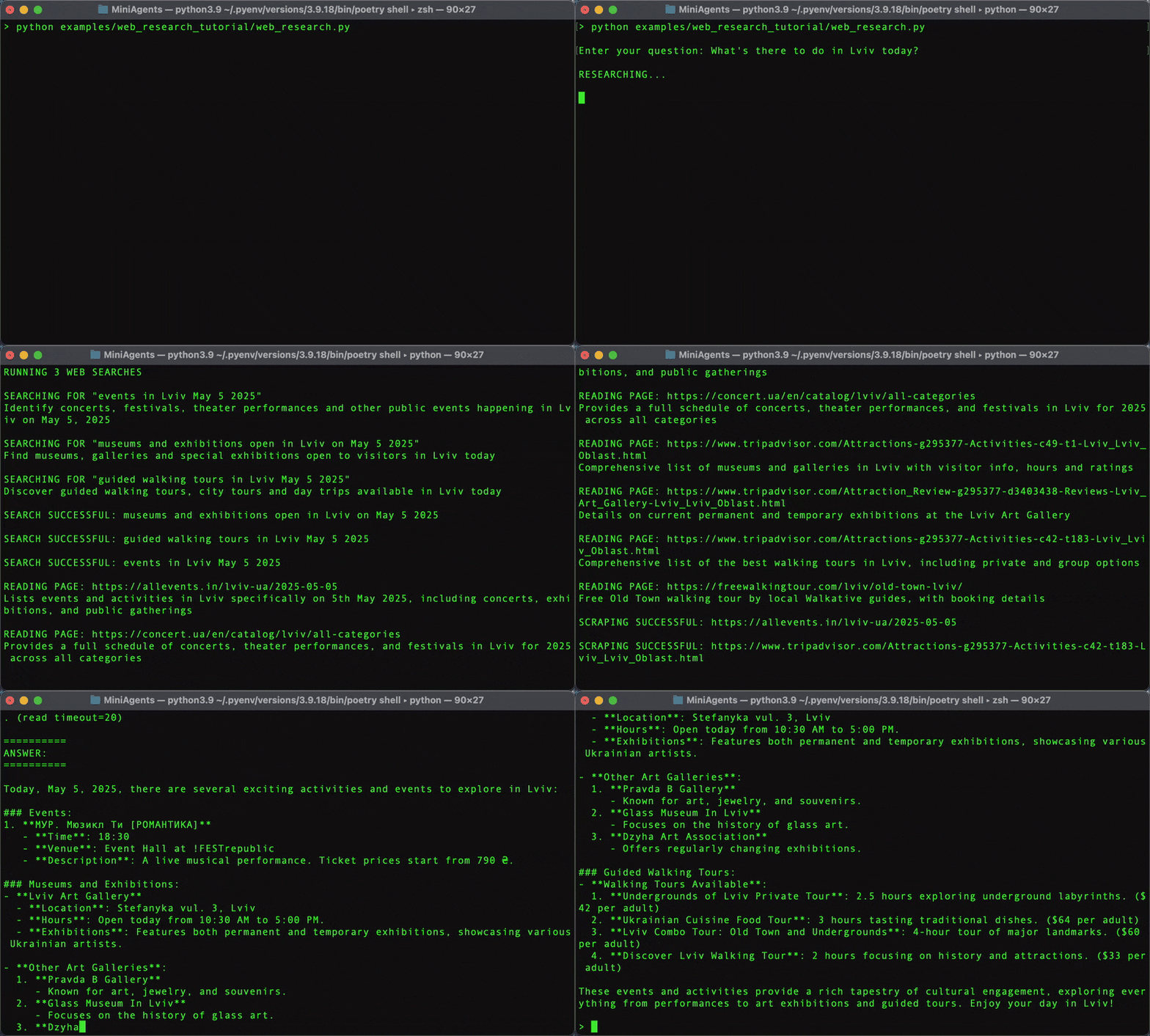
The above step-by-step tutorial teaches you how to build a practical multi-agent web research system that can break down complex questions, run parallel searches, and synthesize comprehensive answers.
Following that tutorial first will make the rest of this README easier to understand!
🚀 Basic usage
Here's a simple example of how to define an agent:
from miniagents import miniagent, InteractionContext, MiniAgents


@miniagent
async def my_agent(ctx: InteractionContext) -> None:
    async for msg_promise in ctx.message_promises:
        ctx.reply(f"You said: {await msg_promise}")


async def main() -> None:
    async for msg_promise in my_agent.trigger(["Hello", "World"]):
        print(await msg_promise)


if __name__ == "__main__":
    MiniAgents().run(main())
This script will print the following lines to the console:
You said: Hello
You said: World
🧨 Exception handling
Despite agents running in completely detached asyncio tasks, MiniAgents ensures proper exception propagation from callee agents to caller agents. When an exception occurs in a callee agent, it's captured and propagated through the promises of response message sequences. These exceptions are re-raised when those sequences are iterated over or awaited in any of the caller agents, ensuring that errors are not silently swallowed and can be properly handled.
Here's a simple example showing exception propagation:
from miniagents import miniagent, InteractionContext, MiniAgents

@miniagent
async def faulty_agent(ctx: InteractionContext) -> None:
    # This agent will raise an exception
    raise ValueError("Something went wrong in callee agent")

@miniagent
async def caller_agent(ctx: InteractionContext) -> None:
    # The exception from faulty_agent WILL NOT propagate here
    faulty_response_promises = faulty_agent.trigger("Hello")
    try:
        # The exception from faulty_agent WILL propagate here
        async for msg_promise in faulty_response_promises:
            await msg_promise
    except ValueError as e:
        ctx.reply(f"Exception while iterating over response: {e}")

async def main() -> None:
    async for msg_promise in caller_agent.trigger("Start"):
        print(await msg_promise)

if __name__ == "__main__":
    MiniAgents().run(main())
Output:
Exception while iterating over response: Something went wrong in callee agent
🧠 Work with LLMs
MiniAgents provides built-in support for OpenAI and Anthropic language models with possibility to add other integrations.
⚠️ ATTENTION! Make sure to run pip install -U openai and set your OpenAI API key in the OPENAI_API_KEY environment variable before running the example below. ⚠️
from miniagents import MiniAgents
from miniagents.ext.llms import OpenAIAgent

# NOTE: "Forking" an agent is a convenient way of creating a new agent instance
# with the specified configuration. Alternatively, you could pass the `model`
# parameter to `OpenAIAgent.trigger()` directly everytime you talk to the
# agent.
gpt_4o_agent = OpenAIAgent.fork(model="gpt-4o-mini")


async def main() -> None:
    reply_sequence = gpt_4o_agent.trigger(
        "Hello, how are you?",
        system="You are a helpful assistant.",
        max_tokens=50,
        temperature=0.7,
    )
    async for msg_promise in reply_sequence:
        async for token in msg_promise:
            print(token, end="", flush=True)
        # MINOR: Let's separate messages with a double newline (even though in
        # this particular case we are actually going to receive only one
        # message).
        print("\n")


if __name__ == "__main__":
    MiniAgents().run(main())
Even though OpenAI models return a single assistant response, the OpenAIAgent.trigger() method is still designed to return a sequence of multiple message promises. This generalizes to arbitrary agents, making agents in the MiniAgents framework easily interchangeable (agents in this framework support sending and receiving zero or more messages).
You can read agent responses token-by-token as shown above regardless of whether the agent is streaming token by token or returning full messages. The complete message content will just be returned as a single "token" in the latter case.
🔄 A dialog loop between a user and an AI assistant
The dialog_loop agent is a pre-packaged agent that implements a dialog loop between a user agent and an assistant agent. Here is how you can use it to set up an interaction between a user and your agent (can be bare LLM agent, like OpenAIAgent or AnthropicAgent, can also be a custom agent that you define yourself - a more complex agent that uses LLM agents under the hood but also introduces more complex behavior, i.e. Retrieval Augmented Generation etc.):
⚠️ ATTENTION! Make sure to run pip install -U openai and set your OpenAI API key in the OPENAI_API_KEY environment variable before running the example below. ⚠️
from miniagents import MiniAgents
from miniagents.ext import (
    dialog_loop,
    console_user_agent,
    MarkdownHistoryAgent,
)
from miniagents.ext.llms import SystemMessage, OpenAIAgent


async def main() -> None:
    dialog_loop.trigger(
        SystemMessage(
            "Your job is to improve the styling and grammar of the sentences "
            "that the user throws at you. Leave the sentences unchanged if "
            "they seem fine."
        ),
        user_agent=console_user_agent.fork(
            # Write chat history to a markdown file (`CHAT.md` in the current
            # working directory by default, fork `MarkdownHistoryAgent` if
            # you want to customize the filepath to write to).
            history_agent=MarkdownHistoryAgent
        ),
        assistant_agent=OpenAIAgent.fork(
            model="gpt-4o-mini",
            max_tokens=1000,
        ),
    )


if __name__ == "__main__":
    MiniAgents(
        # Log LLM prompts and responses to `llm_logs/` folder in the current
        # working directory. These logs will have a form of time-stamped
        # markdown files - single file per single prompt-response pair.
        llm_logger_agent=True
    ).run(main())
Here is what the interaction might look like if you run this script:
YOU ARE NOW IN A CHAT WITH AN AI ASSISTANT

Press Enter to send your message.
Press Ctrl+Space to insert a newline.
Press Ctrl+C (or type "exit") to quit the conversation.

USER: hi

OPENAI_AGENT: Hello! The greeting "hi" is casual and perfectly acceptable.
It's grammatically correct and doesn't require any changes. If you wanted
to use a more formal greeting, you could consider "Hello," "Good morning/afternoon/evening,"
or "Greetings."

USER: got it, thanks!

OPENAI_AGENT: You're welcome! "Got it, thanks!" is a concise and clear expression
of understanding and gratitude. It's perfectly fine for casual communication.
A slightly more formal alternative could be "I understand. Thank you!"
🧸 A "toy" implementation of a dialog loop
Here is how you can implement a dialog loop between an agent and a user from ground up yourself (for simplicity there is no history agent in this example - check out in_memory_history_agent and how it is used if you want to know how to implement your own history agent too):
from miniagents import miniagent, InteractionContext, MiniAgents
from miniagents.ext import agent_loop, AWAIT


@miniagent
async def user_agent(ctx: InteractionContext) -> None:
    async for msg_promise in ctx.message_promises:
        print("ASSISTANT: ", end="", flush=True)
