
CodeAssist
No description available
Install / Use
/learn @teguster/CodeAssistREADME
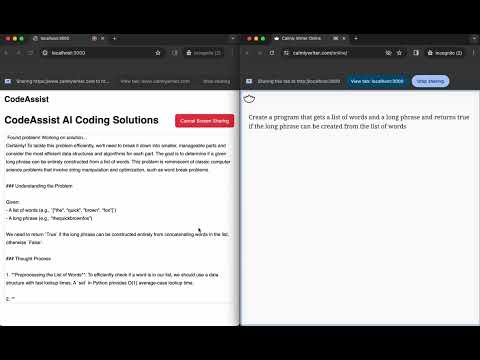
Demo
Youtube Video:
How to run
1) Install dependencies
npm install
2) Populate API keys in .env.local
REPLICATE_API_TOKEN='<INSERT_API_TOKEN>'
OPENAI_API_KEY='<INSERT_API_TOKEN>'
To get openai API token, create an account here: https://openai.com
To get a replicate API token create an account here: https://replicate.com
3) Run server
npm run dev
4) Navigate to localhost
Open http://localhost:3000 with your browser to see the result.

IMPORTANT: The web app has only been tested and QA'd on Chrome with Incognito Mode so open localhost:3000 on Chrome with Incognito Mode for best results.
If you are using a different browser or you don't have Incognito Mode on and you are getting an error, try again on Chrome with Incognito Mode to resolve the issue. This is because some other browsers and extensions might interfere with screen sharing permissions.
5) Split screen in two
Split your screen in half with left half the window with CodeAssist and right half the window in which you are working on coding tasks.

6) Start session
Start session and share the right screen so that CodeAssist can automatically detect coding problems and present solutions.

7) See AI answers automatically appear on screen

Next Steps
- Allow user to select from more models like Llama 2
- Implement answer generation for questions detected through audio
Troubleshooting
To troubleshoot or report bugs, join the CodeAssist Community on Slack with the following invitation link: https://join.slack.com/t/codeassistcommunity/shared_invite/zt-2dewvxtjl-caGDjW~fOYtODFNeFBlssA
If the invitation link has expired or if you have other questions, reach out to: support@tegu.ai
