
123elf
A native port of Lotus 1-2-3 to Linux.
Install / Use
/learn @taviso/123elfREADME
Lotus 1-2-3 for Linux
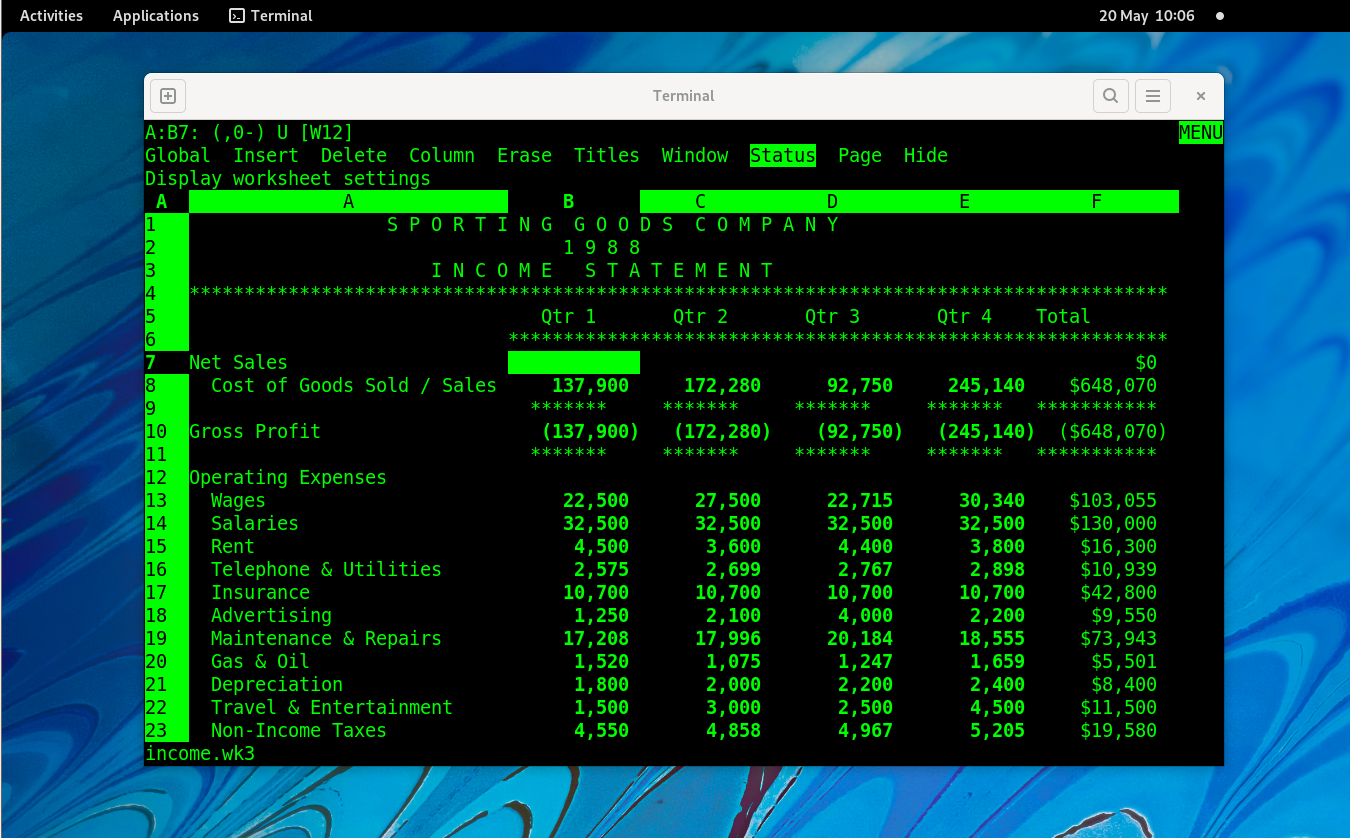
This is a native port of Lotus 1-2-3 Release 3 to Linux. There's an article documenting how this is possible here.
Screenshots
Here are some screenshots of Lotus 1-2-3 on Linux.
|  |
|  |
|  |
|  |--|--|--|--|
| Interactive, live-updating ASCII-art charts. | Context sensitive help. | Highly configurable graphs. | Work with multiple sheets.
|--|--|--|--|
| Interactive, live-updating ASCII-art charts. | Context sensitive help. | Highly configurable graphs. | Work with multiple sheets.
See more screenshots and gifs in the wiki.
Building
Dependencies
First, you need a version of binutils that is compiled with coff-i386 target
support. You can check like this:
$ objdump --info | grep coff-i386
Note: Most distributions do not enable this for some reason.
Run the included binutils.sh to download and compile a version of binutils known to work for this.
Secondly, you need a copy of Lotus 1-2-3 for UNIX, you can download it
here. Just place the raw disk images in
the build directory and run extract.sh.
Finally, just run make.
Packages
The following packages are required
| Ubuntu | Fedora | Debian (bookworm) | Ubuntu (bionic) | ------------------- | ------------------- | ------------------- | ------------------- | build-essential | glibc-devel.i686 | build-essential | build-essential | gcc-multilib | libgcc.i686 | gcc-multilib | gcc-multilib | lib32ncurses-dev | ncurses-static.i686 | lib32ncurses-dev | libncurses-dev:i386
Installing
Run make install to install into /usr/local.
Run make install prefix=/my/prefix to install into a custom prefix.
Run make uninstall or make uninstall prefix=/my/prefix to uninstall.
Running
Just run ./123 in the project directory after building, or, if you installed it, run 123.
Getting Started
There is a quick start guide in the wiki here, and the full manual can be seen here here.
There is a man page in share/man/man1/123.1 that describes the command line options.
Lotus 1-2-3 has context sensitive online help, you can press <kbd>F1</kbd> at most times to see some hints.
Note: You use the <kbd>/</kbd> key to open the 123 menu!
If you've used any spreadsheet before, you should be able to get started quickly. Functions use @ instead of =, but the common functions like @SUM, @AVG, @INDEX, and even @HLOOKUP all work as you would expect.
FAQ
- Q. How do I quit 123?
If the status indicator in the top right says READY, try /Quit Yes.
If it doesn't say READY (it might say ERROR, HELP POINT, MENU or
something else), try hitting <kbd>Esc</kbd> until it goes back to READY.
- Q. I get the error 'invalid compressed data--code out of range'.
You have a very old gzip with broken lzw/pack support. You can try running
the gzip.sh script to build a more recent gzip, then rerun the extract
script.
See the full FAQ for more.
Bugs
- ~~The keyboard map seems to be incomplete~~ (XTerm compatible terminals should be working, please test others!)
- ~~Graphs don't work yet~~ (Partially working!, see #5).
- ~~Printing doesn't work yet~~ (Print to file works, print to lpr is being worked on, see #50).
STEPmode does not display the current step (Nearly working! see #101).- There is limited i18n support (We're working on it, see #73).
- File an issue if you notice something, there are probably lots of minor issues that can be fixed!
