
the-briefcase
Let your AI Agents search, read, create and update files without cluttering your project directory.
Install / Use
claude mcp add tatmanblue -- npx -y github:tatmanblue/the-briefcaseIf the server publishes to npm under a different name, use that package instead — check the repo README.
MCP Server
Model Context Protocol server
Quality Score
Category
Development & EngineeringSupported Platforms
Tags
Our assessment of the-briefcase
the-briefcase scores 72/100 on our quality scale, 3756th of 4,588 Development & Engineering skills we index.
Its MCP Server is 4.8 KB long, well organised into 11 sections with 1 code example: a solid amount of guidance for an agent.
It has 3 GitHub stars, so there is little community track record yet; judge it on its content.
Maintenance, license and trust
- The repository was last updated 4 days ago, so the-briefcase is actively maintained.
- Our last check on 2026-09-12 found the source still online.
- It is released under the Apache-2.0 license, a permissive license that allows use, modification and commercial use with attribution.
- Its trust signals score 87/100, with 2 cautions from licensing, adoption, age or documentation. These come from repository metadata, not a code audit — read the skill file before letting an agent act on it.
the-briefcase compared with similar skills
All 4 of these similar skills score higher than the-briefcase; compare them before choosing.
| Skill | Score | Stars | Updated | Format |
|---|---|---|---|---|
| the-briefcase (this skill)by tatmanblue | 72 | 3 | 4d ago | MCP Server |
| Agent-Reachby Panniantong | 100 | 95.7k | 3d ago | CLAUDE.md |
| headroomby headroomlabs-ai | 100 | 75.0k | today | CLAUDE.md |
| CowAgentby zhayujie | 100 | 47.3k | today | CLAUDE.md |
| ai-job-searchby MadsLorentzen | 100 | 46.0k | 2d ago | CLAUDE.md |
Frequently asked questions
- How do I install the-briefcase?
- Run
claude mcp add tatmanblue -- npx -y github:tatmanblue/the-briefcase. The install tabs above show the steps for each supported agent. - Which AI agents does the-briefcase work with?
- It is written for Claude Code and Claude Desktop, as a MCP Server file. Other agents that read the same format can often use it too.
- Is the-briefcase safe to use?
- It is Apache-2.0-licensed and scores 87/100 on trust signals. Skills are instructions an agent will follow, so read the file before installing it and do not approve commands you do not understand.
- Is the-briefcase still maintained?
- The repository was last updated 4 days ago, so the-briefcase is actively maintained.
Skill content
View source on GitHubThe Briefcase
Let your AI Agents search, read, create and update files without cluttering your project directory. The briefcase is an MCP server that gives AI agents controlled access to files outside their working directory.
What is The Briefcase?

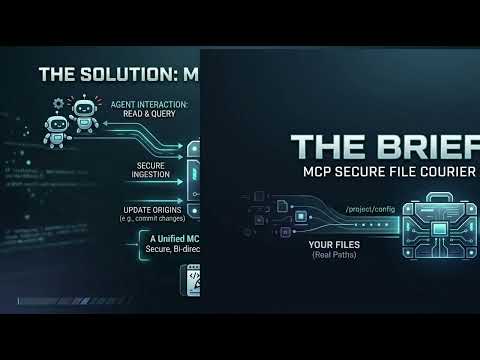
AI agents — such as Claude Code, GitHub Copilot, or any MCP-compatible client — typically only see files inside their current working directory. The Briefcase solves this by acting as a secure file courier: it exposes a curated set of directories to agents through a structured API, without ever revealing the underlying file origins.
You configure which directories to share. The Briefcase assigns each file a stable ID (a GUID). Agents work entirely through those IDs — they never see real paths, cannot traverse the directory tree, and cannot access anything outside what you explicitly shared.
Agents are able to search, read, create, and update the files made available through the Briefcase.
Video Demo
How It Works
  Your file system          The Briefcase MCP Server          AI Agent
  ──────────────           ───────────────────────────       ─────────
  C:\docs\notes.txt  ───►  briefcase://file/{guid}  ───►   list_files
  C:\docs\report.md  ───►  briefcase://file/{guid}  ───►   read_file
  D:\shared\data.csv ───►  briefcase://file/{guid}  ───►   (notifications)
                           briefcase://file/{guid}  ◄───   create_file / update_file
- You tell The Briefcase which directories to watch via the
BRIEFCASE_PATHSenvironment variable. - On startup, it scans those directories recursively and assigns each file a stable GUID.
- The GUID-to-path mapping is saved to
registry.jsonso IDs survive server restarts — agents can hold onto a file's ID indefinitely. - Agents call
list_filesto discover what's available andread_fileto retrieve content. - When files change on disk, The Briefcase sends MCP notifications so agents can react in real time.
Status
Version 1.3 — MVP using stdio and Local file system only.
Setup
Available Tools
See Tools Reference for full parameter and return-value details.
File Tools
list_files— discover all files known to The Briefcase; supports filtering by project, archive state, and sort orderread_file— retrieve a file's content by its GUIDcreate_file— write a new file into The Briefcaseupdate_file— replace the full content of an existing filesearch_files— search files by name, content, or both; supports archive filteringarchive_file— soft-hide a file from listings and searches; file remains readable by IDunarchive_file— restore an archived file to active status
Project Tools
create_project— create a named group for organizing fileslist_projects— list all projects with file countsget_project— get a project's metadata and its file listadd_file_to_project— associate a file with a projectremove_file_from_project— remove a file from a projectupdate_project— rename or re-describe a projectdelete_project— delete a project (files remain in The Briefcase)reindex_files— rebuild the file registry and search cache
File Change Notifications
The Briefcase watches configured directories in real time and sends standard MCP resource notifications when files are created, deleted, renamed, or modified. See Tools Reference for details.
Web Interface
The Briefcase also runs a local-only web UI (bound to 127.0.0.1, never reachable off-box) alongside the MCP server, letting a human browse the same files agents see. Open http://127.0.0.1:5289 (or your configured BRIEFCASE_WEB_PORT) to list files, view rendered Markdown, assign files to projects, and move or delete files. Move and delete are only available through the web UI — they are not exposed to agents, and delete sends files to the OS Recycle Bin/Trash rather than deleting them permanently.
The web UI's static assets require a published build (
dotnet publish) — see Setup. Running viadotnet runor a rawdotnet buildoutput serves the page but leaves it non-interactive.
Roadmap
- [x] Search files by name and content
- [x] Create file
- [x] Update file content
- [x] Projects — group files and filter by project
- [x] Archive — soft-hide files from listings and searches
- [x] Web interface — list, view, move, and delete files from a browser
- [ ] Plug in architecture for custom extensions
- [ ] Cloud storage backends (e.g. S3, OneDrive, Google Drive)
- [ ] HTTP with Server-Sent Events
License
Copyright 2026 Matthew Raffel. Licensed under the Apache License 2.0.
File Version
1.3.1
Related Skills
Agent-Reach
95.7kGive your AI agent eyes to see the entire internet. Read & search Twitter, Reddit, YouTube, GitHub, Bilibili, XiaoHongShu — one CLI, zero API fees.
headroom
75.0kCompress tool outputs, logs, files, and RAG chunks before they reach the LLM. 20% fewer tokens for coding agents, 60-95% fewer tokens for JSON, same answers. Library, proxy, MCP server.
CowAgent
47.3kOpen-source personal AI assistant & Agent Harness. Plans tasks, runs tools and skills, self-evolves with memory and knowledge. Multi-agent, multi-model, multi-channel. Lightweight, extensible, one-line install.
ai-job-search
46.0kThe job search that runs on your machine. AI job application framework built on Claude Code: evaluate postings, tailor CVs, write cover letters, prep interviews. Fork it and own it.

Languages
Trust signals
From repository metadata: license, adoption, age and documentation. Not a code audit — see the Safety scan above for what the skill file itself contains.