Netcheck
Network troubleshooting tool
Install / Use
/learn @sylvia-ou/NetcheckREADME
Netcheck
This is a fork of the gping project (https://github.com/orf/gping)
Install Instructions for MacOS
- Install Rust on MacOS
- Run in terminal:
- brew install rustup
- rustup-init
- rustup default nightly
- Install NetCheck
- Download latest code
- Run in terminal: cargo build --release
Install Instructions for Linux
- Install Rust on Ubuntu
- Run in terminal:
- sudo apt update
- sudo apt upgrade
- curl https://sh.rustup.rs/ -sSf | sh
- rustup-init
- rustup default nightly
- Install NetCheck
- Download latest code
- Run in terminal: cargo build --release
Key Feature Additions
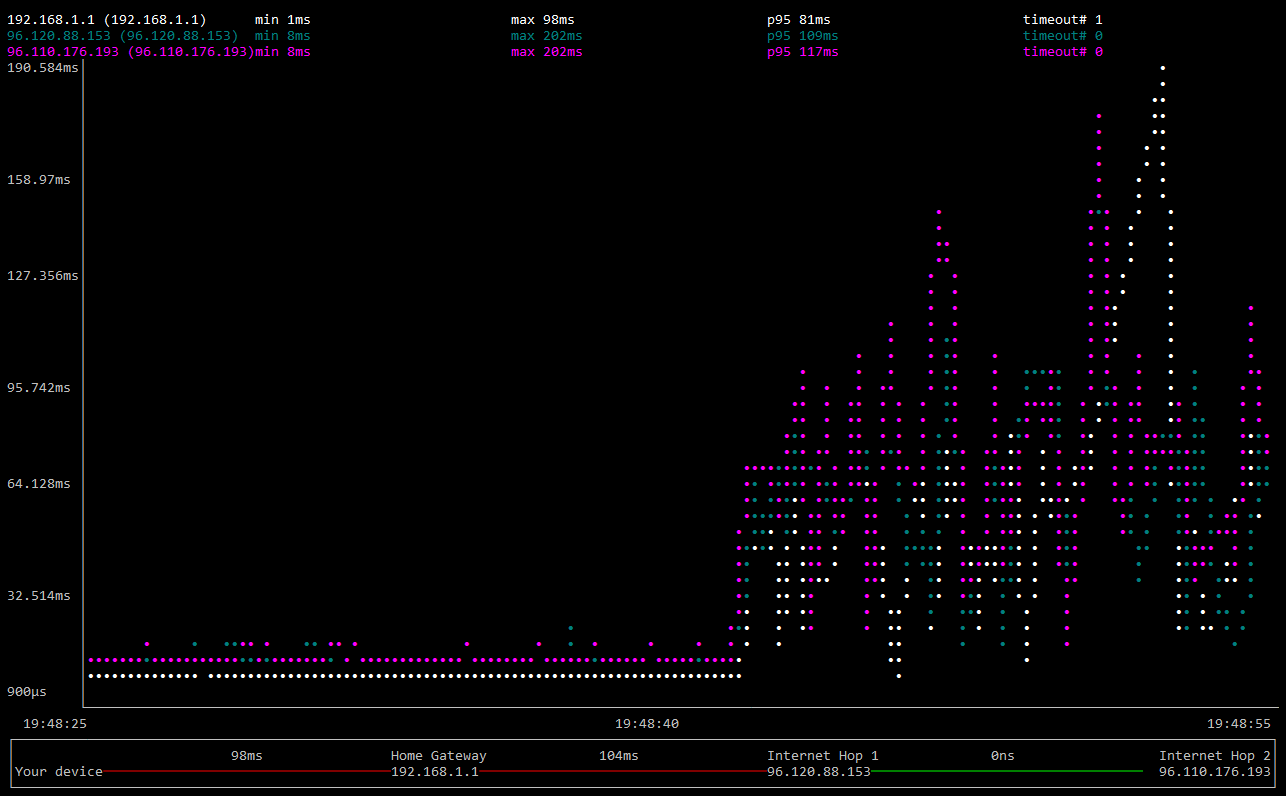
- Automatically computes the first 3 responding hops. This makes it easier for most people to troubleshoot their network connection and figure out if the problem is with WiFi or the Internet provider. Gping requires the person to figure out how to use traceroute and type in the host IPs.
- Logs the raw ping time for the duration of the run and outputs a new CSV file in the same location as the binary. Log files are named ping1.csv, ping2.csv,..., pingn.csv for subsequent runs.
- Added minimap showing network layout with estimates of max latency between hops.
- Timeouts showed up as NULL values and the chart didn't show a large spike in the ping. It now how shows 1000ms whenever there is a timeout.
- Added a timestamp in increments of 0.2 seconds in CSV output for each sample.
- Added column headers to CSV output.
- Summary statistics were moved to the top for quicker viewing.