
Swyxkit
An opinionated blog starter for SvelteKit + Tailwind + Netlify. Refreshed for SvelteKit 1.0!
Install / Use
/learn @swyxio/SwyxkitREADME
SwyxKit
A lightly opinionated starter for SvelteKit blogs:
-
SvelteKit 1.0 + Mdsvex setup verified to work on Netlify and Vercel
-
Tailwind 3 + Tailwind Typography (with some fixes)
-
GitHub Issues as CMS - with comments displayed via utterances (lazy loaded)
-
Content options
-
Lots of minor DX and UX opinions (see below)
-
<details>
<summary>
<bold>Good Perf Baseline</bold>: 100's across the board on Lighthouse scores
</summary>
</details>
Feel free to rip out these opinions as you see fit of course. If you want a SaaS like starter kit maybe check out okputer's
"Does anyone know what theme that blog is using? It looks really nice." - anon
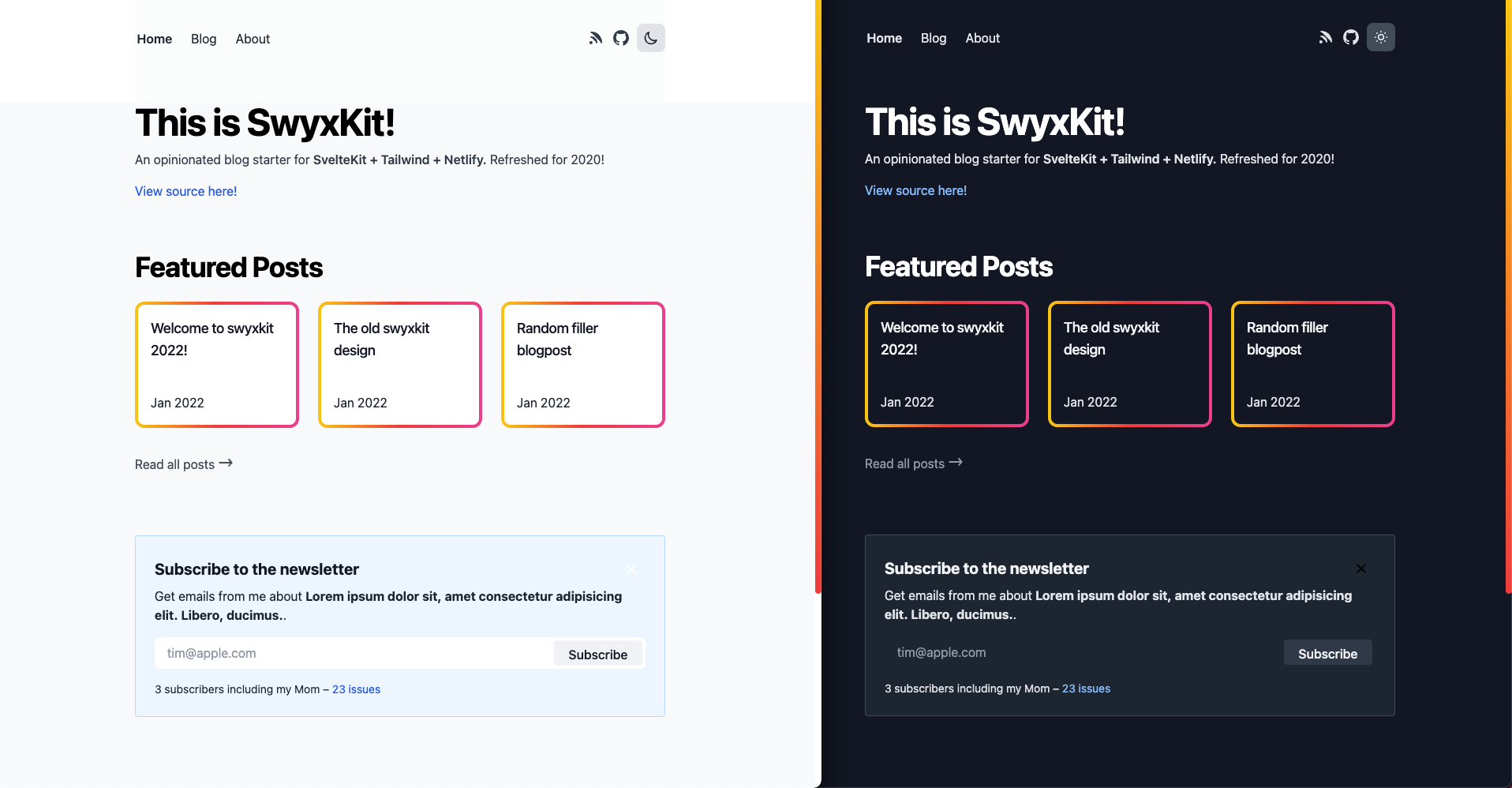
Live Demo
See https://swyxkit.netlify.app/ (see Deploy Logs)

Users in the wild
- https://swyx.io
- https://twitter.com/iambenwis/status/1500998985388937216
- https://twitter.com/lucianoratamero/status/1508832233225867267
- https://twitter.com/Codydearkland/status/1503822866969595904
- https://twitter.com/macbraughton/status/1626307672227172354?s=20
- https://github.com/georgeoffley/george-offley-blog-swyxkit
- add yourself here!
Key Features and Design Considerations
Features
All the basic things I think a developer website should have.
- Light+Dark mode (manual-toggle-driven as a matter of personal preference but feel free to change ofc)
- GitHub-Issues-driven blog with index
- Blog content pulled from the GitHub Issues API
- Comment and Reaction system from GitHub Issues, rendered with Utterances
- 🆕 Shortcodes for embedding Tweets and YouTube videos
- Consumes markdown/MDSveX
- With syntax highlighting (MDSvex uses
prism-svelteunder the hood) - Fixes for known MDSveX render issue
- Renders footnotes thanks to Bishwas-py
- With syntax highlighting (MDSvex uses
- RSS (at
/rss.xml), and Sitemap (atsitemap.xml) with caching
Performance/Security touches
Fast (check the lighthouse scores) and secure.
- Set
s-maxage(notmax-age) to 1 minute to cache (consider making it 1-7 days on older posts)- For API endpoints as well as pages
- Security headers in
netlify.toml - Builds and deploys in ~40 seconds on Netlify
- You can see how seriously we take performance on our updates, but also I'm not an expert and PRs to improve are always welcome.
Minor design/UX touches
The devil is in the details.
- Blog Index features (
/blog)- Blog index supports categories (singletons), and tags (freeform, list of strings)
- Blog index facets serialize to URLs for easy copy paste
- previously done by @Ak4zh
- but since moved to
sveltekit-search-paramsby @paoloricciuti
- Blog index search is fuzzy and highlights matches
- Error page (try going to URL that doesn't exist)
- Including nice error when GitHub API rate limit exceeded (fix by setting
GH_TOKEN) - The 404 page includes a link you can click that sends you back to the search index with the search terms (blog post)
- Including nice error when GitHub API rate limit exceeded (fix by setting
- Individual Blogpost features (
/[post_slug])- 2 options for comments:
- (default) Utterances, drawing from GitHub Issues that match your post assuming you use the "github issues CMS" workflow we have. We lazy load this for perf.
- (available but commented out) a custom Svelte
<Comments />component that are rendered and sanitized
full,feature, andpopoutbleed layout classes on desktop -featureenabled by default for code samples! (details and code samples here)- Top level blog URLs (
/mybloginstead of/blog/myblog- why?) - Autogenerated (overridable) og:images via an external service https://github.com/sw-yx/swyxkit/pull/161
- Table of Contents for posts that have multiple headings, mobile friendly - done with @vnphanquang's svelte-put/toc
- 2 options for comments:
- General features
- Newsletter signup box - defaulted to Buttondown.email but easy to customize to whatever
- Navlink hover effect
- Mobile/Responsive styling
- Mobile menu with animation
- Og:image and meta tags for social unfurls (image generated via https://tailgraph.com/)
- Accessibility
- SVG Icons https://github.com/sw-yx/spark-joy/blob/master/README.md#general--misc
- Tap targets
- Custom scrollbar https://css-tricks.com/strut-your-stuff-with-a-custom-scrollbar/
- Defensive CSS touches https://ishadeed.com/article/defensive-css
Developer Experience
Making this easier to maintain and focus on writing not coding.
- JSDoc Typechecking
- ESLint + Prettier
- Nightly lockfile upgrades
- Design system sandbox/"Storybook" setup with Histoire.
npm run story:devto view it on http://localhost:6006/.
Overall, this is a partial implementation of https://www.swyx.io/the-surprisingly-high-table-stakes-of-modern-blogs/
Setup
Step 0: Clone project (and deploy)
npx degit https://github.com/sw-yx/swyxkit
export GH_TOKEN=your_gh_token_here # Can be skipped if just trying out this repo casually
npm install
npm run start # Launches site locally at http://localhost:5173/
# you can also npm run dev to spin up histoire at http://localhost:6006/
You should be able to deploy this project straight to Netlify as is, just like this project is. This project recently switched to use sveltejs/adapter-auto, so you should also be able to deploy to Vercel and Cloudflare, but these 2 deploy targets are not regularly tested (please report/help fix issues if you find them)!
However, to have new posts show up, you will need to personalize the siteConfig (see next step) - take note of APPROVED_POSTERS_GH_USERNAME in particular (this is an allowlist of people who can post to the blog by opening a GitHub issue, otherwise any rando can blog and that's not good).

# These are just untested, suggested commands, use your discretion to hook it up or deploy wherever
git init
git add .
git commit -m "initial commit"
gh repo create # Make a new public GitHub repo and name it whatever
git push origin master
ntl init # Use the Netlify cli to deploy, assuming you already installed it and logged in. You can also use `ntl deploy`
Step 1: Personalization Configuration
As you become ready to seriously adopt this, remember to configure /lib/siteConfig.js - just some hardcoded vars I want you to remember to configure.
export const SITE_URL = 'https://swyxkit.netlify.app';
export const APPROVED_POSTERS_GH_USERNAME = ['sw-yx']; // IMPORTANT: change this to at least your GitHub username, or add others if you want
export const GH_USER_REPO = 'sw-yx/swyxkit'; // Used for pulling GitHub issues and offering comments
export const REPO_URL = 'https://github.com/' + GH_USER_REPO;
export const SITE_TITLE = 'SwyxKit';
export const SITE_DESCRIPTION = "swyx's default SvelteKit + Tailwind starter";
export const DEFAULT_OG_IMAGE =
	'https://user-images.githubusercontent.com/6764957/147861359-3ad9438f-41d1-47c8-aa05-95c7d18497f0.png';
export const MY_TWITTER_HANDLE = 'swyx';
Related Skills
node-connect
335.8kDiagnose OpenClaw node connection and pairing failures for Android, iOS, and macOS companion apps
frontend-design
82.7kCreate distinctive, production-grade frontend interfaces with high design quality. Use this skill when the user asks to build web components, pages, or applications. Generates creative, polished code that avoids generic AI aesthetics.
openai-whisper-api
335.8kTranscribe audio via OpenAI Audio Transcriptions API (Whisper).
commit-push-pr
82.7kCommit, push, and open a PR
