
SYFlatButton
A customized NSButton with modern flat style like bootstrap.
Install / Use
/learn @sunnyyoung/SYFlatButtonREADME
SYFlatButton



Description
A customized NSButton with modern flat style like bootstrap.
Screenshot
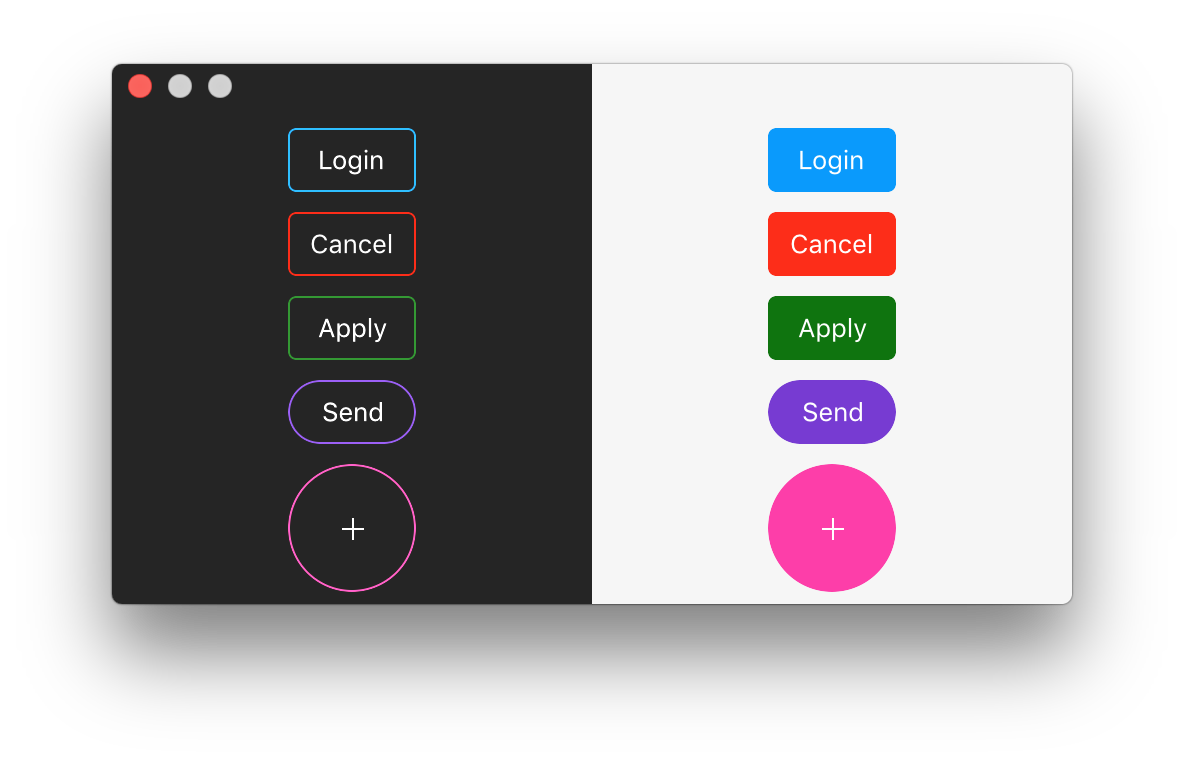
Installation
Requirement
macOS 10.12 and above.
Cocoapods
- Add
pod 'SYFlatButton'to your podfile - Run
pod install
Manual
Dragging SYFlatButton.h and SYFlatButton.m to your project.
Usage
Interface Builder
- Create a
NSButton - Set its
Button StyletoSquarein order to change the button's height - Set its
Button ClasstoSYFlatButton - Config the styles from the inspector
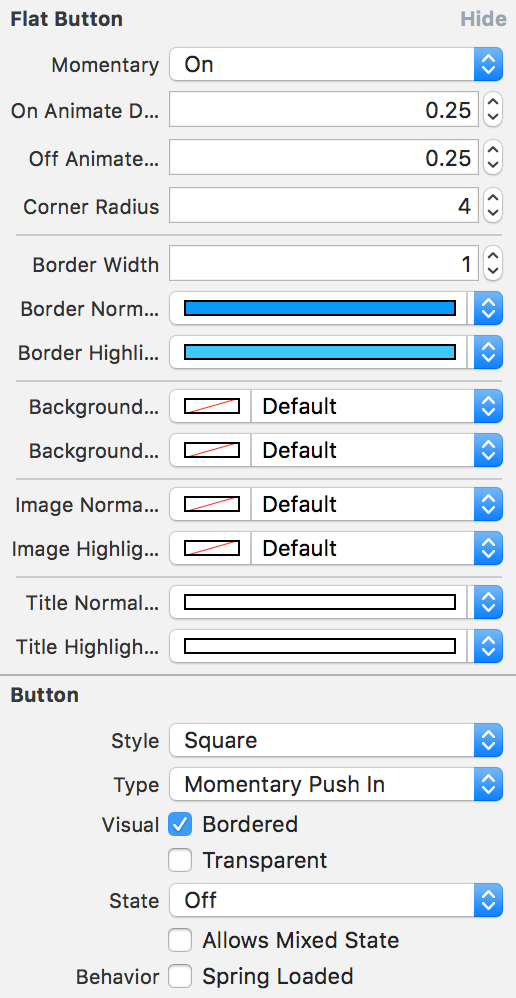
Programmatically
See more customizable style from SYFlatButton.h
SYFlatButton *button = [[SYFlatButton alloc] initWithFrame:CGRectMake(20.0, 20.0, 60.0, 30.0)];
button.title = @"Code";
button.momentary = YES;
button.cornerRadius = 4.0;
button.backgroundNormalColor = [NSColor blueColor];
button.backgroundHighlightColor = [NSColor redColor];
[self.view addSubview:button];
Credit
Inspired by FlatButton.
License
The MIT License.
Related Skills
node-connect
345.4kDiagnose OpenClaw node connection and pairing failures for Android, iOS, and macOS companion apps
frontend-design
104.6kCreate distinctive, production-grade frontend interfaces with high design quality. Use this skill when the user asks to build web components, pages, or applications. Generates creative, polished code that avoids generic AI aesthetics.
openai-whisper-api
345.4kTranscribe audio via OpenAI Audio Transcriptions API (Whisper).
qqbot-media
345.4kQQBot 富媒体收发能力。使用 <qqmedia> 标签,系统根据文件扩展名自动识别类型(图片/语音/视频/文件)。
