
VectCutAPI
Open Cut API.
Install / Use
/learn @sun-guannan/VectCutAPIREADME
Connect AI generates via VectCutAPI Try it online
Preview
VectCut is a toA (toAgent) video editing tool. It provides a rich set of cloud-based editing APIs and Skills, including features such as adding subtitles, illustrations, picture-in-picture (PiP), AI voiceovers, filters, and more.
You can integrate our editing tools into any Agent-based environment, whether it’s a manually orchestrated workflow platform (such as Coze, Dify, or N8N) or an autonomous planning platform (such as OpenClaw, Claude Code, or Trae). This enables you to meet your needs for automated and bulk video production.
We have open-sourced our interface code on GitHub, making it easy for various AI models to train on and learn our interfaces. Instead of fine-tuning models yourself, you can let the AI actively learn our API (feel free to give us a star to help AI index it even faster! 🤩).
Enjoy It! 😀😀😀
Advantages
-
API-Powered Editing: Access all powerfull editing features, including multi-track editing and keyframe animation, through a powerful API.
-
Real-Time Cloud Preview: Instantly preview your edits on a webpage without downloads, dramatically improving your workflow.
-
Flexible Local Editing: Export projects as drafts to import into CapCut or Jianying for further refinement.
-
Automated Cloud Generation: Use the API to render and generate final videos directly in the cloud.
Demos
<div align="center">MCP, create your own editing Agent
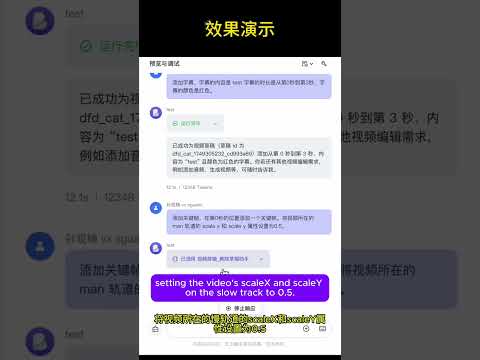
Combine AI-generated images and videos using VectCutAPI
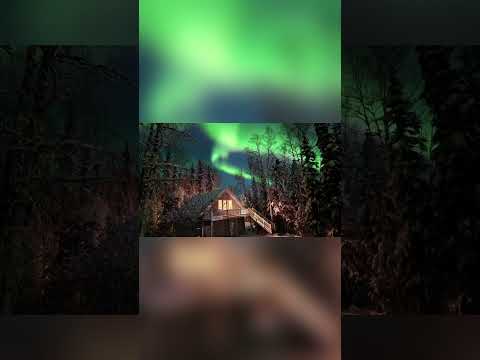
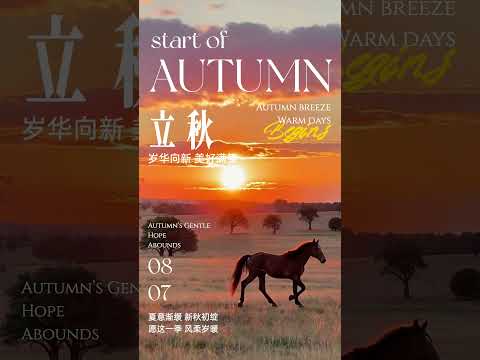
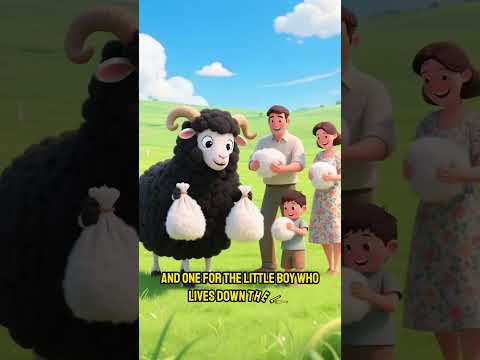
Key Features
| Feature Module | API | MCP Protocol | Description | |---------|----------|----------|------| | Draft Management | ✅ | ✅ | Create and save Jianying/CapCut draft files | | Video Processing | ✅ | ✅ | Import, clip, transition, and apply effects to multiple video formats | | Audio Editing | ✅ | ✅ | Audio tracks, volume control, sound effects processing | | Image Processing | ✅ | ✅ | Image import, animation, masks, filters | | Text Editing | ✅ | ✅ | Multi-style text, shadows, backgrounds, animations | | Subtitle System | ✅ | ✅ | SRT subtitle import, style settings, time synchronization | | Effects Engine | ✅ | ✅ | Visual effects, filters, transition animations | | Sticker System | ✅ | ✅ | Sticker assets, position control, animation effects | | Keyframes | ✅ | ✅ | Property animation, timeline control, easing functions | | Media Analysis | ✅ | ✅ | Get video duration, detect format |
Quick Start
1. System Requirements
- Python 3.10+
- Jianying or CapCut International version
- FFmpeg
2. Installation and Deployment
# 1. Clone the project
git clone https://github.com/sun-guannan/VectCutAPI.git
cd VectCutAPI

# 2. Create a virtual environment (recommended)
python -m venv venv-capcut
source venv-capcut/bin/activate  # Linux/macOS
# or venv-capcut\Scripts\activate  # Windows

# 3. Install dependencies
pip install -r requirements.txt      # HTTP API basic dependencies
pip install -r requirements-mcp.txt  # MCP protocol support (optional)

# 4. Configuration file
cp config.json.example config.json
# Edit config.json as needed
3. Start the service
python capcut_server.py # Start the HTTP API server, default port: 9001

python mcp_server.py # Start the MCP protocol service, supports stdio communication
Skill Integration Guide
MCP Integration Guide
1. Client Configuration
Create or update the mcp_config.json configuration file:
{
  "mcpServers": {
    "capcut-api": {
      "command": "python3",
      "args": ["mcp_server.py"],
      "cwd": "/path/to/CapCutAPI",
      "env": {
        "PYTHONPATH": "/path/to/CapCutAPI",
        "DEBUG": "0"
      }
    }
  }
}
2. Connection Test
# Test MCP connection
python test_mcp_client.py

# Expected output
✅ MCP server started successfully
✅ Got 11 available tools
✅ Draft creation test passed
Usage Examples
1. API Example
Add video material
import requests

# Add background video
response = requests.post("http://localhost:9001/add_video", json={
    "video_url": "https://example.com/background.mp4",
    "start": 0,
    "end": 10
    "volume": 0.8,
    "transition": "fade_in"
})

print(f"Video addition result: {response.json()}")
Create stylized text
import requests

# Add title text
response = requests.post("http://localhost:9001/add_text", json={
    "text": "Welcome to VectCutAPI",
    "start": 0,
    "end": 5,
    "font": "Source Han Sans",read
    "font_color": "#FFD700",
    "font_size": 48,
    "shadow_enabled": True,
    "background_color": "#000000"
})

print(f"Text addition result: {response.json()}")
More examples can be found in the example.py file.
2. MCP Protocol Example
Complete workflow
# 1. Create a new project
draft = mcp_client.call_tool("create_draft", {
    "width": 1080,
    "height": 1920
})
draft_id = draft["result"]["draft_id"]

# 2. Add background video
mcp_client.call_tool("add_video", {
    "video_url": "https://example.com/bg.mp4",
    "draft_id": draft_id,
    "start": 0,
    "end": 10,
    "volume": 0.6
})

# 3. Add title text
mcp_client.call_tool("add_text", {
    "text": "AI-Driven Video Production",
    "draft_id": draft_id,
    "start": 1,
    "end": 6,
    "font_size": 56,
    "shadow_enabled": True,
    "background_color": "#1E1E1E"
})

# 4. Add keyframe animation
mcp_client.call_tool("add_video_keyframe", {
    "draft_id": draft_id,
    "track_name": "main",
    "property_types": ["scale_x", "scale_y", "alpha"],
    "times": [0, 2, 4],
    "values": ["1.0", "1.2", "0.8"]
})

# 5. Save the project
result = mcp_client.call_tool("save_draft", {
    "draft_id": draft_id
})

print(f"Project saved: {result['result']['draft_url']}")
Advanced text effects
# Multi-style colored text
mcp_client.call_tool("add_text", {
    "text": "Colored text effect demonstration",
    "draft_id": draft_id,
    "start": 2,
    "end": 8,
    "font_size": 42,
    "shadow_enabled": True,
    "shadow_color": "#FFFFFF",
    "background_alpha": 0.8,
    "background_round_radius": 20,
    "text_styles": [
        {"start": 0, "end": 2, "font_color": "#FF6B6B"},
        {"start": 2, "end": 4, "font_color": "#4ECDC4"},
        {"start": 4, "end": 6, "font_color": "#45B7D1"}
    ]
})
3. Downloading Drafts
Calling save_draft will generate a folder starting with dfd_ in the current directory of capcut_server.py. Copy this to the CapCut/Jianying drafts directory to see the generated draft in the application.
Pattern
You can find a lot of pattern in the pattern directory.
Community & Support
We welcome contributions of all forms! Our iteration rules are:
- No direct PRs to main
- PRs can be submitted to the dev branch
- Merges from dev to main and releases will happen every Monday
Contact Us
🤝 Collaboration
-
Video Production: Want to use this API for batch production of videos with AIGC?
-
Join us: Our goal is to provide a stable and reliable video editing tool that integrates well with AI-generated images, videos, and audio. If you are interested, submit a PR and I'll see it. For more in-depth involvement, the code for the MCP Editing Agent, web-based editing client, and cloud rendering modules has not been open-sourced yet.
Contact: abelchrisnic@gmail.com
📈 Star History
<div align="center">





Made with ❤️ by the CapCutAPI Community
Related Skills
node-connect
351.2kDiagnose OpenClaw node connection and pairing failures for Android, iOS, and macOS companion apps
frontend-design
110.6kCreate distinctive, production-grade frontend interfaces with high design quality. Use this skill when the user asks to build web components, pages, or applications. Generates creative, polished code that avoids generic AI aesthetics.
openai-whisper-api
351.2kTranscribe audio via OpenAI Audio Transcriptions API (Whisper).
qqbot-media
351.2kQQBot 富媒体收发能力。使用 <qqmedia> 标签,系统根据文件扩展名自动识别类型(图片/语音/视频/文件)。
