
Ecommerce
Ecommerce project || Python Django
Install / Use
/learn @sumitkumar1503/EcommerceREADME
ECOMMERCE

screenshots
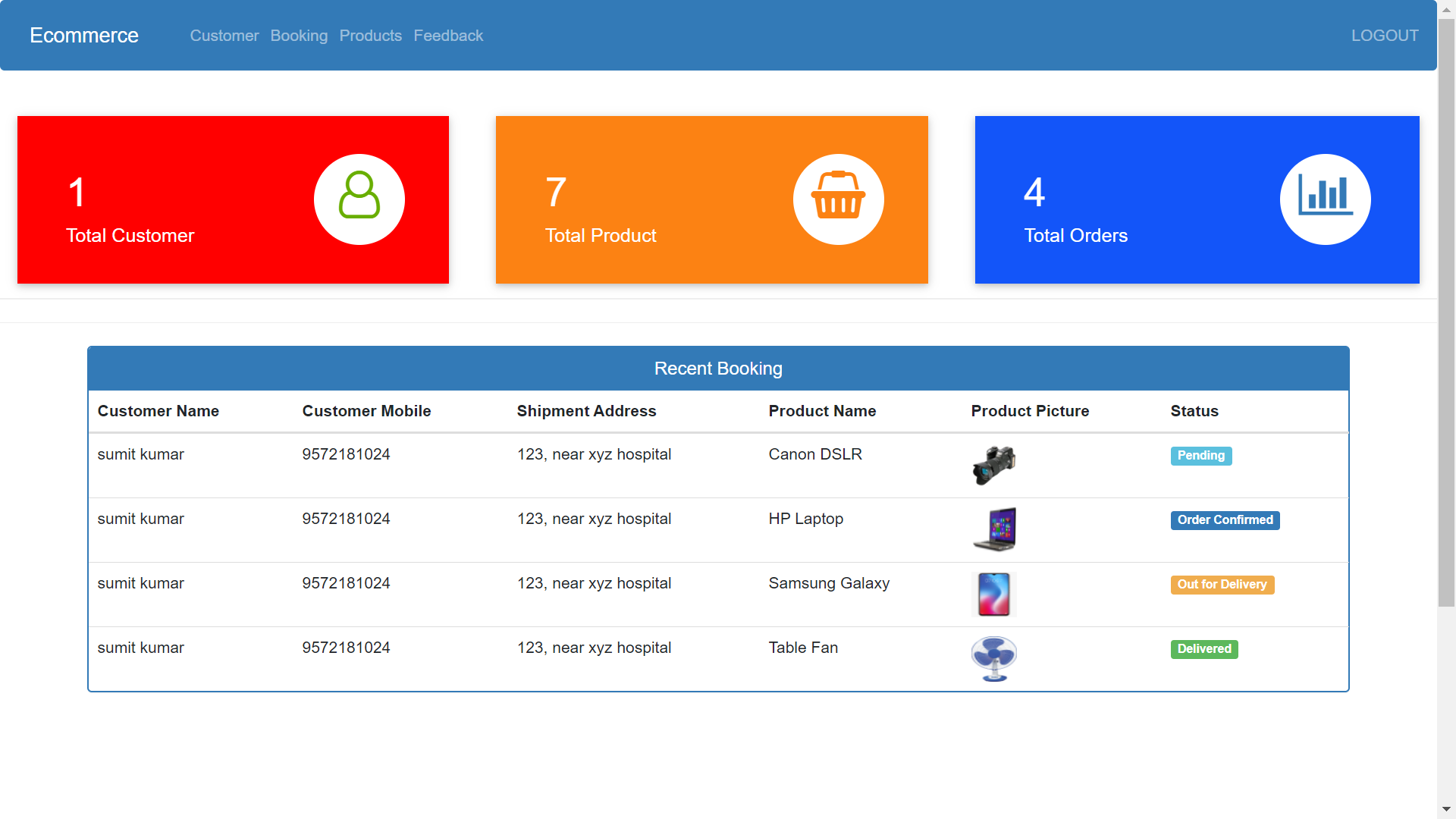
Admin Dashboard
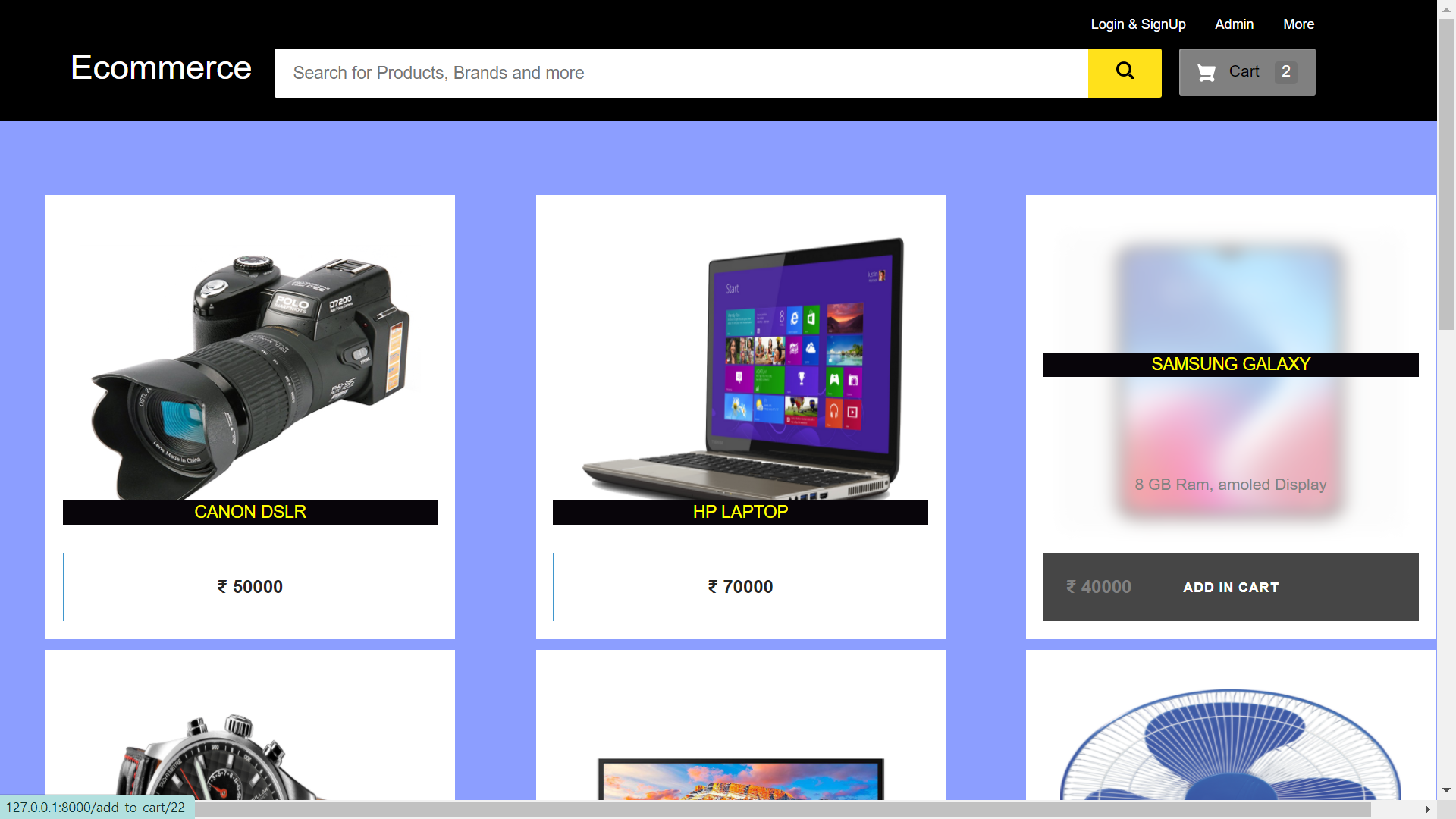
Customer Homepage
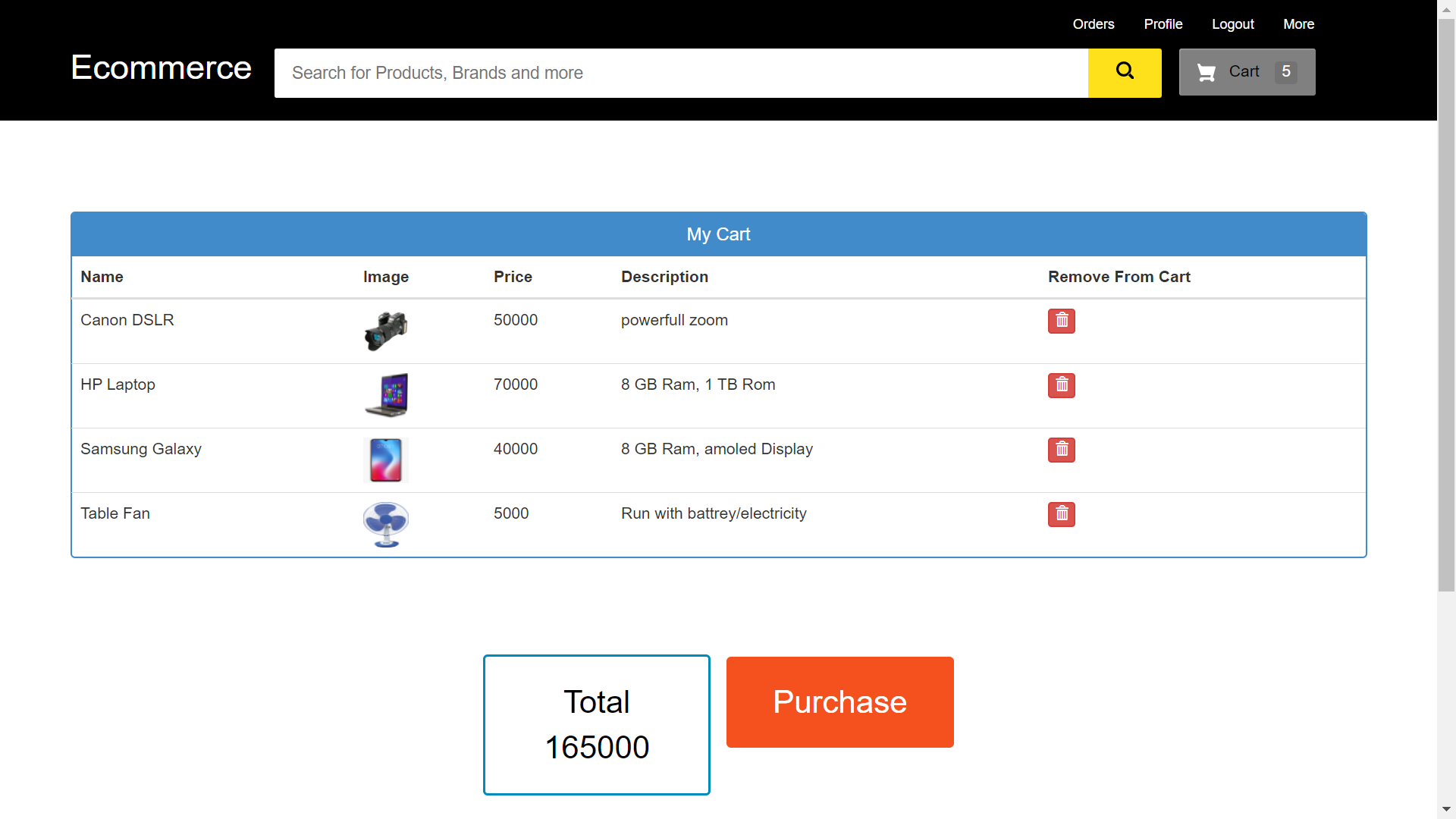
Cart
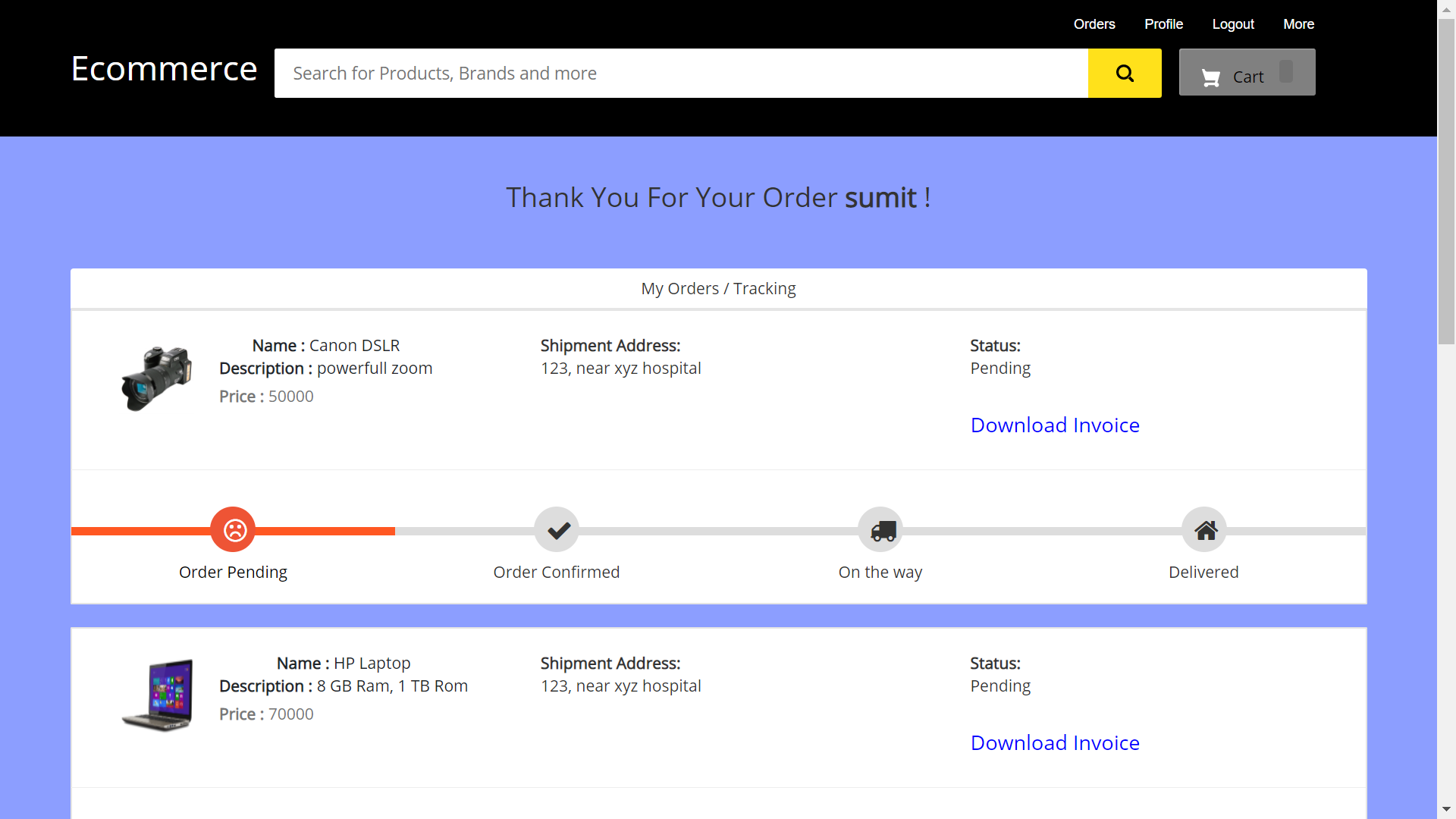
Track Orders
FUNCTIONS
Customer
- Customer can view/search products without login.
- Customer can also add/remove product to cart without login (if customer try to add same product in cart. It will add only one)
- When customer try to purchase product, then he/she must login to system.
- After creating account and login to system, he/she can place order.
- There is a payment page also (just for demo, DONT FILL YOUR CARD DETAILS THERE ,By the way, website do not save that details)
- If customer click on pay button, then their payment will be successful and their order will be placed.
- Customer can check their ordered details by clicking on orders button.
- Customer can see the order status (Pending, Confirmed, Delivered) for each order
- Customer can Download their order invoice for each order
- Customer can send feedback to admin (without login)
Admin
- First admin will login ( for username/password run following command in cmd )
py manage.py createsuperuser
- Give username, email, password and your admin account will be created.
- After login, there is a dashboard (attached in screenshot) where admin can see how many customer is registered, how many products are there for sale, how many orders placed.
- Admin can add/delete/view/edit the products.
- Admin can view/edit/delete customer details.
- Admin can view/delete orders.
- Admin can change status of order (order is pending, confirmed, out for delivery, delivered)
- Admin can view the feedbacks sent by customers.
Other Features
-
customer places order and admin deleted that user(fraud detection), then their orders will automatically deleted
-
suppose 1 customer places 4 products order and admin deleted 2 product from website, then that 2 product order will also be deleted and other 2 will be their
-
If user click on purchase button without having products in their cart, then website will ask to add product in cart first.
HOW TO RUN THIS PROJECT
- Install Python(3.7.6) (Dont Forget to Tick Add to Path while installing Python)
- Open Terminal and Execute Following Commands :
pip install django==3.0.5
pip install django-widget-tweaks
pip install xhtml2pdf
- Download This Project Zip Folder and Extract it
- Move to project folder in Terminal. Then run following Commands :
py manage.py makemigrations
py manage.py migrate
py manage.py runserver
- Now enter following URL in Your Browser Installed On Your Pc
http://127.0.0.1:8000/
CHANGES REQUIRED FOR CONTACT US PAGE
- In settins.py file, You have to give your email and password
EMAIL_HOST_USER = 'youremail@gmail.com'
EMAIL_HOST_PASSWORD = 'your email password'
EMAIL_RECEIVING_USER = 'youremail@gmail.com'
- Login to gmail through host email id in your browser and open following link and turn it ON
https://myaccount.google.com/lesssecureapps
Drawbacks/LoopHoles
- When user edit their profile then he/she must login again because their username/password is updated in db.
- Popup of product is added to cart is shown when click on Ecommerce logo (soon i will fix it)
Disclaimer
This project is developed for demo purpose and it's not supposed to be used in real application.
Contributor
Feedback
Any suggestion and feedback is welcome. You can message me on facebook
Related Skills
node-connect
341.8kDiagnose OpenClaw node connection and pairing failures for Android, iOS, and macOS companion apps
claude-opus-4-5-migration
84.6kMigrate prompts and code from Claude Sonnet 4.0, Sonnet 4.5, or Opus 4.1 to Opus 4.5
frontend-design
84.6kCreate distinctive, production-grade frontend interfaces with high design quality. Use this skill when the user asks to build web components, pages, or applications. Generates creative, polished code that avoids generic AI aesthetics.
model-usage
341.8kUse CodexBar CLI local cost usage to summarize per-model usage for Codex or Claude, including the current (most recent) model or a full model breakdown. Trigger when asked for model-level usage/cost data from codexbar, or when you need a scriptable per-model summary from codexbar cost JSON.
