EvoCmdWing
Custom Command wing for Grandma3
Install / Use
/learn @stagehandshawn/EvoCmdWingREADME
EvoCmdWing - Wiki
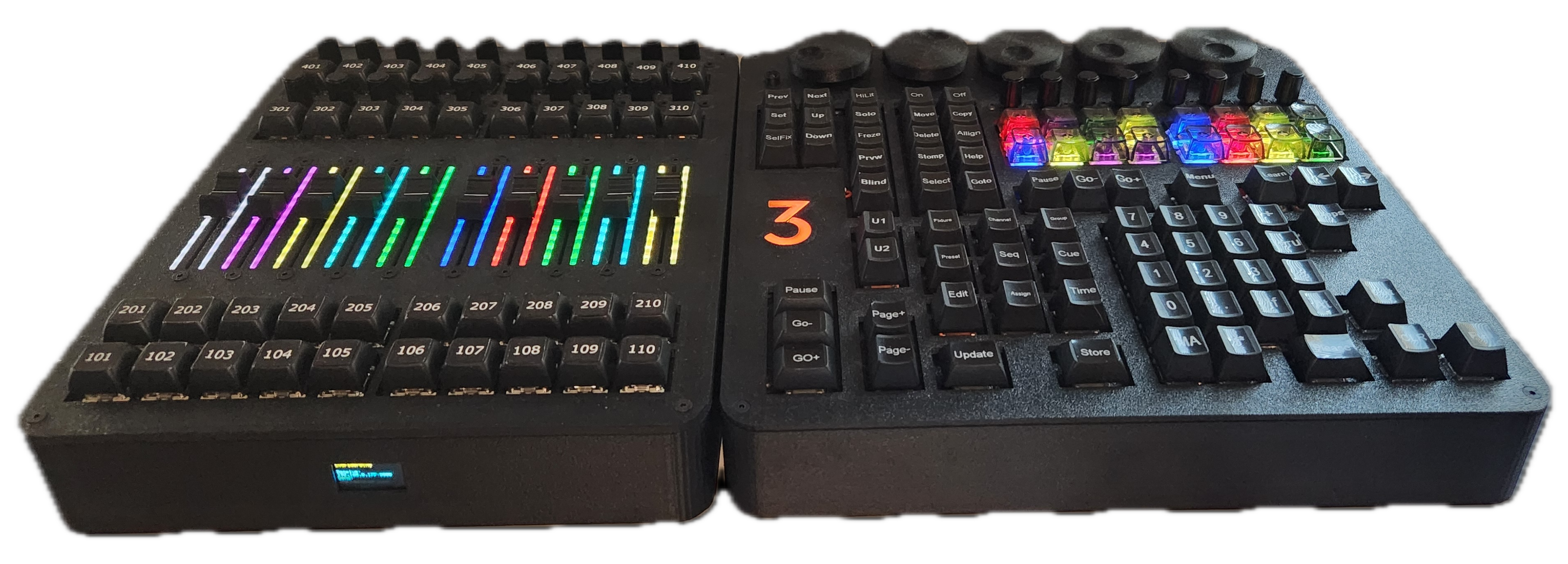
<table width="100%"> <tr> <td width="70%"> <table width="100%"> <tr> <td align="left"> <strong>Author:</strong> ShawnR </td> <td align="right"> <strong>Contact:</strong> <a href="mailto:stagehandshawn@gmail.com">stagehandshawn@gmail.com</a> </td> </tr> </table> <br> Control grandMA3 onPC with a custom keyboard with 5 attribute encoders and 8 XKey encoders synced using Midi, backlit Xkeys with on/off and color status (follows appearances). <br><br><blockquote> <strong>Note:</strong> This Guide is a work in progress but EvocmdWing is fully functional. I continue to work on the repo as time permits. </blockquote> </td> <td width="30%" align="right" valign="top"> <img src="https://raw.githubusercontent.com/stagehandshawn/EvoCmdWing/main/images/v02built/evocmdwing_top1.png" alt="cmdwing" width="350"> </td> </tr> </table>Project Images
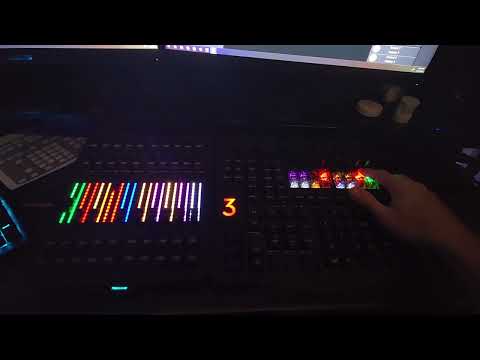
<table> <tr> <td width="50%"> <img src="https://raw.githubusercontent.com/stagehandshawn/EvoCmdWing/main/images/v02built/evocmdwing_top2_right.png" alt="cmdwingtop" width="100%"> </td> <td width="50%"> <img src="https://raw.githubusercontent.com/stagehandshawn/EvoCmdWing/main/images/v02built/evocmdwing_side2.png" alt="cmdwingside" width="100%"> </td> </tr> <tr> <td width="50%"> <img src="https://raw.githubusercontent.com/stagehandshawn/EvoCmdWing/main/images/v02built/evocmdwing_back1.png" alt="cmdwingback" width="100%"> </td> <td width="50%"> <img src="https://raw.githubusercontent.com/stagehandshawn/EvoCmdWing/main/images/v02built/faderwing_cmdwing_right.png" alt="faderwingcmdwing" width="100%"> </td> </tr> </table>Watch the demo video
Overview
- Sends custom keys to grandMA3 onPC when paired with
/help_files/EvoCmdWingv0.2_keyboard_shortcuts.xmlyou will have a nice control surface. - LED feedback for XKeys with manual brightness adjustment
- Hold "Encoder Flip" button and Rotate Encoder 11 (logo), 12 (Sequence Off brightness), 13(Sequence On brightness)
- 5 Relative Attribute Encoders
- Sensitivity adjustment - Hold "Encoder Flip" button and adjust using Encoder 5 - XKeys will show level (1-8)
- 8 Absolute XKey Encoders
- Sensitivity adjustment - Hold "Encoder Flip" button and adjust using Encoder 6 - XKeys will show level (1-8)
- Keyboard now uses custom keyboard firmware (better enumeration than QMK) EvoCmdWingKeyboard You can find the compiled firmware here
- Designed with
- D-Type panel mount openings for changes/additions later without reprinting (e.g., adding Art-net to DMX module, hardware midi, or LTC generator)
- Extra stand-offs for adding prototype boards for extra design options
Getting started
Required firmware for keyboard
- There is now a folder
./keyboard_custom_firmwarethat has custom keyboard firmware for the keyboard - I have left the QMK firmware but the custom keyboard works better with windows as I had some trouble with disconneting and reconneting the EvoCmdWing requiring a reboot for the keyboard to enumerate.
- You can also find the repo with the code to the custom keyboard here EvoCmdWingKeyboard
Required Plugins
EvoCmdWingMidi
-
Lua script
/lua/evocmdwingmidi_main.lua -
Polls executors and sends fader value, on/on status, and color updates to EvoCmdWing using midi.
-
Tracks sequences set to the XKeys and keeps them synced between page changes and sequence moves.
-
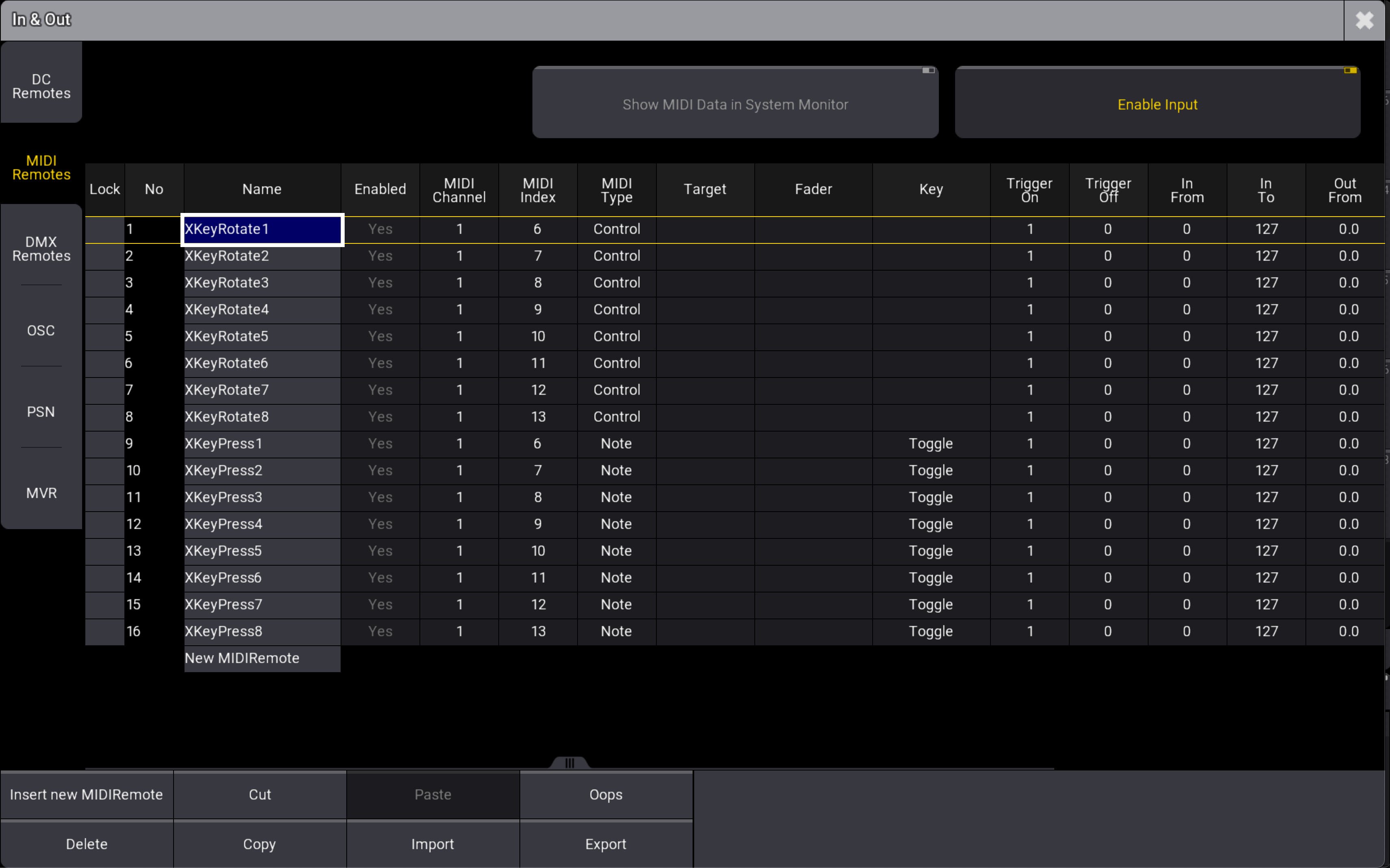
You can set custom Encoder Press actions (toggle is default) in Midi Remotes for more control.
- The plugin will create required Midi Remotes automatically if they are not present.
- You can create them manually with the plugin and batch change the action for pressing the encoder.
- You can change each one seperatly in the Midi Remtoes option as well.
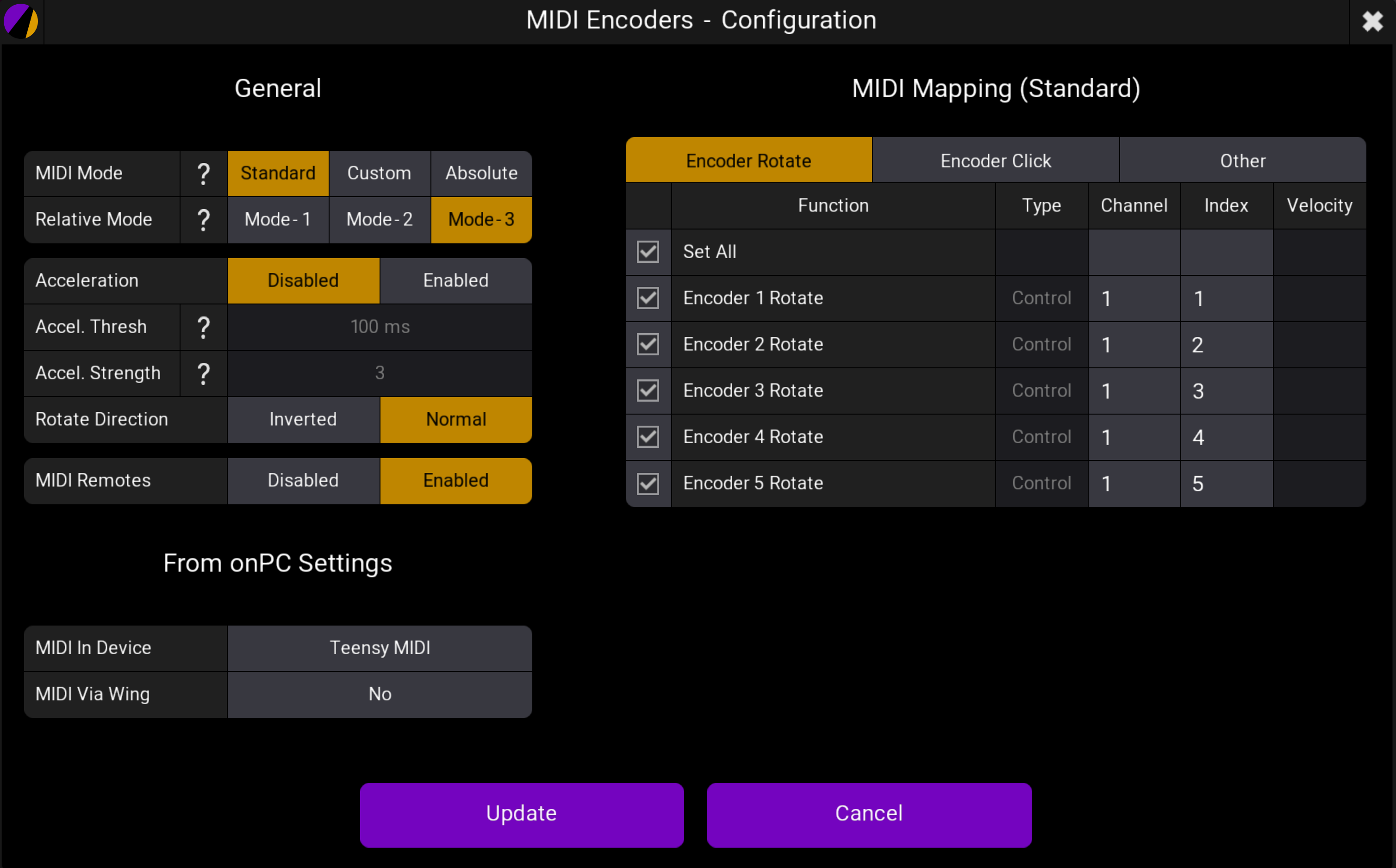
Pro Plugins MidiEncoders
- Required for taking Midi input and controlling the attribute encoders.
- Use Midi Standard and Relative Mode 3.
- The top backlit button refered to as "Encoder Flip" is used to flip from Inner/Outter encoder usage, USE NOTE 14.
Full Instructions comming soon, for now...
- Check the Wiki
- The
/help_filesand/imagesfolders have some helpful files.
Inspiration
- Check out this project! I used it as a starting point but eventually redesigned it to be closer to the layout of a console and to have more control surfaces, and feedback.
- https://www.thingiverse.com/thing:6464653
- Thanks to Nathan_I3 for the inspiration for this project!
Also check out EvoFaderWing for a complete at home programming setup.