
SecureBank
No description available
Install / Use
/learn @ssrdio/SecureBankREADME
SecureBank



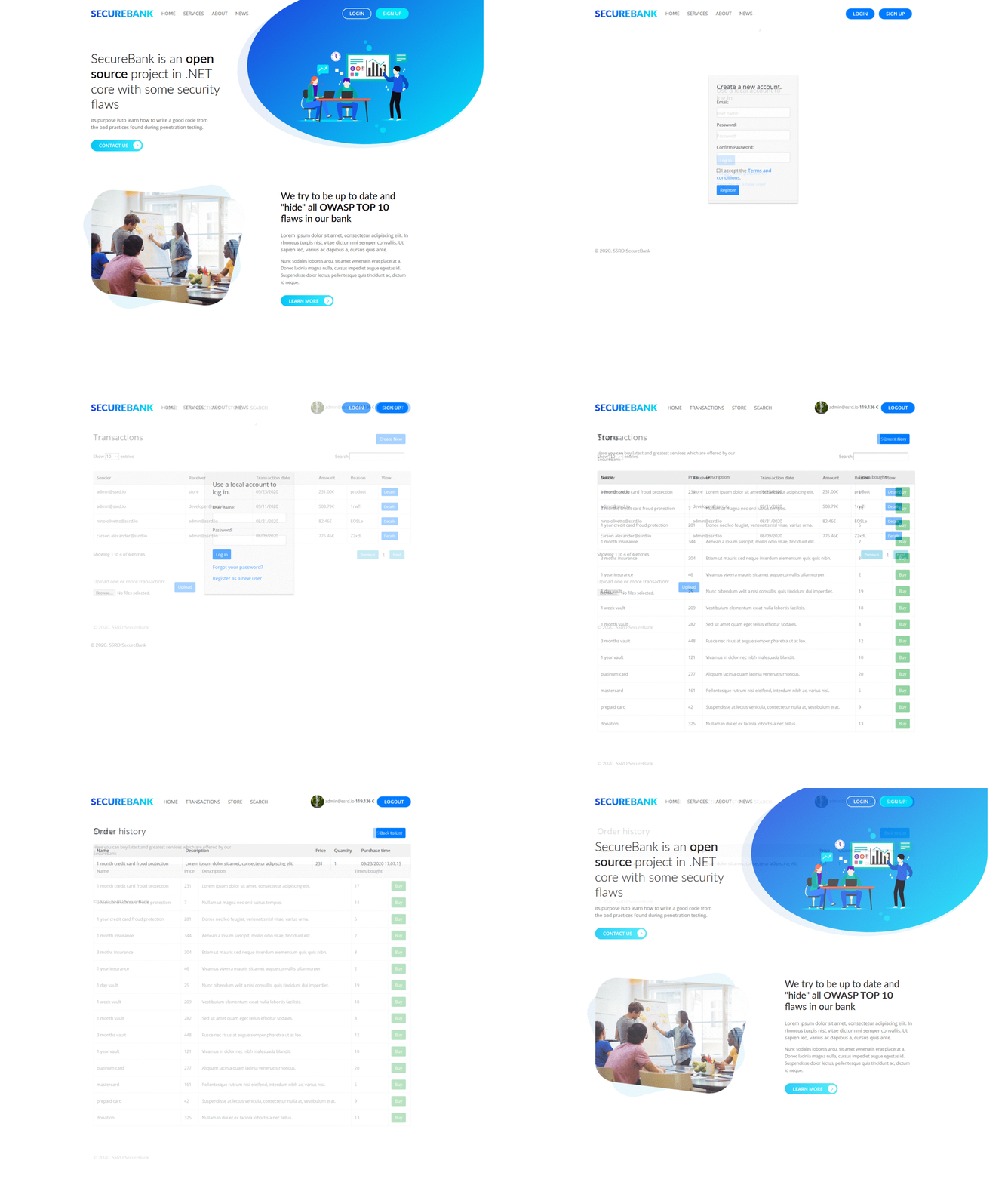
SecureBank is a FinTech application which contains all OWASP TOP 10 security vulnerabilities along with some other security flaws found in real-world applications.
You can read more about SecureBank and OWASP top 10 vulnerabilities here.
Setup
You can setup SecureBank application from source code, or simply pull it from Docker Hub.
Infrastructure
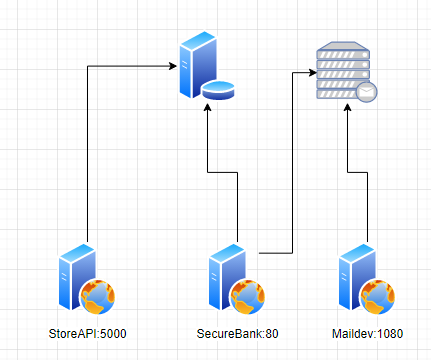
On the image below you can review how the application is built from the infrastructure point of view.
From source
Make sure that you have Microsoft SQL Server DB available. You can install or run it inside docker.
- Install .NET 5.0 SDK
- Install Visual Studio 2019 or just run with Visual Studio Code
- Clone from GitHub
- Navigate to directory SecureBank -> src
dotnet runor open solution in IDE and run there
From Docker
- Install Docker
- Execute
docker run -d -p 80:80 -p 5000:5000 -p 1080:1080 -e 'SeedingSettings:Admin=admin@ssrd.io' -e 'SeedingSettings:AdminPassword=admin' ssrd/securebank - Open http://localhost:80
Docker with multiple containers
- Install Docker
- Install Docker Compose
- Clone SecureBank
git clone https://github.com/ssrdio/SecureBank.git - Run
docker-compose up
Docker with single container
- Install Docker
- Install Docker Compose
- Create
docker-compose.yml
version: '3'
services:
    securebank:
        image: ssrd/securebank
        environment:
            - AppSettings:BaseUrl=http://localhost:80
            - AppSettings:Ctf:Enabled=true
            - AppSettings:Ctf:Seed=example
            - AppSettings:Ctf:GenerateCtfdExport=false
            - AppSettings:Ctf:FlagFormat=ctf{{{0}}}
            - AppSettings:Ctf:UseRealChallengeName=true
            - AppSettings:Ctf:Challenges:SqlInjection=true
            - AppSettings:Ctf:Challenges:WeakPassword=true
            - AppSettings:Ctf:Challenges:SensitiveDataExposureStore=true
            - AppSettings:Ctf:Challenges:SensitiveDataExposureBalance=true
            - AppSettings:Ctf:Challenges:SensitiveDataExposureProfileImage=true
            - AppSettings:Ctf:Challenges:PathTraversal=true
            - AppSettings:Ctf:Challenges:Enumeration=true
            - AppSettings:Ctf:Challenges:XxeInjection=true
            - AppSettings:Ctf:Challenges:MissingAuthentication=true
            - AppSettings:Ctf:Challenges:RegistrationRoleSet=true
            - AppSettings:Ctf:Challenges:ChangeRoleInCookie=true
            - AppSettings:Ctf:Challenges:UnconfirmedLogin=true
            - AppSettings:Ctf:Challenges:ExceptionHandlingTransactionCreate=true
            - AppSettings:Ctf:Challenges:ExceptionHandlingTransactionUpload=true
            - AppSettings:Ctf:Challenges:TableXss=true
            - AppSettings:Ctf:Challenges:PortalSearchXss=true
            - AppSettings:Ctf:Challenges:InvalidModelStore=true
            - AppSettings:Ctf:Challenges:InvalidModelTransaction=true
            - AppSettings:Ctf:Challenges:UnknownGeneration=true
            - AppSettings:Ctf:Challenges:HiddenPageRegisterAdmin=true
            - AppSettings:Ctf:Challenges:HiddenPageLoginAdmin=true
            - AppSettings:Ctf:Challenges:InvalidRedirect=true
            - AppSettings:Ctf:Challenges:DirectoryBrowsing=true
            - AppSettings:Ctf:Challenges:Swagger=true
            - AppSettings:Ctf:Challenges:Base2048Content=true
            - AppSettings:Ctf:Challenges:SimultaneousRequest=true
            - AppSettings:Ctf:Challenges:reDOS=true
            - AppSettings:Ctf:Challenges:FreeCredit=true
            - SeedingSettings:Seed=true
            - SeedingSettings:Admin=admin@ssrd.io
            - SeedingSettings:AdminPassword=admin
            - SeedingSettings:UserPassword=test
        ports:
            - 80:80
            - 1080:1080
        volumes:
            -  ./logs/securebank:/app/SecureBank/logs
            -  ./logs/storeapi:/app/StoreApi/logs
            - ./ctf:/SecureBank/Ctf
            - ./data:/var/opt/mssql/data
- Run
docker-compose up
Default users:
admin@ssrd.io:admin
developer@ssrd.io:test
yoda@ssrd.io:test
tester@ssrd.io:test
Ports
- 80 on this port SecureBank is accessible
- 1080 is maildev server for user registration
- 5000 is hidden API
CTF-Mode
If you want to run SecureBank in CTF mode we have also prepared this option. It will create CTFd compatible export file.
Run docker run -d -p 80:80 -p 5000:5000 -p 1080:1080 -e 'AppSettings:Ctf:Enabled=true' -e 'AppSettings:Ctf:Seed=example' -e 'SeedingSettings:Admin=admin@ssrd.io' -e 'SeedingSettings:AdminPassword=admin' ssrd/securebank
Custom training
For custom training you can contact us at training[at]ssrd.io
