
Guiscrcpy
A full fledged GUI integration for the award winning open-source android screen mirroring system -- scrcpy located on https://github.com/genymobile/scrcpy/ by @rom1v
Install / Use
/learn @srevinsaju/GuiscrcpyREADME
<div align="center">[!WARNING]
This repository is archived. Please see #348 for more information.











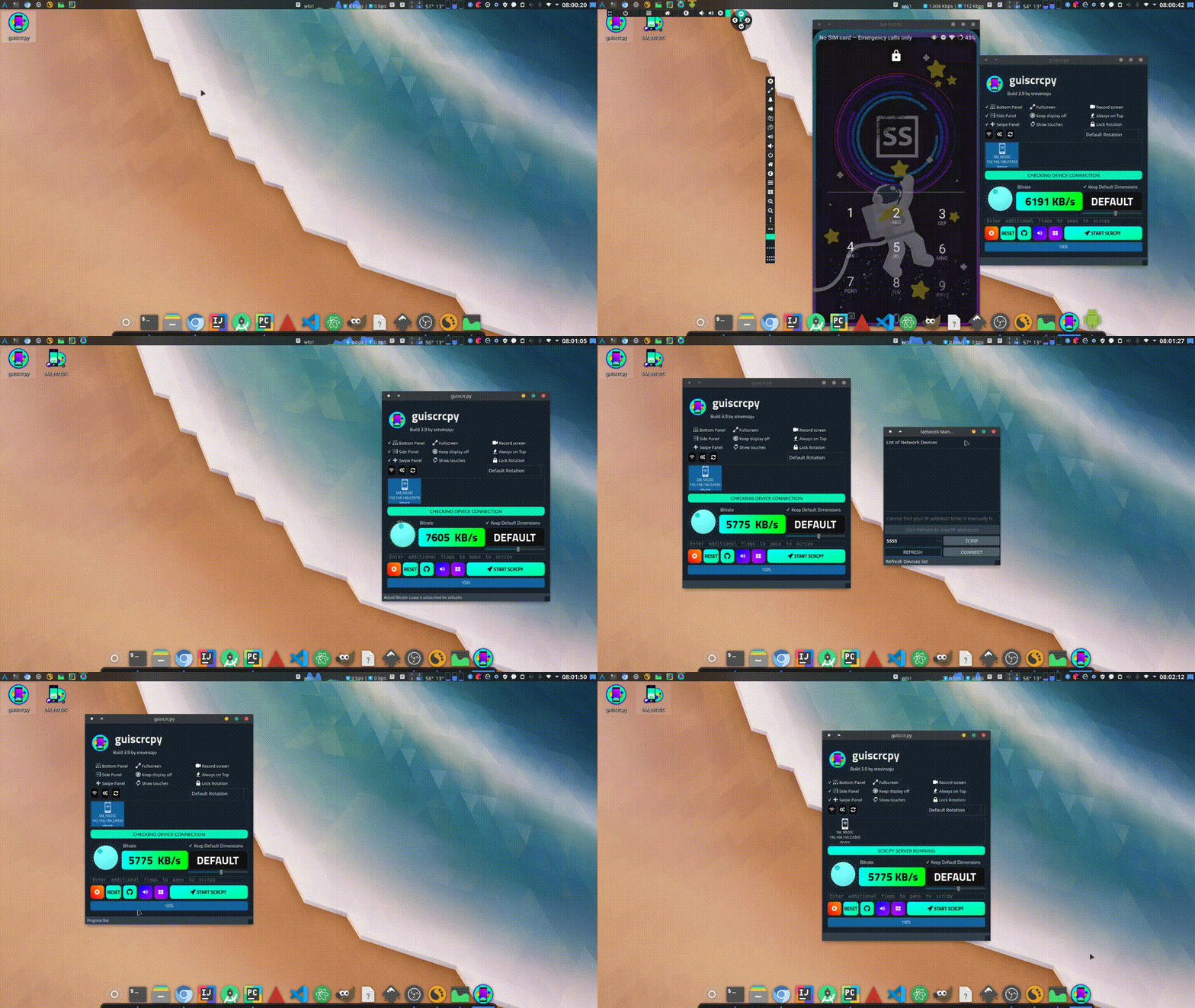
guiscrcpy is a multiplatform, ready-to-use GUI layer for Android to PC screen mirroring written in the advancing programming language python3 for the most award winning open-source android screen mirroring system -- scrcpy located on https://github.com/genymobile/scrcpy/ by @rom1v
Installation
These are the common methods of installation. To see more interesting ways, checkout Installation wiki page for more information, and to find a compatible installation method for your device and device architecture
NOTE: Out of the two links for downloading AppImage, the
.mone does not include the scrcpy binary. The one with.rincludes the scrcpy binary. See https://github.com/srevinsaju/guiscrcpy/discussions/341 for more information on the release builds.
| Package Type | Platforms | Status | Command / Link |
| ------------- | ------------------------------------------------------------ | ------------------------------------------------------------ | ----------------------------- |
| Flatpak | <img src="https://guiscrcpy.github.io/img/linux.png" height=15px> | 
flatpak install flathub in.srev.guiscrcpy |
| Snap Store | <img src="https://guiscrcpy.github.io/img/linux.png" height=15px><img src="https://guiscrcpy.github.io/img/darwin.jpeg" height=15px style="border-radius: 50%"> | | sudo snap install guiscrcpy |
| AUR* | <img src="https://raw.githubusercontent.com/guiscrcpy/guiscrcpy.github.io/master/img/archlinux.png" height=15px> | yay -S guiscrcpy |
| Windows (exe) | <img src="https://guiscrcpy.github.io/img/windows.png" height=15px> |  | Download
 .exe |
| AppImage | <img src="https://guiscrcpy.github.io/img/linux.png" height=15px> | | Download .AppImage |
Table of Contents
- Installation (detailed)
- Features
- Configuration files
- FAQ
Further reading
Thanks to users around the world, you may like to see some articles written by well wishers:
- Mirror your Android screen on your computer with Guiscrcpy - opensource.com
- Helper GUI For scrcpy, The Android Desktop Display And Remote Control Tool - linuxuprising.com
- Mirror your Android display screen in your laptop with Guiscrcpy - breakingexpress.com
- guiscrcpy demonstration (windows) - Youtube
- guiscrcpy = OpenCollective
Contributors
Code Contributors
This project exists thanks to all the people who contribute. [Contribute]. <a href="https://github.com/srevinsaju/guiscrcpy/graphs/contributors"><img src="https://opencollective.com/guiscrcpy/contributors.svg?width=890&button=false" /></a>
Financial Contributors
Thanks to everyone who supported guiscrcpy! It definitely meant a lot.
Individuals
<a href="https://opencollective.com/guiscrcpy"><img src="https://opencollective.com/guiscrcpy/individuals.svg?width=890"></a>
License
This program is free software: you can redistribute it and/or modify
it under the terms of the GNU General Public License as published by
the Free Software Foundation, either version 3 of the License, or
(at your option) any later version.

This program is distributed in the hope that it will be useful,
but WITHOUT ANY WARRANTY; without even the implied warranty of
MERCHANTABILITY or FITNESS FOR A PARTICULAR PURPOSE.  See the
GNU General Public License for more details.

You should have received a copy of the GNU General Public License
along with this program.  If not, see <https://www.gnu.org/licenses/>.


Icon made by Dave Gandy from www.flaticon.com used under
Creative Commons 3.0 Unported. The original SVG black work
by Dave Gandy has been re-oriented, flipped or color-changed.
The rest of Terms and Conditions put forward by
CC-3.0:Unported has been feverently followed by the developer.

Icons pack obtained from www.flaticon.com
All rights reserved.
Copyright © 2019 - 2023 Srevin Saju and guiscrcpy contributors.
Related Skills
node-connect
334.9kDiagnose OpenClaw node connection and pairing failures for Android, iOS, and macOS companion apps
claude-opus-4-5-migration
82.3kMigrate prompts and code from Claude Sonnet 4.0, Sonnet 4.5, or Opus 4.1 to Opus 4.5
frontend-design
82.3kCreate distinctive, production-grade frontend interfaces with high design quality. Use this skill when the user asks to build web components, pages, or applications. Generates creative, polished code that avoids generic AI aesthetics.
model-usage
334.9kUse CodexBar CLI local cost usage to summarize per-model usage for Codex or Claude, including the current (most recent) model or a full model breakdown. Trigger when asked for model-level usage/cost data from codexbar, or when you need a scriptable per-model summary from codexbar cost JSON.
