
Cloud9carousel
:cyclone: 3D-perspective carousel for jQuery / Zepto
Install / Use
/learn @specious/Cloud9carouselREADME
Cloud 9 Carousel
A 3D perspective carousel for jQuery/Zepto focused on performance, based on the original Cloud Carousel by Professor Cloud.
Features
- Works with jQuery and Zepto
- Extremely fast
- Easy to use
- (optional) Reflections (via reflection.js)
- (optional) Mouse wheel support (via mousewheel plugin) (see: known issues)
- (optional) Rotate clicked item to front
- (optional) Auto-play
- Smooth animation via requestAnimationFrame with fixed-FPS fallback mode
- GPU acceleration through CSS transforms (support detected automatically)
- Create multiple instances
- Items can be any HTML element
- Convenient event callbacks
Demos
<a href="http://specious.github.io/cloud9carousel/species.html">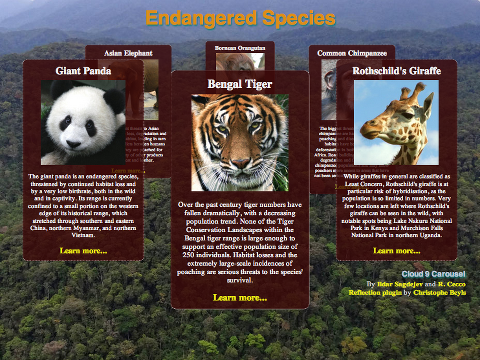 </a>
<a href="http://specious.github.io/cloud9carousel/">
</a>
<a href="http://specious.github.io/cloud9carousel/"> </a>
<a href="http://specious.github.io/portfolio/demos/julemagne/">
</a>
<a href="http://specious.github.io/portfolio/demos/julemagne/">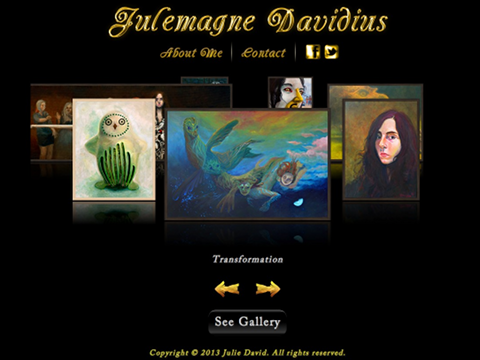 </a>
<a href="https://jsfiddle.net/petrovnn/aj4xyfoc/">
</a>
<a href="https://jsfiddle.net/petrovnn/aj4xyfoc/"> </a>
</a>
View the examples in the gh-pages branch.
Dependencies
- jQuery 1.3.0 or later or Zepto 1.1.1 or later
- Optional mirror effect using the reflection.js plugin by Christophe Beyls (jQuery only)
- Optional mouse wheel support via the mousewheel plugin (jQuery only)
Documentation
Basic usage
HTML:
<div id="carousel">
  <img class="cloud9-item" src="images/1.png" alt="Item #1">
  <img class="cloud9-item" src="images/2.png" alt="Item #2">
  <img class="cloud9-item" src="images/3.png" alt="Item #3">
  <img class="cloud9-item" src="images/4.png" alt="Item #4">
  <img class="cloud9-item" src="images/5.png" alt="Item #5">
  <img class="cloud9-item" src="images/6.png" alt="Item #6">
</div>

<div id="buttons">
  <button class="left">
    ←
  </button>
  <button class="right">
    →
  </button>
</div>
CSS:
#carousel .cloud9-item, #buttons button {
  cursor: pointer;
}
JavaScript:
$("#carousel").Cloud9Carousel( {
  buttonLeft: $("#buttons > .left"),
  buttonRight: $("#buttons > .right"),
  autoPlay: 1,
  bringToFront: true
} );
Carousel options
You may pass these options to the carousel constructor. Some of these properties may be changed during runtime via the data handle.
<table> <tr> <th>Option</th> <th>Description</th> <th>Default</th> </tr> <tr> <td>xOrigin</td> <td>Center of the carousel (x coordinate)</td> <td>(container width / 2)</td> </tr> <tr> <td>yOrigin</td> <td>Center of the carousel (y coordinate)</td> <td>(container height / 10)</td> </tr> <tr> <td>xRadius</td> <td>Half the width of the carousel</td> <td>(container width / 2.3)</td> </tr> <tr> <td>yRadius</td> <td>Half the height of the carousel</td> <td>(container height / 6)</td> </tr> <tr> <td>farScale</td> <td>Scale of an item at its farthest point (range: 0 to 1)</td> <td>0.5</td> </tr> <tr> <td>mirror</td> <td>See: <a href="#reflection-options">Reflection options</a></td> <td>none</td> </tr> <tr> <td>transforms</td> <td>Use <a href="http://learn.shayhowe.com/advanced-html-css/css-transforms">native CSS transforms</a> if <a href="http://caniuse.com/transforms">support for them is detected</a></td> <td>true</td> </tr> <tr> <td>smooth</td> <td>Use maximum effective frame rate via the <a href="https://developer.mozilla.org/docs/Web/API/window.requestAnimationFrame">requestAnimationFrame</a> API if <a href="http://caniuse.com/requestanimationframe">support is detected</a></td> <td>true</td> </tr> <tr> <td>fps</td> <td>Frames per second (if smooth animation is turned off)</td> <td>30</td> </tr> <tr> <td>speed</td> <td>Relative speed factor of the carousel. Any positive number: <b>1</b> is slow, <b>4</b> is medium, <b>10</b> is fast. Adjust to your liking</td> <td>4</td> </tr> <tr> <td>autoPlay</td> <td>Automatically rotate the carousel by this many items periodically (positive number is clockwise). Auto-play is not performed while the mouse hovers over the carousel container. A value of <b>0</b> means auto-play is turned off. See: <b>autoPlayDelay</b></td> <td>0</td> </tr> <tr> <td>autoPlayDelay</td> <td>Delay, in milliseconds, between auto-play spins</td> <td>4000</td> </tr> <tr> <td>mouseWheel</td> <td>Spin the carousel using the mouse wheel. Requires a <code>"mousewheel"</code> event, provided by <a href="http://plugins.jquery.com/mousewheel/">this mousewheel plugin</a>. However, see: <a href="#known-issues">known issues</a></td> <td>false</td> </tr> <tr> <td>bringToFront</td> <td>Clicking an item will rotate it to the front</td> <td>false</td> </tr> <tr> <td>buttonLeft</td> <td>jQuery collection of element(s) intended to spin the carousel so as to bring the item to the left of the frontmost item to the front, i.e., spin it counterclockwise, when clicked. E.g., <code>$("#button-left")</code></td> <td>none</td> </tr> <tr> <td>buttonRight</td> <td>jQuery collection of element(s) intended to spin the carousel so as to bring the item to the right of the frontmost item to the front, i.e., spin it clockwise, when clicked. E.g., <code>$("#button-right")</code></td> <td>none</td> </tr> <tr> <td>itemClass</td> <td>Class attribute of the item elements inside the carousel container</td> <td>"cloud9-item"</td> </tr> <tr> <td>frontItemClass</td> <td>Class attribute automatically added to the front-most item element</td> <td>none</td> </tr> <tr> <td>handle</td> <td>The string handle you can use to interact with the carousel. E.g., <code>$("#carousel").data("carousel").go(1)</code></td> <td>"carousel"</td> </tr> </table>Reflection options
After including reflection.js in your page, you may pass in options to configure the item reflections. For example:
mirror: {
  gap: 12,     /* 12 pixel gap between item and reflection */
  height: 0.2, /* 20% of item height */
  opacity: 0.4 /* 40% opacity at the top */
}
Note: The reflection.js plugin does not work with Zepto, but this unofficial fork does!
<table> <tr> <th>Option</th> <th>Description</th> <th>Default</th> </tr> <tr> <td>gap</td> <td>Vertical gap in pixels between the bottom of the item (at full size) and the top of its reflection</td> <td>2</td> </tr> <tr> <td>height</td> <td>The height of the reflection relative to the height of the item (range: 0 to 1)</td> <td>1/3</td> </tr> <tr> <td>opacity</td> <td>Opacity of the reflection at its top (most visible part) (range: 0 to 1)</td> <td>0.5</td> </tr> </table>Carousel methods
The following methods can be called on the carousel object after initialisation. For example:
// Spin three items clockwise
$("#carousel").data("carousel").go( 3 );
Basic methods:
<table> <tr> <th>Method</th> <th>Description</th> <th>Arguments</th> </tr> <tr> <td>go( count )</td> <td>Spin the carousel</td> <td><b>count</b>: Number of carousel items to rotate (<b>+</b> is clockwise, <b>-</b> is counterclockwise)</td> </tr> <tr> <td>goTo( index )</td> <td>Spin the carousel to a specific item</td> <td><b>index</b>: Index of the carousel item to rotate to</td> </tr> <tr> <td>nearestIndex()</td> <td>Returns the 0-based index of the item nearest to the front <b>(integer)</b></td> <td>none</td> </tr> <tr> <td>nearestItem()</td> <td>Returns a reference to the item object of the item that is nearest to the front <b>(Item object)</b></td> <td>none</td> </tr> <tr> <td>deactivate()</td> <td>Disable the carousel (currently irreversible). You can use that in order to halt the carousel mechanism and free the carousel's elements from it. Then the elements can be manipulated without interference from the carousel plugin. See for <a href="http://www.julemagne.com/">example</a>, when you click to expand the gallery.</td> <td>none</td> </tr> </table>Advanced methods:
<table> <tr> <th>Method</th> <th>Description</th> <th>Arguments</th> </tr> <tr> <td>itemsRotated()</td> <td>Returns the interpolated number of items rotated from the initial zero position. In a carousel with 5 items that made three clockwise revolutions, the value will be <code>-15</code>. If the carousel then further spins half-way to the next item, then the value would be <code>-15.5</code> <b>(float)</b> </td> <td>none</td> </tr> <tr> <td>floatIndex()</td> <td>Returns an interpolated value of the item "index" at the front of the carousel. If, for example, the carousel