
CoCo
A delicate lib for System Capture, Pick and Crop in Android
Install / Use
/learn @soulqw/CoCoREADME
CoCo




中文版说明
An delicate lib for System Capture, Pick and Crop in Android 🐵
- Provided the function of image capture or album selection or cropping from system application just need one code
- The inner adjust the FileProvider in Android 7.0 and above
- The default image disposer provided two strategy to compress the image, it can also can be customed
- Both Activity and Fragment supported,the asynchronous dispose of image will bind their lifecycle automatic
- The new designed api, easy to understand
- Fully based on kotlin, also can worked with java
- Already migrated to AndroidX, simplify to use
- Android Scoped-Storage Support and can work on Android 11 and higher
Installation:

dependencies {
    implementation 'com.github.soulqw:CoCo:1.1.6'
}
The new in Release :
- The Pick function in the Range.PICK_CONTENT model can filter the specific file type such as PNG、JPG、GIF and so on, the default config is no filter
- Add the default abstract class CoCoAdapter
Usage:
basic usage
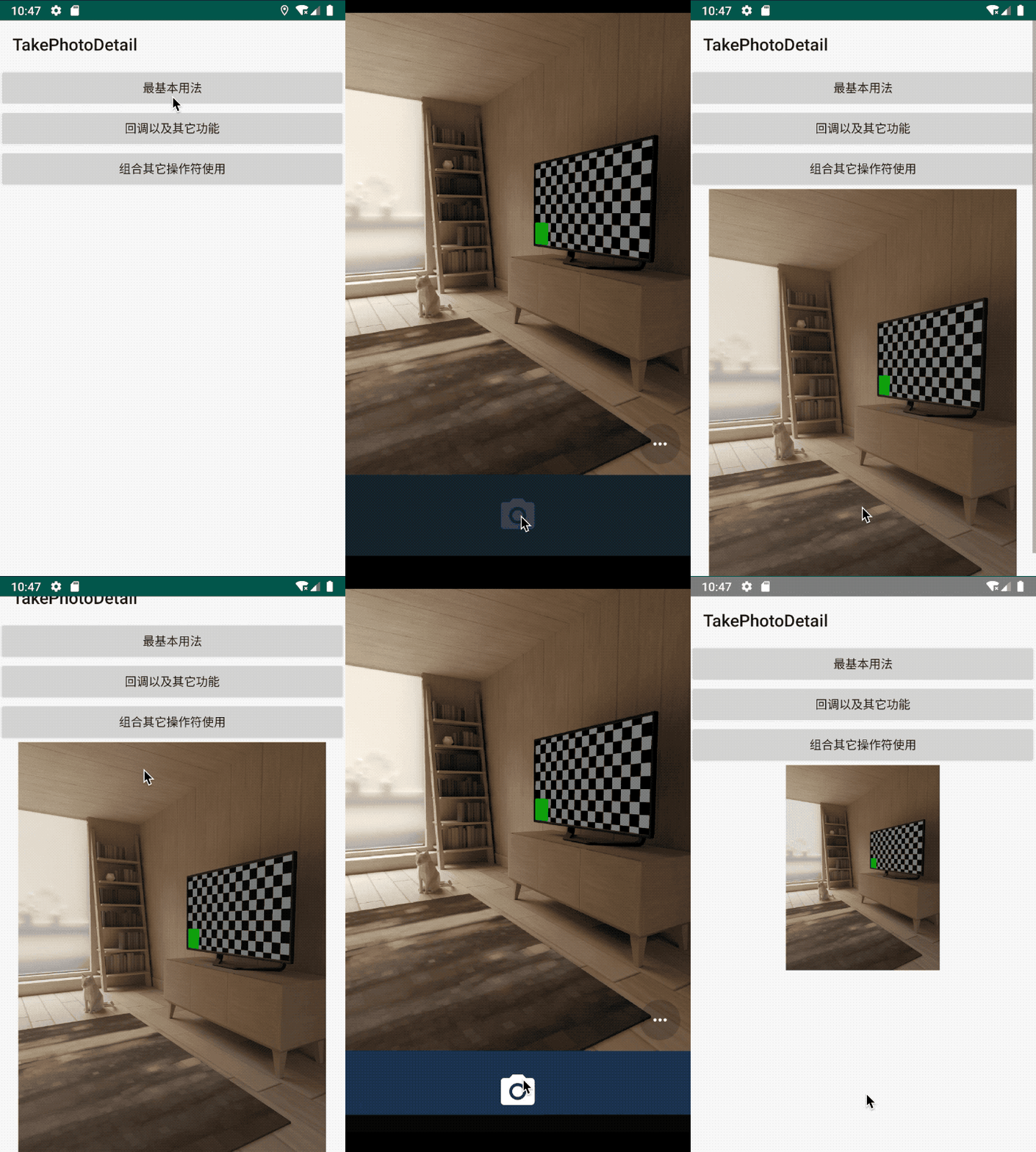
- Capture an image from system camera
       CoCo.with(this@MainActivity)
                       .take(createSDCardFile())
                       .start(object : CoCoAdapter<TakeResult>() {

                           override fun onSuccess(data: TakeResult) {
                               iv_image.setImageBitmap(Utils.getBitmapFromFile(data.savedFile!!.absolutePath))
                           }
                       })
image sample:
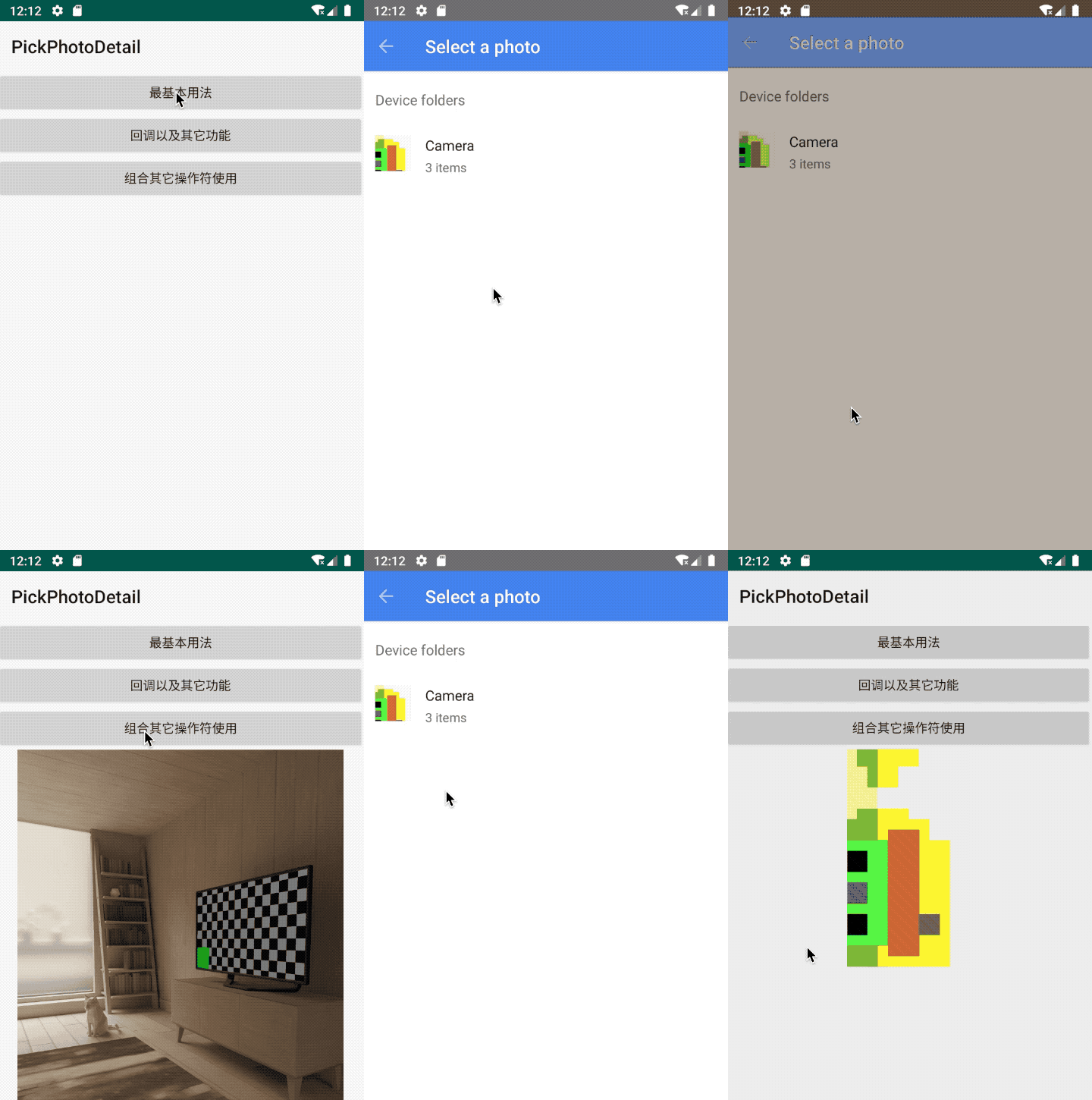
- Pick an image from system Gallery:
        CoCo.with(this@MainActivity)
                    .pick()
                    .start(object : CoCoAdapter<PickResult>() {
                        override fun onSuccess(data: PickResult) {

                        iv_image.setImageURI(data.originUri)

                        }
                    })
image sample:
- Dispose the origin image: Generally speaking, we may need dispose the origin image such as compress and so on, so CoCo provide the operator of dispose, we can use it to dispose the image
        //pick then dispose
         CoCo.with(this)
                .pick()
                //switch the operator
                .then()
                .dispose()
                .start(object : CoCoAdapter<DisposeResult>() {
                    override fun onSuccess(data: DisposeResult) {
                        iv_image.setImageBitmap(data.compressBitmap)
                    }
                })
We use the "then" method to switch the operator, it can also combination the another operators
dispose operator:
dispose operator can dispose the file in background thread automatic, it can also bind the related container,s lifecycle in method "with()"
It not only can works with other operators:
 CoCo.with(this)
                .take(createSDCardFile())
                .then()
                .dispose()
                .start(object : CoCoAdapter<DisposeResult>() {

                    override fun onSuccess(data: DisposeResult) {
                        iv_image.setImageBitmap(Utils.getBitmapFromFile(data.savedFile!!.absolutePath))
                    }
                })
It also can works separately:
        CoCo.with(this)
                .dispose()
                .origin(imageFile.path)
                .start(object : CoCoAdapter<DisposeResult>() {

                    override fun onSuccess(data: DisposeResult) {
                        iv_image.setImageBitmap(data.compressBitmap)
                    }
                })
We can use customDisposer to dispose the image,we can also custom the disposer:
              CoCo.with(this)
                .dispose()
                .disposer(CustomDisposer())
              //.disposer(DefaultImageDisposer())
                .origin(imageFile.path)
                .start(object : CoCoAdapter<DisposeResult>() {

                    override fun onSuccess(data: DisposeResult) {
                        iv_image.setImageBitmap(data.compressBitmap)
                    }
                })

                            /**
             * custom disposer
             * rotation image
             */
            class CustomDisposer : Disposer {
                override fun disposeFile(originPath: String, targetToSaveResult: File?): DisposeResult {
                    return DisposeResult().also {
                        var bitmap = QualityCompressor()
                            .compress(originPath, 80)
                        val m = Matrix()
                        m.postRotate(90f)
                        bitmap = Bitmap.createBitmap(
                            bitmap!!, 0, 0, bitmap.width,
                            bitmap.height, m, true
                        )
                        it.savedFile = targetToSaveResult
                        it.compressBitmap = bitmap
                    }
                }
            }
The Crop operator:
We can provide an image to system Crop:
    CoCo.with(this@CropActivity)
                .crop(imageFile)
                .start(object : CoCoAdapter<CropResult>() {

                    override fun onSuccess(data: CropResult) {
                        iv_image.setImageBitmap(data.cropBitmap)
                    }

                })
Of course, it can works with other combinations:
  CoCo.with(this@MainActivity)
                    .pick()
                    .then()
                    .crop()
                    .start(object : CoCoAdapter<CropResult>() {

                        override fun onSuccess(data: CropResult) {
                            iv_image.setImageBitmap(data.cropBitmap)
                        }
                    })
image sample:

- Another functions:
every operator can add the call backs:
  CoCo.with(this@PickPictureActivity)
                .pick()
                .range(Range.PICK_CONTENT)
//                .range(Range.PICK_DICM)
                .callBack(object : PickCallBack {

                    override fun onFinish(result: PickResult) {
                        Log.d(MainActivity.TAG, "pick onFinish${result}")
                    }

                    override fun onCancel() {
                        Log.d(MainActivity.TAG, "pick onCancel")
                    }

                    override fun onStart() {
                        Log.d(MainActivity.TAG, "pick onStart")
                    }

                }).start(object : CoCoCallBack<PickResult> {

                    override fun onSuccess(data: PickResult) {
                        iv_image.setImageURI(data.originUri)
                    }

                    override fun onFailed(exception: Exception) {}
                })
- the flow image:
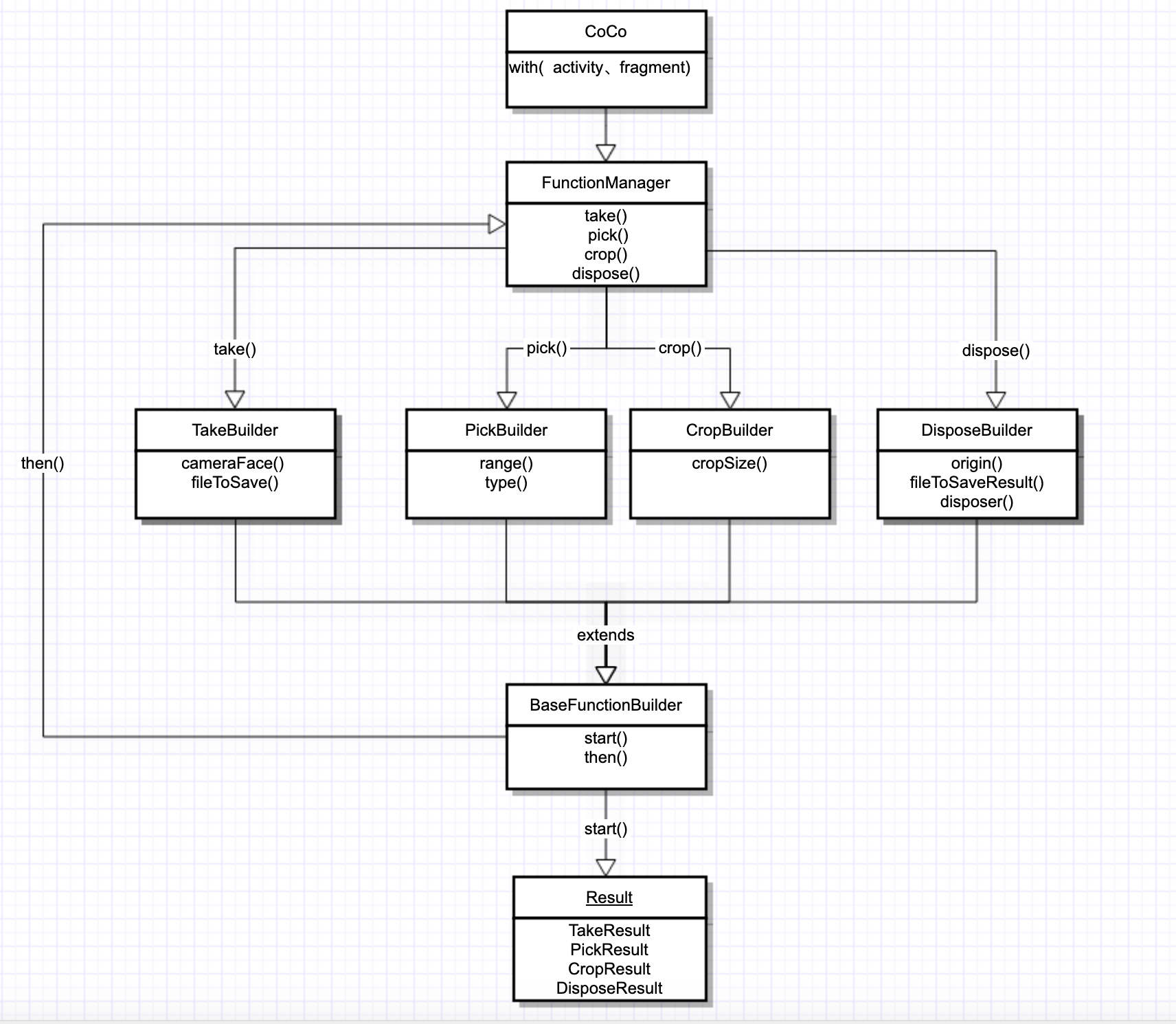
More detail can use the demo
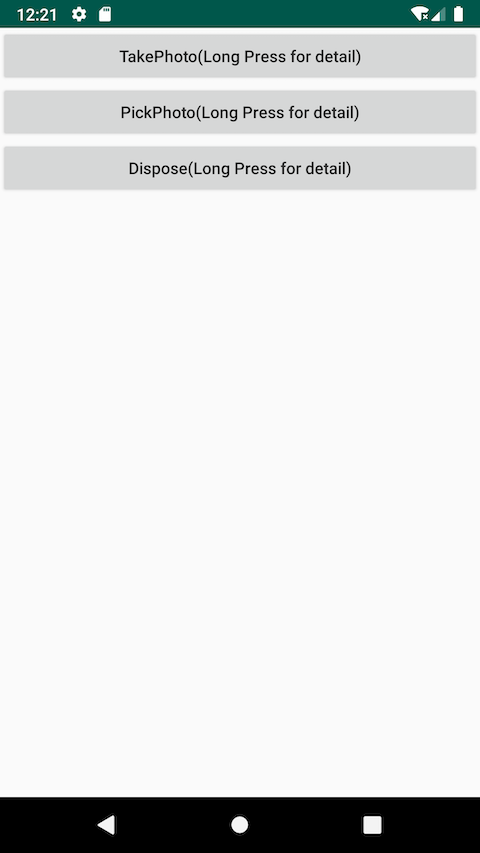
The screenshot:
The blog for this lib
Related Skills
node-connect
343.3kDiagnose OpenClaw node connection and pairing failures for Android, iOS, and macOS companion apps
frontend-design
92.1kCreate distinctive, production-grade frontend interfaces with high design quality. Use this skill when the user asks to build web components, pages, or applications. Generates creative, polished code that avoids generic AI aesthetics.
openai-whisper-api
343.3kTranscribe audio via OpenAI Audio Transcriptions API (Whisper).
qqbot-media
343.3kQQBot 富媒体收发能力。使用 <qqmedia> 标签,系统根据文件扩展名自动识别类型(图片/语音/视频/文件)。
